
You can now stop repeating yourself to Gemini in Google Docs
Published: (May 5, 2026 at 03:25 PM EDT)
2 min read
Source: Android Authority
Source: Android Authority

TL;DR
- Gemini in Google Docs now remembers your preferences, so you don’t have to repeat instructions for each document.
- You can set persistent rules (tone, format, structure) once, and they apply across all documents.
- Up to 1,000 active rules can be saved per account.
Persistent instructions for Gemini in Google Docs
If you use Gemini in Google Docs to write blog posts or summarize meetings, you’ve likely had to provide the same instructions every time you start a new document. Google has addressed this with an update that adds persistent instructions.
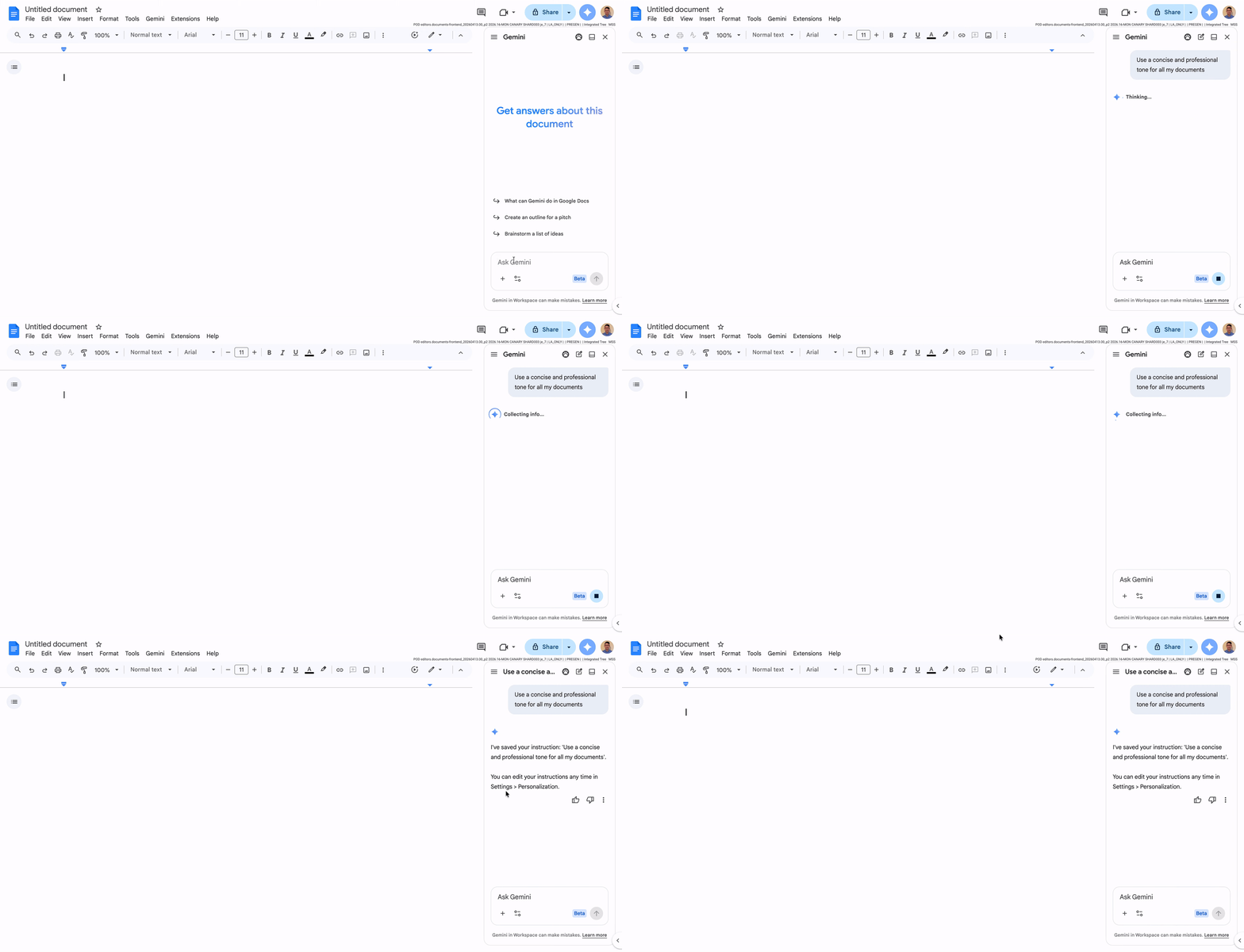
- One‑time setup: Add rules in the Gemini side panel and they will apply to every document you create.
- Examples:
- Start every summary with a three‑bullet TL;DR.
- Always use a professional tone.
- Capitalize every header.
- Never use the word “delve.”
The new system also shows which saved instruction was used by listing it in the “sources” section under the answer. You can review and edit your instructions in the Gemini personalization section of Docs settings.
Availability and rollout
- Rollout start: May 4, 2026.
- Current availability: English‑language users in the United States.
- Eligible accounts: Business, Enterprise, and Education accounts have immediate access. Personal users need a Google One AI Premium subscription.
- Rollout timeline: The update may take up to 15 days to appear for all users.
How to set up persistent rules
- Open a Google Doc and launch the Gemini side panel.
- Navigate to the Gemini personalization section in Docs settings.
- Add, edit, or delete instructions as needed (up to 1,000 active rules per account).
Once configured, Gemini will automatically apply these rules to new documents without further prompting.
Read the official blog post for more details.