
Spotify now lets users save or share podcast clips
Source: 9to5Mac
Spotify now supports podcast clip sharing
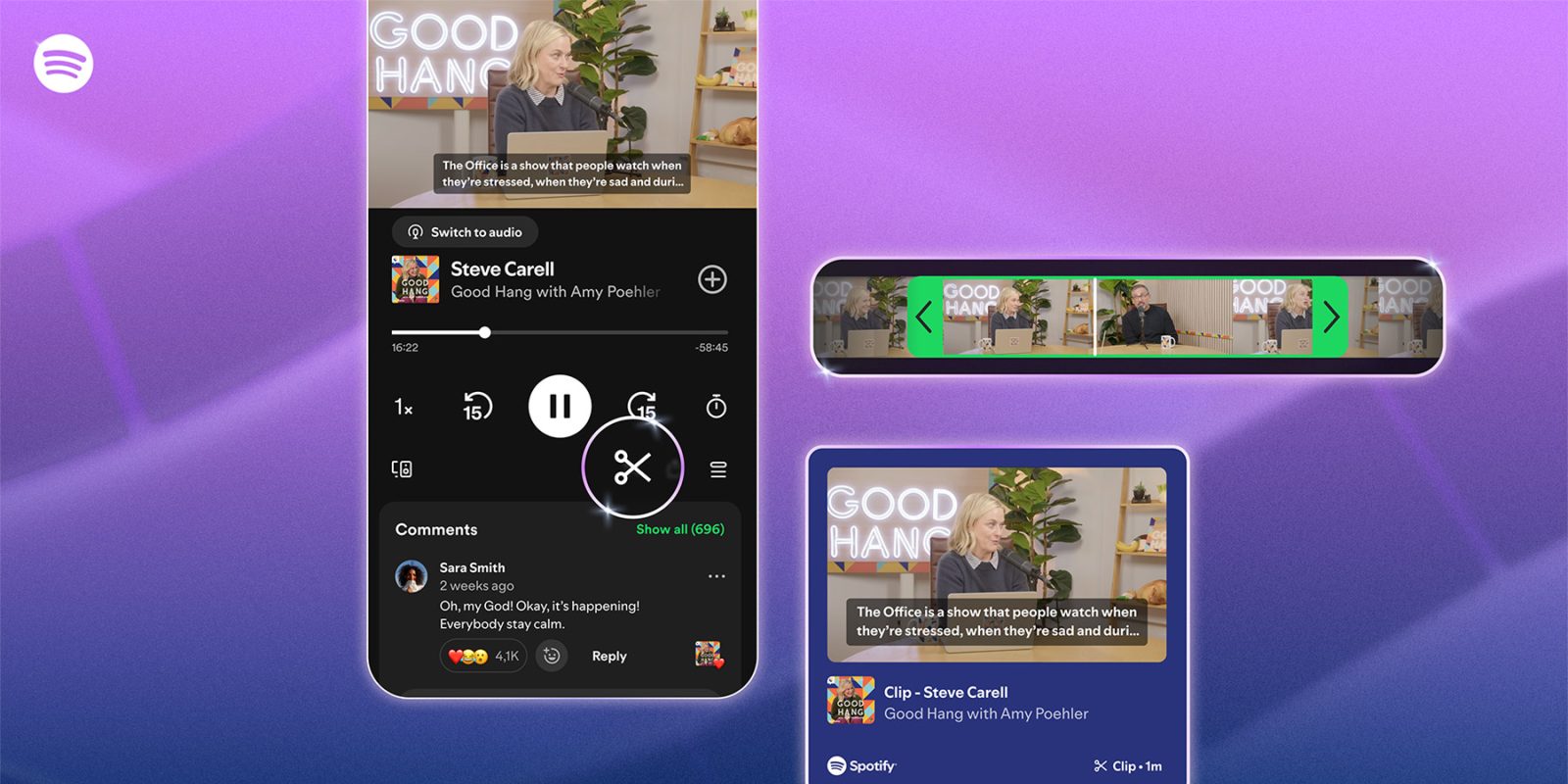
The feature, now rolling out to Free and Premium users, includes a simple trimming tool that lets listeners save or share a specific moment from a podcast episode.
Background
Podcast trimming, saving, and sharing tools aren’t exactly new—apps like Overcast have offered similar features for years. Spotify is now joining the list of podcast apps that let listeners create and share clips, with support for both audio and video podcasts.
How to create a clip
Starting today, Free and Premium users can:
- Tap the scissor icon in the Now Playing view.
- Open the clip‑creation interface.
- Choose the segment they want to save or share.
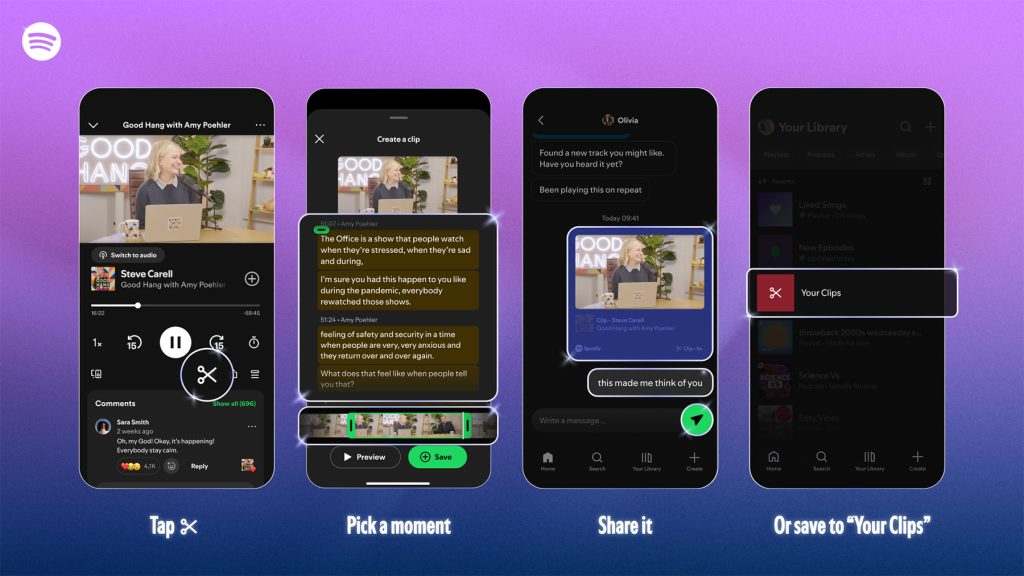
Spotify says the feature includes a trimming tool that lets users precisely select the beginning and end of a clip. In our tests, the tool showed a transcript‑based selector rather than a traditional timeline trimmer.
What you can do with a clip
After selecting a segment, users can:
- Save the clip to a new Your clips folder in Your Library.
- Share it through Spotify Messages.
- Share it directly to other platforms.
Spotify also notes that users can add these clips to playlists, “ensuring those favorite moments are never lost in the feed.”
Availability
According to Spotify, the feature is rolling out globally today, “with availability expanding across more shows over time.” This means the tool might not be immediately available on all shows or to all users.
Learn more
To read the official announcement, visit Spotify’s newsroom: Podcast clips – save & share moments.