Rubik’s WOWCube adds complexity, possibility by reinventing the puzzle cube
Source: Ars Technica
Hands‑on
Technology is a double‑edged sword in the $399 Rubik’s Cube‑inspired toy.
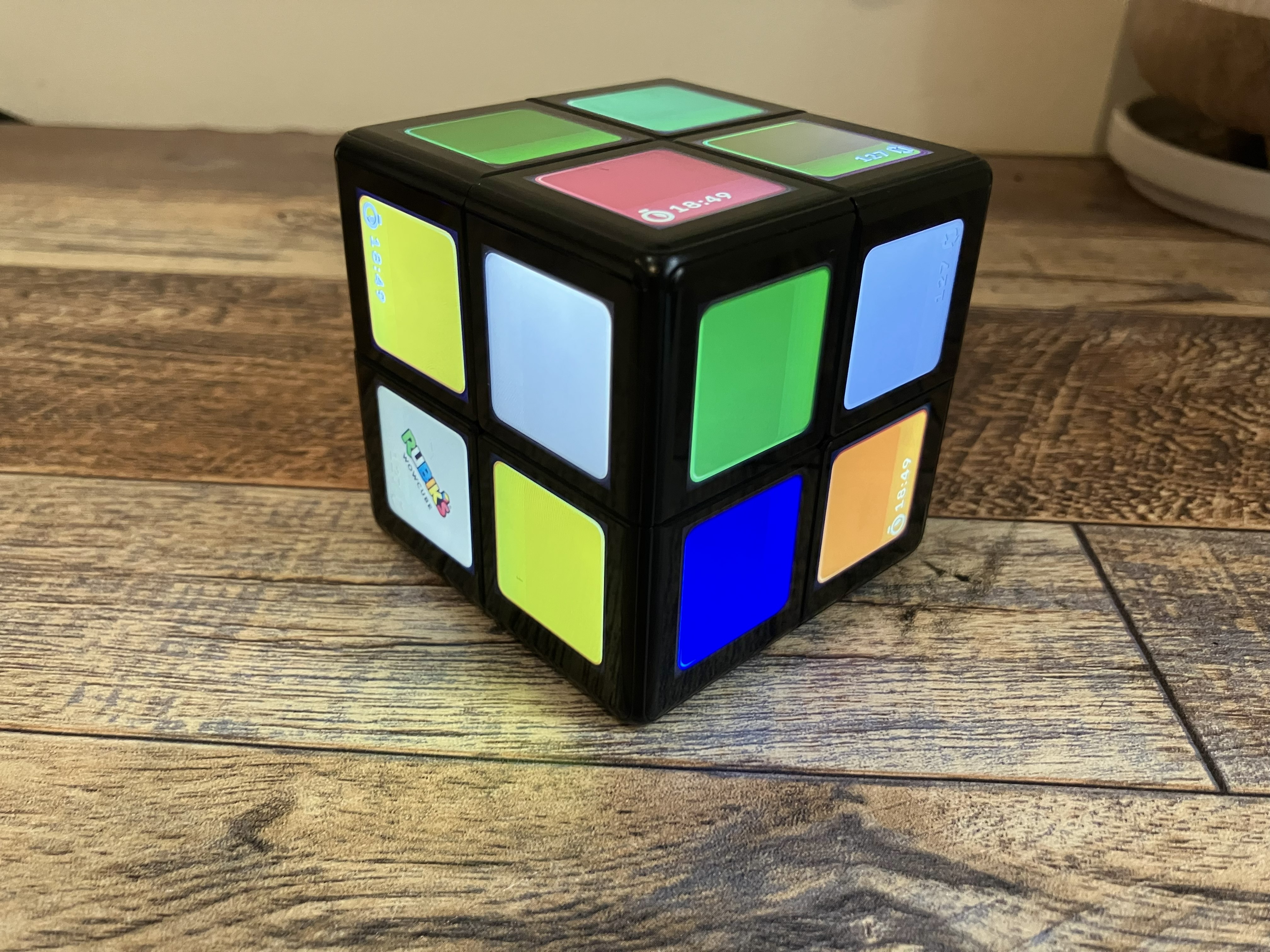
Credit: Scharon Harding
There’s something special about a gadget that “just works.” Technology can open new opportunities for devices, but it can also complicate and weigh down products that have thrived without sensors and software.
When a beloved classic like the Rubik’s Cube gets stuffed with wires, processors, and rechargeable batteries, expectations rise: it should be not only on par with the original but markedly better.
The Cubios Rubik’s WOWCube successfully breathes fresh life into the classic puzzle, yet it also illustrates how too much technology can cannibalize a gadget’s core appeal.
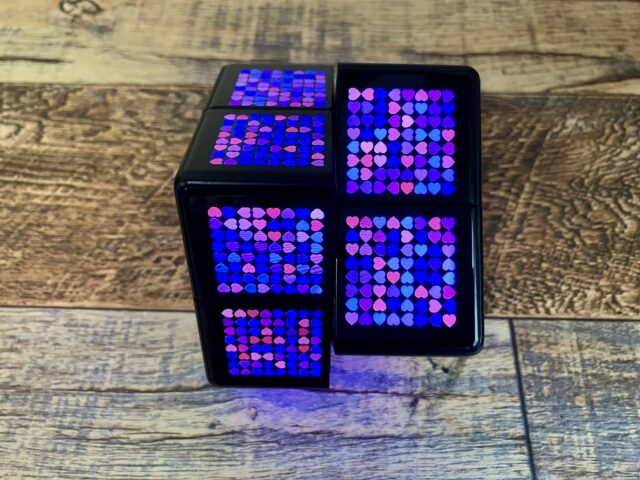
The WOWCube showing off one of its screensavers.
Credit: Scharon Harding
Background
The WOWCube is a modern take on the Rubik’s Cube, an experiment originally conceived by Hungarian architecture professor Ernő Rubik. Rubik aimed to create a structure of eight cubes that could move independently without collapsing. The original Rubik’s Cube became a worldwide toy phenomenon in the ’80s and an enduring puzzle icon.
- The classic Rubik’s Cube achieved all this without electronics and currently retails for about $10.
- The WOWCube takes the opposite approach: it costs $399 (as of this writing) and replaces the traditional 3 × 3 grid with a 2 × 2 grid. It can still solve the classic puzzle (albeit on a smaller scale) while also offering a variety of other functions, such as playing games and displaying the weather.
A Smaller Puzzle
The WOWCube’s 2×2 grid will disappoint hardcore puzzlers. There’s no way to play the traditional 3×3 version—or even harder modified versions—on a 2×2 grid. With only 24 squares (compared to the traditional 54), solving the WOWCube is significantly easier than solving a standard Rubik’s Cube, although skilled players might enjoy the challenge of trying to solve the WOWCube extra rapidly.
For people who are awful at the original Rubik’s Cube—like the author—a more accessible version of the puzzle is welcome. Solving the new Rubik’s Cube feels more attainable and less frustrating.
The WOWCube is made up of eight modules. Each module has its own PCB, processor, gyroscope, and accelerometer. That may explain why Cubios went with this smaller design. The predicament also begs the question of whether electronics really improve the Rubik’s Cube.
Games and Other Apps
Once I played some of the WOWCube’s other games, I saw the advantage of the smaller grid. The 2 × 2 layout is more appropriate for games like White Rabbit (a Pac‑Man‑style game that relies on tilting and twisting the cube) or Ladybug (where you twist the cube to create a path for a perpetually crawling ladybug). A central module might add unneeded complexity and space to these games and other WOWCube apps, such as Pixel World (a Rubik’s Cube‑style puzzle with images of global landmarks) or the WOWCube implementation of Gabriele Cirulli’s puzzle game 2048.
At the time of writing, the WOWCube has 15 “games,” including the Rubik’s Cube puzzle. Most of the games are free, but some—Space Invaders Cubed ($30) and Sunny Side Up ($5)—cost money.
Unlike the original Rubik’s Cube, which is content to sit on a shelf until you need a brain‑exercise or a road‑trip diversion, the WOWCube craves attention with dozens of colorful screens, sound effects, and attempts to be more than a toy.
With its Widgets app open, the cube can display information (time, temperature, alerts) from a limited selection of messaging apps. More advanced actions—checking tomorrow’s temperature or opening a WhatsApp message—are unavailable. There’s room for improvement; features like an alarm clock or reminders could turn the WOWCube into a helpful desk companion.
Technology Overload
The new technology makes the Rubik’s Cube more versatile, exciting, and useful while bringing the toy back into the spotlight; at times, however, it also adds complexity to a beloved simple concept.
- To open an app, make a selection, or otherwise confirm an action, you “knock” on the side of the WOWCube twice.
- To exit an app, you must shake the cube three times, and you can’t open a new app while another is running.
- Tapping an icon or pressing a physical button (as suggested by Ars Technica) would make tasks such as opening apps or adjusting volume/brightness easier.
On a couple of occasions my device got buggy and inadvertently turned off some—but not all—of its screens. The reliance on a battery and a charging dock that plugs into a wall also presents limitations.
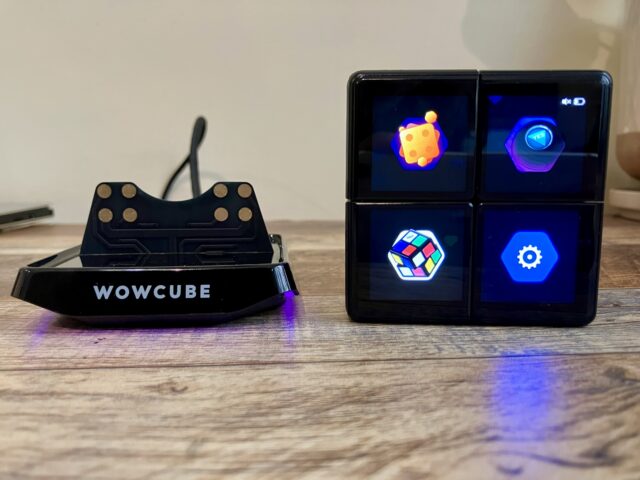
The WOWCube showing its main menu while sitting next to its charging dock. – Scharon Harding
The WOWCube’s makers brag about the device’s octads of speakers, processors, accelerometer, and gyroscopes, but I found the tilting mechanism unreliable and, at times, frustrating for tasks like highlighting an icon. Perhaps I wasn’t holding the cube at the angles its creators intended. There were also moments when the display was upside‑down, showing key information on a side of the cube that faced away from me.
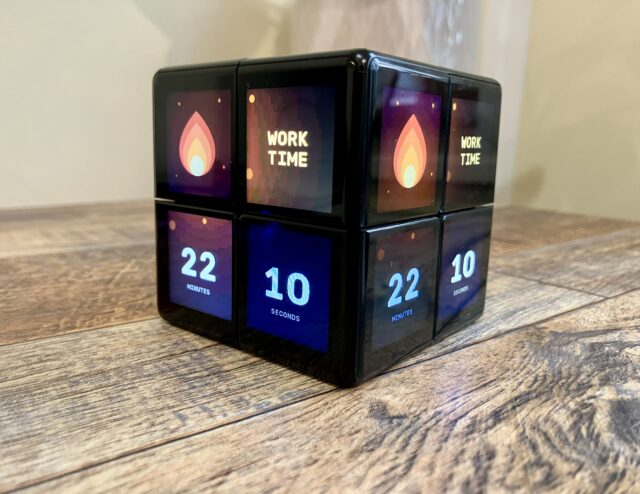
One of my favorite features: the WOWCube’s pomodoro‑like timer app. – Scharon Harding
The WOWCube has its own iOS and Android app, WOWCube Connect, which lets you pair the toy with your phone via Bluetooth and download new apps to the device through the dock’s Wi‑Fi connection. The app also lets you customize widgets, screensavers, and display brightness. If you prefer not to use these features, you can simply disconnect the WOWCube from your phone and reconnect it only when needed.
I wasn’t able to use the iOS app without agreeing to allow the “app to track activity.” This raises privacy concerns, and I’ve reached out to Cubios to ask whether the app can be used without the company tracking your activity.
New‑age Rubik’s Cube
Cubios attempted to reinvent a classic puzzle with the WOWCube. In the process, it added bells and whistles that detract from what originally made Rubik’s Cubes great.
The actual Rubik’s Cube puzzle is scaled back, and the idea of spending hours playing with the cube is hindered by its finite battery life (the WOWCube can last up to five hours of constant play, Cubios claims). The device’s reliance on sensors and chips doesn’t always yield a predictable user experience, especially when navigating apps. All of its tech makes the puzzle about 40 × pricier than the classic toy.
IPS screens, integrated speakers, and app integration add more possibilities, but some might argue that the Rubik’s Cube was sufficient without them. Notably, the WOWCube began as its own product and only obtained the rights to use Rubik’s branding in 2024.
We’ve seen technology come for the Rubik’s Cube before. The Rubik’s Revolution we tested years ago had pressure‑sensitive, LED‑lit buttons for faces. In 2020, Rubik’s Connected arrived with its own companion app. Clearly, there’s interest in bringing the Rubik’s Cube into the 21st century. For those who believe in that mission, the WOWCube is a fascinating new chapter for the puzzle.
I applaud Cubios’ efforts to give the Rubik’s Cube new relevance and remain intrigued by the potential of software‑driven puzzles. But it’s hard to overlook the downfalls of its tech reliance, and the WOWCube could never replace the classic.
Author

Scharon Harding – Senior Technology Reporter at Ars Technica
She writes news, reviews, and analysis on consumer gadgets and services. With over ten years of experience, her bylines also appear in Tom’s Hardware, Channelnomics, and CRN UK.
Comments: 18