
NVMe Memory Tiering Design and Sizing on VMware Cloud Foundation 9 Part 3: Sizing for Success
Source: VMware Blog
So far in this blog series we have highlighted the value that NVMe Memory Tiering delivers to our customers and how it is driving adoption. We’ve also covered prerequisites and hardware in Part 1 and design in Part 2. In this third installment we focus on properly sizing your environment so you can maximize your investment while reducing cost.
Brownfield Deployments
When adopting Memory Tiering on existing VCF 9 infrastructure, you can introduce NVMe Memory Tiering after the initial deployment.
Default DRAM:NVMe Ratio
The default configuration uses a 1:1 DRAM:NVMe ratio, meaning half of the memory comes from DRAM and half from NVMe. As a rule of thumb, purchase an NVMe device that is at least the same size as the host’s DRAM.
Example: If a host has 1 TB of DRAM, provision at least 1 TB of NVMe.
Adjusting the Ratio for Low‑Active‑Memory Workloads
Some workloads (e.g., certain VDI use cases) have a low percentage of active memory. For these, you can increase the NVMe share up to a 1:4 ratio (400 % more memory).
Scenario: A host with 1 TB of DRAM and a workload that is only 10 % active.
- With a 1:1 ratio → 1 TB NVMe (total 2 TB memory).
- With a 1:4 ratio → 4 TB NVMe (total 5 TB memory).
Adjust the ratio only after confirming that the active memory of your workloads fits within the available DRAM.
Partition Size Considerations
When creating the NVMe partition for Memory Tiering, the command defaults to the full drive size, up to 4 TB (the current maximum supported). The amount of NVMe actually used depends on:
- NVMe partition size
- DRAM size
- Configured DRAM:NVMe ratio
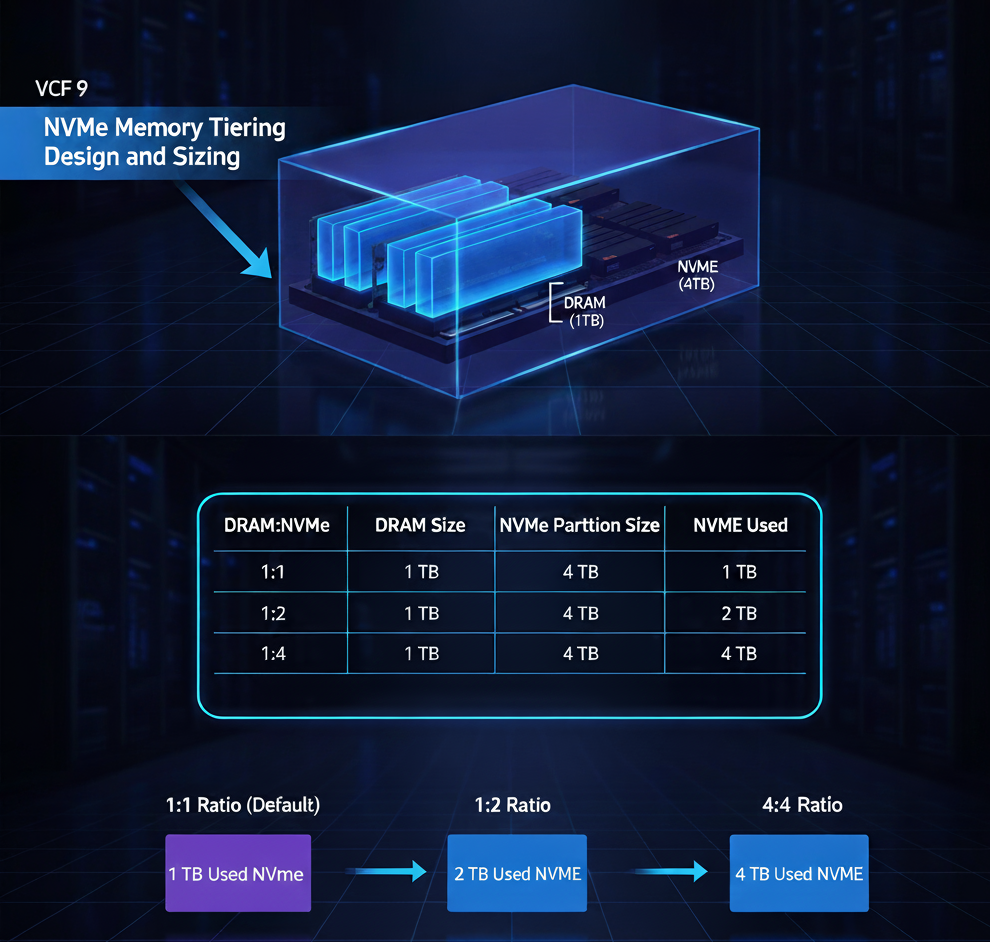
If you provision a 4 TB SED NVMe device on a host with 1 TB DRAM:
| DRAM:NVMe Ratio | DRAM Size | NVMe Partition Size | NVMe Used |
|---|---|---|---|
| 1:1 | 1 TB | 4 TB | 1 TB |
| 1:2 | 1 TB | 4 TB | 2 TB |
| 1:4 | 1 TB | 4 TB | 4 TB |
Changing the ratio does not require recreating the partition; the partition size remains constant while the amount of NVMe allocated to tiering changes. Always perform due diligence to ensure workload active memory aligns with the chosen ratio.
Greenfield Deployments
When planning a new VCF 9 deployment, you can incorporate Memory Tiering into your cost calculations from the start.
Cost Calculation
Apply the same sizing principles as for brownfield deployments, but you have the flexibility to select server configurations that best leverage NVMe tiering. Determine the active memory profile of your workloads (most workloads are suitable) before finalizing hardware choices.
DRAM and NVMe Sizing Options
Conservative approach (1:1 ratio):
If you need 1 TB of total memory per host, you could provision 512 GB of DRAM and 512 GB of NVMe. This works when the active memory of the workloads consistently fits within the DRAM portion.Denser servers (retain full DRAM):
Keep 1 TB of DRAM and add an additional 1 TB of NVMe, effectively doubling the memory capacity per host. This reduces the number of servers required, leading to savings in hardware, power, and cooling.
The number of NVMe devices per host and the RAID configuration are separate decisions that affect cost and redundancy but do not change the logical NVMe capacity available for tiering.
Conclusion
Sizing NVMe Memory Tiering involves balancing four key variables:
- Amount of DRAM
- Size of NVMe device(s) (max partition = 4 TB)
- NVMe partition size
- DRAM:NVMe ratio (1:1 – 1:4)
For greenfield deployments, a deeper study can reveal additional savings by provisioning DRAM only for the active memory portion of workloads, rather than the entire memory pool. Compatibility considerations with vSAN will be covered in the next part of the series (Part 4).