
Making Harbor Production-Ready: Essential Considerations for Deployment
Source: VMware Blog
Harbor is an open‑source container registry that secures artifacts with policies and role‑based access control, ensuring images are scanned for vulnerabilities and signed as trusted. To learn more about Harbor and how to deploy it on a virtual machine (VM) and in Kubernetes (K8s), refer to parts 1 and 2 of the series.
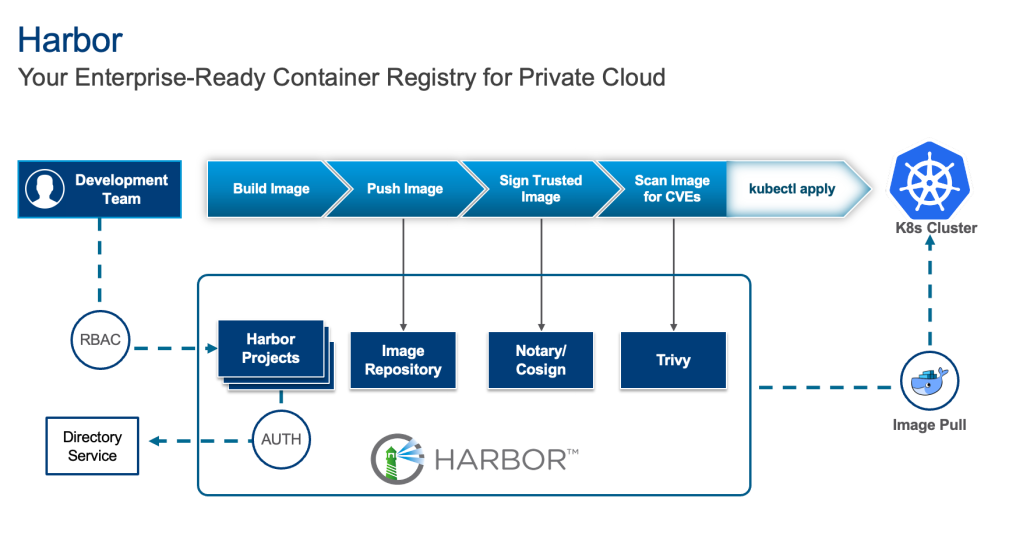
While deploying Harbor is straightforward, making it production‑ready requires careful consideration of several key aspects. This guide focuses on upstream Harbor (v2.14) deployed on Kubernetes via Helm and provides suggestions for this specific deployment.
High Availability (HA) and Scalability
For a production environment, single points of failure are unacceptable. Implementing high availability for Harbor involves several considerations:
Deploy with an Ingress
Configure a Kubernetes Service of type Ingress (e.g., Traefik) in front of your Harbor instances to distribute traffic and provide a unified entry point. Use cert‑manager for certificate management.
expose:
  type: ingress   # options: loadBalancer, ingress, clusterIP, nodePort
Run Multiple Harbor Instances
Increase the replica count for critical Harbor components (core, jobservice, portal, registry, trivy) to ensure redundancy:
core:
  replicas: 3
jobservice:
  replicas: 3
portal:
  replicas: 3
registry:
  replicas: 3
trivy:
  replicas: 3
exporter:
  replicas: 3   # optional, for monitoring availability
nginx:
  replicas: 3   # if using Ingress, improves Ingress availability
External PostgreSQL (Database HA)
Harbor’s built‑in PostgreSQL is a single‑node deployment and is not recommended for production. Deploy a highly available PostgreSQL cluster (e.g., Patroni, CloudNativePG) or use a managed service, then point Harbor to it:
database:
  type: external
  external:
    host: "192.168.0.1"
    port: "5432"
    username: "user"
    password: "password"
    coreDatabase: "registry"
    existingSecret: ""   # if using a secret, the key must be "password"
    sslmode: "verify-full"   # options: disable, require, verify-ca, verify-full
External Redis (Redis HA)
Deploy a highly available Redis cluster (e.g., Redis Sentinel or Redis Cluster) or use a managed Redis service, then configure Harbor to use it:
redis:
  type: external
  external:
    addr: "192.168.0.2:6397"
    sentinelMasterSet: ""
    tlsOptions:
      enable: true
    username: ""
    password: ""
Security Best Practices
Security is paramount for any production system, especially a container registry.
Enable TLS/SSL
Always enable TLS/SSL for all Harbor components. Integrate with cert‑manager for automated certificate provisioning:
expose:
  tls:
    enabled: true
    certSource: auto   # change to manual if using cert-manager
    auto:
      commonName: ""

internalTLS:
  enabled: true
  strong_ssl_ciphers: true
  certSource: "auto"
  core:
    secretName: ""
  jobService:
    secretName: ""
  registry:
    secretName: ""
  portal:
    secretName: ""
  trivy:
    secretName: ""
Configure RBAC and Identity Providers
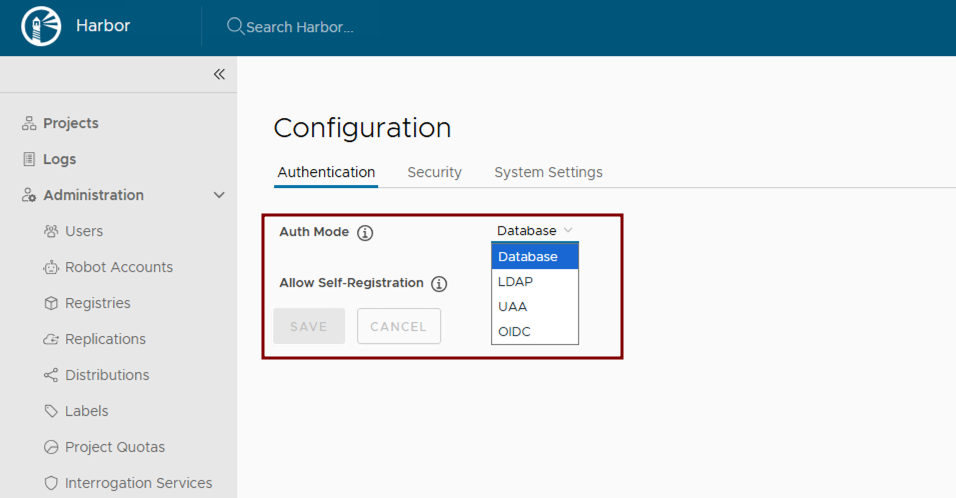
Leverage Kubernetes RBAC for managing access to Harbor resources. After deployment, integrate Harbor with enterprise identity providers such as LDAP or OIDC. See the official guides:
Enable Vulnerability Scanning
Harbor uses Trivy by default. Ensure scanning is enabled:
trivy:
  enabled: true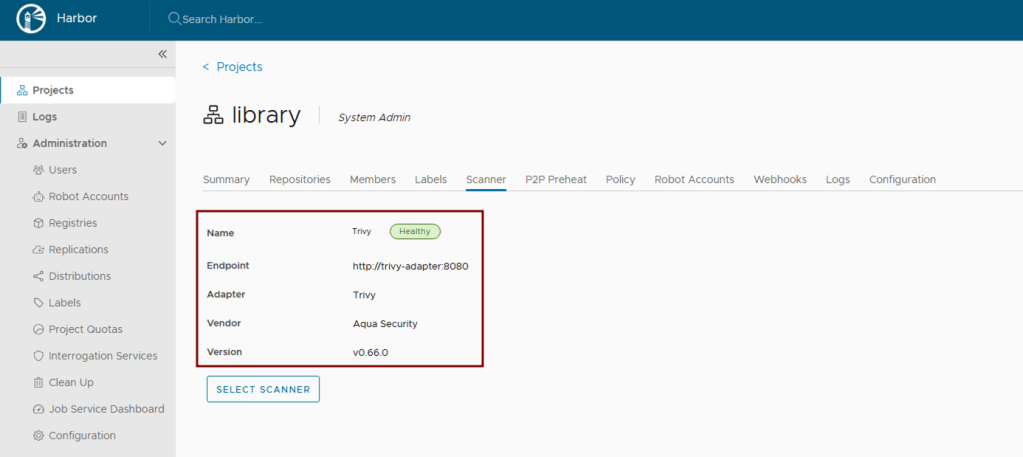
Activate Content Trust
Harbor supports modern OCI artifact signing mechanisms such as Cosign and Notation. Enforce content trust at the project level via the UI or Harbor API to allow only verified, cryptographically signed images.

Keep Harbor Updated
Regularly upgrade the Harbor Helm chart and underlying Kubernetes components to obtain the latest security patches and bug fixes:
helm repo update
helm upgrade harbor harbor/harbor -f values.yaml
Storage Considerations
Efficient and reliable storage is critical for Harbor’s performance and stability.
- Further storage recommendations (e.g., shared storage back‑ends, performance tuning, backup strategies) would be detailed here.