
iPadOS 26.4 adds convenient new feature for iPad power users
Source: 9to5Mac

iPadOS 26 introduced a brand‑new windowing system for apps, and iPadOS 26.4 adds a key enhancement that multi‑window power users should appreciate.
After years of iPad power users asking for a less restrictive multitasking system, Apple finally delivered in iPadOS 26.
Now you can open as many app windows as you want and freely resize them. But that change has, understandably, made it easier to lose track of open windows.
In iPadOS 26.4, Apple adds a new feature designed to help. When you launch an iPad app that has multiple windows open—some of which are hidden—you’ll see a new popup on‑screen.
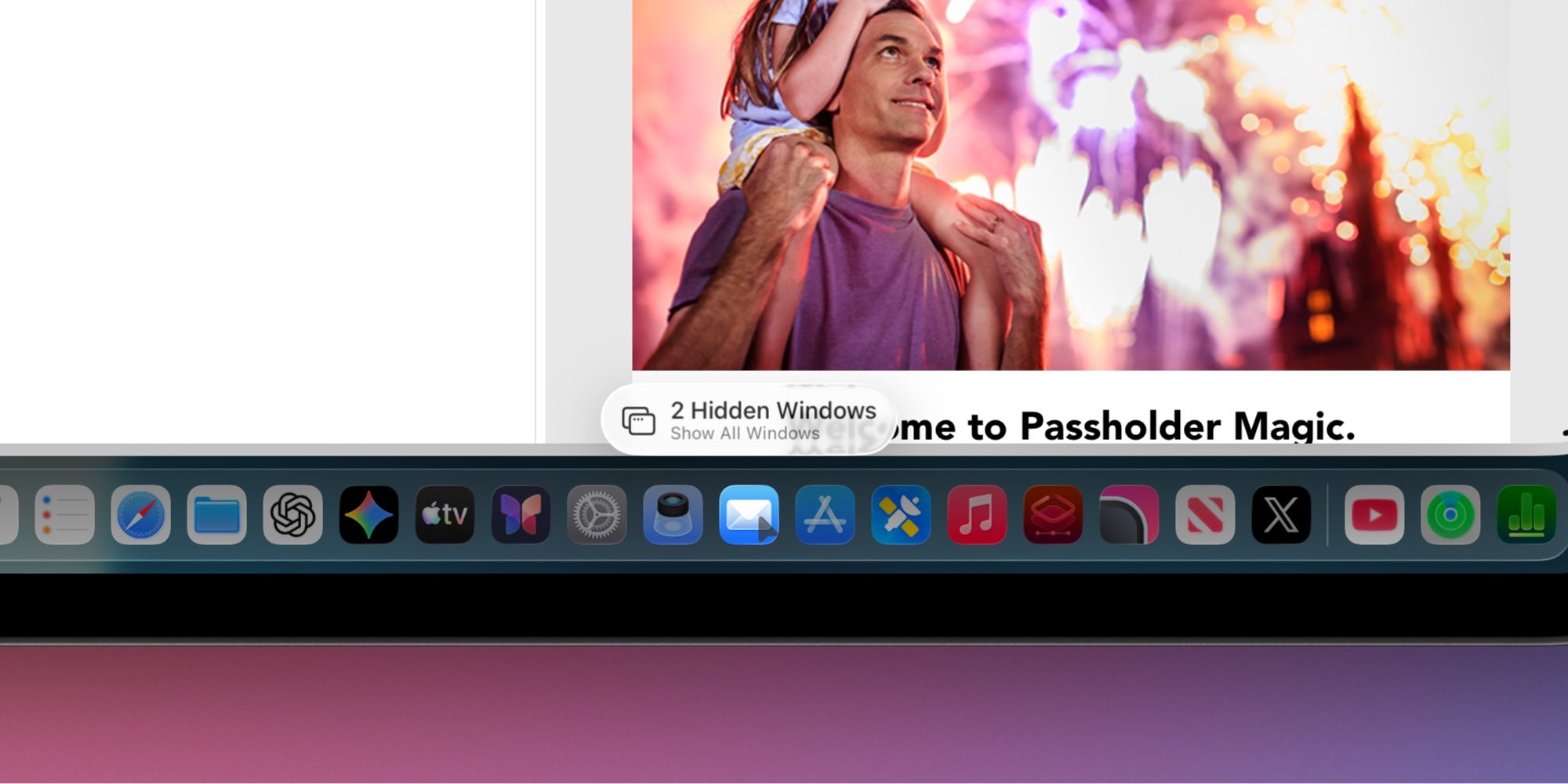
The popup says “X Hidden Windows” and lets you tap or click to show all open windows. It flows out of the icon for the app you launched, so its position varies depending on where the app icon is located.
Functionally, it serves a similar purpose to the old “Shelf” feature that debuted in iPadOS 15.
During testing of the iPadOS 26.4 beta, the popup didn’t appear every time—usually only after a short period since the app was last launched. It’s unclear whether this behavior is intentional. If it’s by design, it’s likely the right move; the popup could become annoying if it appeared on every app launch, especially when switching between apps frequently.
Most iPad users probably don’t open multiple windows for the same app, but for power users who do, iPadOS 26.4 makes it easier to keep track of all open windows.
What do you think of the new multi‑window popup in iPadOS 26.4? Let us know in the comments.