
I’m all-in on Google, but I still won’t use YouTube Music until these 5 things change
Source: Android Authority
*Joe Maring / Android Authority*
As you might expect from someone who writes for *Android Authority*, I’m about as invested in the Google ecosystem as can be. I use YouTube TV daily and can’t imagine not having YouTube Premium. All of my cloud storage is in Google Drive and Google Photos, my smart home runs on Google Home, and Google Keep/Google Tasks are essential to my workflow.
However, the one Google service I can’t convince myself to use is **YouTube Music**.
[I tried switching to YouTube Music](https://www.androidauthority.com/tried-youtube-music-going-back-apple-music-3534362/) about a year ago, but I lasted only two weeks before returning to Apple Music. Try as I did, I just couldn’t stick with it.
While YouTube Music wasn’t the right fit for me then — and still isn’t in **February 2026** — there is a world in which I can see myself switching to YouTube Music for good. But only if it makes these five changes first.
### What's the biggest change you want for YouTube Music?
**181 votes**Improved Music Discovery
Joe Maring / Android Authority
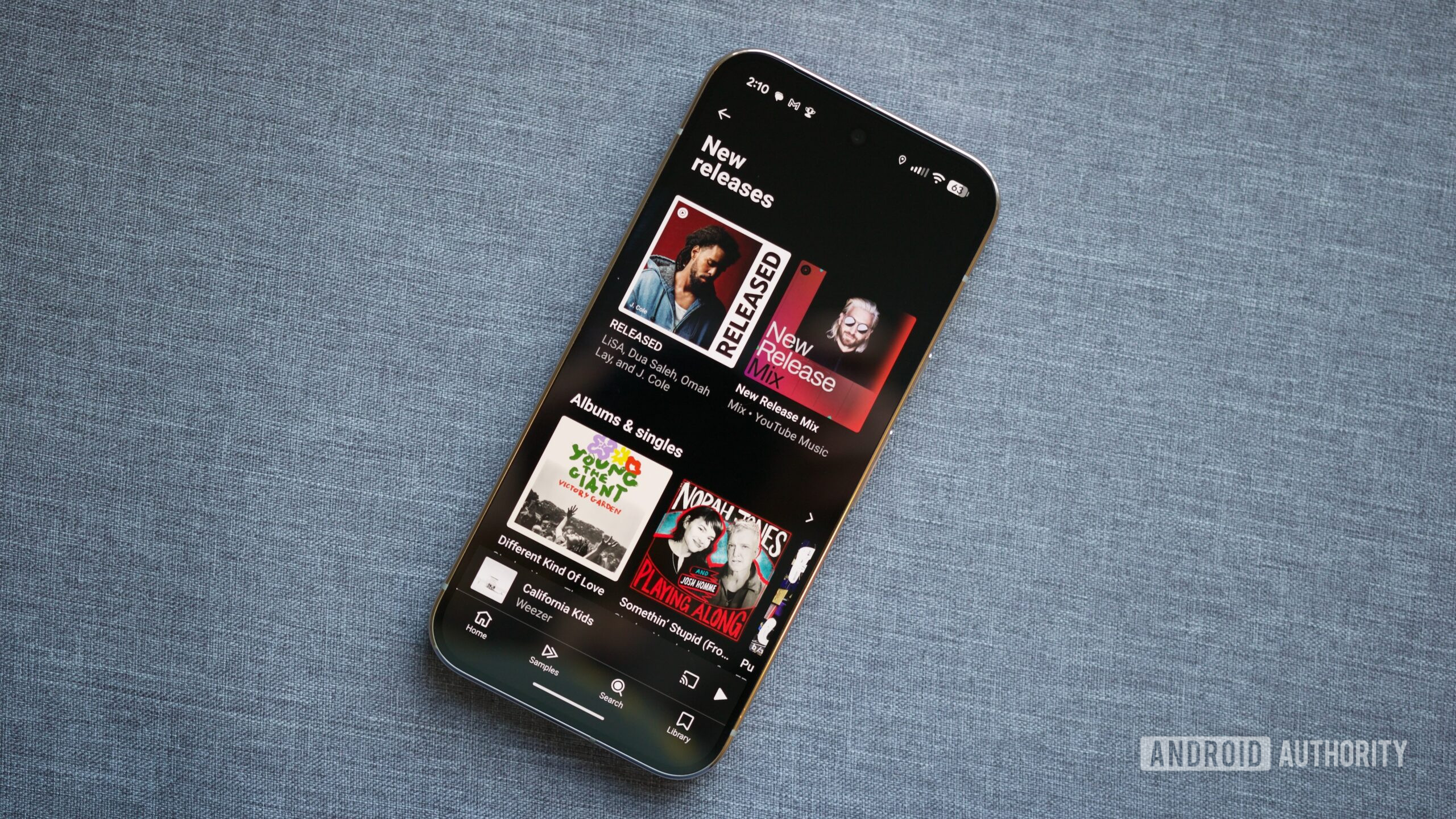
While I have a few albums and playlists in my regular listening rotation, I love finding new stuff to listen to—whether that’s a new album from an artist I like or something that wasn’t on my radar at all. In my experience, YouTube Music completely fails here.
The primary way to discover music on YouTube Music is the Home page. It changes regularly based on your listening habits and aims to recommend songs, albums, or playlists that the service thinks you’ll enjoy. I’ll occasionally find a New Release Mix that highlights recently‑released songs, but it’s buried under a heap of other recommendations for music I’m already familiar with.
By comparison, Apple Music has a dedicated “New” page that exclusively showcases new and trending music. It’s helped me:
- Explore Bad Bunny’s discography
- Remember to listen to the (excellent) soundtrack for Send Help
- Get tipped off about Beck’s latest album
YouTube Music does have a “New releases” tab on the Search page, but it’s significantly more limited and less helpful than Apple Music’s approach.
Google and YouTube know me better than perhaps any other tech company. Surfacing new music I’m interested in shouldn’t be difficult. Yet, in its current form, YouTube Music doesn’t do this well at all.
Filter Out Podcasts and YouTube Videos
Joe Maring / Android Authority
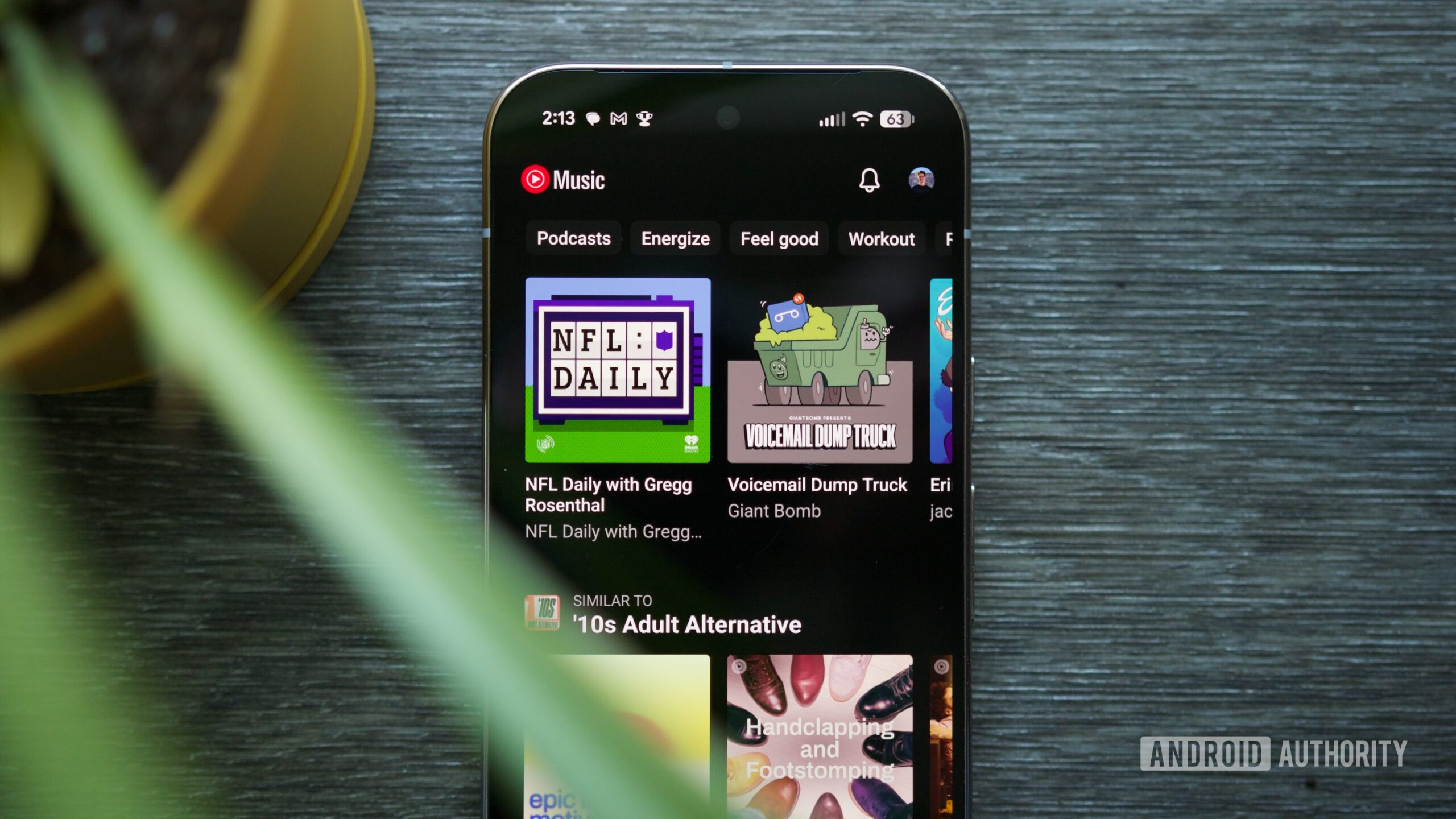
Part of the reason YouTube Music’s music discovery is so difficult is that the entire music library is shared with podcasts and YouTube videos. This isn’t a new issue, but every time I use YouTube Music, it’s one of the things that annoys me the most.
When I open the app, I don’t want to see podcast recommendations on the home page; I want to see music only. I also don’t want YouTube Music asking me if I want to continue watching a video I started on YouTube—that’s what the YouTube app is for.
I know YouTube Music will never completely abandon its inclusion of podcasts and YouTube videos, especially since many users appreciate the all‑in‑one approach. However, an option to hide or filter out podcasts would let me see only music. It might seem like a small request, but it would go a long way toward making YouTube Music a streaming service I could actually stick with for the long haul.
High‑Quality Audio Formats
Joe Maring / Android Authority
I don’t consider myself an audio snob by any definition. When I’m working, I listen to my music through a pair of HomePod mini speakers. When I’m at the gym or out running, I use the excellent (but lower‑end) Pixel Buds 2a. I don’t own wired headphones, a DAC, or anything like that.
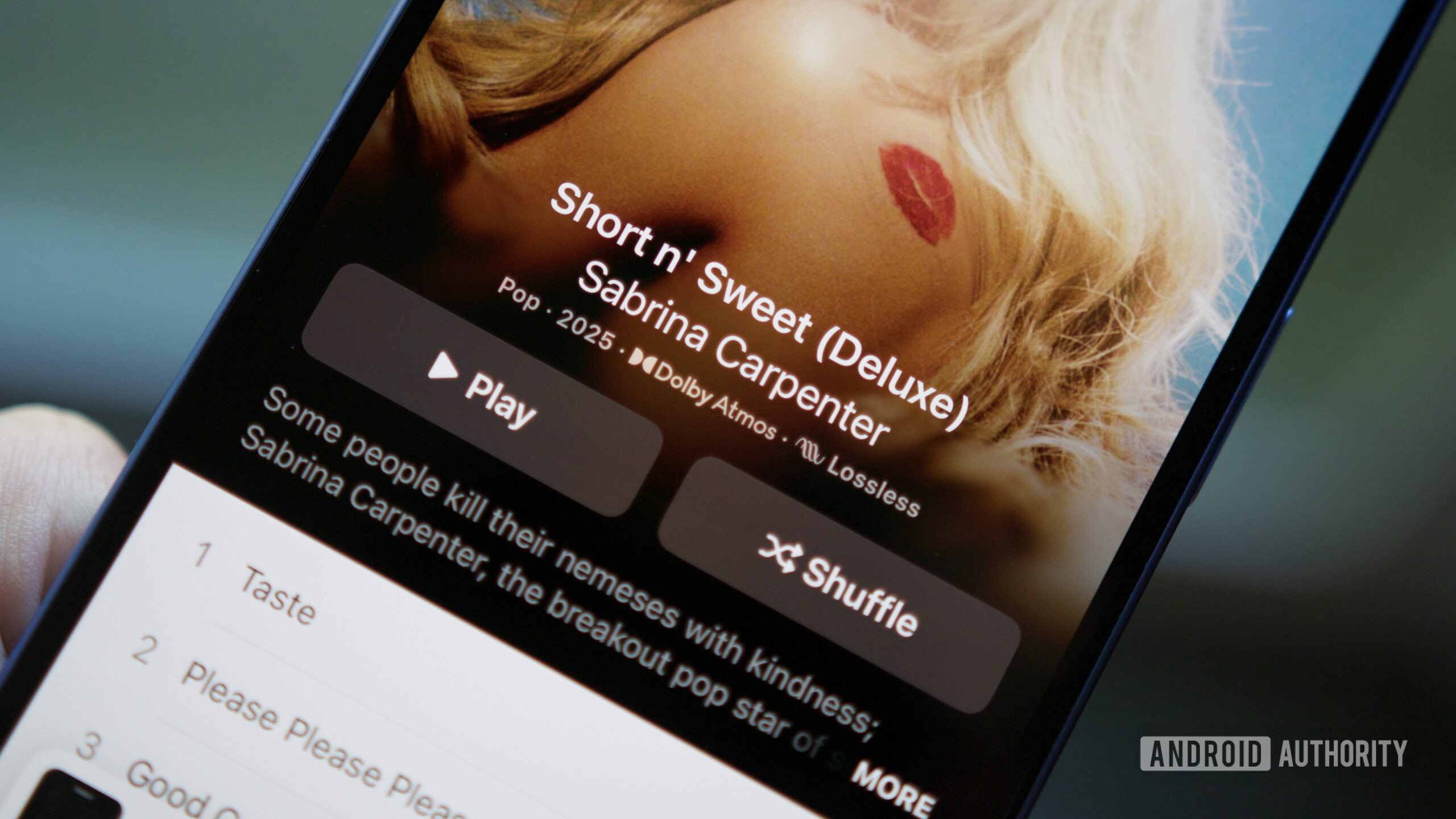
And yet, I still notice a drop in audio quality when listening to YouTube Music compared to Apple Music. Even without high‑end hardware, Apple Music sounds crisper and clearer to my ears. It’s not a dramatic difference, but it’s there.
What’s even more noticeable with YouTube Music is its complete lack of Dolby Atmos support — something Apple Music, Tidal, and Amazon Music Unlimited all have. When I really want to soak in a song or album, listening to it in Dolby Atmos with a pair of AirPods Max is such a wonderful treat. Unfortunately, that treat is something YouTube Music simply can’t provide.
Redesigned Android App
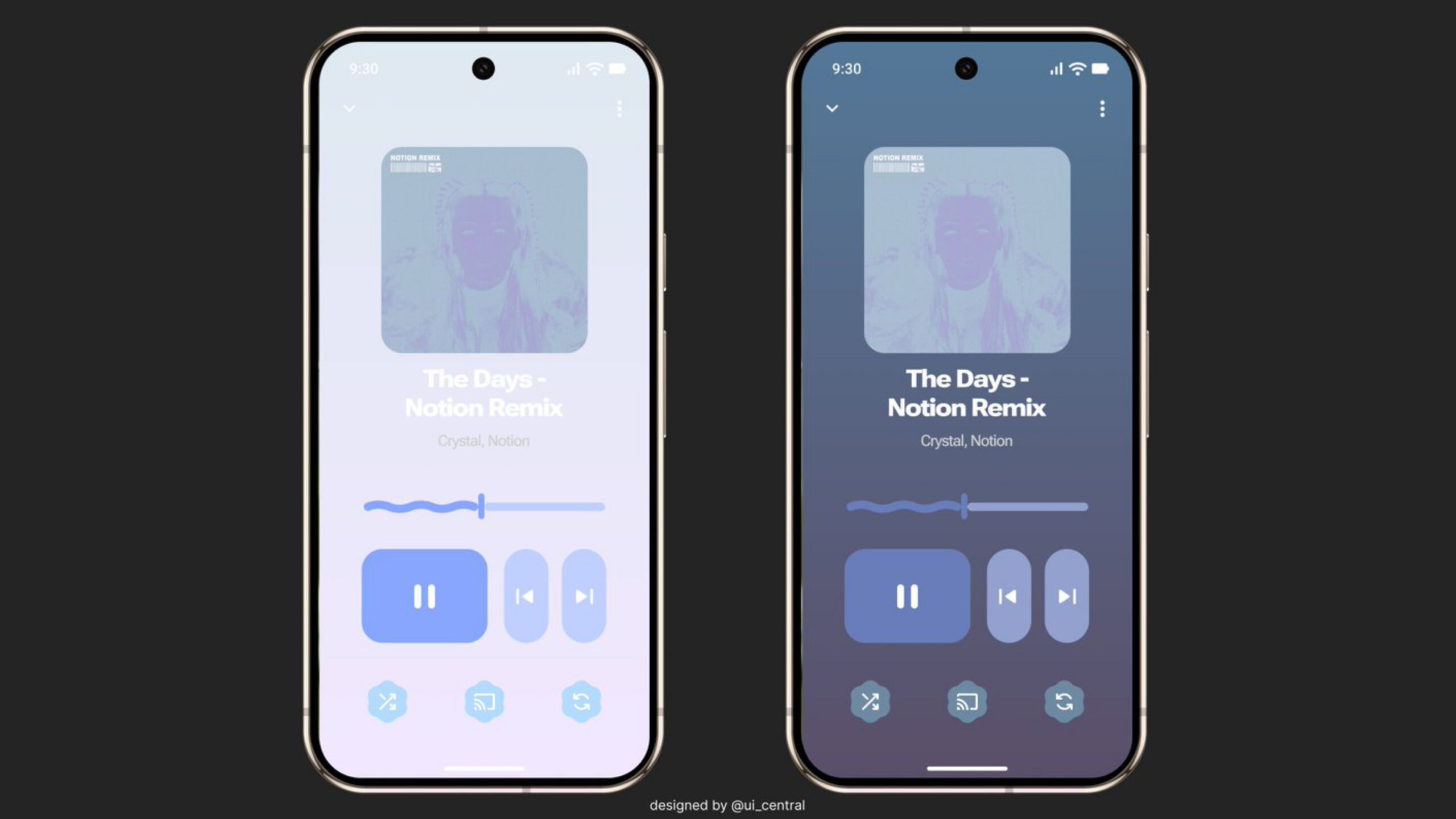
The design of an app is highly subjective, so some readers may disagree with the points below. That said, I’m not a fan of the current YouTube Music Android app.
- The TikTok‑like Samples page wastes valuable screen space.
- The Search page hides most music‑discovery features behind cumbersome subpages.
- The forced dark theme—without a light‑mode option or Dynamic Color support—looks outdated.
- Overall, the UX feels a couple of years behind modern Android design trends, and I notice it every time I open the app.
Some creators have imagined what YouTube Music could look like with a Material 3 Expressive overhaul. In my opinion, the redesign is a dramatic improvement over the existing version. As someone who enjoys Material 3 Expressive and the Google apps already updated with its principles, a Material 3 Expressive YouTube Music Android app would strongly encourage me to switch.
Dedicated Desktop Application
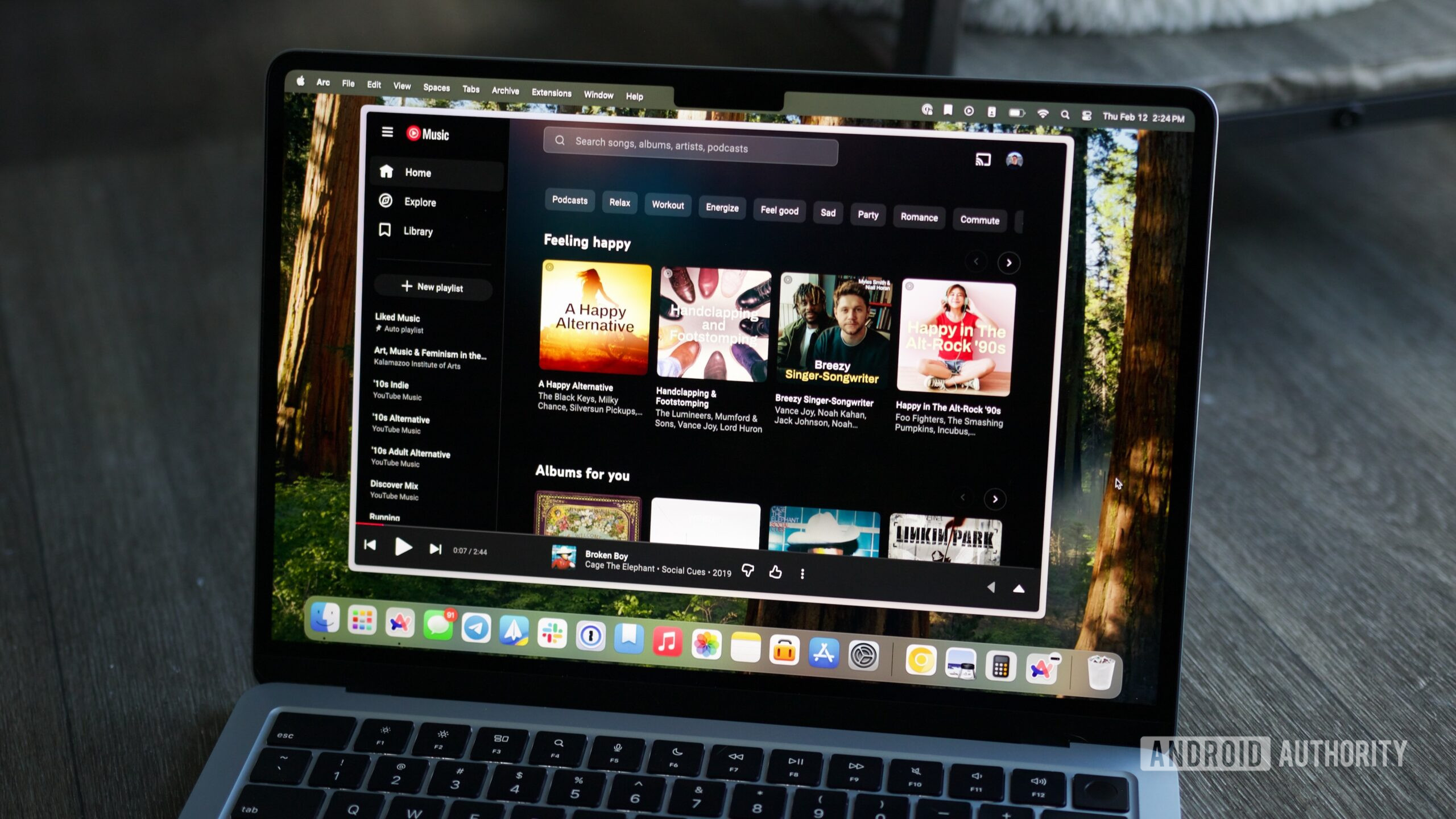
Speaking of applications, I’d also be inclined to start using YouTube Music if it had a dedicated desktop app. Spotify, Apple Music, and Tidal all have desktop clients—most major music‑streaming services do. YouTube Music does not.
While you can access YouTube Music through its website, the experience is far from ideal. When I switched to YouTube Music last year, I ran into numerous playback issues and other bugs that made the web version feel considerably worse than the Apple Music desktop app I’m used to. Since most of my music streaming happens on my computer during the workday, a reliable desktop experience is essential, and I’ve never had that with YouTube Music.
Google hasn’t announced any plans for a YouTube Music desktop app, but if I’m ever going to switch for good, this has to change.
What I’d Like to See
- A native desktop client for Windows, macOS, and Linux.
- Stable playback with no random pauses or skips.
- Offline listening that works as smoothly as the mobile app.
- Integration with system media keys and notifications.
- Better library management (e.g., drag‑and‑drop playlists, bulk edits).
That’s a healthy list of requests, and realistically, I know most of them are unlikely to happen—at least not anytime soon. But if I’m ever going to fully commit to YouTube Music as my one‑and‑only music streamer, these changes are essential.
Are you happy with YouTube Music in its current form?
What’s your most requested or anticipated new feature or change?
Thank you for being part of our community. Please read our Comment Policy before posting.