
First look: Google Messages is finally catching up with live location sharing
Source: Android Authority
TL;DR
- Google Messages is getting ready to add a new “Real-time Location” sharing feature.
- We managed to enable the feature in the app and can now show you how it’ll work end‑to‑end once it goes live.
- You’ll be able to share your live location within chats, and the feature will be usable across devices and configurations.
Background
Over the past few years, we’ve seen Google Messages evolve from a simple texting app to a full‑featured messaging platform for Android. With RCS adoption and modern features like message reactions, inline replies, and improved media sharing, Messages feel more competitive with third‑party chat apps than ever before.
Still, there’s one notable gap Google hasn’t yet filled — real‑time location sharing. While Google Messages lets you share a one‑time location, it only sends a static address, which isn’t particularly helpful when you’re moving around or trying to coordinate meetups on the fly. Thankfully, that’s changing soon.
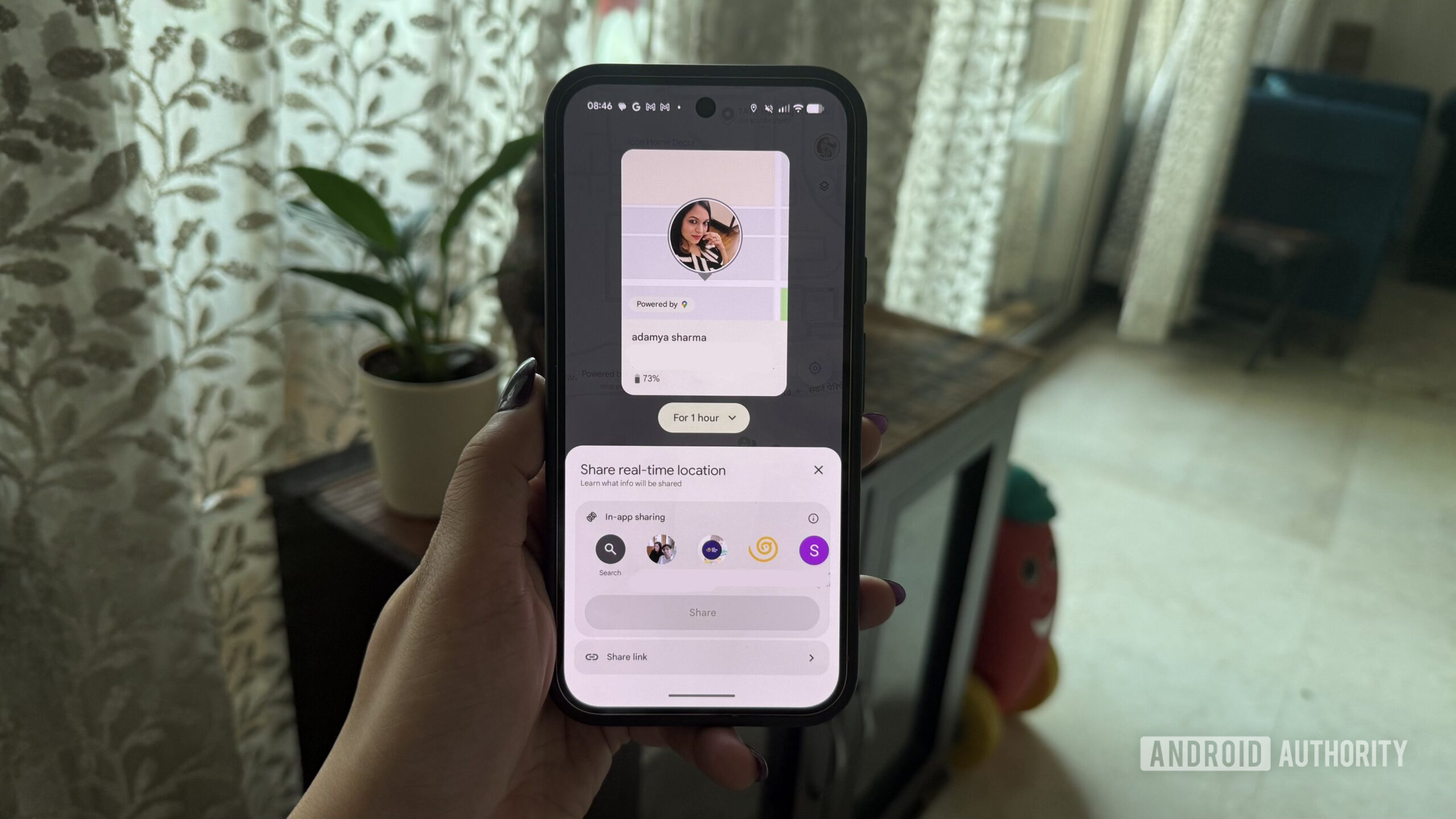
While digging through Google Messages version messages.android_20260220_01_RC00.phone.openbeta_dynamic, we discovered support for real‑time location sharing, allowing users to share their live whereabouts for a set duration directly within a chat.
The feature isn’t live yet, but with a bit of tinkering we were able to enable it and take a closer look at how it works. We actually spotted early hints of live location sharing back in November (link), and this latest version finally shows how the feature is expected to work end‑to‑end.
How real‑time location sharing will work in Google Messages
Once the feature is available, the Real-time Location option will appear directly in the attachment sheet inside a conversation. Tap it to start sharing your location for a set or custom duration. You may need to grant location permissions if you haven’t done so already. The sharing options are:
- 1 hour
- Today only
- Custom duration
These are similar to the real‑time location‑sharing options you get via Google’s Find Hub app.
When real‑time location sharing is active, a persistent banner appears at the top of the chat, clearly indicating that live location sharing is on and showing how much time is left.
Compatibility
The feature works even if the recipient doesn’t have the real‑time location feature on their end. The recipient receives a link to the live location:
- If they have the Google Find Hub app installed, the link opens directly in the app.
- If not, the link opens in a web browser, displaying the sender’s live location in real time.
This makes the feature usable across devices and configurations, without requiring both users to be on the same app version or rollout.
Stopping sharing
To end location sharing, tap the banner at the top of the conversation and select Stop from the bottom sheet. The live location link stops updating immediately.
⚠️ An APK teardown helps predict features that may arrive on a service in the future based on work‑in‑progress code. However, it is possible that such predicted features may not make it to a public release.