
Chrome’s latest update gives it three features it has long needed
Source: Android Authority
TL;DR
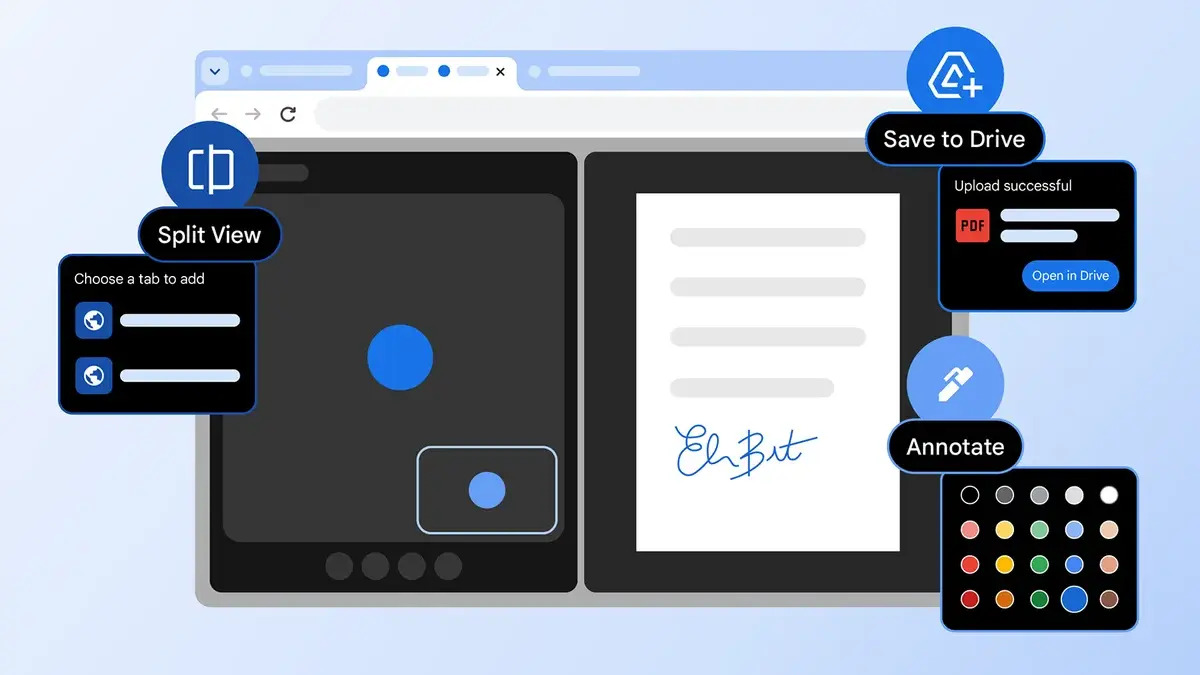
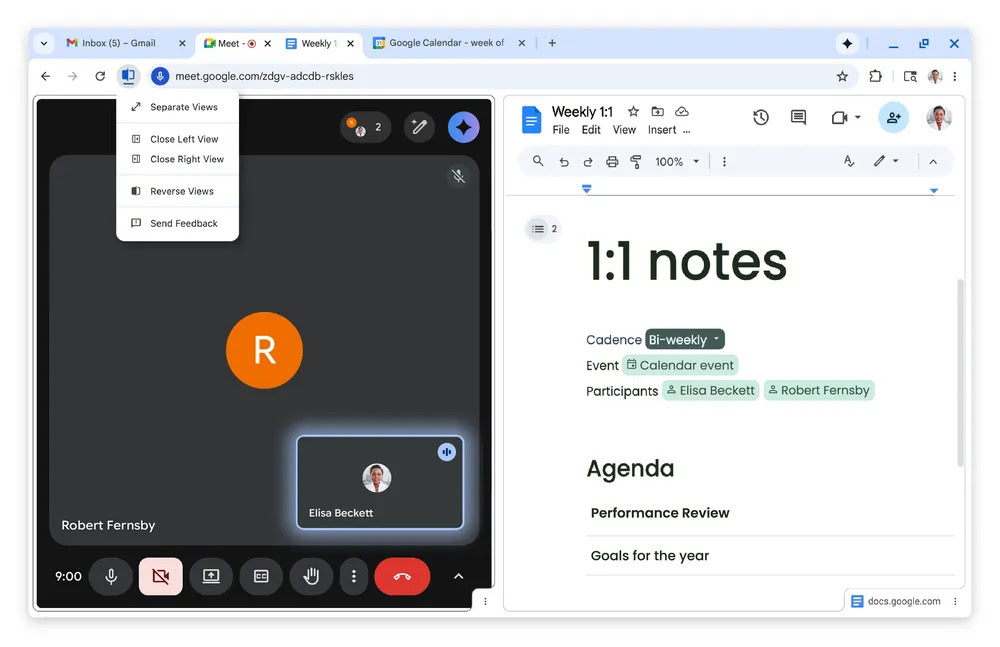
- Chrome now has a split‑view tool that lets you view two tabs side‑by‑side.
- An annotations tool has been added to the PDF viewer.
- PDFs can be saved directly to Google Drive.
Split‑View for Tabs
Google announced that Chrome is rolling out a split view feature, allowing you to display two tabs simultaneously. This helps streamline workflows when you frequently switch between pages. While other browsers already offer similar functionality, it’s now finally available in Chrome.
PDF Annotations
The built‑in PDF viewer now includes an annotations tool. You can:
- Highlight text
- Add notes
- Insert signatures
All directly within the browser, eliminating the need to download the PDF and edit it in a separate application.
Save PDFs Directly to Google Drive
A new “Save to Google Drive” option appears as a Google Drive icon in the PDF viewer. Clicking it saves the PDF straight to your Drive account, removing the extra step of downloading then uploading the file.
Related Update
This release arrives alongside the rollout of pinned tabs for Chrome on Android. More details can be found in the Google Chrome product updates blog post and the Android Authority article on pinned tabs.