
Bitwarden introduces ‘Cupid Vault’ for secure password sharing
Source: Bleeping Computer
What is Cupid Vault?
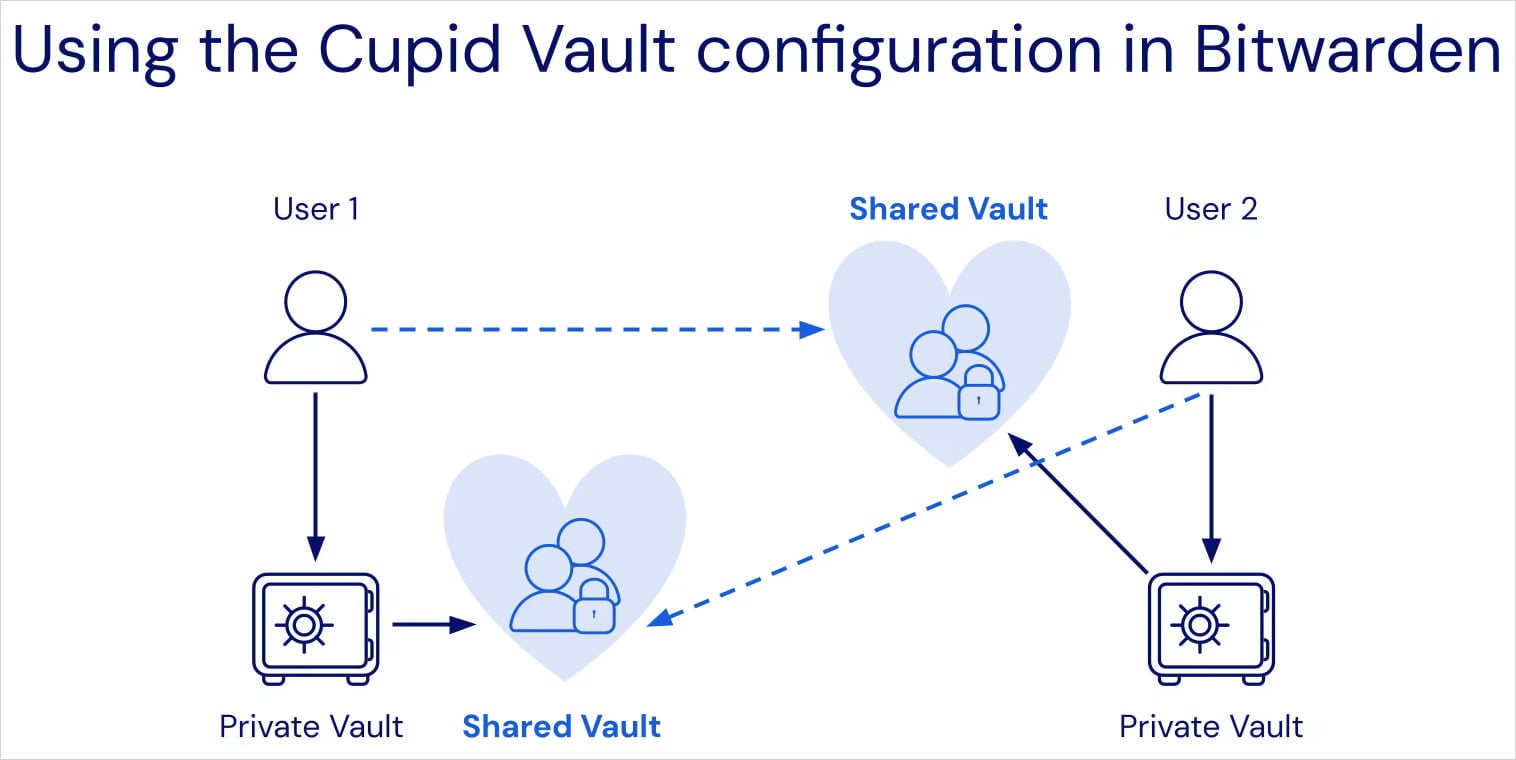
Bitwarden has introduced Cupid Vault, a feature that lets users of the free plan safely share passwords with trusted email addresses. It works by allowing two people to create a shared vault called an Organization. The owner assigns credentials, and the invited member can access the logins stored in that Organization.
How to Create an Organization and Share Passwords
- Log in to the Bitwarden web vault.
- Create a new Organization (the shared 2‑person vault).
- Set up a Collection within the Organization to group related logins (e.g., media streaming accounts).
- Invite a partner, friend, or family member by adding their email address as the second member.
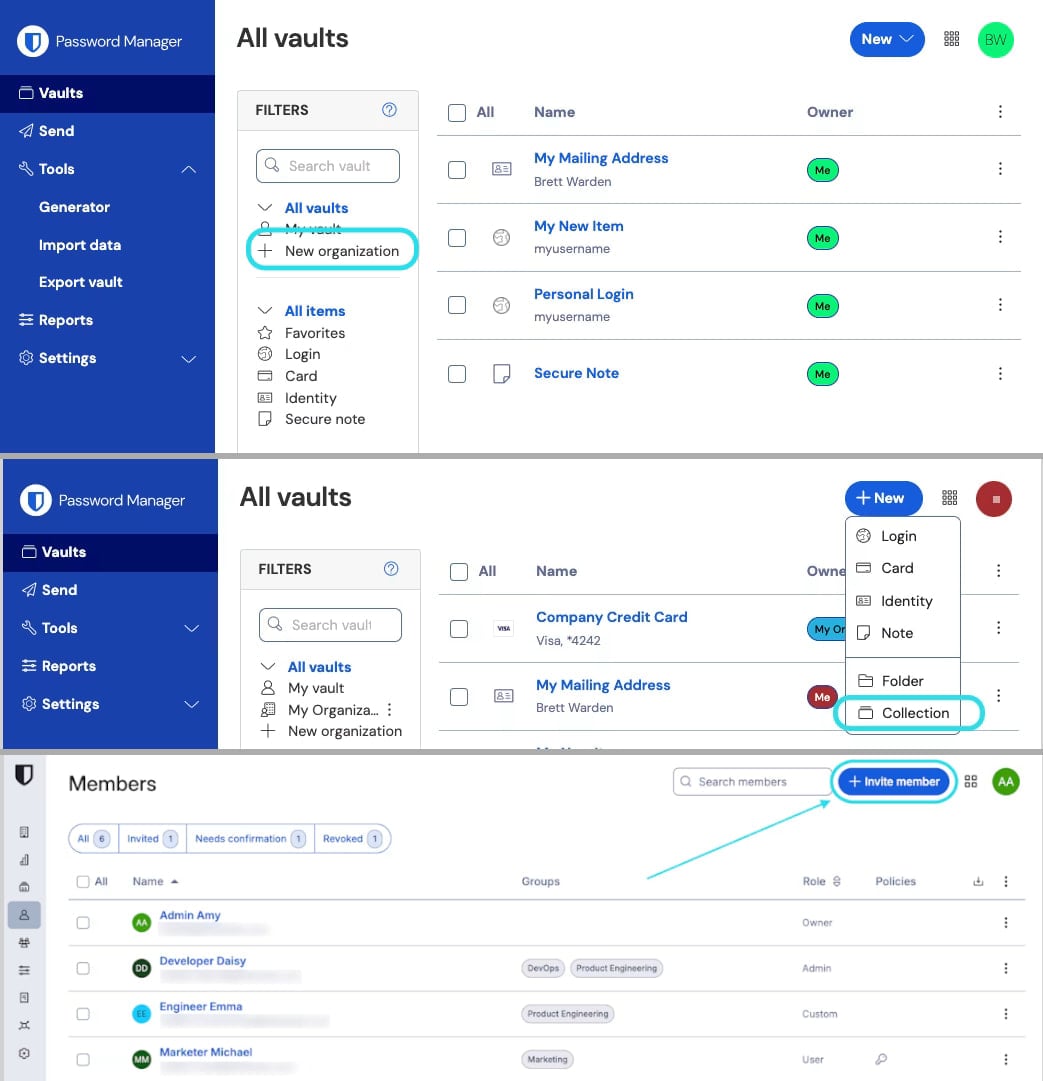 Creating a new Organization (top), setting a Collection (mid), and inviting a user (bottom)
Source: Bitwarden
Security Features
- Fingerprint phrase verification – Vault owners can verify the intended member’s access using a fingerprint phrase, protecting against man‑in‑the‑middle enrollment attacks.
- The shared vault is completely isolated from each user’s personal vault.
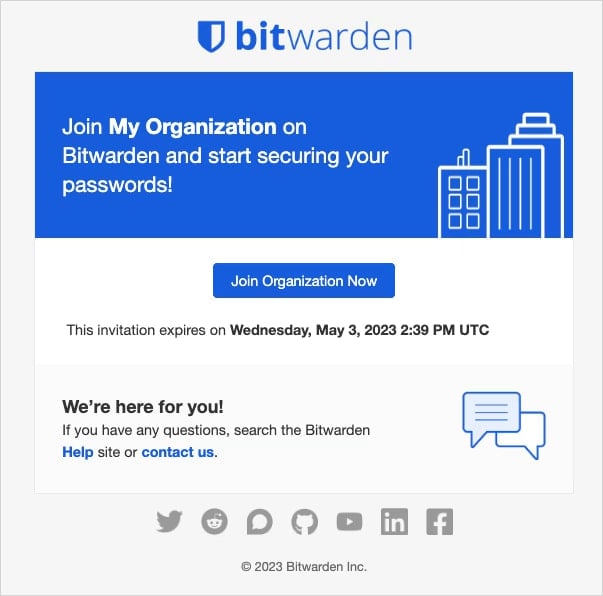 Invite to join a Bitwarden Organization
Source: Bitwarden
Managing Access
- Access to the Organization vault and its secrets can be revoked at any time.
- Sharing can be configured in both directions, allowing either member to add, edit, or delete items.
- Detailed setup instructions are available in Bitwarden’s Getting Started with Organizations guide.
 Source: Bitwarden
Limitations and Availability
- Cupid Vault is free for all Bitwarden users and can be set up on the free plan.
- The free tier is limited to 2 Collections and 2 users per Organization.
- Users on Family, Teams, or Enterprise plans already have multiple users, collections, and granular role‑based access controls, so Cupid Vault mainly benefits free‑plan users.
About Bitwarden
Bitwarden is an open‑source password manager that securely stores, generates, and autofills passwords and other sensitive data. It works across browsers, desktop operating systems, and mobile platforms, protecting all stored information with end‑to‑end encryption.
For more information on Bitwarden’s Cupid Vault, see the official announcement: Introducing Bitwarden Cupid Vault to securely share and unshare passwords.