
Android’s upcoming ‘Tap to Share’ can send contacts, files, etc – here’s what it looks like [Gallery]
Source: 9to5Google
Google is preparing a new “Tap to Share” feature for Android devices. Through the latest updates we’ve gotten a sneak peek at how it looks and functions.
The ability to tap two phones together has a history in Android, most notably with the long‑running Android Beam, which allowed users to share photos, files, and more. Android Beam was removed, but a little‑known shortcut lives on in Android’s Quick Share feature.
- Quick Share’s little‑known shortcut lets you share to another Android phone by tapping it
- Google is working on a new “Tap to Share” feature for Android
How Tap to Share Works
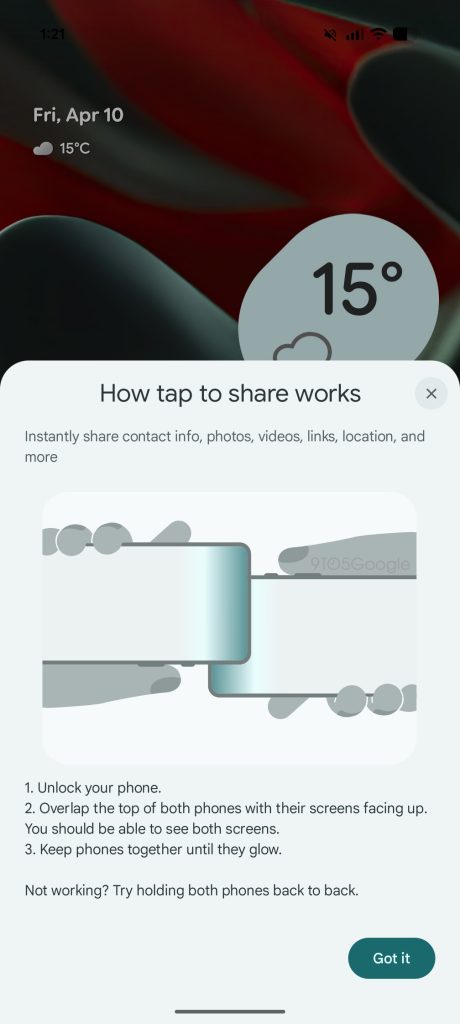
In Google’s latest updates, a new pop‑up appears that explains the process:
- Unlock your phone.
- Overlap the tops of both phones with their screens facing up so you can see both screens.
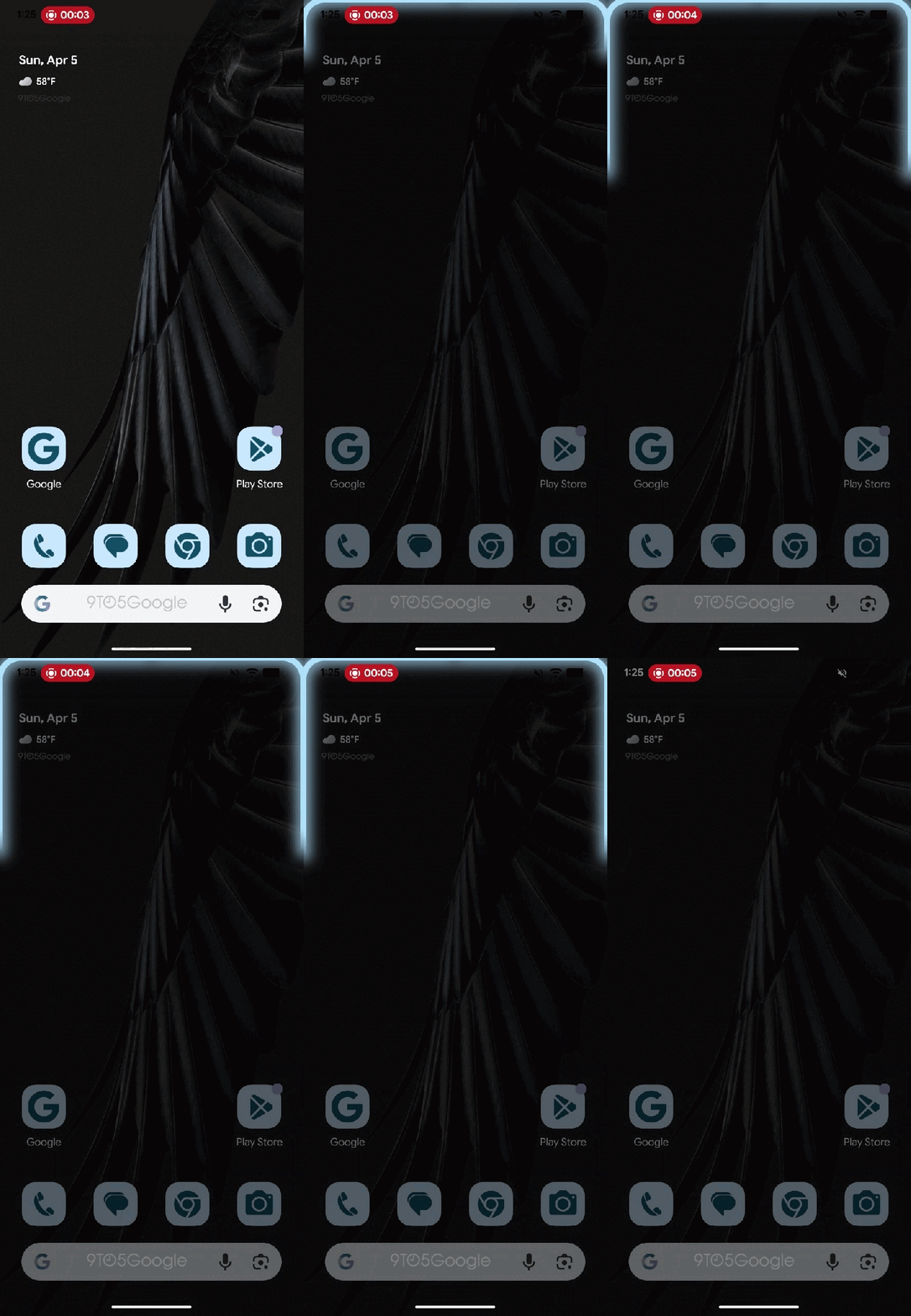
- Keep the phones together until they glow.
If it doesn’t work, try holding the phones back‑to‑back.
The pop‑up includes a brief “glow” animation that shows when the two phones interact. While not fully functional yet, the UI gives a clear idea of the intended workflow, similar to Apple’s NameDrop. Presumably you’ll need to have a piece of content open (contact, photo, link, etc.) to share it.
Integration with Android’s Share Sheet
Earlier research suggests the feature will integrate into Android’s share sheet, though the exact implementation details remain unclear.
Samsung‑Specific Design
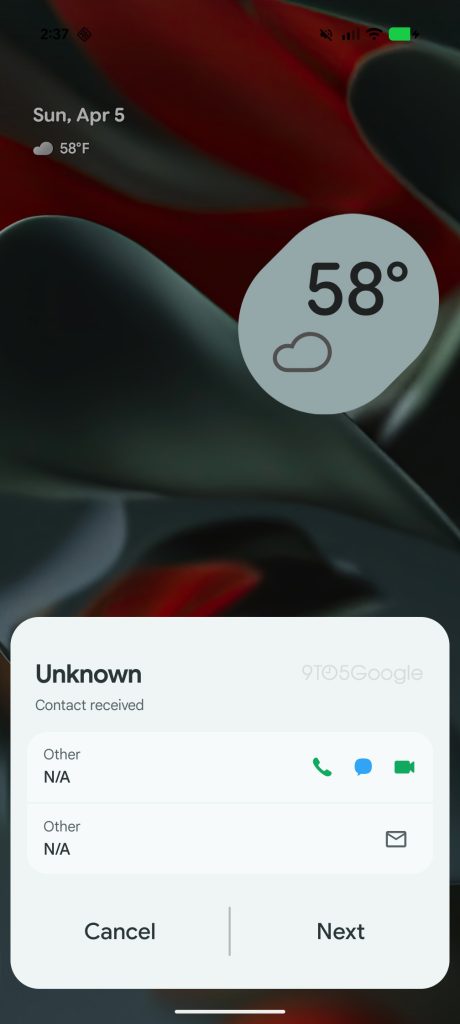
Evidence shows that Samsung users will be able to share their contact card (VCard) with other devices. The pop‑up we enabled on a Pixel is designed with Samsung devices in mind, but the feature is expected to be available on other Android phones as well.
Visuals

NFC Placement Note
Apple’s implementation benefits from a standardized NFC hardware location, whereas Android phones place NFC in various spots (top, middle, etc.). Google’s pop‑up includes a troubleshooting step reminding users to try different orientations if the phones don’t initially connect.
Availability
As with any feature that is manually enabled early, there’s no guarantee it will roll out exactly as shown, nor any indication of when it might become generally available.