
Android 17 QPR1 Beta 3: System UI adds more blur to Pixel
Source: 9to5Google
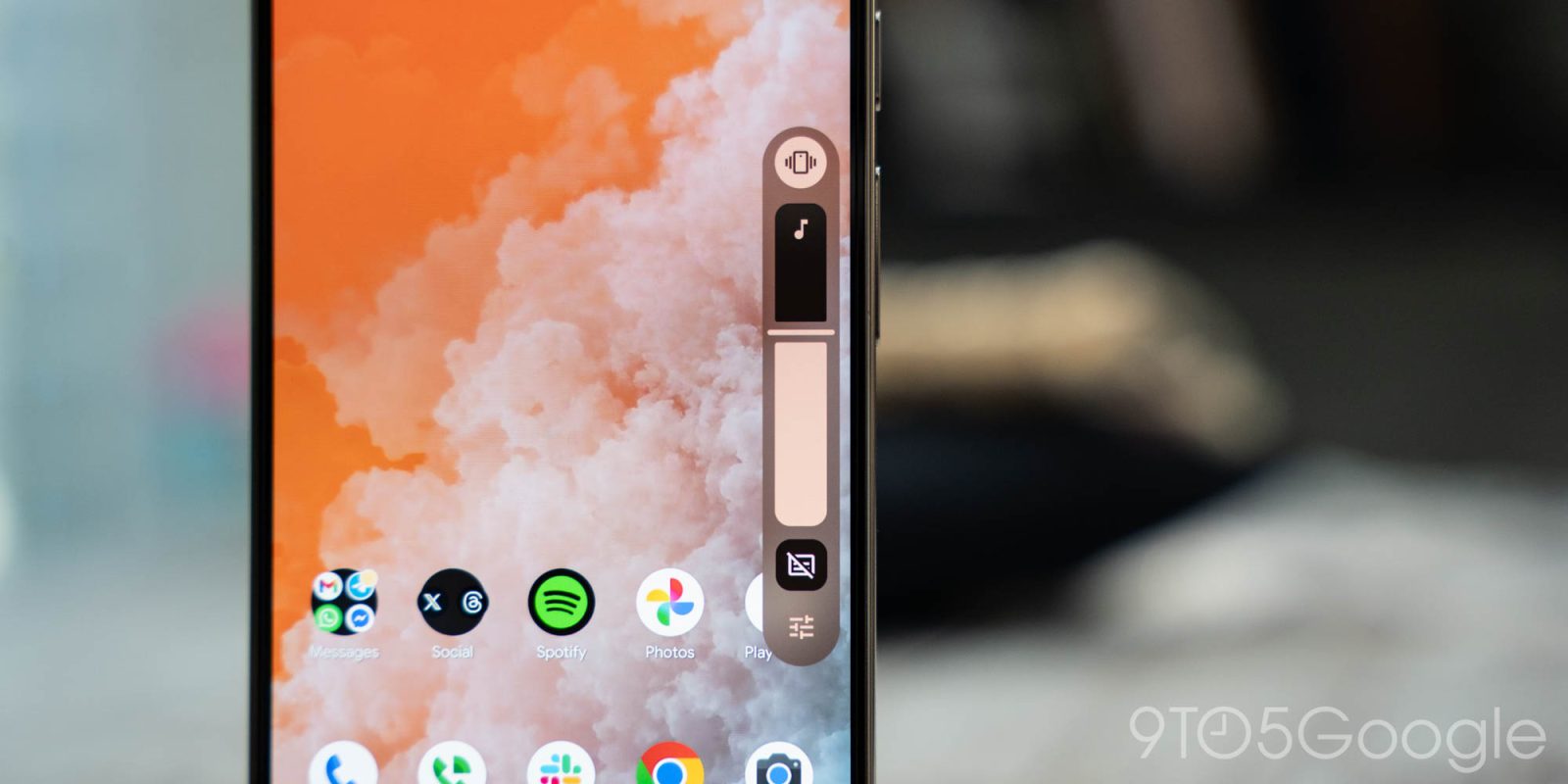
After introducing the Material 3 Expressive redesign last year, Google is adding more blur to the system UI with Android 17 QPR1 Beta 3.
Android 16 QPR1 added blur to Notifications and Quick Settings. Google said this subtle effect provides a “sense of depth, so the motion feels lightweight and you’re able to stay aware of the apps you’re using in the background.” As of Android 17 Beta 4, only the widgets picker had gained the blur effects.
Expanded Translucency in Android 17 QPR1 Beta 3
Android 17 QPR1 Beta 3 significantly expands this use of translucency, as previously seen in a Canary release. The volume slider’s pill‑shaped container becomes translucent, allowing you to see the home screen or the application underneath. Tapping the icon at the bottom for the full volume panel also shows a blurred background.
Elements with New Blur Effect
- Power menu – appears when long‑pressing the power button or accessing it from Quick Settings.
- Volume slider – translucent container reveals underlying content.
- Full volume panel – blurred background behind the panel.
These blur effects are themed with Dynamic Color, giving the UI a more cohesive and depth‑rich appearance.