
탐지에서 방어까지: Push-to-Vault가 DevSecOps를 위한 Secrets Management를 강화하는 방법
Source: Dev.to
If you work in security or DevSecOps, you already know secrets do not live only where they should—safely in secrets‑management platforms (vaults). They leak into Git repos, CI logs, Slack threads, Jira tickets, wikis, and “temporary” config files that never get cleaned up. This problem is getting worse for most organizations.
The State of Secrets Sprawl 2025 report found a 25 % year‑over‑year increase in leaked secrets on public GitHub. Secrets are 8× more likely to leak into private repos, and 70 % of the valid secrets leaked in 2022 remained valid when retested in 2025. The issue isn’t just leakage; the secrets stick around and grant access to anyone who finds them.
Detection has never been better, thanks to GitGuardian’s Secrets Detection across code, CI, collaboration tools, and any source where sensitive values are exposed (see integration options).
However, solving the “last mile”—properly vaulting the secret, updating configs or CI variables, and rotating the secret—remains a manual, error‑prone process that leads to burnout and risk.
GitGuardian identifies a missing link between “we found a secret” and “this is safely under control in a Secret Manager.” That link is Push‑to‑Vault, supported across all leading secret‑management platforms.
What GitGuardian Push‑to‑Vault Does for You
Push‑to‑Vault bridges detection and secure storage. From the incident view in GitGuardian you can:
- Review the detected secret.
- Trigger a controlled flow that writes the secret directly to the appropriate vault path.
GitGuardian tracks remediation, so you know which incidents are under control. The feature does not introduce a new vault; it leverages the vaults you already use. Under the hood, Push‑to‑Vault is powered by ggscout, a lightweight tool run inside your environment. ggscout integrates with secret managers such as HashiCorp Vault, CyberArk Conjur Cloud, AWS Secrets Manager, and others.
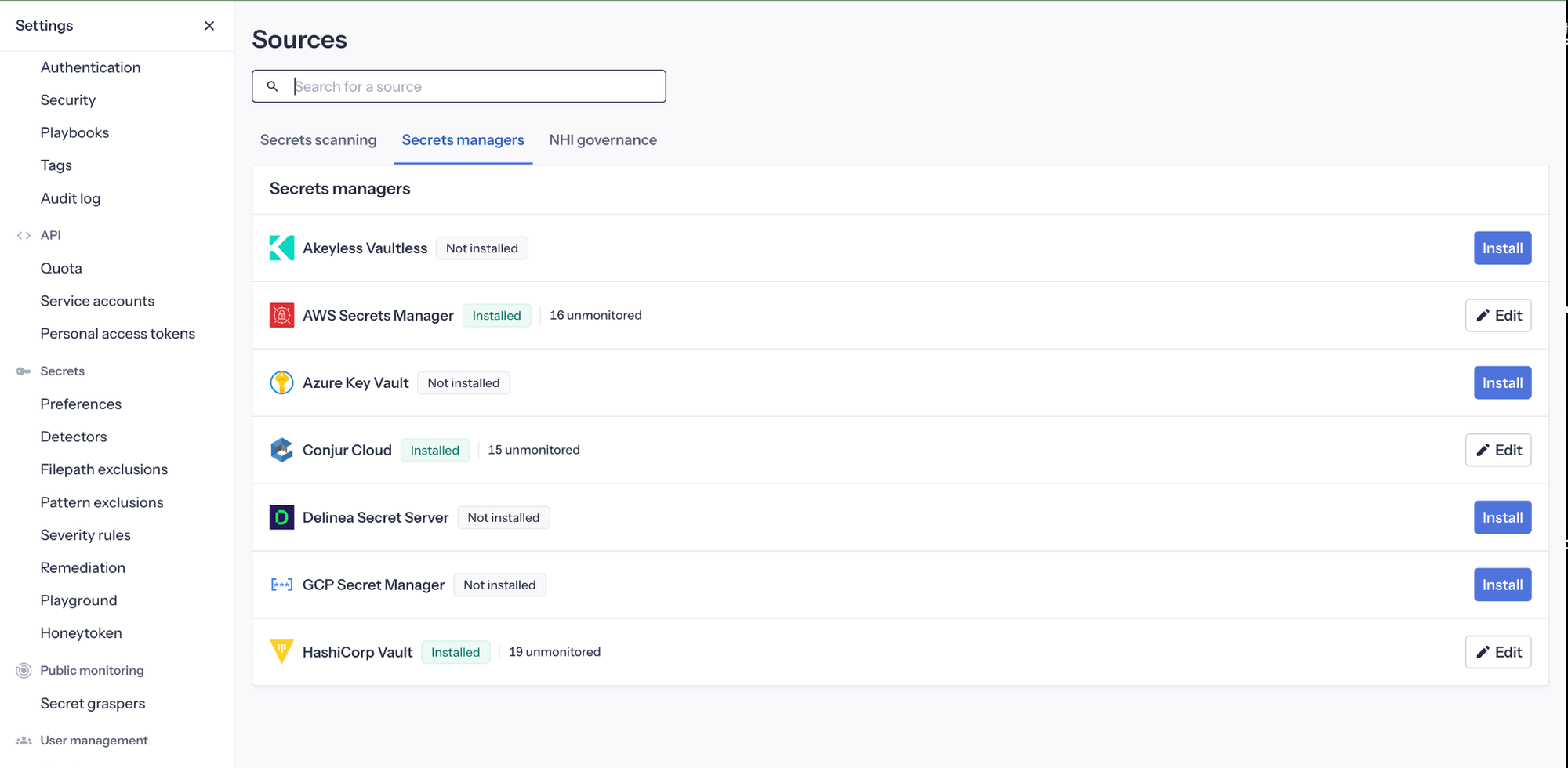
When you Push‑to‑Vault from an incident, ggscout writes the exposed secret into your chosen vault path, then sends only metadata and hashes back to GitGuardian. This allows the platform to confirm remediation without ever holding the raw values.
Push‑to‑Vault as Part of Your NHI Governance Strategy
Push‑to‑Vault is a key component of GitGuardian’s Non‑Human Identity (NHI) Governance. Secrets—passwords, tokens, API keys—are the connective tissue for service accounts, workloads, CI pipelines, agents, and other non‑human identities. Without visibility and governance over these secrets, you cannot truly control your NHIs.
GitGuardian’s NHI Governance provides:
- A real inventory of secrets and the identities that use them.
- Clear visibility of where each secret appears and how it flows through your environment.
- End‑to‑end mapping from sources to consumers, enabling rapid vaulting and rotation without breaking applications.
As NHIs multiply, the focus shifts from “just use vaults” to full lifecycle management. Push‑to‑Vault turns each incident into an opportunity to bring another NHI under governance, supporting modern zero‑trust architectures.
Security First: How Push‑to‑Vault Works
- Detection – GitGuardian detects an incident with an exposed, unvaulted secret (Git commit, CI log, collaboration message, etc.).
- Sync – ggscout pulls the incident details from your GitGuardian instance and uses its sync‑secrets capability to write the secret to an integrated Secrets Manager at the path you specify.
- Metadata Return – After writing the value, ggscout sends only metadata back to GitGuardian, which marks the incident as vaulted and tracks remediation.
The secret values never leave your infrastructure in clear text. GitGuardian never stores or replays raw secrets; it relies on metadata and cryptographic proofs that the secret is now under control.
Tight Control Over Automation
- Opt‑in – Push‑to‑Vault is optional. ggscout can start in read‑only mode, giving teams visibility before enabling writes.
- Granular Permissions – When writes are enabled, you can restrict ggscout to specific paths, namespaces, or non‑production environments.
- Conservative Mode – ggscout can operate in a fetch‑only posture, producing JSON reports that show what would be written. These reports can be reviewed by security or audit teams before any actual writes occur.
Push‑to‑Vault also helps avoid dumping everything into the vault indiscriminately. You can embed remediation guidance directly in GitGuardian, leading users to a cleaner, more predictable vault layout rather than merely moving the mess from Git into a secret store.