
YouTube TV’s fully customizable multiview finally starts rolling out
Source: Android Authority
TL;DR
- YouTube TV has begun a limited rollout of its fully customizable multiview feature, moving away from restrictive preset channel bundles.
- The new “Add to multiview” option lets users select up to four streams from categories such as sports, news, and movies.
- The feature is currently account‑specific and has started appearing for a small number of users in the US on both TV and mobile platforms.
YouTube TV, not to be confused with YouTube on TVs, is Google’s live‑streaming service that offers cable and local content. One of its standout features is multiview, which lets you display two to four live streams on your screen simultaneously, with all processing handled on YouTube’s servers rather than on your device. YouTube previously promised a “fully customizable” multiview experience, and the rollout now appears to be underway.
Reddit reports the rollout
Reddit user Chief_Wahoo_Lives reported seeing a new multiview selection process on YouTube TV. The updated interface includes all channels, organized into sections such as Recommended, Sports, News, Movies, Shows, and Others.
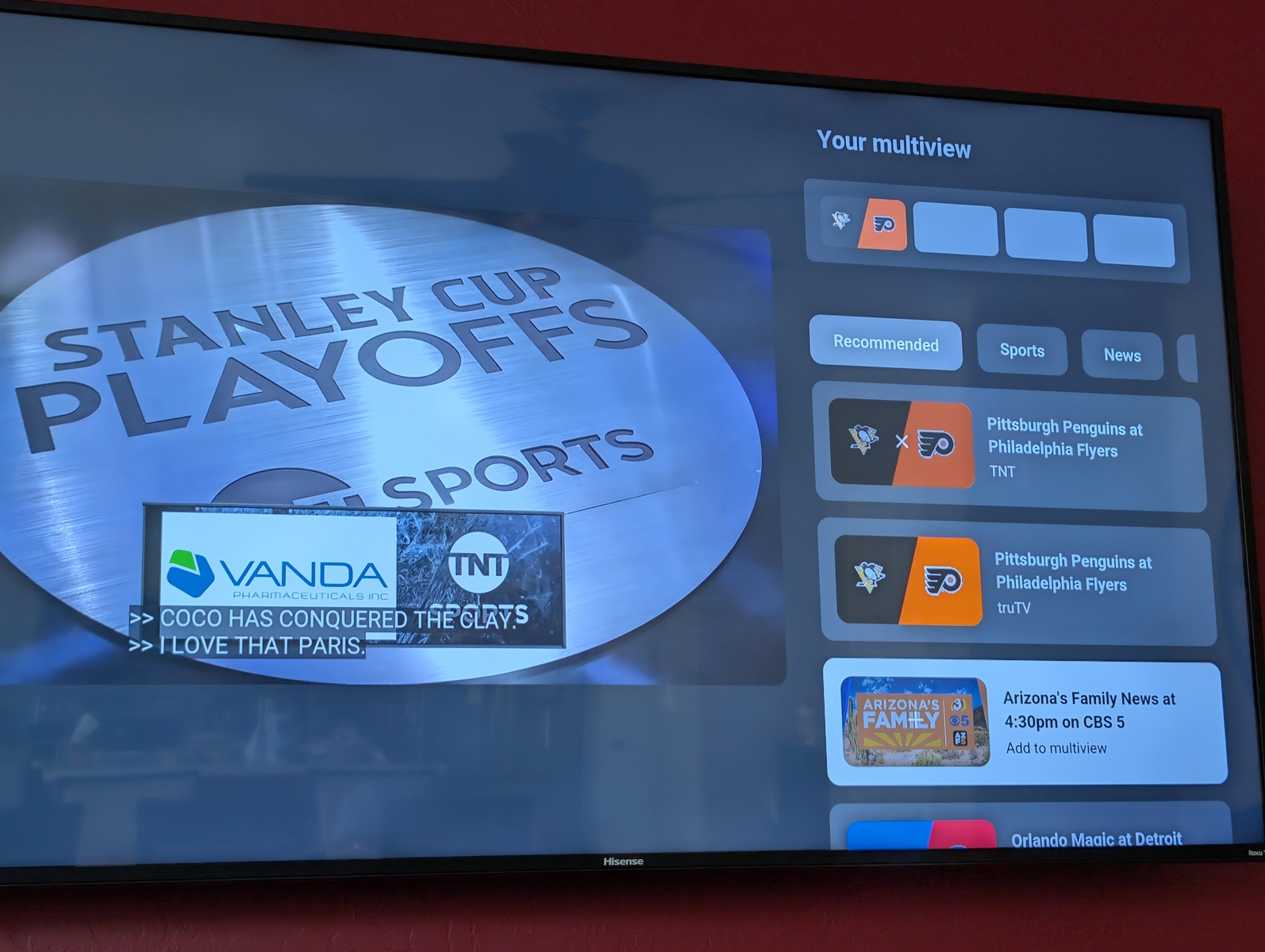
The same selection process is also available on mobile devices:
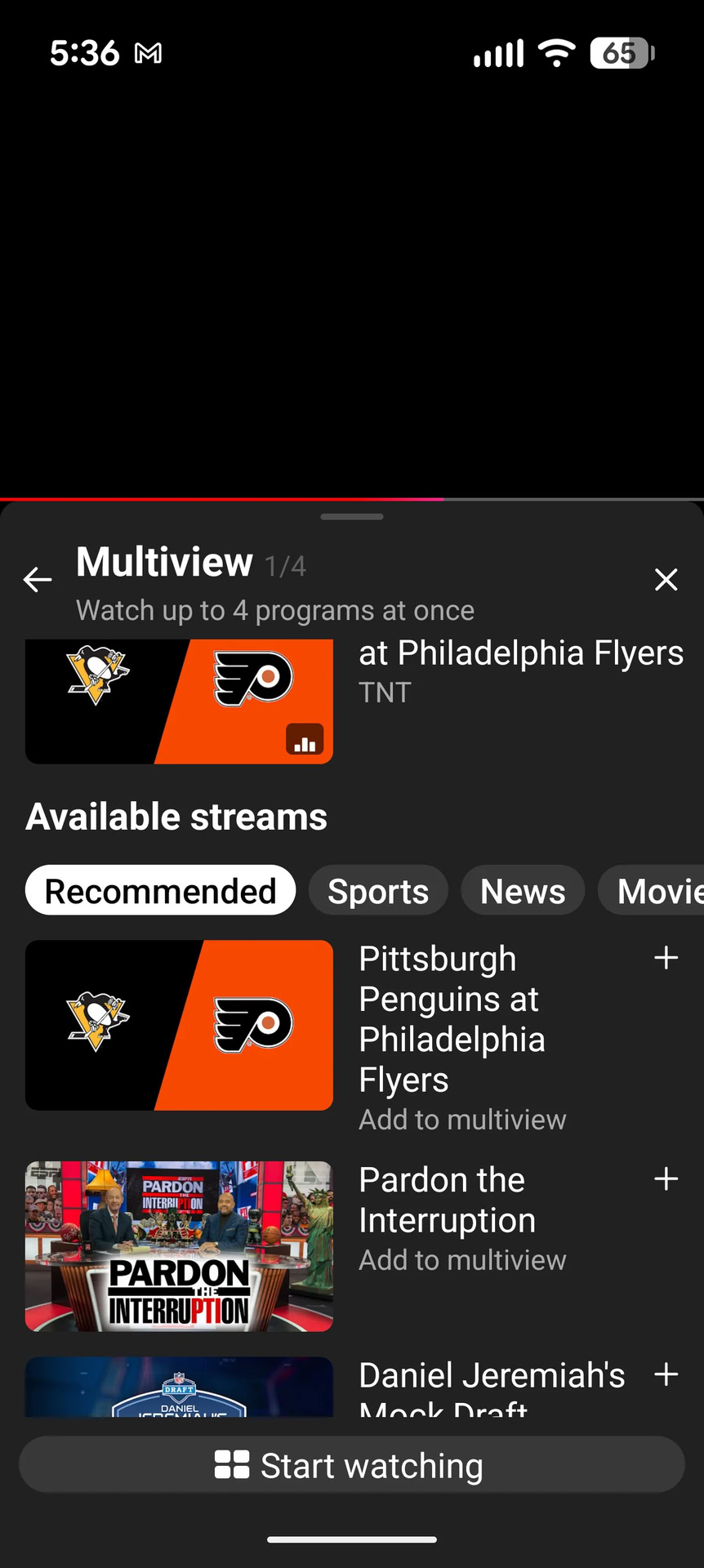
Other Reddit commenters confirmed they have received the feature, indicating that a small, account‑specific rollout is indeed in progress. These rollouts are typically not tied to a particular device and may take time to reach a broader audience.
Community reaction
The response on Reddit has been largely positive. Users in sports‑heavy markets—such as Philadelphia—appreciate the ability to pair local regional sports networks (RSNs) with national broadcasts, something that was impossible under the previous preset multiview system.
How to check if you have the feature
- Open a live stream.
- Press the down button on your remote (or tap the player on mobile).
- The multiview selection screen should appear. Look for the “Add to multiview” option.
- If you see a wide variety of channels across sports, news, movies, etc., you have the new feature and can select up to three additional channels to fill your grid.
If the option is not present, the rollout has not yet reached your account—just be patient.
Why this matters
The fully customizable multiview removes the preset channel combinations that YouTube previously enforced, giving users full control over their viewing grid. This is especially notable because the live streams are merged on YouTube’s servers and delivered as a single stream to the user, showcasing the platform’s ability to scale processing power for a vast number of possible customizations.