
Gemini app’s ‘Temporary Chat’ icon looks a little different suddenly
Source: 9to5Google
Temporary Chat Icon Change
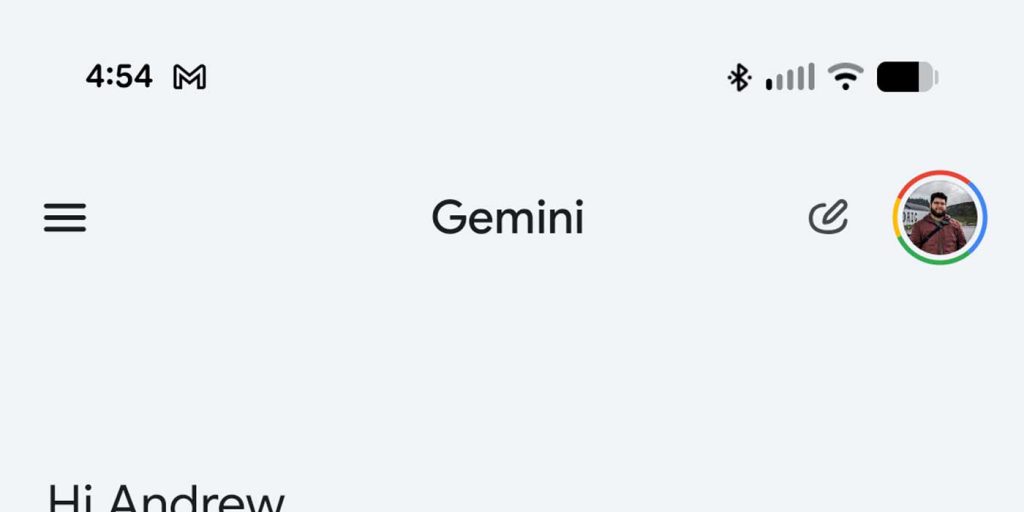
The Gemini app’s Temporary Chat icon has suddenly changed to something that screams “temporary” far less.
Temporary Chat works similarly to Incognito Mode, but for conversations with Gemini. The original icon was a small chat bubble outlined with a dotted line. Over time it has been moved — see the earlier reports of it being relocated and even disappearing — but the design remained consistent since its launch in August 2025 (launch article).
New design
A recent server‑side update appears to have swapped the familiar dotted‑chat icon for a new one: a small oval with a pencil sticking out of it. The icon still lives in the top‑right corner of a new chat.
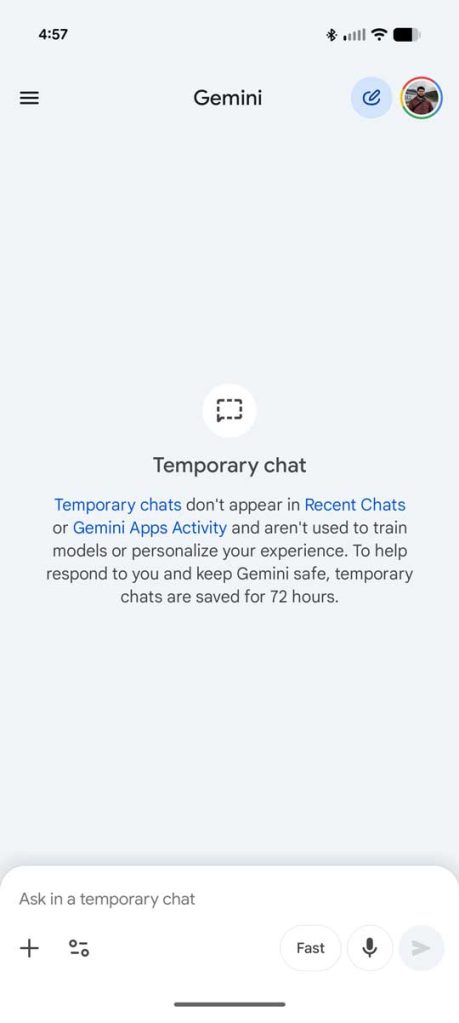
When tapped, the original icon reappears in the middle of the screen with a description of Temporary Chat’s purpose. The top‑right icon is highlighted in blue, just like before.

Possible reasons
The new icon does not seem final. It may be a bug or an intentional design tweak that only affects the mobile app. Its rounded shape aligns more closely with the Gemini UI’s text boxes and bottom‑sheet options, but the previous dotted chat icon was instantly recognizable, even if a bit boxy.
Overall app impact
There appear to be no other changes to the Gemini app. Features such as Notebooks remain visible in the sidebar menu, and the overall UI is intact (Notebooks article).
No official comment has been released about the new icon. While it’s a minor visual adjustment, it can be disconcerting for users who rely on the familiar Temporary Chat indicator.