
Wear OS notifications for Google Messages are getting a smart new trick
Source: Android Authority
TL;DR
- Google is widely rolling out a “Mark as read” button for Google Messages notifications on Wear OS.
- The new button only appears when a Messages notification first arrives.
- Emoji reactions, which were previously spotted in development alongside the new button, are still not available.
Mark‑as‑read rollout
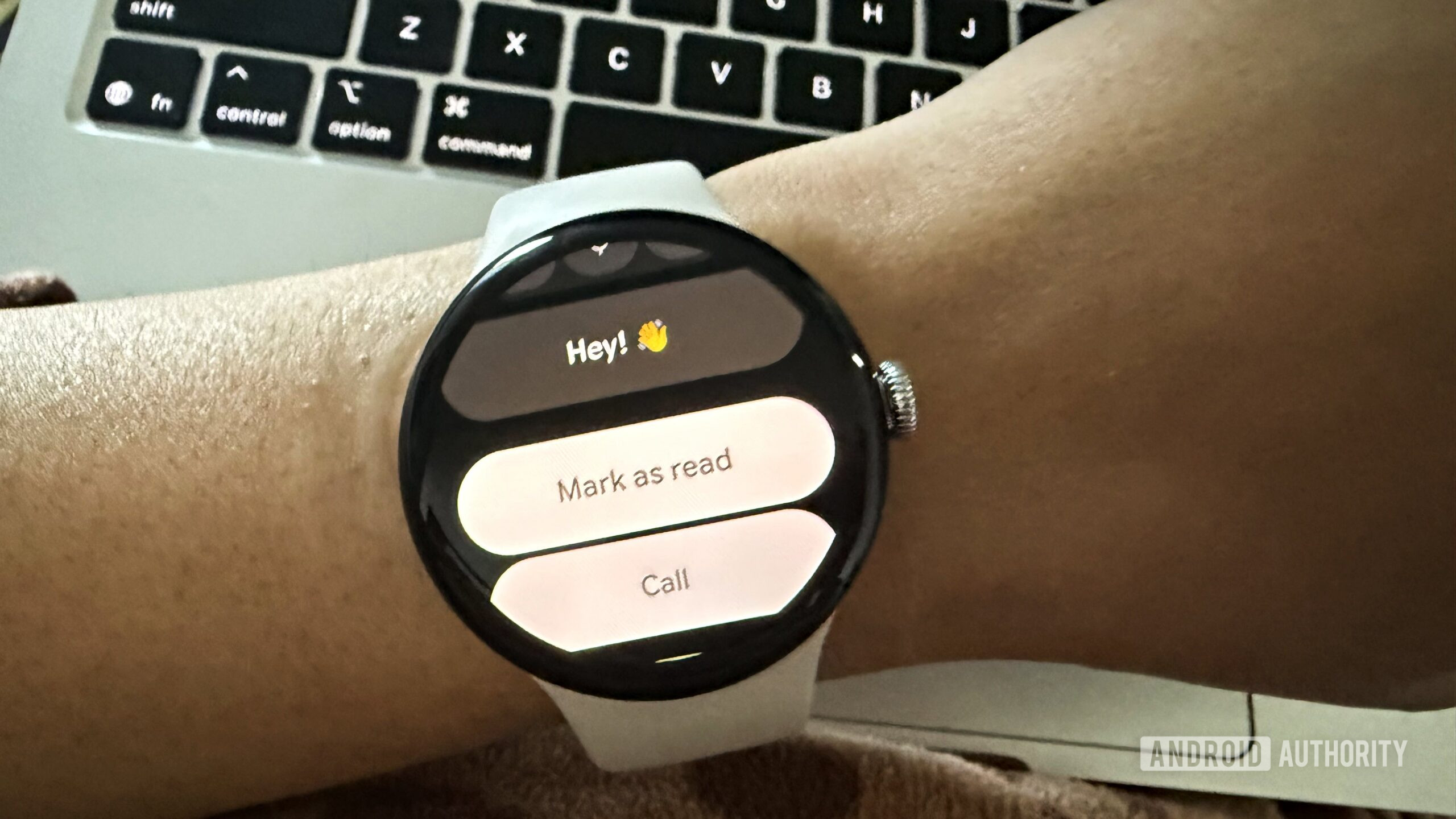
Google is now rolling out the ability to mark Google Messages as read directly from notifications on Wear OS. We spotted and reported this feature last month in an APK teardown of the Google Messages app, and it now appears to be rolling out to all users on both the beta and stable versions of the app for Wear OS.
The new “Mark as read” button appears on incoming message notifications, letting you clear unread messages quickly without opening the conversation or replying. It’s a small change, but one that makes handling messages from your wrist quicker and more convenient.
Limitations
The option only shows up when the notification first pops up on your watch. If you miss it and later scroll through your notification list, the “Mark as read” action isn’t available.
Emoji reactions
When we first spotted this feature, we also found evidence that emoji reactions are coming to Google Messages on Wear OS. While the mark‑as‑read shortcut is now rolling out more widely, emoji reactions aren’t live yet.