
Pixel’s At a Glance just added two new categories users have long been waiting for
Published: (February 20, 2026 at 03:30 PM EST)
2 min read
Source: Android Authority
Source: Android Authority
TL;DR
- The At a Glance feature on Pixel phones now includes two new information categories: Sports and Finance.
- Users can select which teams or stocks they want to follow.
- Both categories are enabled by default, but can be turned off in the widget settings.
If you own a Pixel phone, you’re familiar with the At a Glance widget that surfaces the information you care about right on your home screen. A recent update adds Sports and Finance to the long list of available categories.
Accessing At a Glance Settings
- Press and hold the date at the top of your home screen.
- Scroll down to Customize.
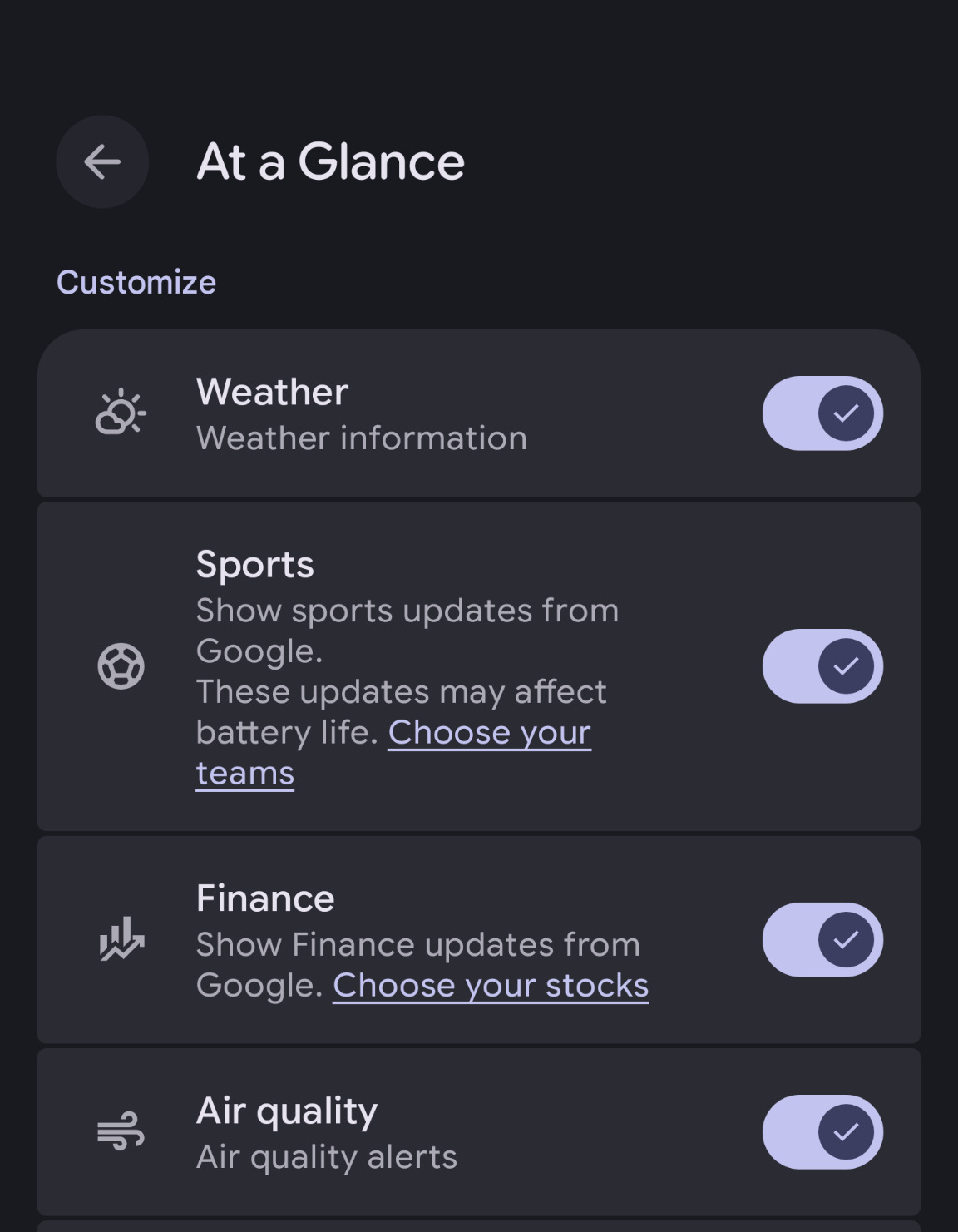
- Here you’ll see all the categories that At a Glance can display, now including Sports and Finance.
Sports Updates
- The Sports category provides live updates from Google.
- A battery‑impact warning is shown, so you can decide if you want these notifications.
- Tap “Choose your teams” to select the teams you want to follow.
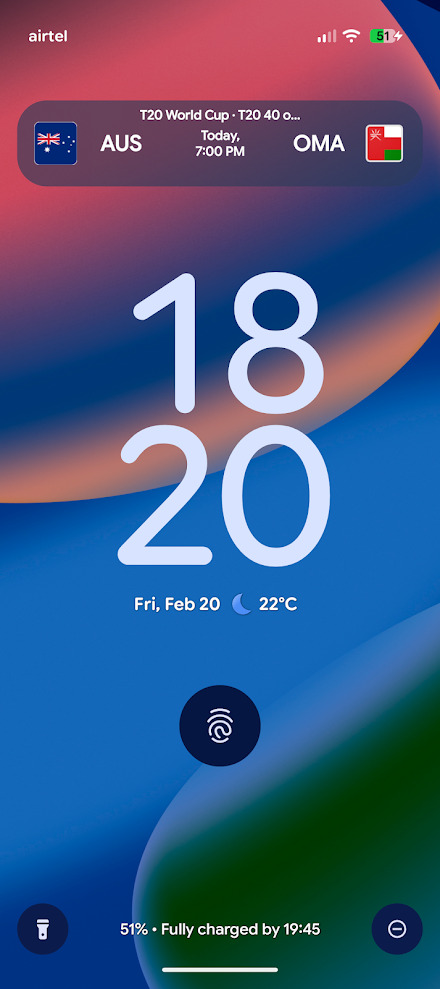
Reddit user desigunnerr shared an example of a sports update:
Finance Updates
- The Finance category lets you track the stocks you care about.
- Unlike Sports, there’s no explicit battery‑usage warning for finance updates.
Both Sports and Finance are turned on by default. If you prefer not to see these alerts, simply return to the Customize menu and disable the categories you don’t want.