
Switch to Claude without starting over
Published: (March 1, 2026 at 02:36 AM EST)
1 min read
Source: Hacker News
Source: Hacker News
Bring your preferences and context to Claude
Bring your preferences and context from other AI providers to Claude. With one copy‑paste, Claude updates its memory and picks up right where you left off. Memory is available on all paid plans.
You’ve spent months teaching another AI how you work. That context shouldn’t disappear because you want to try something new. Claude can import what matters, so your first conversation feels like your hundredth.
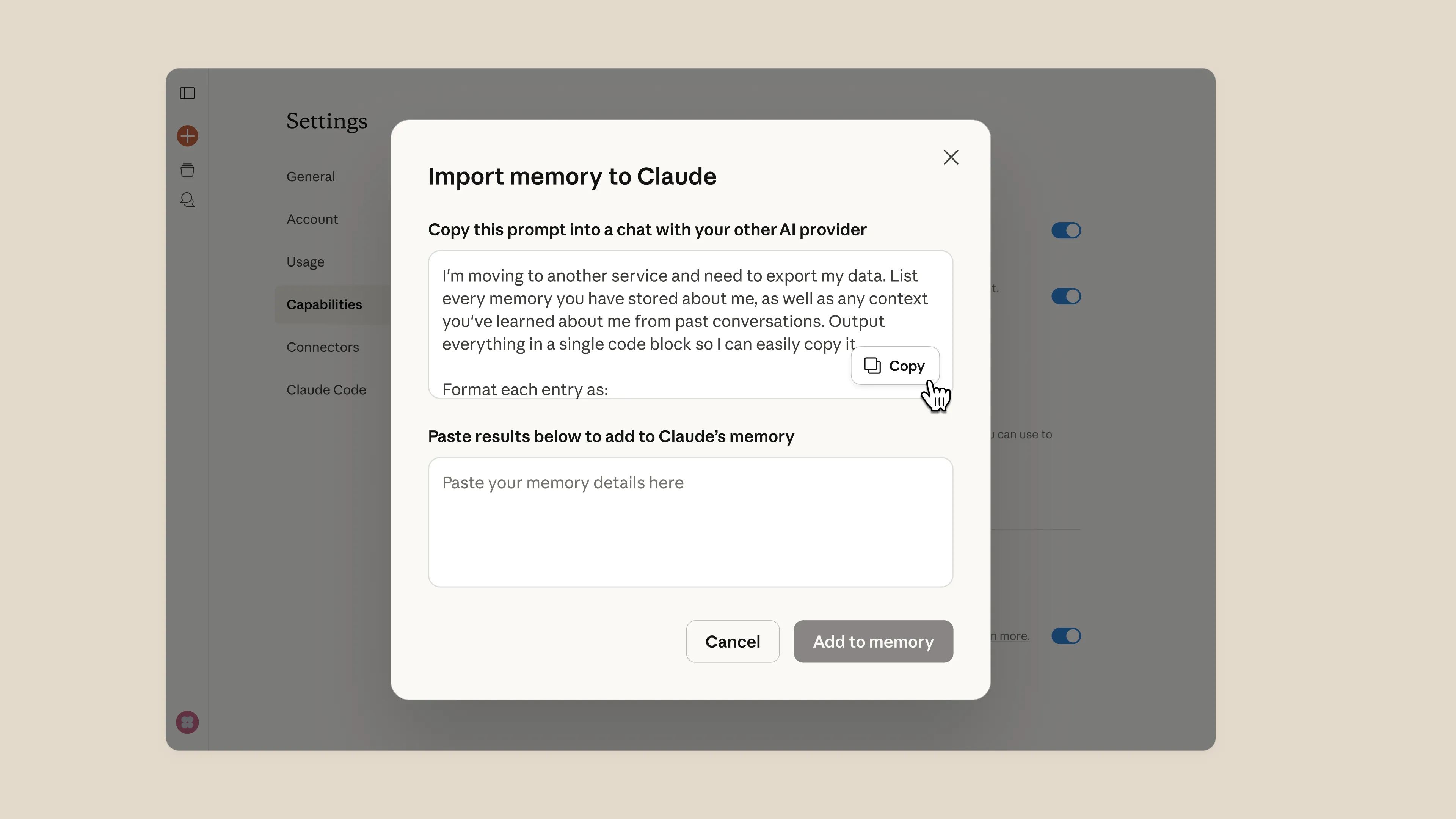
How to import your memory
- Copy and paste the provided prompt into a chat with any AI provider. It’s written specifically to help you get all of your context in one chat.
- Copy and paste the results into Claude’s memory settings.
- Claude will update its memory and you’re good to go.
What Claude does with your memory
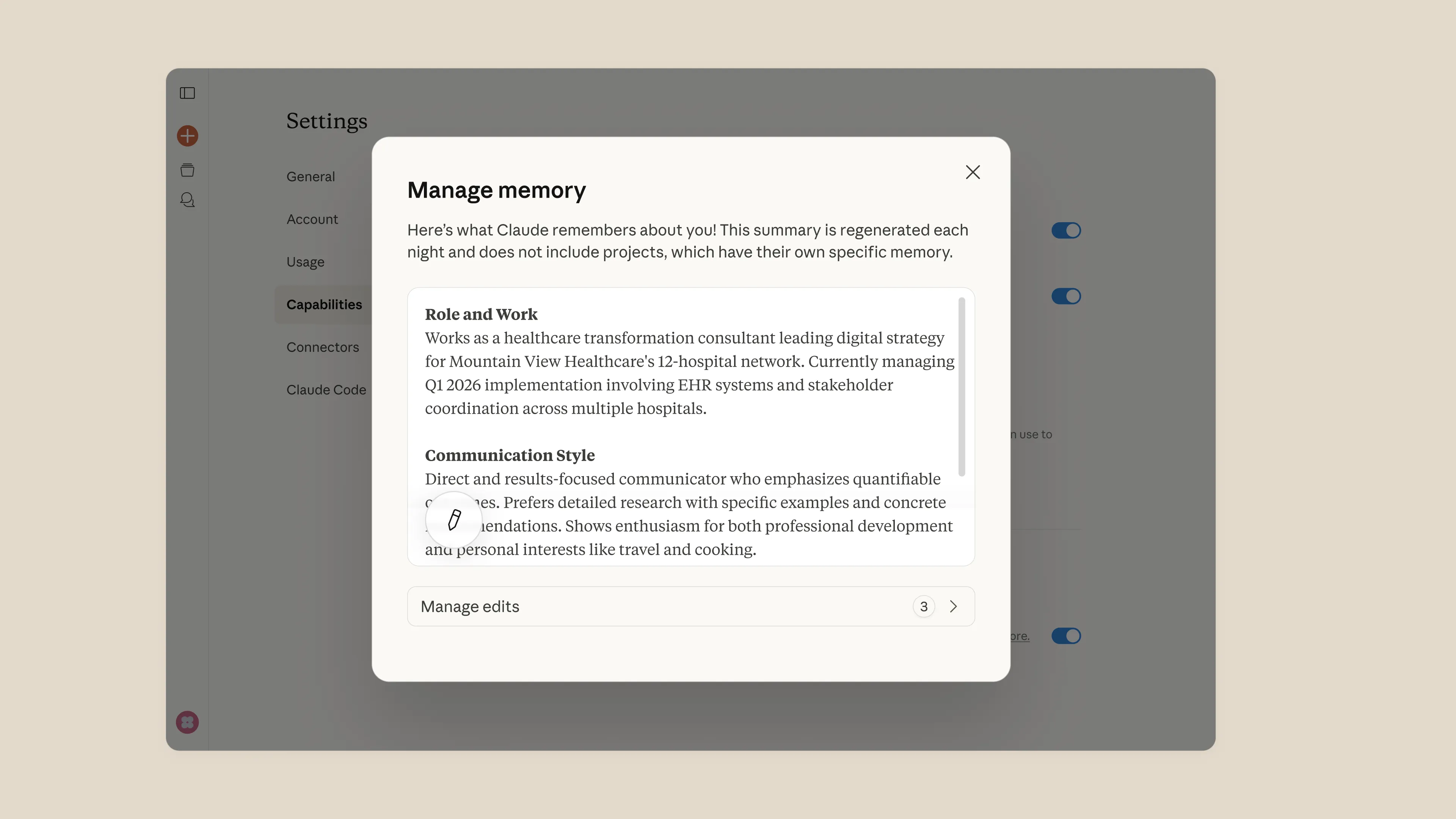
Claude learns your preferences across conversations, keeps project context separate so nothing bleeds together, and lets you see and edit everything it remembers.
Get started
Start your Pro plan, import your memory when you’re ready, and see for yourself.