
Snail mail letters target Trezor and Ledger users in crypto-theft attacks
Source: Bleeping Computer
Phishing Letters Targeting Hardware Wallet Users
Threat actors are sending physical letters that appear to be from Trezor and Ledger, the manufacturers of popular cryptocurrency hardware wallets. The goal is to trick users into revealing their recovery phrases, enabling crypto theft.
How the scam works
- Urgent “Authentication/Transaction Check” – The letters claim that recipients must complete a mandatory check to avoid losing access to wallet functionality.
- QR code link – Victims are pressured to scan a QR code that redirects them to a malicious website designed to capture their recovery phrase.
- Social engineering – The letters use official branding and a formal tone to create a sense of legitimacy and urgency.
What to do
- Never share your recovery phrase with anyone, even if the request appears to come from the wallet manufacturer.
- Verify communications by contacting the official support channels directly (e.g., via the official website or app).
- Avoid scanning unknown QR codes and double‑check URLs before entering any sensitive information.
Stay vigilant and protect your crypto assets.
Snail‑mail QR‑code Crypto Scams
Hardware‑wallet users are receiving printed letters on official‑looking letterhead that impersonate communications from the Trezor and Ledger security and compliance teams.
Background
Both manufacturers have suffered data‑breaches that exposed customer contact information:
- Trezor – a breach of the support site exposed personal data of ~66 000 customers (source)
- Ledger – physical addresses of ~270 000 owners were posted on a hacker forum (source)
The leaked data appears to be used as the targeting criteria for the mailed scams.
The fake Trezor letter
Cyber‑security researcher Dmitry Smilyanets shared a copy of a counterfeit Trezor letter that claims an “Authentication Check” will become mandatory.
“To avoid any disruption to your Trezor Suite access, please scan the QR code with your mobile device and follow the instructions on our website to enable Authentication Check by February 15, 2026.”
The letter also adds:
“Even if you have already received the notification on your Trezor device and enabled Authentication Check, completing this process is still required to fully activate the feature.”
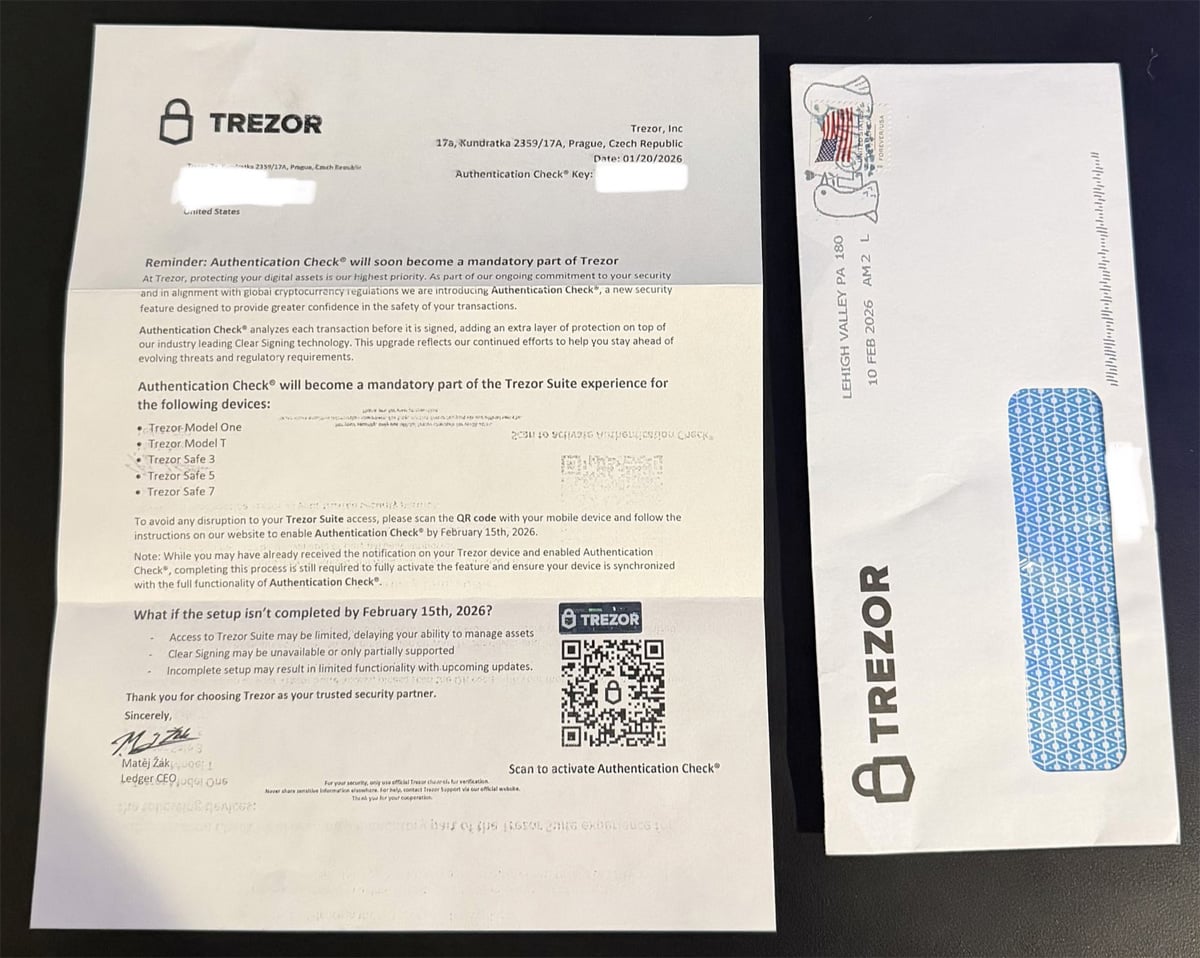
Source: Smilyanets
The fake Ledger letter
A similar Ledger‑themed letter was posted on X (source). It warns that a “Transaction Check” will become mandatory and urges users to scan a QR code by October 15, 2025 to avoid service disruption.
Phishing infrastructure
Scanning the QR codes redirects victims to spoofed setup pages:
| Platform | Phishing domain (now offline) |
|---|---|
| Trezor | https://trezor.authentication-check.io/ |
| Ledger | https://ledger.setuptransactioncheck.com/ |
The Ledger domain is currently offline; the Trezor site remains live but is flagged by Cloudflare as a phishing site.
Trezor phishing page
The page displays a warning similar to the mailed letter:
“Complete Authentication Check setup by February 15, 2026 unless you purchased a Trezor Safe 7, Safe 5, Safe 3, or Safe 1 after November 30, 2025. In that case it is already pre‑configured, and no action is needed.”
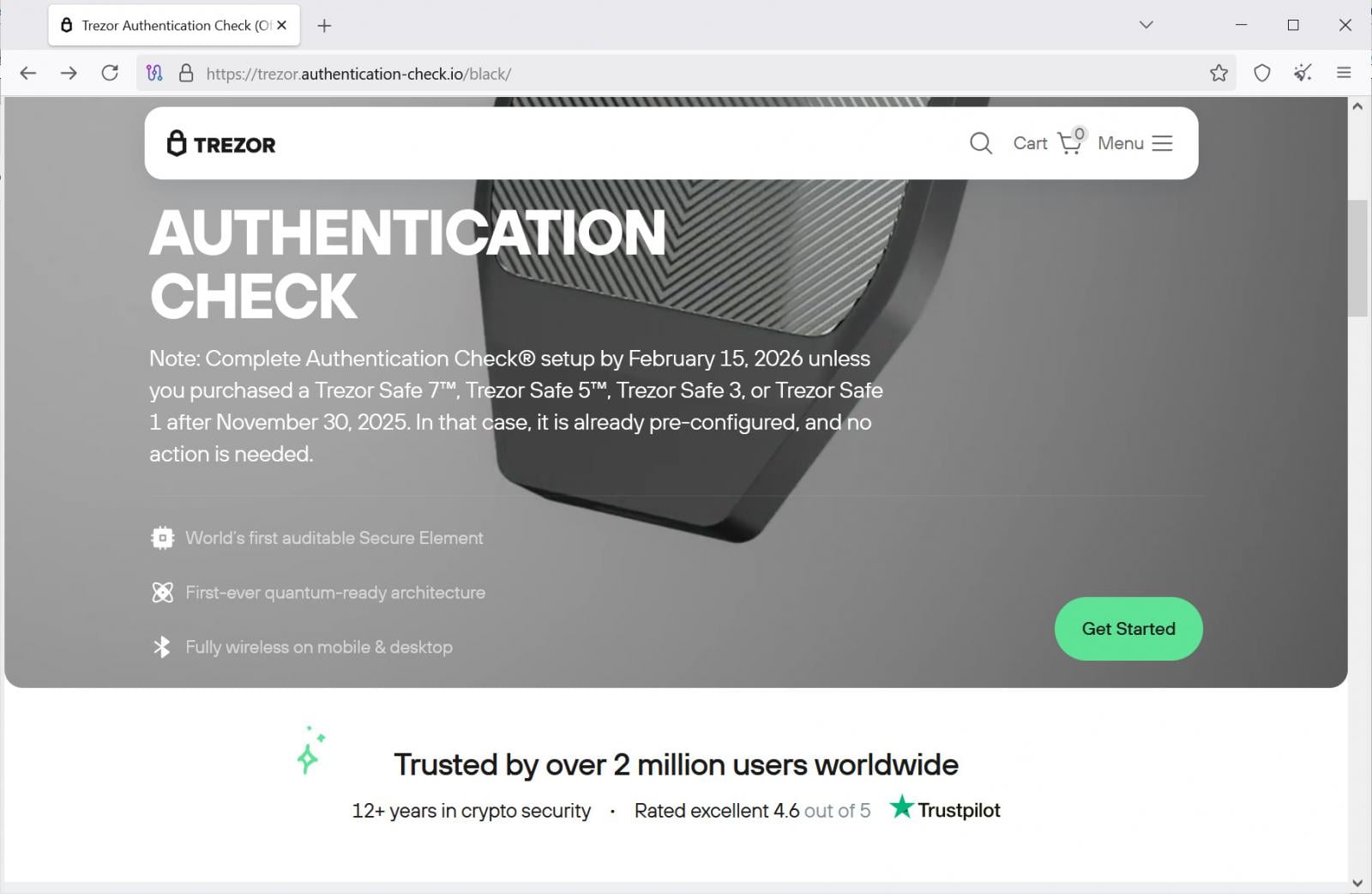
Source: BleepingComputer
Clicking “Get Started” leads to a second page that warns of limited or blocked access, transaction‑signing errors, and missed future updates if the user does not continue.
The final page asks for the wallet recovery phrase (12‑, 20‑ or 24‑word).
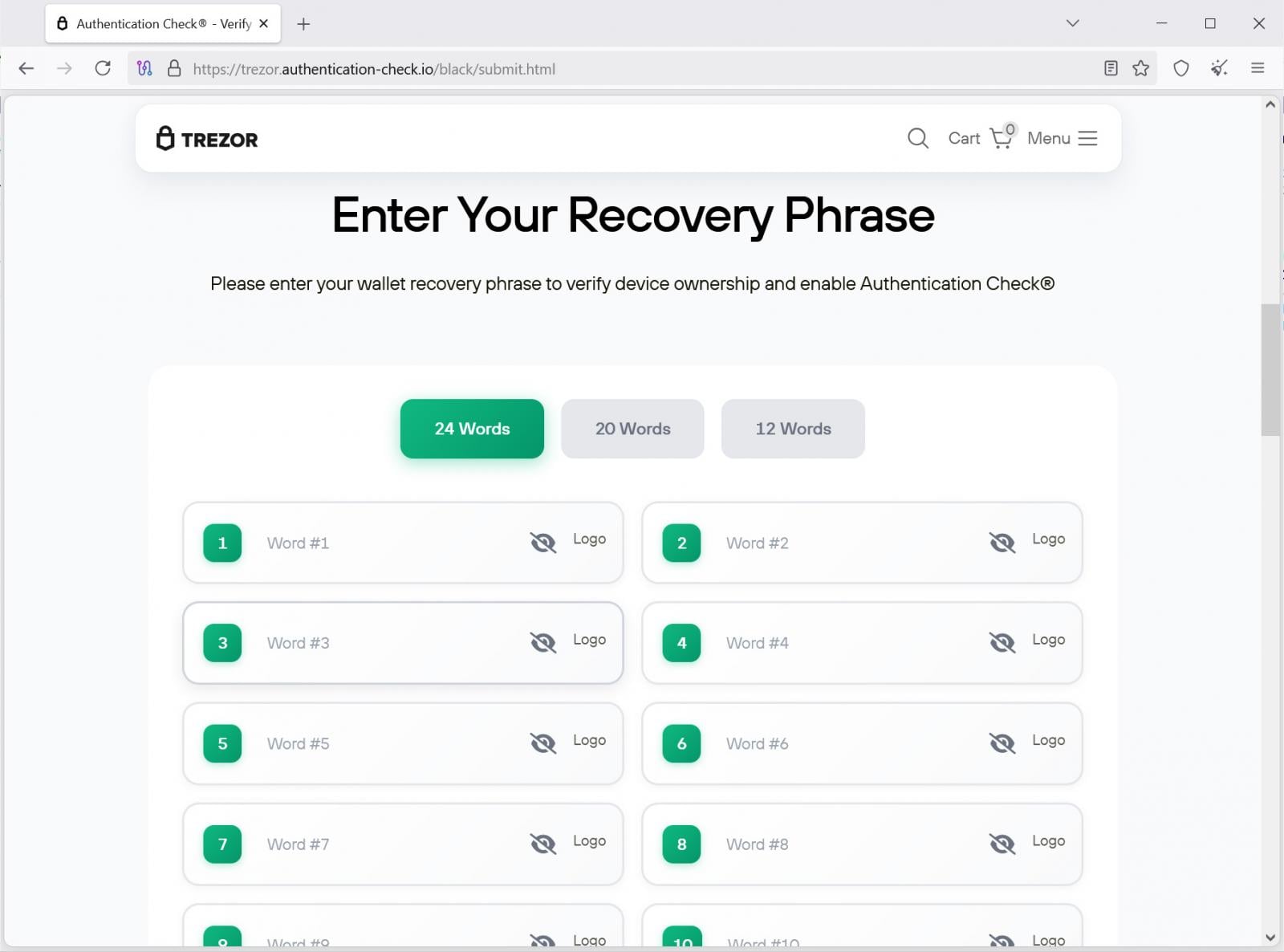
Source: BleepingComputer
When the phrase is submitted, it is sent to a backend API endpoint:
https://trezor.authentication-check.io/black/api/send.phpThe attacker can then import the victim’s wallet and steal the funds.
Context & previous incidents
- Phishing emails targeting Trezor (source) and Ledger (source) are common.
- Physical‑mail campaigns are rarer but have occurred before:
Take‑away
- Never scan QR codes from unsolicited physical mail.
- Never enter a recovery phrase on any website unless you are absolutely sure you are on the official vendor domain.
- Verify communications through the official support channels (e.g., log in to your account on the vendor’s website, not via a link in a letter).
- Report suspicious mail to the wallet manufacturer and to local law‑enforcement or cyber‑crime units.
Never Share Recovery Phrases
Hardware wallet recovery phrases, also known as seed phrases, are textual representations of the private keys that control access to cryptocurrency wallets. Anyone who obtains a recovery phrase gains full control over the wallet and its funds.
Manufacturers such as Trezor and Ledger will never ask users to enter, scan, upload, or share their recovery phrase.
Recovery phrases should be entered directly on the hardware wallet device when restoring a wallet, and never on a computer, mobile device, or website.

The Future of IT Infrastructure Is Here
The future of IT infrastructure is here
Modern IT infrastructure moves faster than manual workflows can handle. In this new Tines guide, learn how your team can:
- Reduce hidden manual delays
- Improve reliability through automated response
- Build and scale intelligent workflows on top of tools you already use