
Security Bite: Apple takes aim at cybercriminals’ more desperate tactic to infect Mac users
Source: 9to5Mac
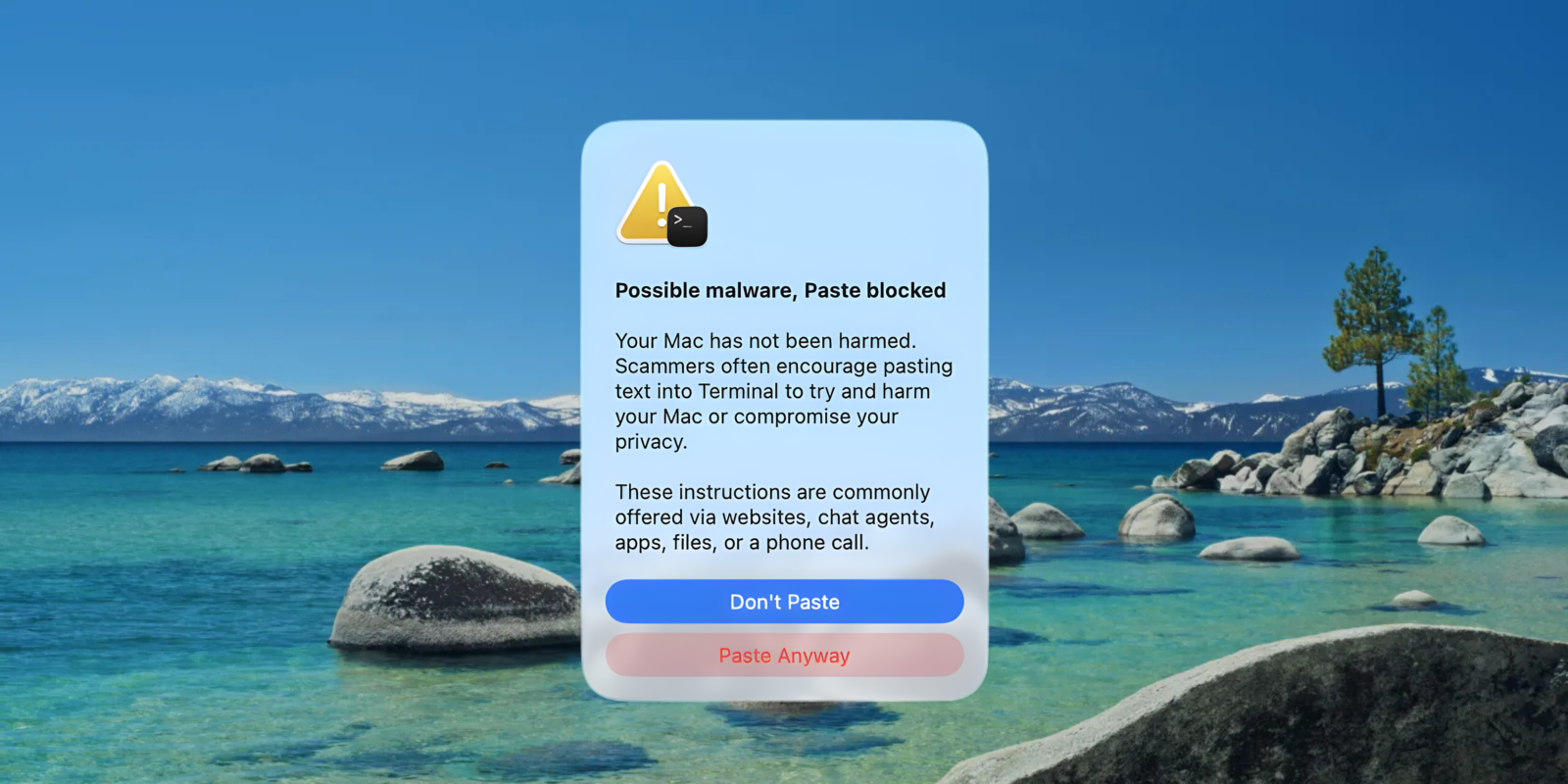
macOS 26.4 warns users before executing pasted Terminal commands
With the release of macOS 26.4, Apple now warns users who appear about to paste malicious code into Terminal. The prompt is the latest blow to cyber‑criminals’ increasingly desperate tactic of getting unsuspecting Mac users to infect themselves.
A brief history
Back in 2023, with the release of macOS Sonoma, Apple dealt a deadly blow to a common malware bypass: the ability to right‑click and open unsigned, un‑notarized applications. That change forced threat actors to pivot to a new social‑engineering tactic—tricking users into manually running malicious commands in Terminal.
These attacks typically arrive via:
- Malicious app downloads from fake websites
- Direct messages or phishing emails
- Impersonations of legitimate software (e.g., OpenAI’s Atlas browser, Google Chrome)
The method is crude but effective: a malicious app instructs the user to copy a command, open Terminal, paste it, and press Enter. macOS treats this as a legitimate user action, bypassing protections like Gatekeeper.
Apple’s new safeguard
In macOS 26.4 (code‑named “Tahoe”), the system now detects when a command copied from Safari or another app is pasted into Terminal. If the command appears suspicious, macOS displays a prompt before the command executes, giving the user a chance to stop and reconsider.
While a small change, it can be the difference between staying safe and becoming compromised—especially for users who are less familiar with macOS internals and might follow malicious instructions without question.