
Passkeys now available for passwordless sign-in and 2FA on GitLab
Source: GitLab Blog
What are Passkeys?
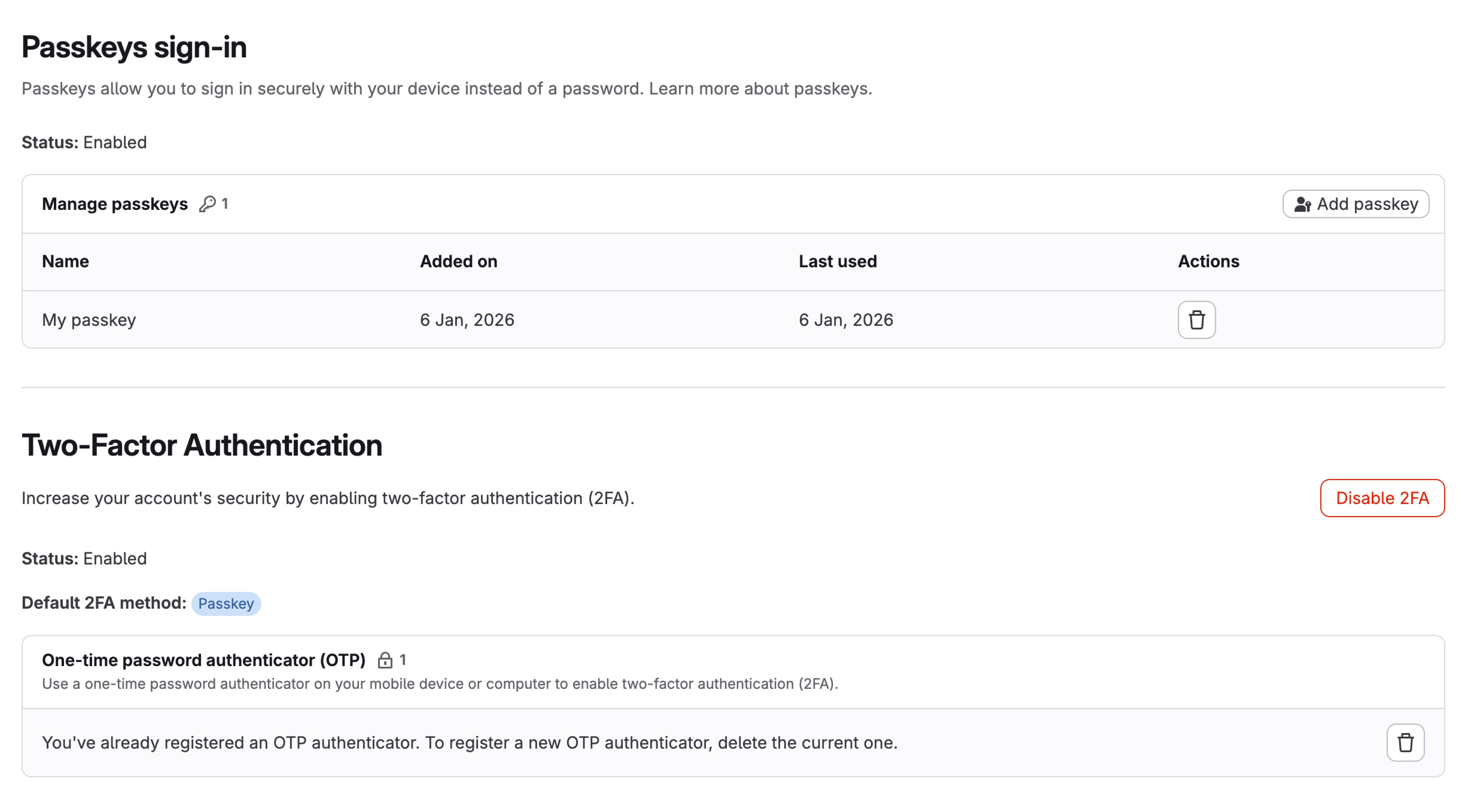
Passkeys are now available on GitLab, offering a more secure and convenient way to access your account. They can be used for passwordless sign‑in or as a phishing‑resistant two‑factor authentication (2FA) method. Passkeys authenticate using your device’s fingerprint, face recognition, or PIN. For accounts with 2FA enabled, passkeys automatically become the default 2FA method.
How to Register a Passkey
To register a passkey to your account, go to Profile Settings → Account > Manage authentication.
Security Benefits
Passkeys use WebAuthn technology and public‑key cryptography, consisting of a private key (stored securely on your device and never leaves it) and a public key (stored on GitLab). Even if GitLab were compromised, attackers could not use the stored credentials to access your account.
Compatibility
Passkeys work across:
- Desktop browsers: Chrome, Firefox, Safari, Edge
- Mobile devices: iOS 16+, Android 9+
- FIDO2 hardware security keys
You can register multiple passkeys across your devices for convenient access.
GitLab’s Commitment
GitLab signed the CISA Secure by Design Pledge, committing to improve our security posture and help customers develop secure software faster. One key objective of the pledge is to increase the use of multi‑factor authentication (MFA) across the manufacturer’s products. Passkeys are an integral part of this goal, providing a seamless, phishing‑resistant MFA method that makes signing in to GitLab both more secure and more convenient.
Feedback
If you have questions, want to share your experience, or would like to engage directly with our team about potential improvements, see the feedback issue.