
Motorola phones have started hijacking the Amazon app to insert affiliate codes
Source: Hacker News
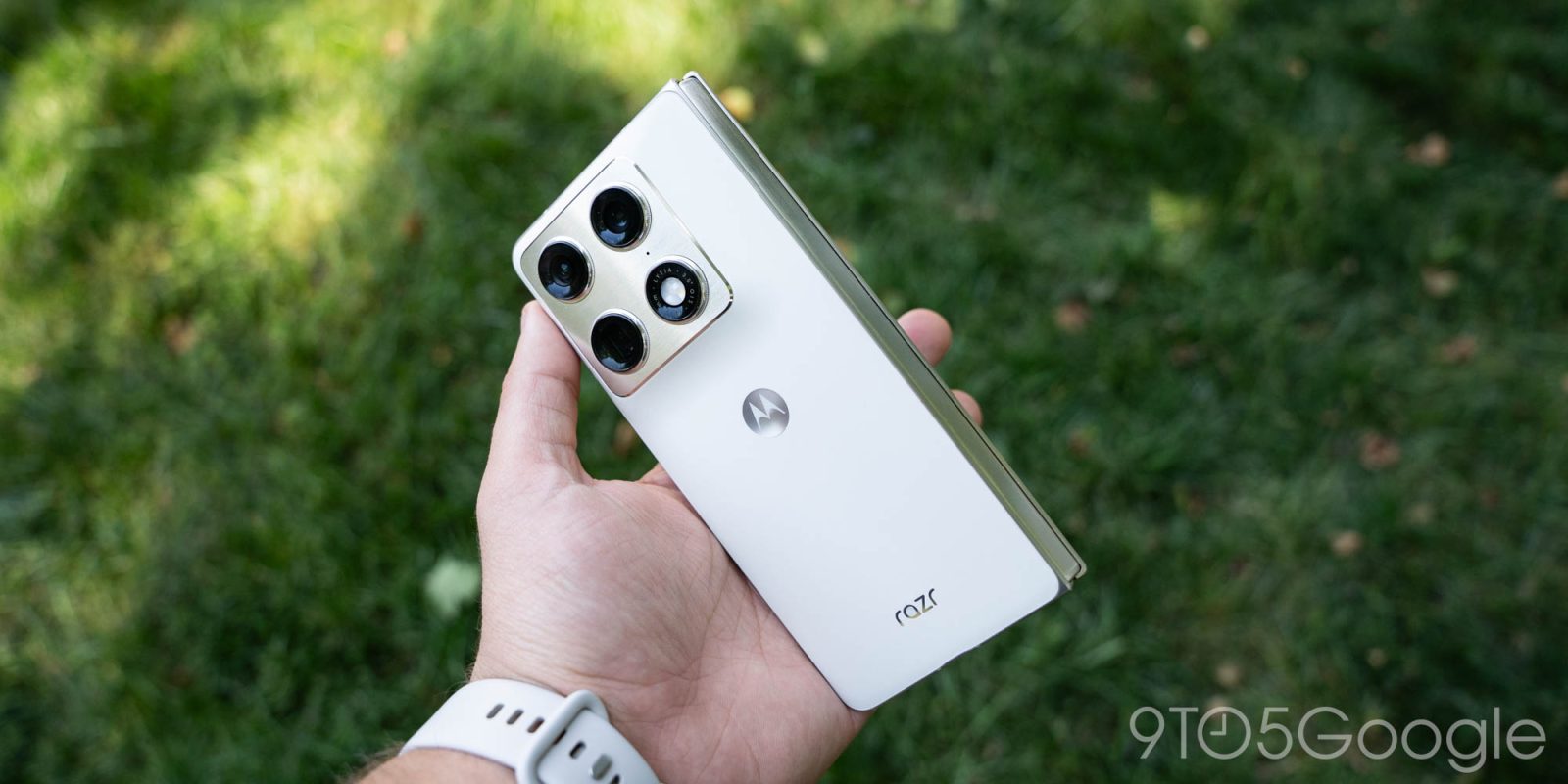
A truly bizarre situation on Motorola phones has led to the software hijacking the Amazon app to inject an affiliate code – even on the $1,900 Razr Fold.
The shady use of affiliate codes has become unfortunately common in recent years, with the most high‑profile example being the PayPal‑owned browser extension Honey. A new situation on Motorola smartphones might top the charts in terms of sketchy behavior.
What’s happening
An app update on Motorola phones has started hijacking the Amazon app for the sake of injecting an affiliate code. When the user taps the Amazon app icon from the app drawer, the launcher:
- Opens the user’s browser,
- Briefly flashes Chrome,
- Redirects to the Amazon app with an affiliate tag.
Opening Amazon from a homescreen shortcut works normally.
A Reddit user first reported the behavior:
Using an ADB log, the user showed that the launcher was directing users to a URL instead of the Amazon app they expected. The culprit traces back to the Smart Feed app, pre‑loaded on many Motorola devices, including the latest 2026 Razr family of foldables. A network log also shows requests to devicenative.com, a service that places ads on smartphones (integration docs).
Findings
- Older versions of Smart Feed (e.g., v2.03.0056) do not exhibit the issue.
- The problematic behavior appears with Smart Feed v2.03.0070 on a Razr Fold, but not on a Moto G Stylus running the same version.
- Sideloading the updated Smart Feed does not trigger the redirect, suggesting the problem is tied to the pre‑installed package.
The URL opened by the phone is kira-abboud.com, which references fashion influencer @kirasfashionfinds. The affiliate code used in the redirect is sramz-kff-008-20, which does not match any codes associated with the influencer’s own links.
How to stop it
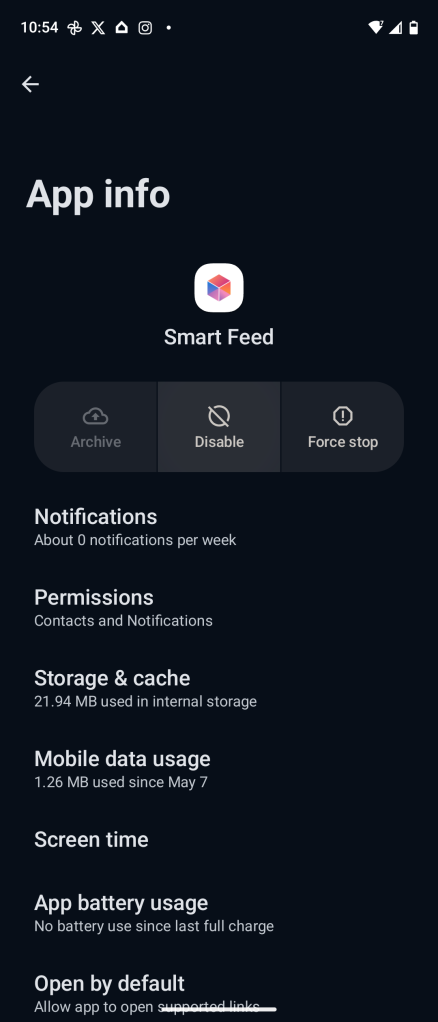
Since the behavior originates from a pre‑installed app, you can disable it:
- Open Settings → Apps.
- Search for Smart Feed.
- Tap Disable.
On the affected Razr Fold, disabling Smart Feed immediately stops the Amazon redirect and has no noticeable impact on device functionality.
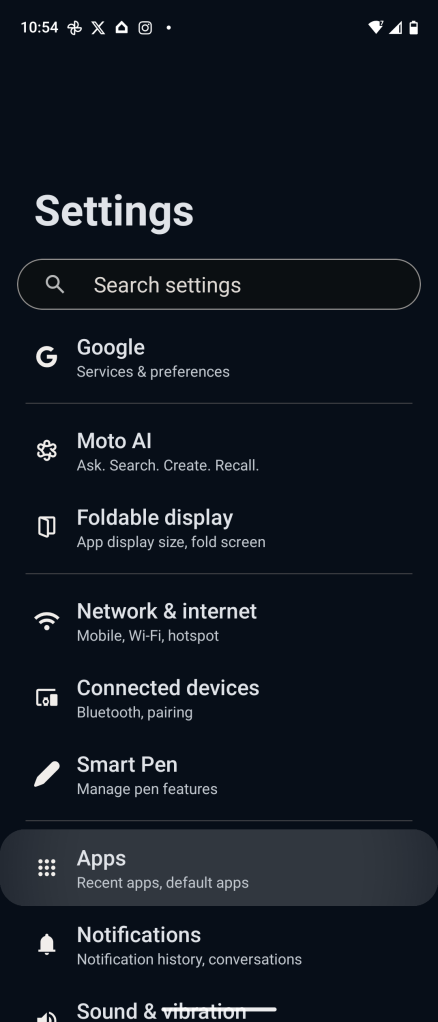
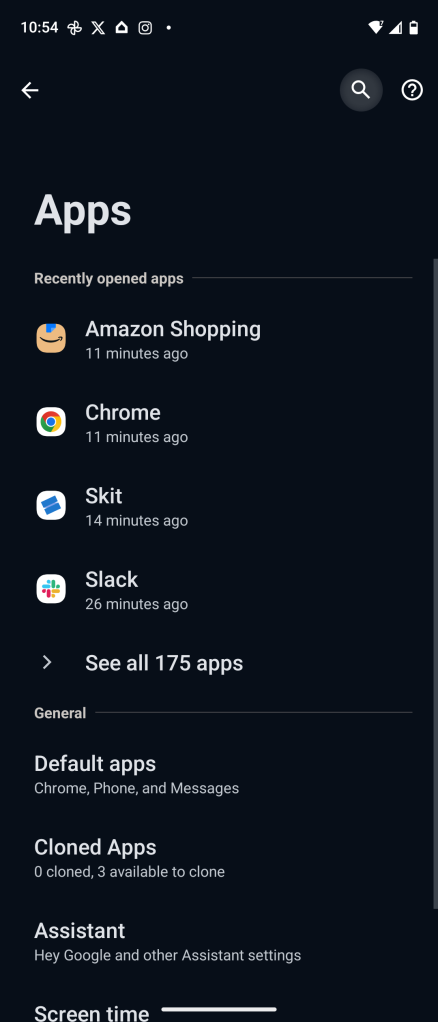
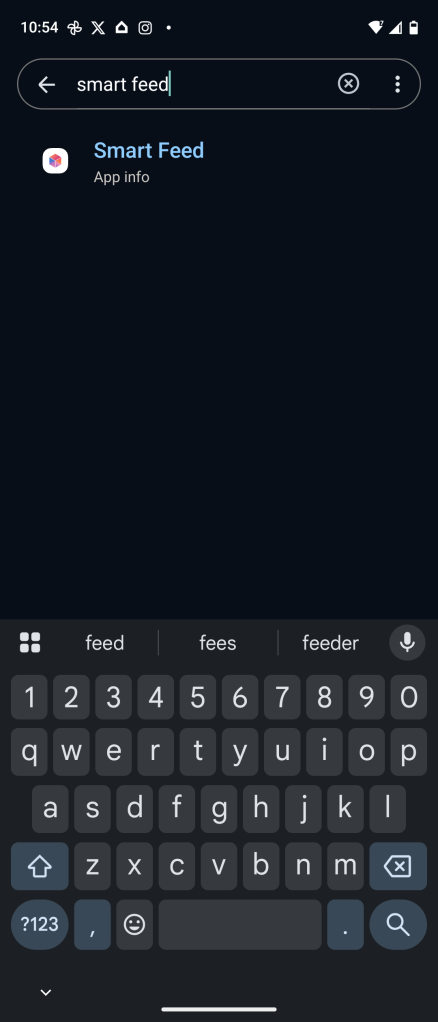
Speculation
While it’s tempting to blame Motorola outright, the involvement of a seemingly unrelated fashion influencer and a third‑party ad service suggests a more complex supply‑chain issue. The redirect through a fake website and an affiliate code unrelated to the influencer’s own promotions is unusually opaque.
We have reached out to Motorola for comment and will update this article when more information becomes available. In the meantime, disabling the Smart Feed app is the safest way to prevent the unwanted redirect.
FTC: This article contains affiliate links that may earn income.