
I’d skip the Galaxy S26 launch if it weren’t for one very exciting feature
Source: Android Authority
Galaxy Unpacked 2026 is less than a couple of weeks away, with a promised line‑up of three new Samsung Galaxy S26 phones.
While the regular Galaxy S26 and the S26 Plus are nothing to get excited about—a clear sign of Samsung doing the least possible effort to keep the series alive and consumers buying its phones—there’s still one very interesting innovation coming to the Galaxy S26 Ultra: a new Privacy Display feature.
This groundbreaking display technology promises to replace those bad privacy screen protectors your friends use by adding an integrated, hardware‑level feature that dims the screen when viewed at an angle without affecting the person looking straight at it. As someone who only takes Parisian subways and buses, it’s the one feature I’m really excited to see in action. I just don’t want people looking over my shoulder in the metro to see what I’m doing, especially when I need to quickly check something sensitive or personal, like my banking app or my Oura stats.
Galaxy S26 Ultra Privacy Display: Hot or Not?
- 1 vote
Why Privacy Display Is So Exciting
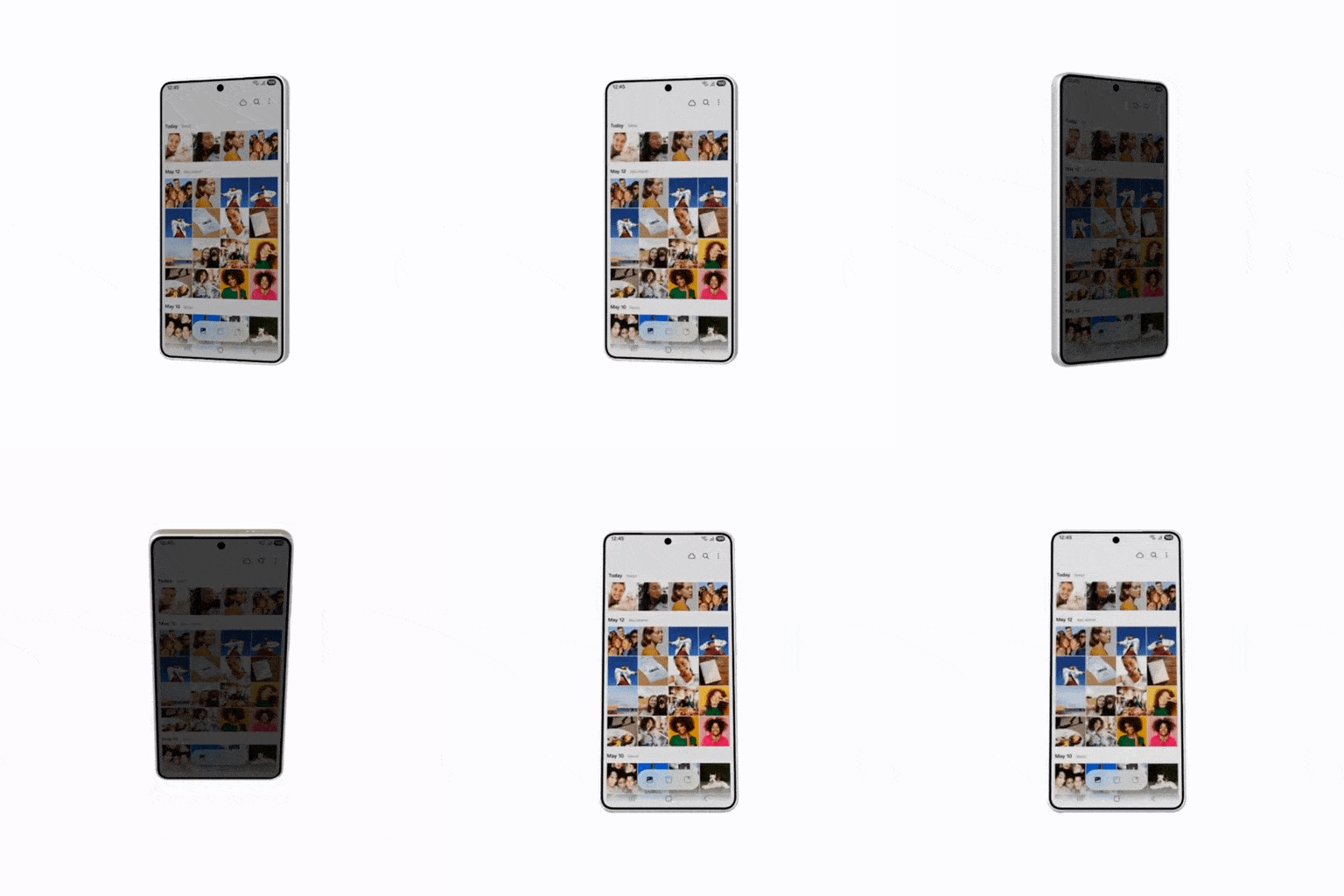
Image credit: SammyGuru
From blinding brightness and adaptive refresh rates to foldable panels and under‑display fingerprint sensors, display technology takes a major leap every few years. Samsung’s new Privacy Display is the latest—and arguably the most interesting—innovation because it makes phones far more resistant to snooping from nearby onlookers.
How It Works
The Galaxy S24 Ultra’s brighter, thinner, and less power‑hungry M14 OLED panel uses two Samsung Display technologies:
| Technology | What It Does |
|---|---|
| Flex Magic Pixel | Adjusts individual pixels to control light output. |
| Color‑filter‑on‑Encapsulation (foldable‑born) | Replaces the traditional polarizer with a color filter, allowing the screen to physically narrow its light cone. |
When Privacy Display is activated, the screen narrows its light output so that it’s clearly visible only to the person holding the device, while appearing completely black to anyone viewing it from a side angle.
Selective Privacy – Not All‑Or‑Nothing
One of the most impressive aspects is that the feature isn’t a blanket “privacy‑on” mode. Thanks to pixel‑by‑pixel masking, you can apply privacy only where you need it:
- Incoming notifications – hide message content from prying eyes.
- PIN/password entry – automatically enable privacy when you type credentials.
- Specific apps – choose which apps trigger the feature.
This means you can still watch videos in bed or browse on a crowded metro without sacrificing privacy.
Real‑World Use Cases
- Thief deterrence – thieves often watch victims enter their PIN before snatching the phone. Privacy Display can automatically turn on during any PIN/password entry, making the screen unreadable.
- Crowded environments – elevators, public transport, or any place where shoulder‑surfing is a risk.
- Custom conditions – combine with One UI’s Modes and Routines to create exact triggers (e.g., when a new notification pops up, while viewing Gallery photos, or during picture‑in‑picture video playback).
Controls & Customisation
Samsung has integrated the feature deeply into One UI:
- Quick Settings toggle – turn Privacy Display on or off instantly.
- Granular options – set automatic activation for sensitive apps, specific screen types, or custom conditions.
- Developer access – Samsung plans to let app developers enable the feature programmatically within their apps.
Quick Links
- M14 OLED panel leak (Android Authority)
- Privacy Display auto‑activates on PIN entry (Android Authority)
- Privacy Display Quick Settings toggle (Android Authority)
- Granular privacy options (Android Authority)
Bottom line: Samsung’s Privacy Display combines hardware‑level light control with flexible software settings, giving users precise control over when and how their screen content stays private. It’s a thoughtful addition that could become a staple for anyone concerned about shoulder‑surfing in today’s increasingly visual mobile world.
It sounds a million times better than a privacy screen protector
JETech
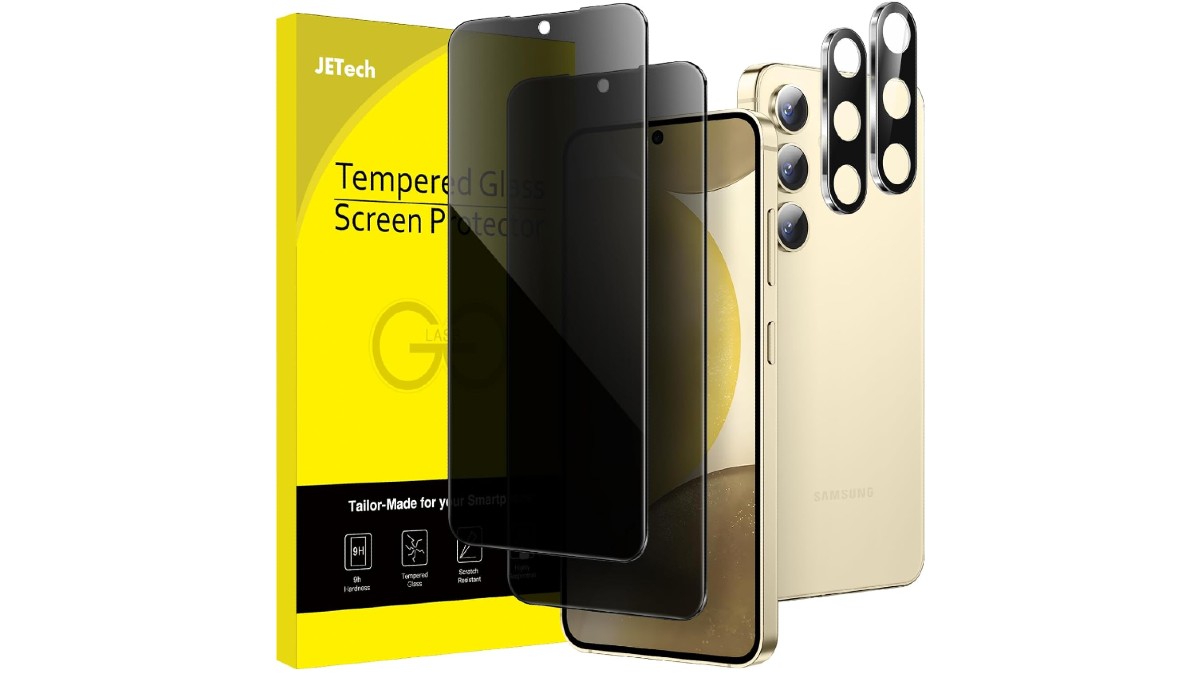
We’ve all seen those cheap, very dark privacy screen protectors on a friend’s phone. Back in the mid‑2010s I even tried one on my LG G3 and immediately removed it—the screen became noticeably darker and introduced grainy artefacts. From what I’ve seen on friends’ phones, today’s privacy screen protectors haven’t improved much since then, and many now interfere with the ultrasonic under‑display fingerprint reader.
Until I’m certain that Samsung’s Privacy Display won’t impede visibility and brightness in everyday situations, I’m not completely sold.
Samsung’s approach eliminates the usual aesthetic and functional drawbacks:
- No unnecessary darkening
- No grainy display
- No fingerprint‑reader issues
- Flexible options for when and where the privacy mode activates
All of this sounds great on paper, but I need real‑world testing to confirm that it truly works without compromising everyday usability. That’s why I’m excited about Unpacked—it will give us hands‑on experience with the Privacy Display and show how convenient it is for daily use.
I’m also curious about the finer details of the feature when it’s presented at Unpacked. The examples Samsung uses in its marketing (both at the event and in subsequent ads and posters) and the emphasis placed on each capability will be crucial in shaping perception. If the feature is compelling, it could become the “must‑have” that other Android brands rush to copy.
For now, this appears to be a unique Galaxy S26 Ultra—and possibly S26 Plus—feature. If it lives up to the hype, I’d love to see it roll out to more Samsung devices and eventually to other brands. Imagine browsing on a crowded subway car with complete privacy—that’s the dream.
Follow
Thank you for being part of our community. Please read our Comment Policy before posting.