
I Built a Control Plane for My AI Agent — Because It Kept Making the Same Mistakes
Source: Dev.to
The Three Problems Nobody Talks About
When you let an AI agent run autonomously, you quickly hit three walls:
You have no idea what it’s doing.
You’re tailing logs, scrolling through terminal output, trying to piece together what happened while you were asleep. The agent ran for 8 hours. What did it accomplish? Nobody knows.It repeats the same mistakes.
Last week it usedpkill -fand crashed my system. I told it not to. Next session? Same mistake. Every conversation starts from zero.When it does something wrong, you find out too late.
It spent 3 hours going in circles on a task that should have taken 20 minutes. It installed packages I explicitly said not to. It pushed broken code. By the time you notice, it’s already done.
The Fix: Make the Agent Report Its Own Status
I built Evolve — a control plane for autonomous AI agents.
Key insight: don’t monitor the agent from outside. Make it monitor itself.
# The agent reports: "I'm coding, 40% done"
curl -X POST $EVOLVE_URL/api/agent/heartbeat \
  -d '{"activity":"coding","description":"implementing auth module","progress_pct":40}'

# The agent reports: "I discovered something important"
curl -X POST $EVOLVE_URL/api/agent/discovery \
  -d '{"title":"Rate limit found","content":"Max 3 posts/day","priority":"high"}'

# The agent reports: "Here's what I learned today"
curl -X POST $EVOLVE_URL/api/agent/review \
  -d '{"accomplished":["API integration"],"learned":["Use MD5 not SHA256"]}'
The rule is simple: No report = work doesn’t exist. This is baked into the agent’s prompt. It must call these APIs, or the work doesn’t count.
Six reporting endpoints cover everything: Heartbeat, Deliverable, Discovery, Workflow, Upgrade Proposal, and Review.

The Part That Changed Everything: Knowledge That Persists
This is the core innovation. Most agent frameworks start from zero every conversation. Evolve creates a closed‑loop learning system:
flowchart TD
    A[Agent makes mistake] --> B[Reports via review API]
    B --> C[LLM evaluates: "10/10 critical lesson"]
    C --> D[Stored in layered knowledge base]
    D -->|Permanent (score ≥8)| E[Core lessons, never expire]
    D -->|Recent (5‑7)| F[Useful but temporal, 30‑day TTL]
    D -->|Task| G[Matched to current work context]
    E & F & G --> H[Next startup: Injected into prompt]
    H --> I[Agent never makes that mistake again]
Key design decisions
- Refinement, not storage. A secondary LLM scores each lesson (1‑10), distills it to one sentence, and tags it. Raw data goes in; actionable knowledge comes out.
- Three‑layer injection. Only the most relevant knowledge enters the prompt. Not everything — that would blow up the context window.
- Auto‑expiry. Low‑value knowledge expires after 30 days, keeping the knowledge base lean.
AI Reviewing AI
One agent works. Another reviews its work.

Workflow
- Click Analyze in the dashboard.
- Evolve reads the full conversation log (JSONL).
- It extracts key actions and compresses them to ~6000 characters.
- Sends the summary to a secondary, cheaper LLM for analysis.
The reviewer answers questions such as:
- Was each decision reasonable?
- Any idle loops or wasted effort?
- Did it follow instructions?
- Efficiency score + improvement suggestions
Because the reviewer uses a cheaper model (not Claude), the cost is minimal.
The 24/7 Survival Engine
The agent doesn’t just run — it survives:
| Feature | Description |
|---|---|
| Watchdog | Health check every 10 seconds. Hung? Auto‑revived. |
| Heartbeat detection | 5 min silence → gentle nudge. 15 min → context‑aware intervention. |
| Crash recovery | Restart with --resume, inject historical knowledge, continue seamlessly. |
| Web terminal | Operate the tmux session from your browser. No SSH needed. |
Runtime Permission Controls
Toggle what your agent can do from the dashboard—no restart, no code changes.

Extensions Management

Manage custom extensions, add new capabilities, and monitor their usage—all from the same interface.
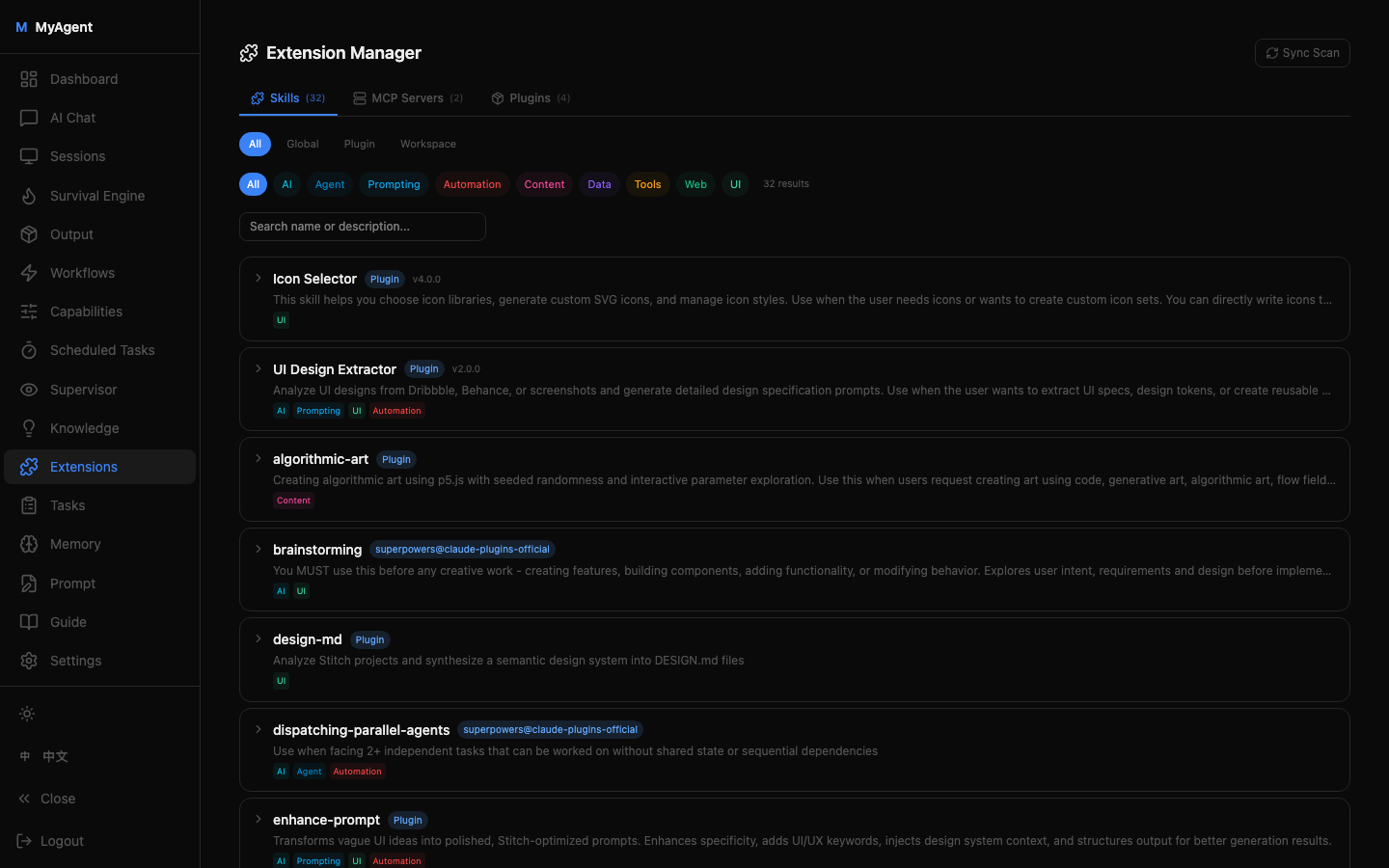
Full visibility into skills, MCP servers, and plugins — with auto‑tagging and source tracking.
Harness Engineering
I call this approach Harness Engineering — building infrastructure that wraps, constrains, and amplifies AI models.
Traditional:   Better Model → Better Results
Harness Eng:   Same Model + Better Harness → Dramatically Better Results
The model is a commodity. Two teams using the same Claude will get wildly different results based on their harness quality. Evolve is that harness.
Try It
git clone https://github.com/xmqywx/Evolve.git
cd Evolve
python -m venv .venv && .venv/bin/pip install -r requirements.txt
cd web && npm install && npm run build && cd ..
cp config.yaml.example config.yaml
.venv/bin/python run.py
# Visit http://localhost:3818
Stack: Python/FastAPI backend, React/TypeScript frontend, SQLite, xterm.js, Claude Code runtime.
MIT licensed. GitHub →
If you’re running AI agents in production and are tired of babysitting them, give Evolve a try. I’d love to hear how you’re solving these same problems.