
How AWS Lambda and Fargate Change the Way We Build Apps
Source: Dev.to
Attending the AWS Student Community Day in Tirupati
Location: Mohan Babu University
I attended the event not only as a participant but also as an AWS Community Builder who loves sharing cloud knowledge with beginners and anyone interested. The session “From Code to Containers: Understanding Serverless Beyond Lambda” by Avinash Dalvi immediately caught my eye because it offered clear guidance on when to use Lambda and when to consider other options, especially containers.
Setting the stage: Why “serverless beyond Lambda”?
The talk opened by explaining the shift from writing code to using containers while keeping a serverless mindset. The key point was that serverless is more than just Lambda functions—it’s a way of thinking that lets you focus on your code while AWS handles the underlying infrastructure.
Avinash introduced himself as a leader of the AWS User Group Bengaluru and an AWS Community Builder, which gave the audience confidence that the content was grounded in real‑world experience, not just theory. He highlighted:
- Where Lambda shines
- Where Lambda may fall short
- How services like AWS Fargate can fill the gaps
The serverless mindset shift
From “I need a server” → “I need to run code when X happens”
| Traditional “Server” Thinking | Serverless Thinking |
|---|---|
| Spend money on idle capacity – you pay for servers even when traffic is low | Pay only for execution time – you’re billed only while your code runs |
| Manage infrastructure – OS patches, security updates, scaling, etc. | AWS manages everything – hardware, OS, scaling, and availability |
| Manual scaling – you must resize servers as traffic fluctuates | Automatic scaling – the platform scales out/in automatically |
| Focus on ops – you spend time watching servers instead of building features | Focus on code – you concentrate on business logic and value |
In a serverless model you simply declare what you need (runtime, memory, timeout) and let AWS handle the rest. The trigger can be:
- An S3 file upload
- An API request
- A scheduled (cron) job
- An event from another AWS service
Pizza, anyone? Explaining serverless with food
Make‑it‑yourself vs. order‑pizza
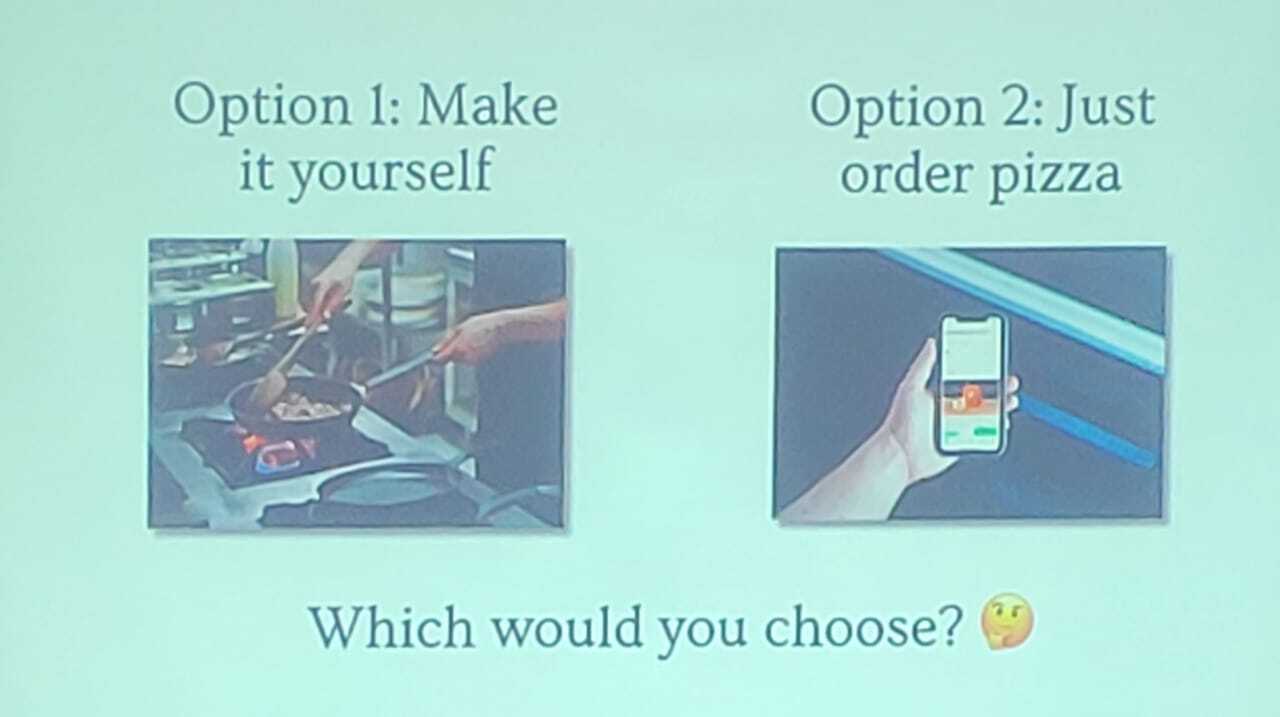
| Option 1 – Make it yourself | Option 2 – Order pizza |
|---|---|
| Buy ingredients | Specify toppings |
| Prepare everything | Someone else handles kitchen & oven |
| Cook, serve, clean up | Pay only for the pizza, not for owning a restaurant |
Traditional servers (e.g., EC2) are like cooking at home: you manage the kitchen, keep the oven running, and pay for it even when you’re not cooking.
Serverless is like ordering pizza: you give the order (code), describe what you want (toppings, size, base), and AWS does the rest. You only pay for what you eat.
Ordering your serverless pizza
The speaker used the pizza analogy to walk through building a serverless application:
| Component | Choices |
|---|---|
| Base (Runtime / Language) | Python, Node.js, Java, Go, .NET, Ruby, or bring your own base with containers |
| Toppings (Resources) | RAM (from a few MB to several GB), temporary storage, CPU that scales with memory |
| Size (Code Complexity) | Small: simple functions Medium: moderate logic Large: complex applications |
| When should it run? | Immediate – on events (e.g., S3 uploads) Scheduled – cron‑style jobs On‑demand – API calls |
This helped students relate everyday decisions (what pizza to order) to cloud‑computing choices.
Lambda in action (and where it struggles)
A simple Lambda example: image resizer
import boto3
from PIL import Image
import os

s3 = boto3.client('s3')

def lambda_handler(event, context):
    # 1️⃣ Extract bucket & key from the S3 event
    bucket = event['Records'][0]['s3']['bucket']['name']
    key    = event['Records'][0]['s3']['object']['key']

    # 2️⃣ Download the image to /tmp
    download_path = f'/tmp/{os.path.basename(key)}'
    s3.download_file(bucket, key, download_path)

    # 3️⃣ Open, resize, and save a thumbnail
    with Image.open(download_path) as img:
        img.thumbnail((128, 128))
        thumb_path = f'/tmp/thumb-{os.path.basename(key)}'
        img.save(thumb_path)

    # 4️⃣ Upload the thumbnail back to S3
    thumb_key = f'thumbnails/{os.path.basename(key)}'
    s3.upload_file(thumb_path, bucket, thumb_key)

    return {
        'statusCode': 200,
        'body': f'Thumbnail saved to {thumb_key}'
    }
Why Lambda works well here:
- Small, trigger‑based workload
- Short‑running (seconds)
- Minimal state (uses
/tmpstorage)
Typical use‑cases: image resizing, thumbnail generation, simple APIs, lightweight data processing.
When Lambda hits the wall
Scenarios where Lambda’s limits become problematic:
- Long‑running tasks – max timeout of 15 minutes.
- Heavy memory/CPU requirements – workloads may exceed Lambda’s available resources.
- Cold‑start latency – noticeable with large packages or VPC‑attached functions.
- Complex networking – persistent connections, custom VPC setups, low‑latency intra‑service communication.
- Stateful workloads – Lambda is stateless; maintaining state requires external services (DynamoDB, S3).
In such cases, containers on AWS Fargate or other managed services provide the needed flexibility while preserving many serverless benefits (pay‑as‑you‑go, automatic scaling, no server management).
Overall, the session was a great reminder that “serverless” is a mindset, not a single product. Whether you choose Lambda, containers, or a hybrid approach, the goal is to let AWS handle the heavy lifting so you can focus on building value.
Lambda vs Fargate – When to Use Which Serverless Option
Quick comparison of three common video‑processing steps
| Step | Outcome |
|---|---|
| Uploading a video | ✅ Lambda works great |
| Generating a thumbnail | ✅ Lambda is perfect |
| Transcoding a full video | ❌ Lambda fails |
Why does it fail?
- Video processing can take ≈ 45 minutes.
- Lambda has a hard timeout limit (15 minutes in the slides).
- You may need more control over the environment.
- Larger dependencies or special tools may be required.
Even though serverless technology is powerful, you still need to pick the right tool for the job. That’s where AWS Fargate comes in.
Lambda vs Fargate: Same pizza shop, different options
Comparing Lambda and Fargate
| Feature | Lambda | Fargate |
|---|---|---|
| What it is | Standard menu | Custom recipe |
| Base options | Pre‑set runtimes | Any container image |
| Customization | Limited to menu | Fully customizable environment |
| Execution time | Up to 15 min (slide) | Effectively unlimited |
| Code size | Limited package size | No strict limit; container image can hold more dependencies |
| Use case | Quick, short functions | Long processes, heavy workloads |
| Cold starts | Can happen | More consistent once tasks are running |
Bottom line – Lambda is like quickly ordering from a standard menu, while Fargate lets you bring your own recipe and ingredients but still avoids managing the kitchen yourself.
Fargate – “Bring Your Own Recipe”
“Bring Your Own Recipe” – you package your app into a container (Docker image) and AWS runs it for you without requiring you to manage servers.

Three angles of “Fargate – The Freedom”
1. More control
- Any programming language
- Any runtime version
- Custom OS‑level dependencies
- Specific tools/libraries you can’t easily run in Lambda
2. More capacity
- Run for hours or days
- No 15‑minute limit
- Much higher memory and CPU options
3. More use cases
- Long‑running processes
- Legacy applications that expect a traditional environment
- Microservices with specific runtime needs
- Batch jobs and background processing
Fargate is still serverless (no servers to manage) but gives you container‑level flexibility.
Architecture patterns you can try
Practical patterns from the slides
| Pattern | Flow | Typical use |
|---|---|---|
| Event‑driven API | S3 upload → Lambda → DynamoDB | Uploading documents & storing metadata |
| Scheduled jobs | EventBridge (cron) → Lambda → process data | Nightly reports, cleanup jobs, scheduled notifications |
| Microservices | API Gateway → Lambda or Fargate → backend services | Modular, independently deployable services |
| Data pipeline | S3 → Lambda (trigger) → Fargate (heavy processing) → S3 | Combine quick triggers with long‑running tasks |
| Webhook handler | GitHub/Stripe → API Gateway → Lambda → action | Reacting to external events like payments or code pushes |
These patterns link classroom concepts to real‑world projects (school apps, side‑businesses, internships, etc.).
When NOT to use serverless
Being honest about trade‑offs
Serverless isn’t always the best choice. Consider it a poor fit when:
- You have steady, high traffic that could be cheaper with always‑on infrastructure.
- You need deep control over the environment at a lower level.
- Tasks run longer than a serverless function can handle.
- You’re uncertain about requirements and risk over‑complicating things with too many managed services early on.
Serverless is just another tool; the real skill is knowing when to use it versus containers or basic EC2 instances.
Lambda vs Fargate: A simple decision tree
A mental model for choosing
-
Do you need to run code at all?
- No → No compute needed.
- Yes → Continue.
-
Will it finish in under 15 minutes?
- Yes →
- Is it a standard runtime (Python, Node.js, etc.) with manageable dependencies?
- Yes → Lambda (fastest & cheapest).
- No → Consider Fargate (or another container‑based approach).
- Is it a standard runtime (Python, Node.js, etc.) with manageable dependencies?
- No → Fargate for long‑running processes with a custom environment.
- Yes →
Key takeaways from the session
- Serverless = “ordering pizza” – convenient, but you must pick the right slice (Lambda vs Fargate).
- Lambda shines for short, stateless functions with standard runtimes.
- Fargate gives you container flexibility and unlimited runtime, still without server management.
- Understanding trade‑offs (cost, latency, control, duration) is essential.
- Use the decision tree and architecture patterns as a checklist when designing new projects.
Happy building! 🚀
Key Takeaways
- Don’t run your own restaurant – let AWS handle the infrastructure.
- Understand Lambda vs. Fargate instead of blindly choosing one.
- Focus on code, not servers – write business logic, not operational plumbing.
- Pay for value, not idle time – only incur costs when your code runs.
For me personally, the biggest takeaway was that “serverless” isn’t just for Lambda. You can think serverless even when using containers, as long as AWS takes care of setting up and scaling your resources while you focus mainly on your application.
Conclusion
This session at AWS Student Community Day in Tirupati was really helpful because it reminded me that good tech talks don’t just list features—they change the way you understand things. The pizza example, the open discussion about the limits of Lambda, and the introduction to Fargate as a strong “serverless containers” option made the topics easier to grasp, especially for students who are just starting to learn about these services.
As an AWS Community Builder, events like this keep me motivated. They show how quickly curiosity can turn into actual projects when you get the right examples and ways of thinking.
If this topic interests you, try picking a small use case from your own life—like processing images from your app or running a scheduled cleanup—and build it using Lambda or Fargate. Getting hands‑on experience will teach you more than any presentation ever could.
About the Author
As an AWS Community Builder, I enjoy sharing the things I’ve learned through my own experiences and events, and I like to help others on their path. If you found this helpful or have any questions, don’t hesitate to get in touch! 🚀
🔗 Connect with me on LinkedIn
References
- Event: AWS Student Community Day Tirupati
- Topic: How AWS Lambda and Fargate Change the Way We Build Apps
- Date: November 01, 2025