
Here are my favorite free watch faces for the Pixel Watch 4
Source: Android Authority
Introduction
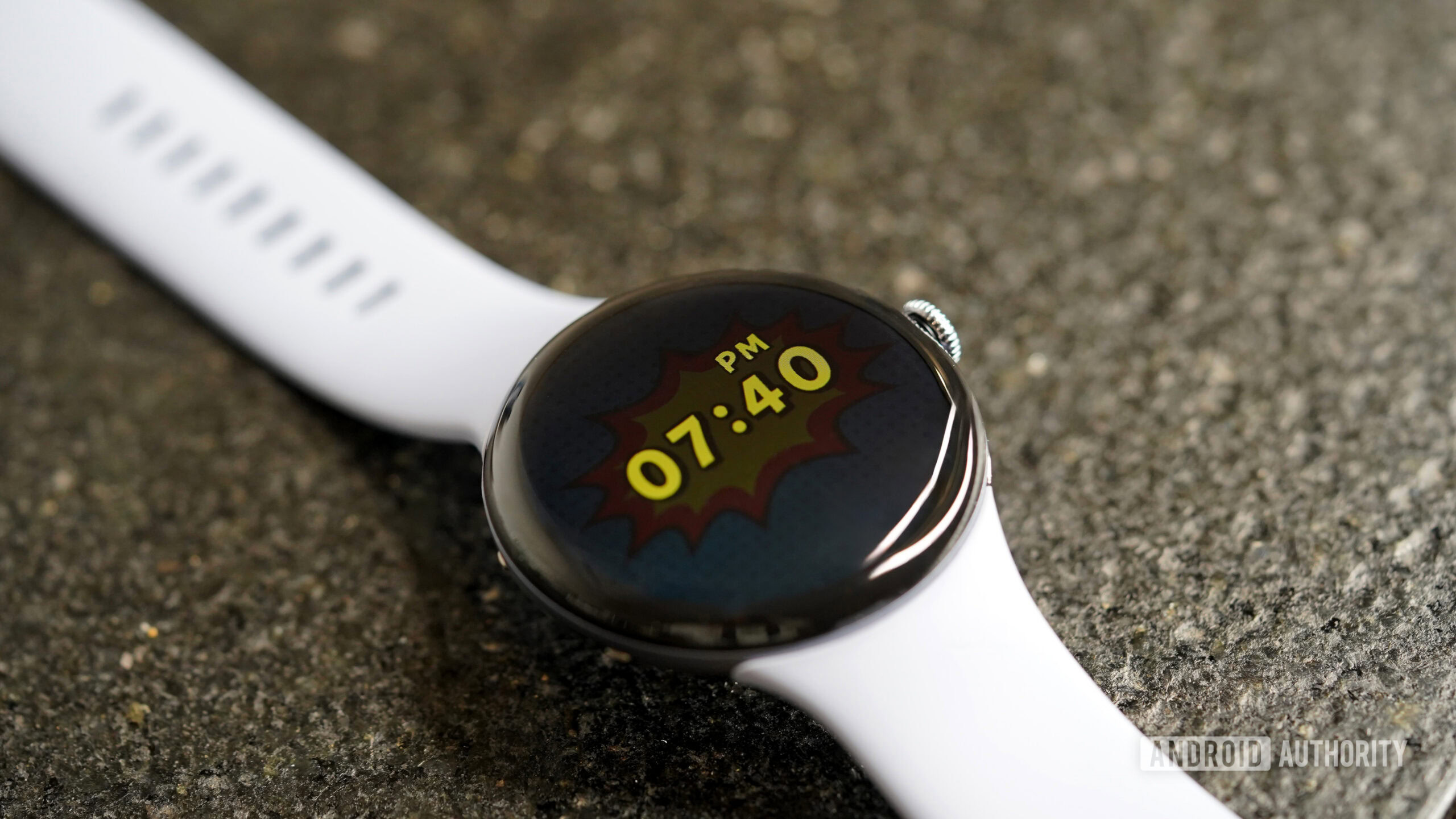
Photo credit: Kaitlyn Cimino / Android Authority
I love a fresh watch face, and would even say it’s one of my favorite aspects of wearing a smartwatch. It’s the fastest way to make a device feel new again, and on the Google Pixel Watch 4, the right watch face can completely change the vibe from workout‑ready to weekend casual.
While there’s no shortage of paid options in the Play Store, I’m a firm believer that you don’t need to spend extra to get something great. After cycling through more designs than I care to admit, I narrowed things down to five free Pixel Watch 4 faces that I keep on deck.
Retro Analog

Kaitlyn Cimino / Android Authority
Retro Analog (CMF Analog) by Sparkine Labs is my daily‑driver watch face and one I keep returning to. Its design is intentionally pared back:
- muted retro colour palette
- slim hands
- subtle complications that keep the dial clean without feeling sparse
On the wrist it sits somewhere between a vintage field watch and an understated smartwatch, giving off low‑key “spy gadget” vibes—think loading into a round of 007 on the N64.
Why I Keep It in Rotation
- Calm aesthetic – the face feels timeless rather than attention‑grabbing.
- Two core styles with dozens of curated colour themes.
- Three complication slots that provide flexibility without endless tweaking.
- Watch Face Format foundation ensures smooth performance.
I’ve swapped the default heart‑rate complication for step count, while keeping the date and battery indicators. When I have an exciting calendar event, I replace one of the three slots with a countdown so I can pretend I have an upcoming secret mission.
Overall, Retro Analog feels adaptable, cinematic, and just a little bit spy‑like—perfect for when I want to feel like a secret agent.
Concentric
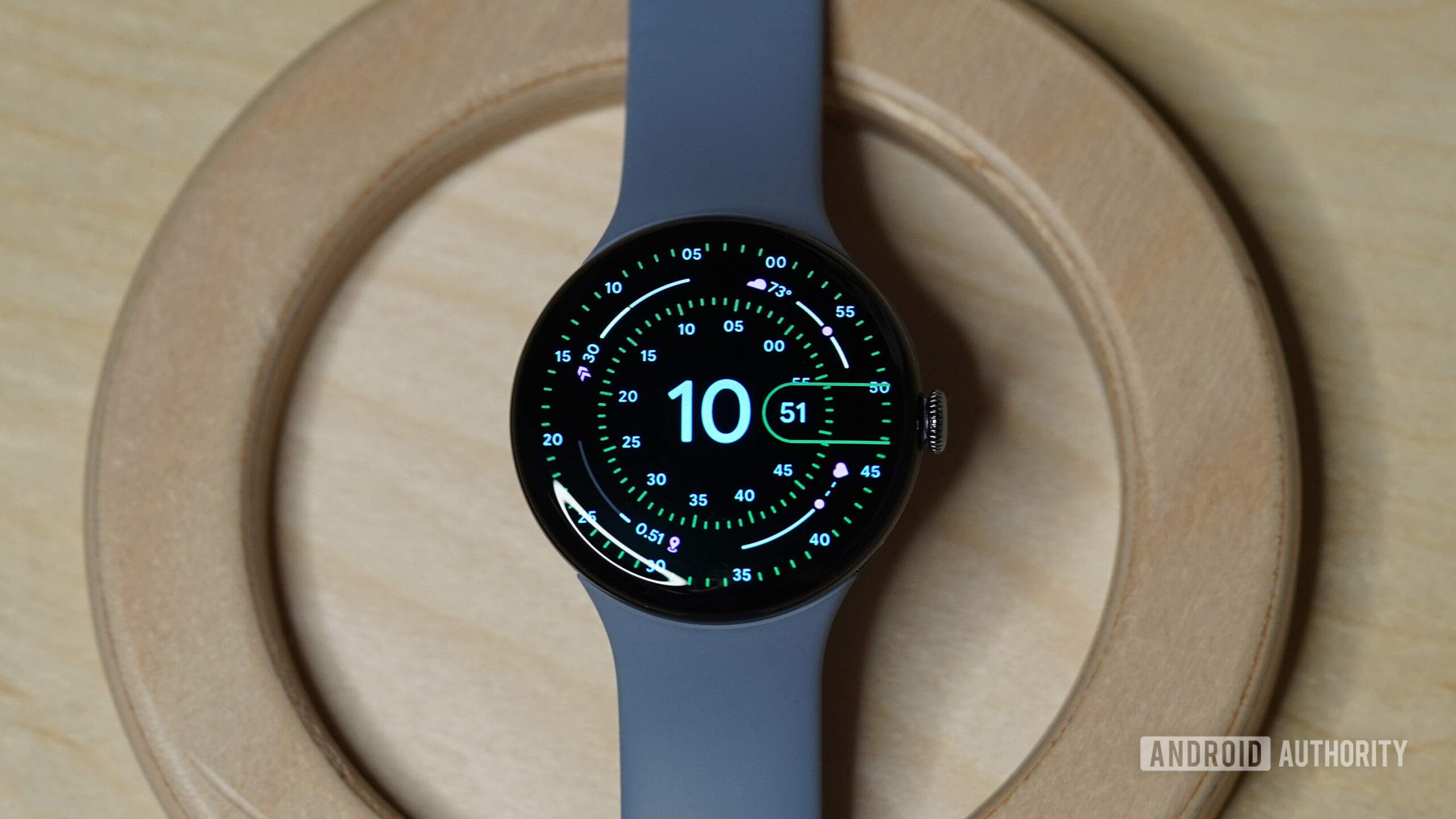
Photo credit: Kaitlyn Cimino / Android Authority
Some developers appear on these lists again and again, and Luka Kilic often earns a spot on mine. Concentric is easily the most elegant pick in my rotation. Its balanced design is inspired by the Pixel Watch’s native face, but this third‑party option layers rings of information for a more customizable experience. I like to think of it as the native Concentric with the guardrails removed.
Why I Keep Coming Back
- Elegant, symmetrical layout – the design feels both modern and timeless.
- Extensive customization – a wide range of colour themes, index styles, and complication options let you tailor the look without breaking the symmetry.
- AOD support & intentional spacing – details remain readable even on the always‑on display.
- Reliability – built by a developer I trust, it’s consistently stable.
Concentric isn’t the pick for someone chasing novelty, but in a rotation full of personality‑driven and performance‑focused faces, it’s the one I choose when I want something both useful and beautiful.
Sports Watch Face 019
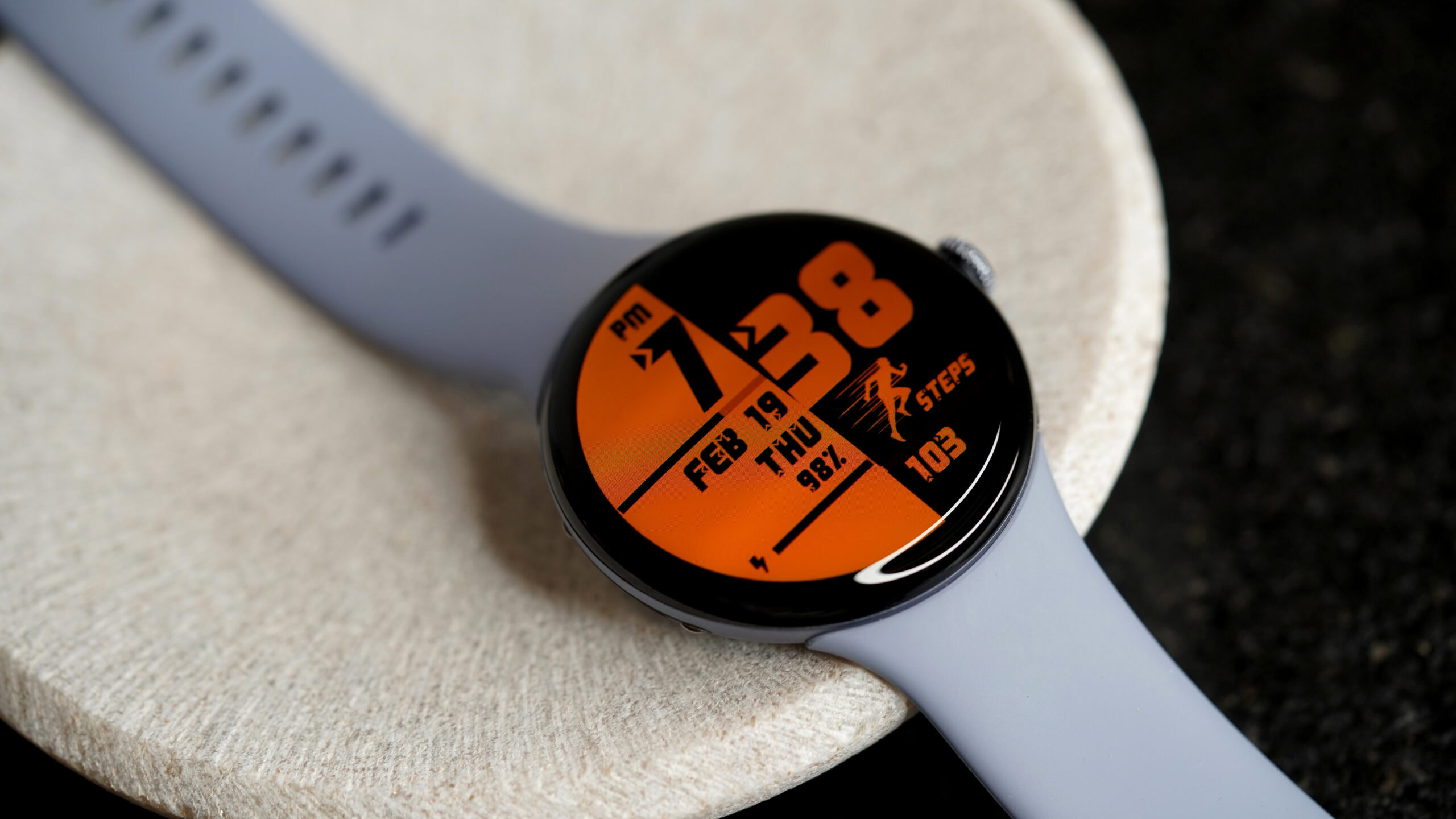
Photo credit: Kaitlyn Cimino / Android Authority
Sports Watch Face 019 by Lihtnes Watch Faces (developer page) is the face I default to when I’m headed to the gym (or trying to convince myself to get there).
- Design – Classic digital‑training aesthetic with clean metrics, segmented progress bars, and just enough color to stay interesting without muddying the data.
- Color options – I use the obnoxious orange, but a wide range of vibrant themes is available for any visual‑motivation tolerance.
- Layout – Utilitarian and centered on the numbers that matter most. Goal markers (e.g., a 10 K step indicator) make progress feel concrete.
- Customizable complications – Four slots let you switch between heart‑rate, timers, recovery stats, or any other data you need for the day.
As the name implies, Sport Watch Face 019 is my top choice for a fitness companion: practical, reliable, and perfect for keeping momentum without distraction.
Pop Time
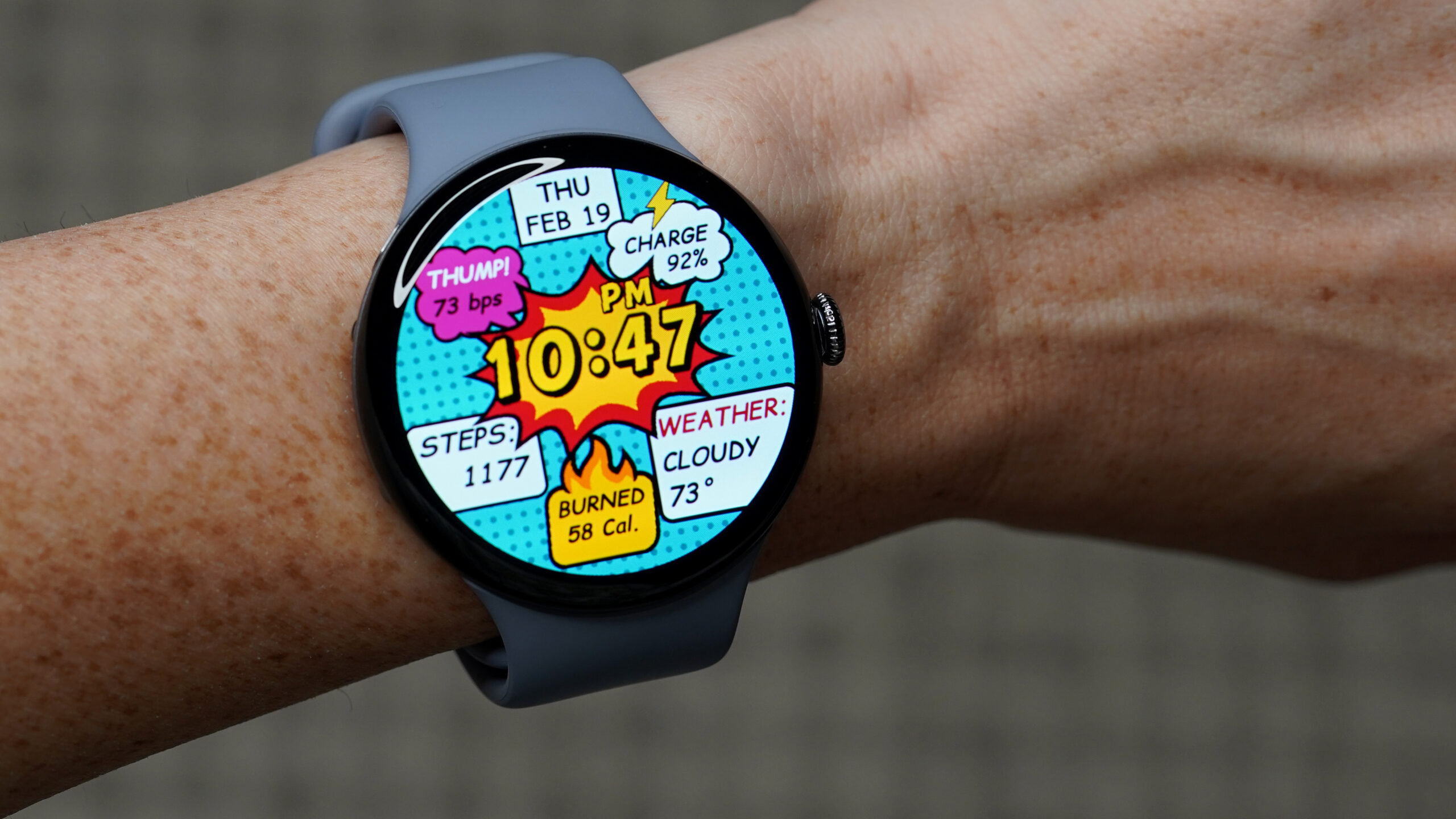
Image credit: Kaitlyn Cimino / Android Authority
POP Time by Time Design LLC feels like it was pulled straight out of pop‑art comics. With classically saturated colors, bold dots, and speech‑bubble accents, it reminds me of watching Batman cartoons with my dad—high‑energy, a little corny, and totally lovable. It’s playful, nostalgic, and stands out in my carousel of favorites.
Design & Usability
- Comic‑book aesthetic – bright, high‑contrast panels that read like a page from a graphic novel.
- Readability – despite the bold styling, the watch face remains easy to read.
- Preset data points – time, date, steps, heart rate, battery level, and weather are each displayed in their own high‑contrast bubble.
- Structured grid – keeps the layout from becoming overwhelming, even when the watch looks like it’s mid‑sound‑effect.
- Always‑On (AOD) support – the comic styling persists in a simplified form, showing only the time inside a single bubble.
Overall, POP Time delivers a nostalgic, upbeat look without sacrificing functionality.
Fishcat

Photo credit: Kaitlyn Cimino / Android Authority
Fishcat – a playful watch face that pairs an animated cat with a wiggly fishbone – aims to turn even the gloomiest day into something a little brighter.
- Developer: artisan
- Google Play link: Fishcat on Google Play
What It Offers
| Feature | Details |
|---|---|
| Core data | Time, date, battery level, daily steps |
| Secondary dial | Tiny seconds hand that adds to the “chaotic charm” |
| Customization | A handful of color palettes ranging from pastel‑bright to more subdued tones |
| AOD behavior | Animations pause, but the characters and information remain faintly visible |
| Performance | Light on data usage; ideal for users who want a break from heavy‑load faces |
First Impressions
- The design balances personality with practicality—everything you need is displayed clearly without clutter.
- The animated cat is undeniably cute; it’s hard to beat the charm of a cartoon companion on your wrist.
- While there are no complication slots for extra data, the built‑in elements keep the layout readable and fun.
Verdict
If you’re looking for a cheerful, low‑impact watch face that adds a splash of whimsy to your rotation, Fishcat is worth a try. Its simple animation, tidy layout, and optional color schemes make it a solid choice for anyone who wants a little extra happiness on their wrist.
Honorable Mentions
Narrowing the list down to just five was easier said than done. Here are two more apps worth considering.
- Candy Time – From Time Design LLC, this app feels like it was doodled onto your wrist with Sharpie. Bright candy colors and a chunky digital layout make it easy to read at a glance.
- Embassy – A very basic option for minimalists. It pairs a clean digital layout with subtle color choices, delivering a professional yet personalized look.
Thank you for being part of our community. Please read our Comment Policy before posting.