
Google Messages is making it easier to spot RCS marketing spam
Source: Android Authority
Edgar Cervantes / Android Authority
TL;DR
- Google is introducing rounded‑square icons for RCS business chats to distinguish them from the circular icons used for personal conversations.
- Verified business agents will now display a checkmark, while the legacy shield icon is being replaced by a detailed profile page.
- These visual updates are designed to help users quickly identify, manage, and bulk‑delete RCS marketing spam.
Overview
Google Messages is the primary messaging platform on Android smartphones, and thanks to RCS, it’s quite capable. However, the app isn’t perfect by any means. In some regions, it has been a carrier of RCS ad spam, and while the situation has improved in recent years, it remains a frequent occurrence. Google is now making it easier to distinguish friends from brands in the Messages inbox, improving the overall RCS experience.
New Branding and Verification
Google recently changed the branding and verification for RCS for Business to “enhance user trust” and “align with Google standards.”
Key updates
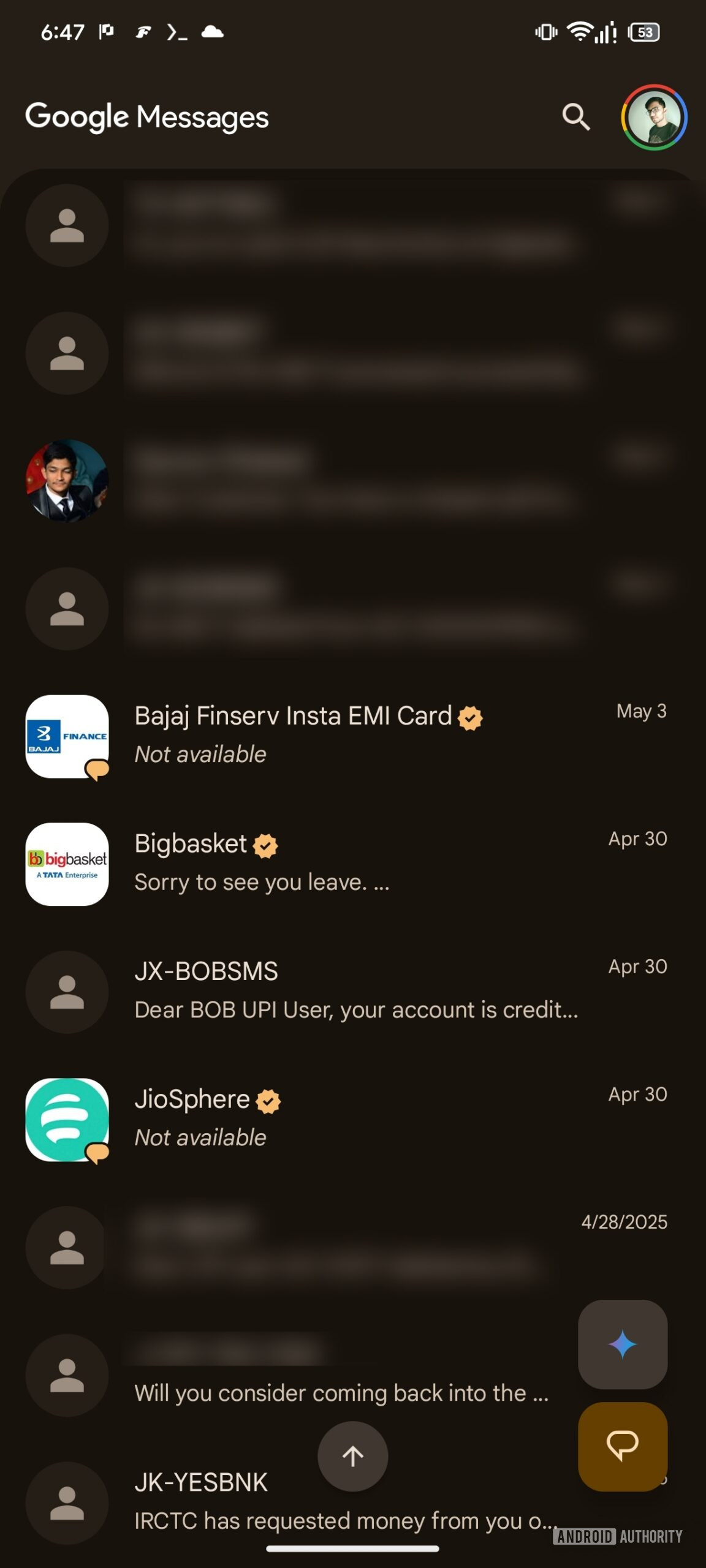
- RCS for Business messages will adopt a new rounded‑square shape across Google Messages (conversations list, conversation screen, and conversation details).
- Verified agents will include a verified checkmark.
- The legacy shield icon is being removed in favor of a detailed business profile page.
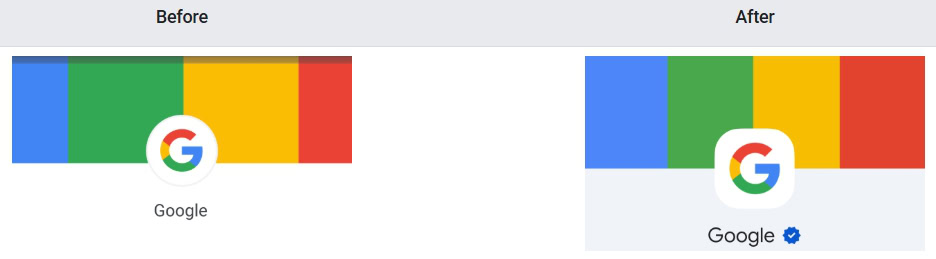
All messages from businesses that use Rich Business Messaging to reach out to their customers for updates, promotions, and (unwanted) marketing spam will now feature a rounded‑square logo throughout the Google Messages app. This change makes it easier to spot business messages in the conversation list and bulk‑delete them if desired. RCS conversations with regular users retain the circular logo.
Early Look in Beta
We enabled the new experience in Google Messages v20260424 beta to give an early preview:
AssembleDebug / Android Authority
Verification Status Changes
In the current Google Messages app, users can view a business’s verification status by tapping the shield icon in the header. Tapping the icon opens a dialog that shows the verification status and notes that the conversation is not end‑to‑end encrypted.
With the upcoming update:
- All verification information will be displayed on the business profile page.
- The shield icon will be removed.
Rollout Timeline
Google has already detailed these changes, and they should roll out to all users soon.
⚠️ An APK teardown helps predict features that may arrive on a service in the future based on work‑in‑progress code. However, it is possible that such predicted features may not make it to a public release.