
Google is killing this handy way to back up PC folders to Google Photos
Published: (May 8, 2026 at 05:50 AM EDT)
2 min read
Source: Android Authority
Source: Android Authority
TL;DR
- Google will no longer let users back up photos and videos to Google Photos via the Google Drive desktop app.
- The company recommends setting up backup folders via the Google Photos website or using the web app.
- The change takes effect on August 10, and you won’t be able to set up new backup folders from June 15.
Background
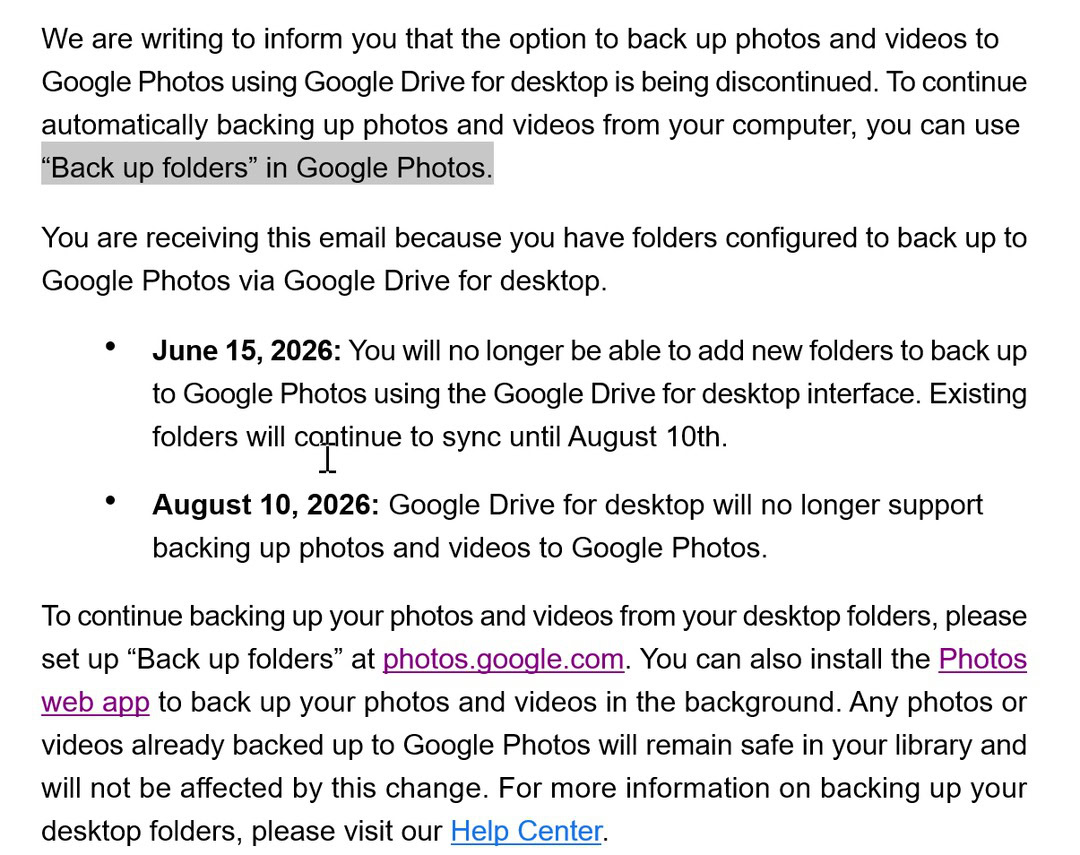
Google Drive’s desktop app has long allowed users to back up and sync PC folders to Google Drive and to back up photos and videos to Google Photos. The integration is now being discontinued.
Google announced the change on its support page and via emails to subscribers (see discussion on Reddit). Items already backed up to Google Photos through the desktop app will remain unaffected.
Timeline
- June 15 – New backup folders for Google Photos can no longer be created through the Drive desktop app. Existing folders will continue to sync.
- August 10 – The Drive desktop app will stop supporting Google Photos backups entirely. In‑app notifications will warn users before the change.
How to Continue Backing Up to Google Photos
-
Set up “Back up folders” via the Google Photos website
- Click the + icon in the top‑right corner of the Google Photos site and follow the prompts.
- Limitation: Backups only run while the Google Photos website is open, so this method isn’t ideal for background syncing.
-
Use the Google Photos web app
- The web app can run in the background, but you’ll now need to keep both the Google Drive desktop app and the Google Photos web app open to maintain seamless backups.
Summary
Google is ending the Google Photos integration in the Drive desktop app. Users must switch to the Google Photos website or web app for continued backups, accepting the trade‑off of additional background processes.