
Gemini on Android is moving toward a decluttered UI
Source: Android Authority
TL;DR
- Google is testing several small design tweaks in Gemini for Android.
- The tweaks aim to make the interface tidier.
- A new, easier way to start a temporary chat is also being tested.
Google has been testing a series of minor design tweaks to make Gemini’s Android interface look less cluttered. Earlier this year we spotted a new input box inside the Gemini interface, redesigned for a cleaner appearance. The latest changes appear to extend to the floating Gemini overlay and introduce a simpler method for starting a temporary chat.
UI Redesign
- Separated response and input areas – The overlay now shows Gemini’s response and the input box in two distinct regions with a small gap, instead of a single continuous floating section.
- Hidden chat title – The title bar is removed, freeing up space at the top of the overlay.
- Read‑aloud button relocation – The button has moved from the top‑right corner to the end of the response, positioned alongside the like/dislike buttons.
- Linked sources – Sources are now linked directly to the relevant parts of the answer, mirroring Google’s AI Mode, rather than being listed at the bottom.
Temporary Chat Shortcut
A temporary chat works like an incognito session: the conversation isn’t stored in your Gemini profile and isn’t used to train the model. Currently, you must open the sidebar and tap the dotted‑line chat icon to start one. The new design could place this option at the top of the main Gemini screen, making it accessible in a single tap—similar to the temporary‑chat button in OpenAI’s ChatGPT.
Model Picker Update
The model selector in the input box, which currently displays the model name, may be replaced with an icon. Google is also developing new icons to accompany model names, which could declutter the compose box.
Project Echo Menu Option
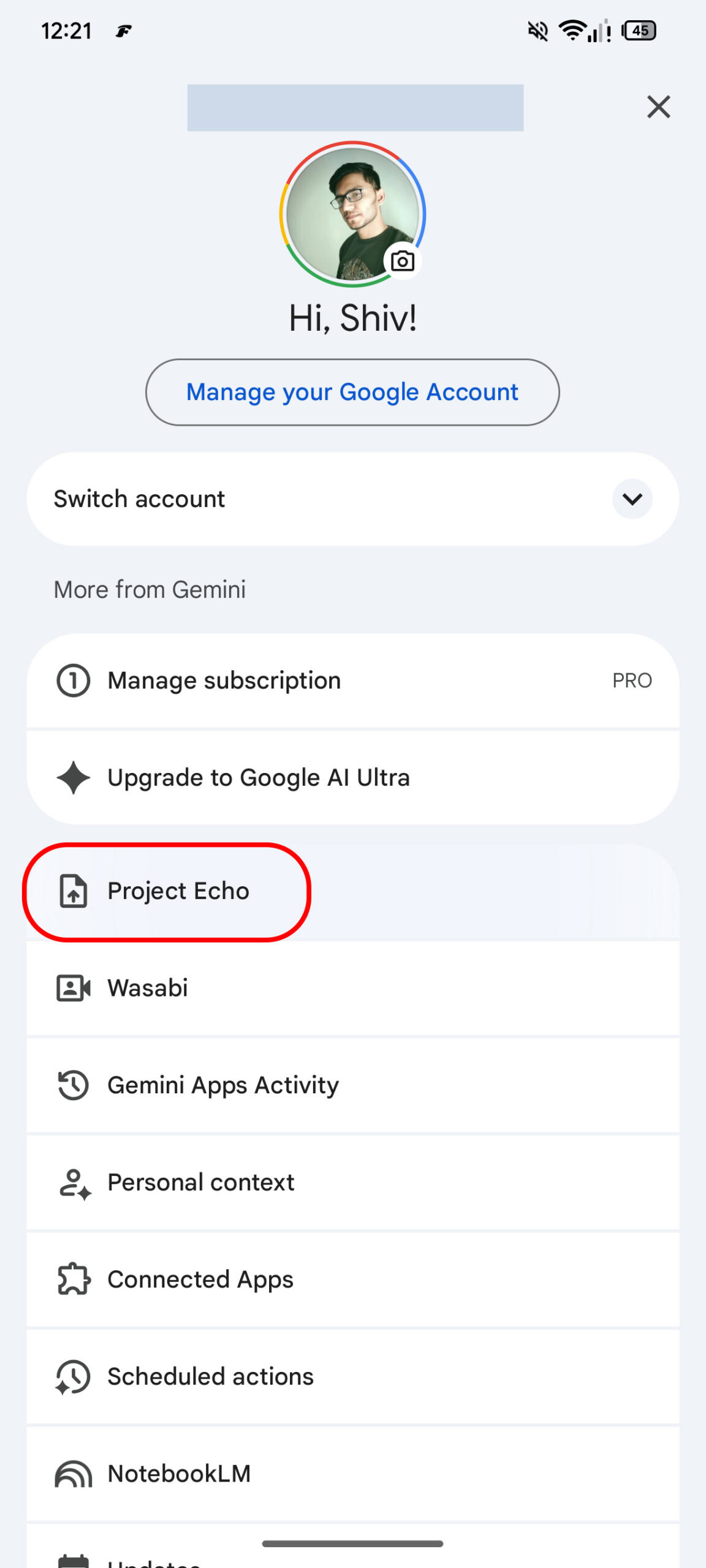
Google is testing a dedicated menu entry for Project Echo within the account‑switching menu. Project Echo is the codename for an upcoming Gemini feature that will let users import chats from other chatbots, simplifying the transition to Gemini.
Read more about switching to Gemini from other AI services.
Status
These changes are hidden in Google app version 17.7.60. They are not live yet, and there’s no guarantee when—or if—they will be released.
⚠️ An APK teardown can predict future features based on work‑in‑progress code, but predicted features may never reach a public release.