
Finally! YouTube now lets you turn off Shorts with a clever trick
Source: Android Authority
TL;DR
- YouTube now lets you set a zero‑minute daily limit for Shorts, effectively removing them from your main feed.
- Setting the timer to zero stops the infinite scroll before it even starts.
- Shorts may still appear in places like your Subscriptions feed.
What’s new?
YouTube Shorts aren’t going away, but for the first time you can control how much of them you see. After previously offering a timer that could limit Shorts to between 15 minutes and two hours, the platform now allows a zero‑minute limit. This isn’t a complete shutdown, but it’s the closest thing to hiding Shorts entirely.
How to set the Shorts timer to zero
- Open Settings in the YouTube app.
- Select Time management.
- Find the Shorts feed limit option.
- Tap the zero‑minute setting.
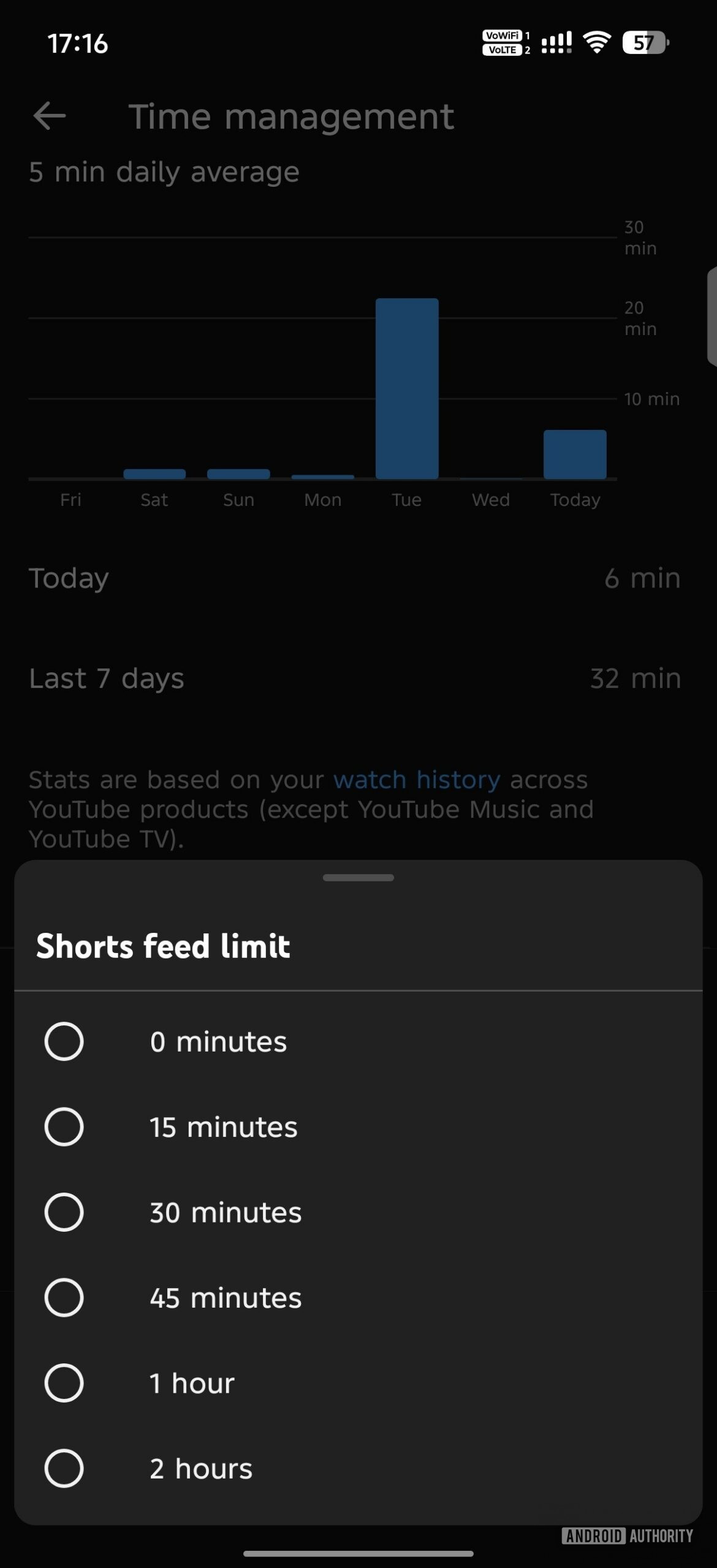
Once the timer is set to zero, the app will stop showing Shorts in your homepage feed because, technically, you never started a viewing session.
What to expect
- The Shorts feed on the homepage will cease once the zero‑minute limit is reached (i.e., immediately).
- You may still encounter Shorts in other sections, such as the Subscriptions feed, but the endless scroll on the main page will be gone.
- This change gives you more control without affecting the overall functionality of YouTube.
Community reaction
Some users have found Shorts to be distracting and repetitive, often cluttering the homepage and making it harder to discover longer videos. The new timer option addresses these concerns by letting viewers cut down on Shorts without altering the rest of the platform.
- Reddit discussion on Shorts being distracting: https://www.reddit.com/r/youtube/comments/12k5t7y/anybody_else_hates_this_i_dunno_its_just_so/
- Reddit discussion on repetitive Shorts: https://www.reddit.com/r/youtube/comments/1qr3tle/anyone_else_keep_getting_the_exact_same_youtube/