
Epic Games brings Secure Boot and TPM to competitive Fortnite — most players unaffected by new measures
Source: Tom’s Hardware
Image credit: Epic Games
Epic has made TPM, Secure Boot, and virtualization‑based security a requirement for all Fortnite tournaments. While casual players aren’t affected, anyone who wants to compete in official events must ensure their PC meets these security standards.
Background
- About a year ago, Epic announced that players entering FNCS events with an account level of 350 + would need TPM and Secure Boot enabled.
- Those features are also required for Windows 11, though they can be bypassed.
- The new policy expands the requirement to all Fortnite tournaments, not just a subset of events.
How This Differs From Other Games
- Titles like Valorant and Battlefield 6 already mandate TPM and Secure Boot for any gameplay.
- Fortnite’s massive player base means Epic is likely cautious about the PR impact of enforcing such measures universally.
Checking Your System
The Steam client can help verify your configuration:
- Open Steam → Help → System Information.
- Look for the Secure Boot status.
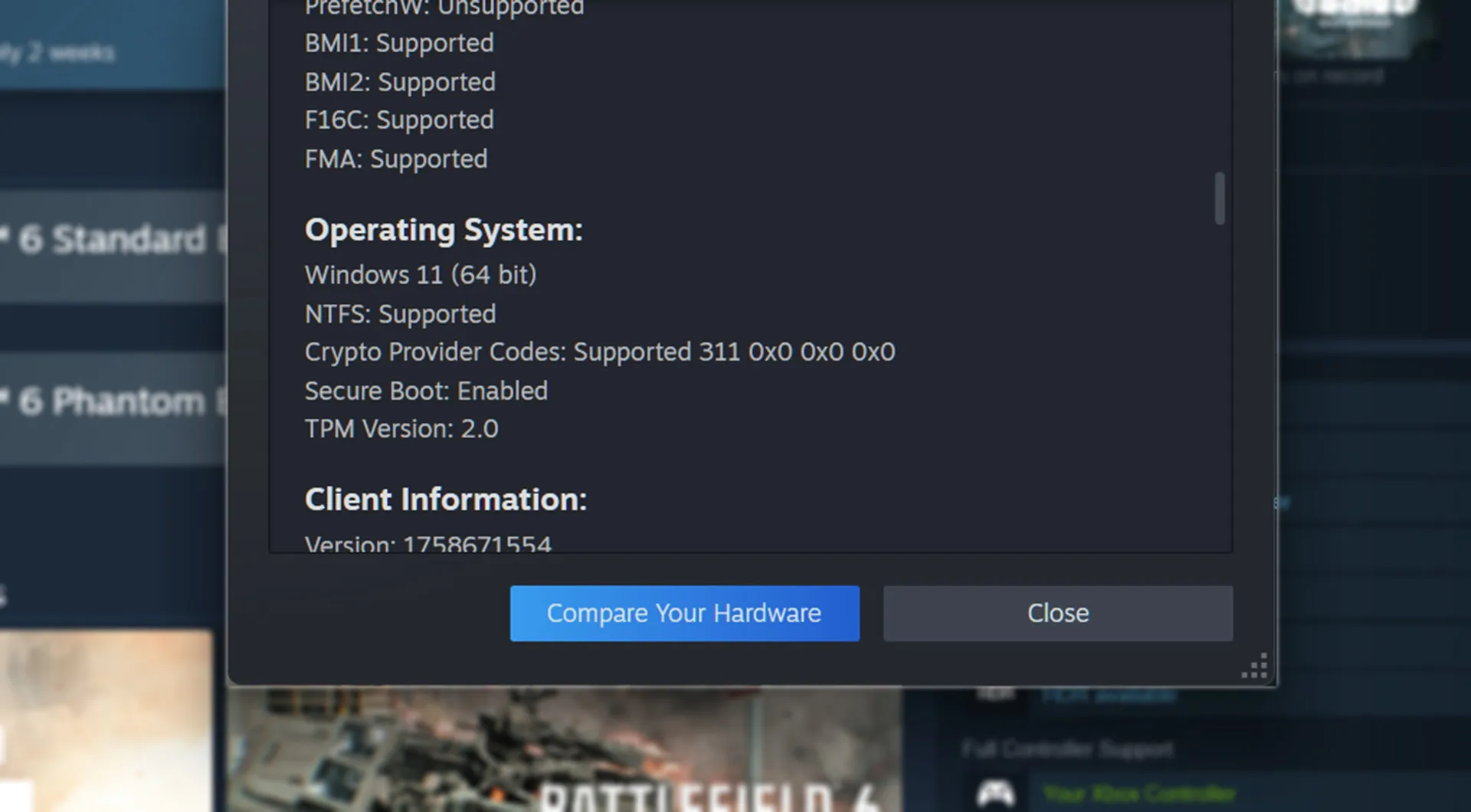
Image credit: Valve via PC Gamer
If Secure Boot (or TPM) is disabled, you’ll need to enable them in your UEFI/BIOS settings.
Enabling the Required Features
- Enter UEFI/BIOS during boot (usually by pressing Del, F2, or another key).
- Enable the following options:
- Trusted Computing (TPM)
- IOMMU (Intel VT‑d or AMD‑V)
- Secure Boot
- Save changes and reboot.
These settings are standard on most modern motherboards and are also part of the Windows 11 hardware requirements.
Legal Actions Against Cheaters
Epic’s blog post outlines recent legal steps taken against cheat providers and players who sold or used cheats in 2025, including lawsuits and settlements. The move underscores Epic’s commitment to maintaining a fair competitive environment.
Bottom Line
- If you plan to compete in Fortnite tournaments, ensure your PC meets Windows 11 security requirements (TPM 2.0, Secure Boot, virtualization‑based security).
- Most hardware capable of running Fortnite can satisfy these requirements with a few BIOS tweaks.
- Casual players can continue to enjoy the game without changes, but competitive participants must comply.
All links and references are retained from the original article.