
Documentation Sucks (I may have made it suck less)
Source: Dev.to
The Story Behind It
Technical documentation sucks. We all know it. Yet, we all continue to use the same tools over and over again. I recently took a new position, and one of the tasks I have before I leave my current company is essentially documentation hell — basically document all parts of every project you’re on. It’s a lot.
For this type of technical documentation, you generally have three options:
- A long, painful video that no one will ever actually watch in full.
- Adding a bunch of README files (boring and just as painful).
- Using something like Notion and copying over snippets.
I know there are other tools out there, but I haven’t found many that really merge the code with rich text well to create a visually appealing editor and reader. Naturally, I decided to create my own…
The Product
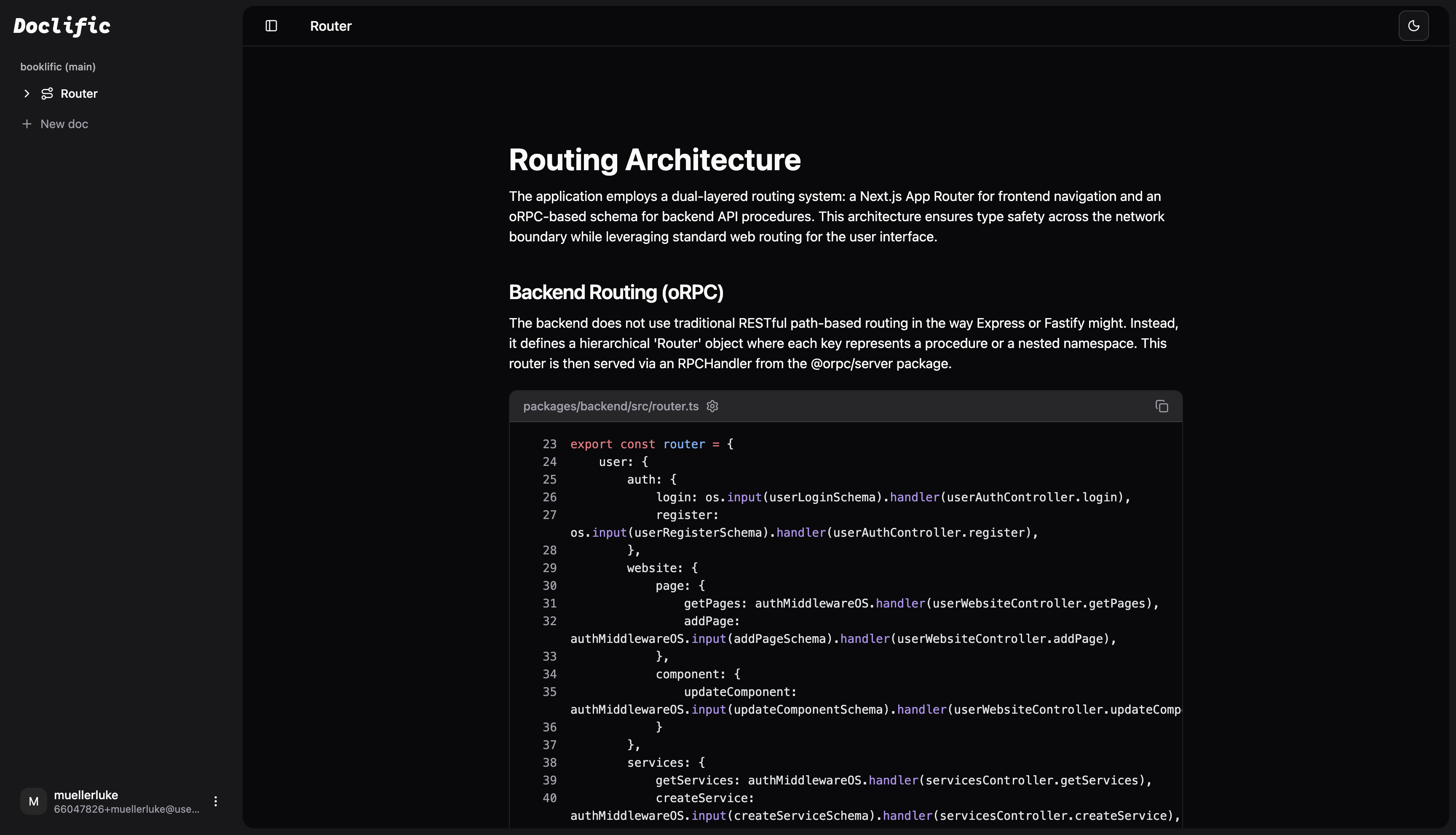
It didn’t take long — maybe 3–4 weeks total — but I ended up creating a decent documentation solution. It’s called Doclific and is available as an npm package right now. It’s free, open source, and has a relatively simple codebase to navigate.
Doclific is basically what it would look like if Git and Notion had a baby. It offers:
- A pretty editor with a hierarchical structure for notes.
- Slash commands for quick insertion of elements.
- Direct snippet references (no more copying and pasting).
- AI integration — just add your provider, model, and key.
- Lives in your codebase, so there’s no additional expense or external documentation to maintain.
My Favorite Features
Code snippet element – Add it with a slash command, then browse to the specific file, select the lines, and it will display the snippet every time. If the code changes in your repository, the snippet updates automatically the next time you load Doclific. Each snippet also includes a link that opens a new VS Code window with the file and cursor positioned on the specified line, making navigation a breeze.
AI integration – An amazing feature not offered by other products in the space. Prompt the AI to generate documentation for a specific workflow, and it will locate the relevant files, select the appropriate lines, add descriptions, headers, etc., and insert everything into your document along with the code snippets.
Thank You’s
Huge thanks to the maintainers of Platejs. They provide many amazing rich‑text editor components.
Closing Words
Let me know your thoughts on this tool. If you have any suggestions or issues, feel free to reach out!