
Conductor: Introducing context-driven development for Gemini CLI
Source: Google Developers Blog
Dec 17, 2025
- Jay Kornder – Senior Product Manager, Developer & Experiences
- Sherzat Aitbayev – Senior Software Engineer, Developer & Experiences
Measure twice, code once
Benjamin Franklin said: “Failing to plan is planning to fail.” Yet, in the age of AI we often dive straight into implementation without a clear understanding of what we’re building. Conductor – a new preview extension for Gemini CLI – changes this workflow by using context‑driven development. Instead of relying on impermanent chat logs, Conductor lets you create formal specs and plans that live alongside your code in persistent Markdown files. This lets you:
- Plan before you build – create specs and plans that guide the agent for new and existing codebases.
- Maintain context – ensure AI follows style guides, tech‑stack choices, and product goals.
- Iterate safely – review plans before any code is written, keeping you firmly in the loop.
- Work as a team – give your AI agents the same project and best‑practice context.
- Build on existing projects – leverage your current code to inform design decisions.
The philosophy behind Conductor is simple: control your code. By treating context as a managed artifact alongside your code, you turn the repository into a single source of truth that drives every agent interaction with deep, persistent project awareness.
Support for “brownfield” projects
Most of our work involves established codebases (brownfield). AI tools often struggle here because they lack a nuanced understanding of a project’s history and architecture.
Conductor’s approach
- Context‑driven: When you introduce Conductor to an existing project, it starts an interactive session to help you create a foundational set of documents covering the architecture, guidelines, and goals.
- Continuous updates: As you build new features and take on tasks, Conductor updates this shared context, ensuring its knowledge grows alongside your project.
This is just the first step. Expect significant improvements in the coming months as we continue to make Conductor an indispensable partner for your existing projects.
Conductor for Teams
Conductor lets you define project‑level context—including product goals, tech stack, and workflow preferences—once and share it across the entire team. This shared foundation is automatically applied to every feature your team builds, for example:
- Testing strategy – Define an established testing approach that Gemini will use out‑of‑the‑box.
- Technical constraints – Centralize coding standards, linting rules, and dependency versions.
- Workflow preferences – Set default branch policies, CI/CD pipelines, and code‑review guidelines.
Why use Conductor?
- Consistency – Every AI‑generated contribution follows the same guidelines, no matter who runs the command.
- Speedier onboarding – New members inherit the full configuration instantly, reducing ramp‑up time.
- Cohesive codebase – Features built by different people feel like they were written by a single, unified engineering team.
By centralizing your technical constraints and coding standards, Conductor ensures that all contributions align with your team’s standards, accelerating development and improving overall code quality.
How Conductor Works
Conductor is a structured workflow for agentic development, ideal for tasks that are more complex than simple code edits. Unlike a standard chat session that is confined to a single interaction, Conductor uses a set of Markdown files to plan and track progress over time. These files persist in your repository, allowing you to pause, resume, and switch machines seamlessly.
1. Establish Context
Run /conductor:setup to define the core components of your project. The captured context can later be reused when building new components or features.
- Product – Define your users, product goals, and high‑level features.
- Tech stack – Choose your preferred language, database, and frameworks.
- Workflow – Set team preferences (e.g., test‑driven development).
2. Specify and Plan
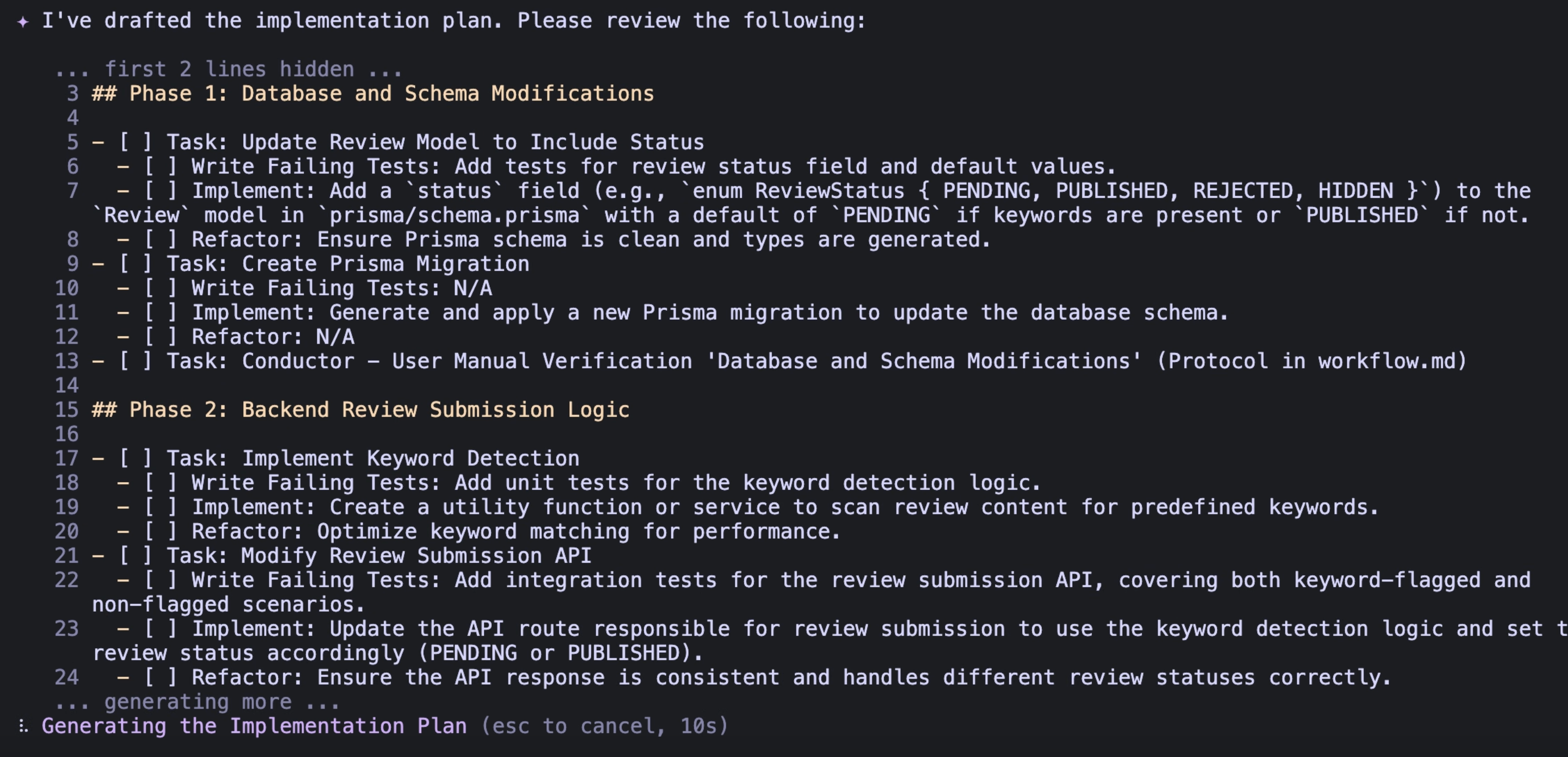
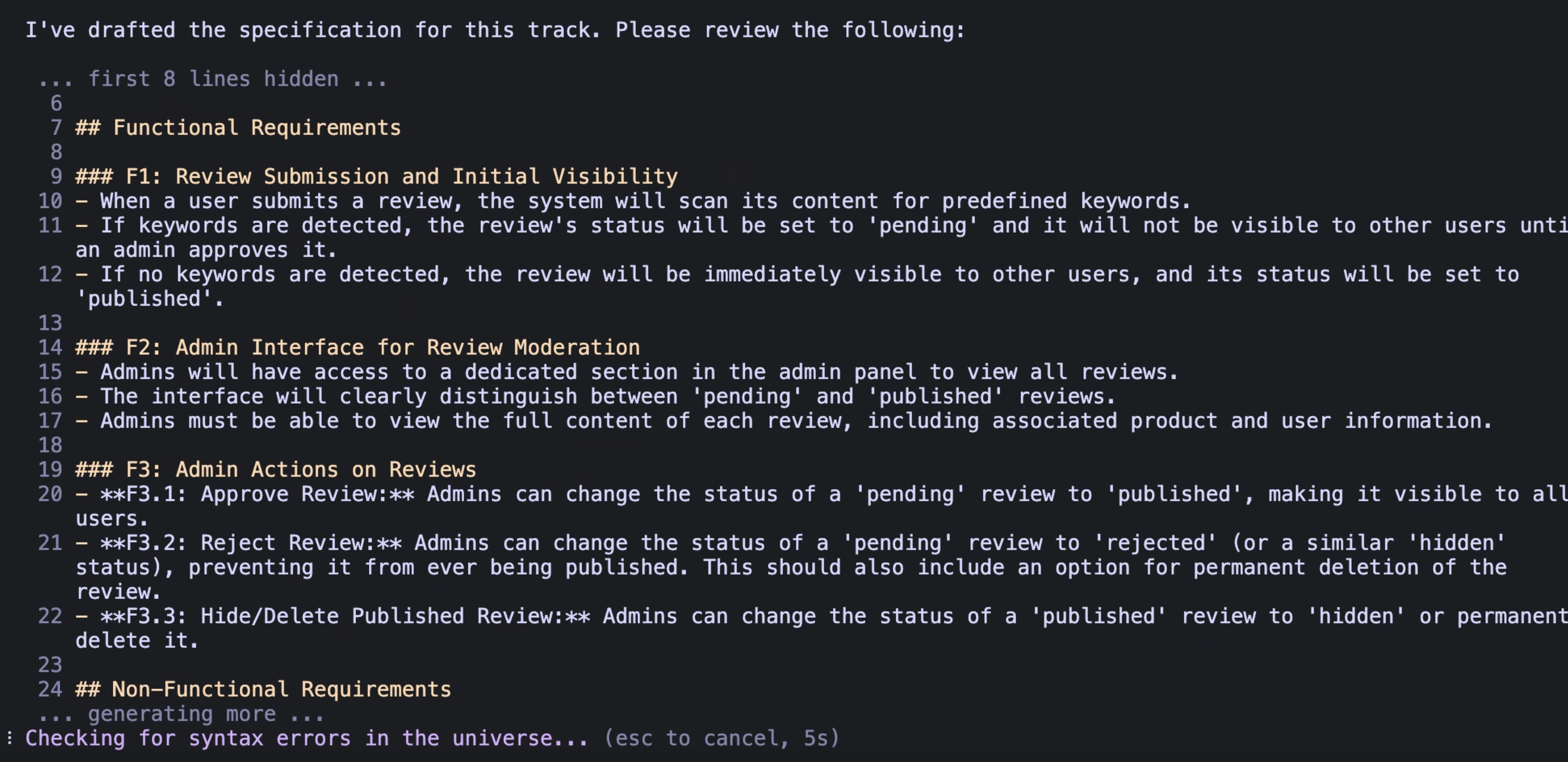
When you’re ready to start a new feature or bug fix, run /conductor:newTrack. This creates a track—Conductor’s term for a high‑level unit of work. Instead of jumping straight into code, Conductor helps you generate two essential artifacts:
| Artifact | Purpose |
|---|---|
| Specs | Detailed requirements: what we’re building and why. |
| Plan | Actionable to‑do list organized into Phases → Tasks → Sub‑tasks. |
Conductor walks you through creating each artifact and suggests answers based on the existing context, helping you produce high‑quality specs and plans quickly.
3. Implement
After approving the plan, run /conductor:implement. Your coding agent works through the plan.md file, checking off tasks as they are completed. Because the state is saved in a file, you can:
- Stop and resume later without losing your place.
- Revert to a previous version via built‑in checkpoints.
- Edit the plan mid‑flight if priorities change.
Get started
We believe that context‑driven development leads to higher‑quality outcomes for complex projects. By treating your documentation as the source of truth, you empower Gemini to act as a true extension of your engineering team.
Install the extension
You can install Conductor in one of two ways:
- Via the repository link:
gemini extensions install https://github.com/gemini-cli-extensions/conductor- Via the Gemini CLI:
gemini extensions install https://github.com/gemini-cli-extensions/conductor