
Development Environment, Production Environment — what do these two terms really mean? What’s the difference?
Source: Dev.to
Understanding Development vs. Production Environments
I came across these terms while learning and thought I understood them. But I didn’t truly get them until I began shipping code to production for real users.
When the Word “Environment” Clicked
It happened when I first launched my web application Voices – a platform where users can share their stories and post story ideas.
When I shipped the first version, I was using only one database – my production database – for both development and live users.
What Is a Production Environment?
The production environment is the version of your web application that the public sees. Think of it as your public store. Anything you ship to production is what your users interact with.
How I Figured It Out
If you’re only working on the frontend, you may not notice this issue. If you don’t push to GitHub, no problem, right? Even when you start working on the backend, you might still not notice anything serious.
The real challenge begins when you start working with a database.
- I had only one database.
- I used the database URL set in my environment variables on Render when I deployed my server, and I also used that same URL in my local
.envfile.
So whenever I tested my code by adding data, that data showed up on the live site. Users could see my test data and random values.
“You don’t ‘push’ database changes to GitHub. Once data is added to the database, it is automatically fetched and displayed to users.”
At that moment I thought, I’m cooked.
But there’s always a way out.
What Is a Development Environment?
A development environment is a private workspace where any changes or data you add are visible only to you, not to the public.
Once you’re satisfied with what you’ve built and tested there, you can ship it to production.
How to Separate the Two Environments
1. Two Separate Databases
| Environment | Database |
|---|---|
| Development | Local (or a separate dev instance on a cloud provider) |
| Production | Live instance (Render, Railway, Supabase, etc.) |
Every piece of data added to your development database stays in that environment and never goes to production when you push code to GitHub.
My Setup
- Development: PostgreSQL installed locally.
- Production: Render / Railway / Supabase (any service works).
2. Configure the Backend
You probably already have an .env file in your backend project.
# .env (development)
DATABASE_URL=postgresql://localhost:5432/voices_dev
On the platform where you host your server, set the production database URL in its environment‑variables UI (e.g., Render → Environment → Add Variable).
# In Render (production)
DATABASE_URL=postgresql://:@/
That’s it. When you run the app locally, it talks to the dev DB; when the server runs in production, it talks to the prod DB.
3. Configure the Frontend
The frontend also needs to know which backend to call.
Create two files in the root of your frontend project:
.env.development
.env.production
.env.development
REACT_APP_API_URL=http://localhost:5000.env.production
REACT_APP_API_URL=https://your-backend.onrender.comNote: In a Create‑React‑App project, environment variables must be prefixed with
REACT_APP_.
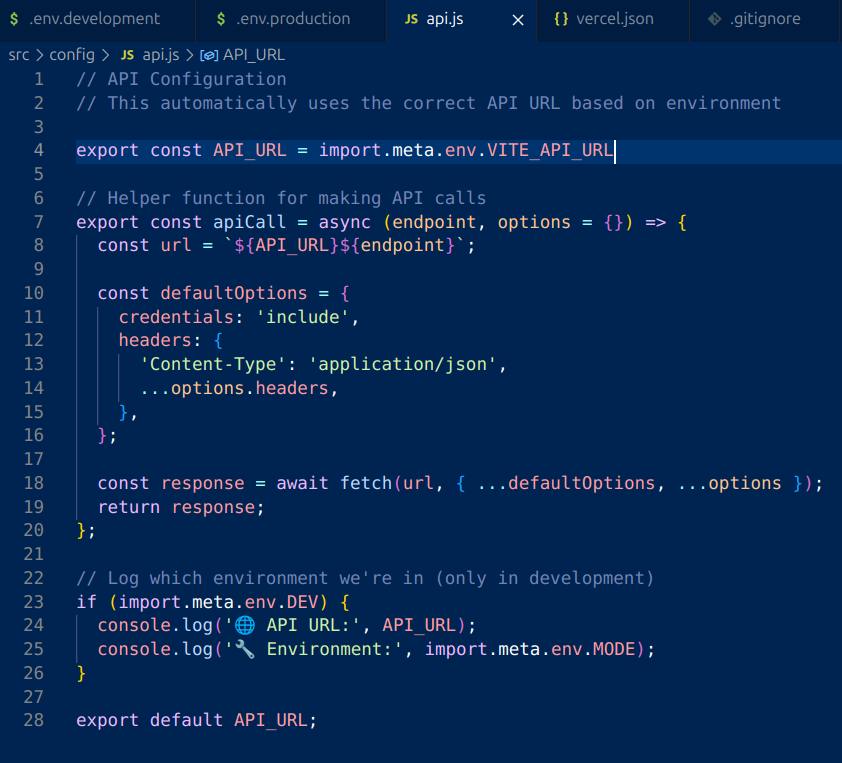
src/api.js
// src/api.js
const baseURL = process.env.REACT_APP_API_URL;

export const fetchStories = async () => {
  const response = await fetch(`${baseURL}/stories`);
  return response.json();
};

// add other API helpers here …
React (or Vite, Next.js, etc.) automatically picks the correct .env.* file based on the build mode (development vs. production).
Visual Summary
TL;DR
- Two databases – one for dev, one for prod.
- Backend: use a local
.envfor development and set the productionDATABASE_URLin your hosting platform. - Frontend: create
.env.developmentand.env.productionwith the appropriate API base URL. - Write a small wrapper (
api.js) that reads the env variable and points to the right backend.
That’s the difference between development and production environments. I hope this explanation saves you from the stress of realizing too late that you need separate environment URLs and databases when shipping to production.
About My Current Project
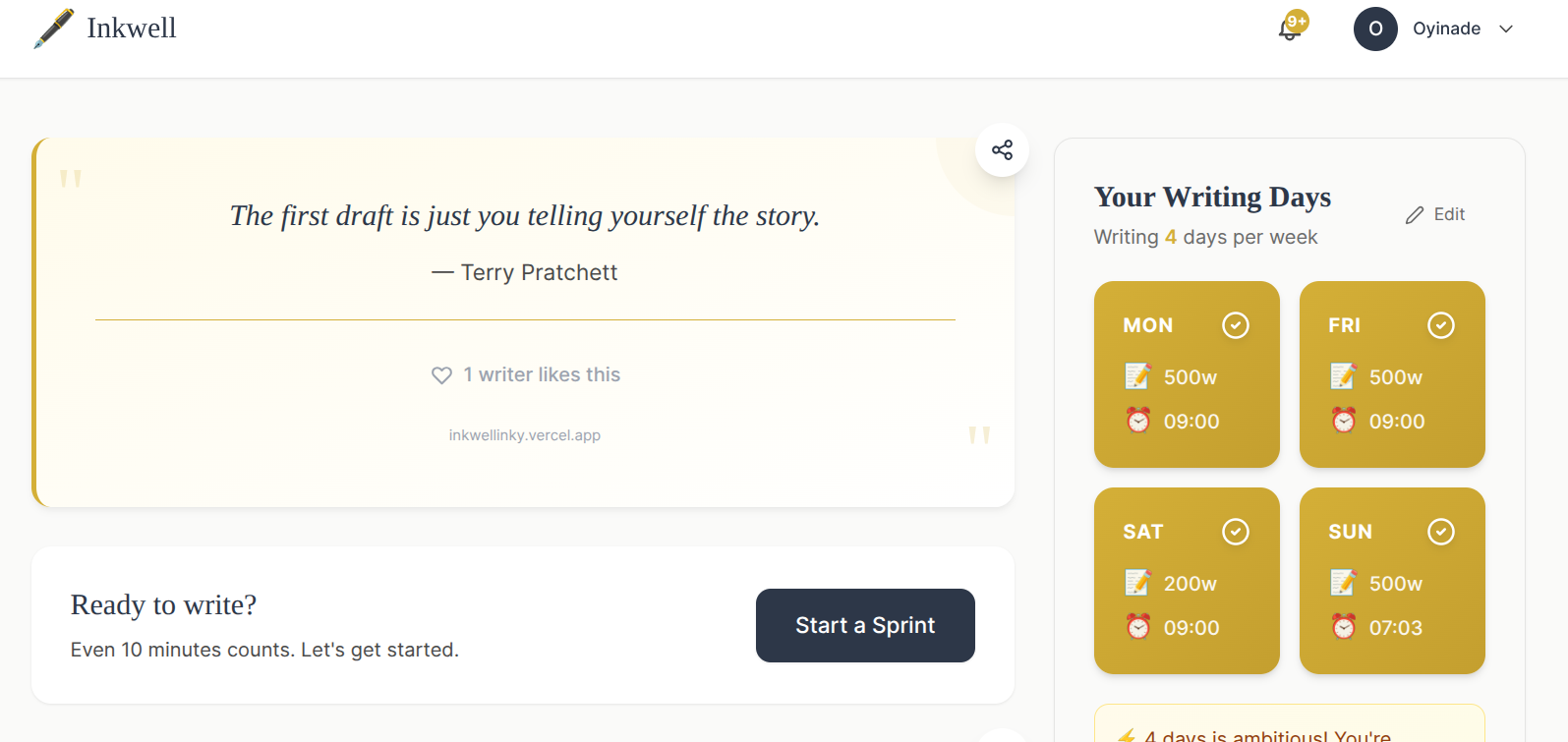
I’m now working on a sprint‑writing tool for writers. It includes day‑ and time‑reminders, weekly/daily progress tracking, and encourages consistency.
Happy coding!
Here’s the same content, tidied up while preserving the original structure and meaning:

[](https://media2.dev.to/dynamic/image/width=800,height=&fit=scale-down&gravity=auto&format=auto/https://dev-to-uploads.s3.amazonaws.com/uploads/articles/ciym3ooqu4fxc3j29udg.png)
I just started this project, and I hope to keep learning more as I build.
If you have any questions or thoughts, I’d be glad to read them in the comment section. I hope this post helps you better understand development and production environments.