
Developer's 1994 Linux desktop recreation runs in your browser as a modern web app — open-source project brings old-school CDE interface back from the dead and features classic 90s web browser, text editor, and more
Source: Tom’s Hardware
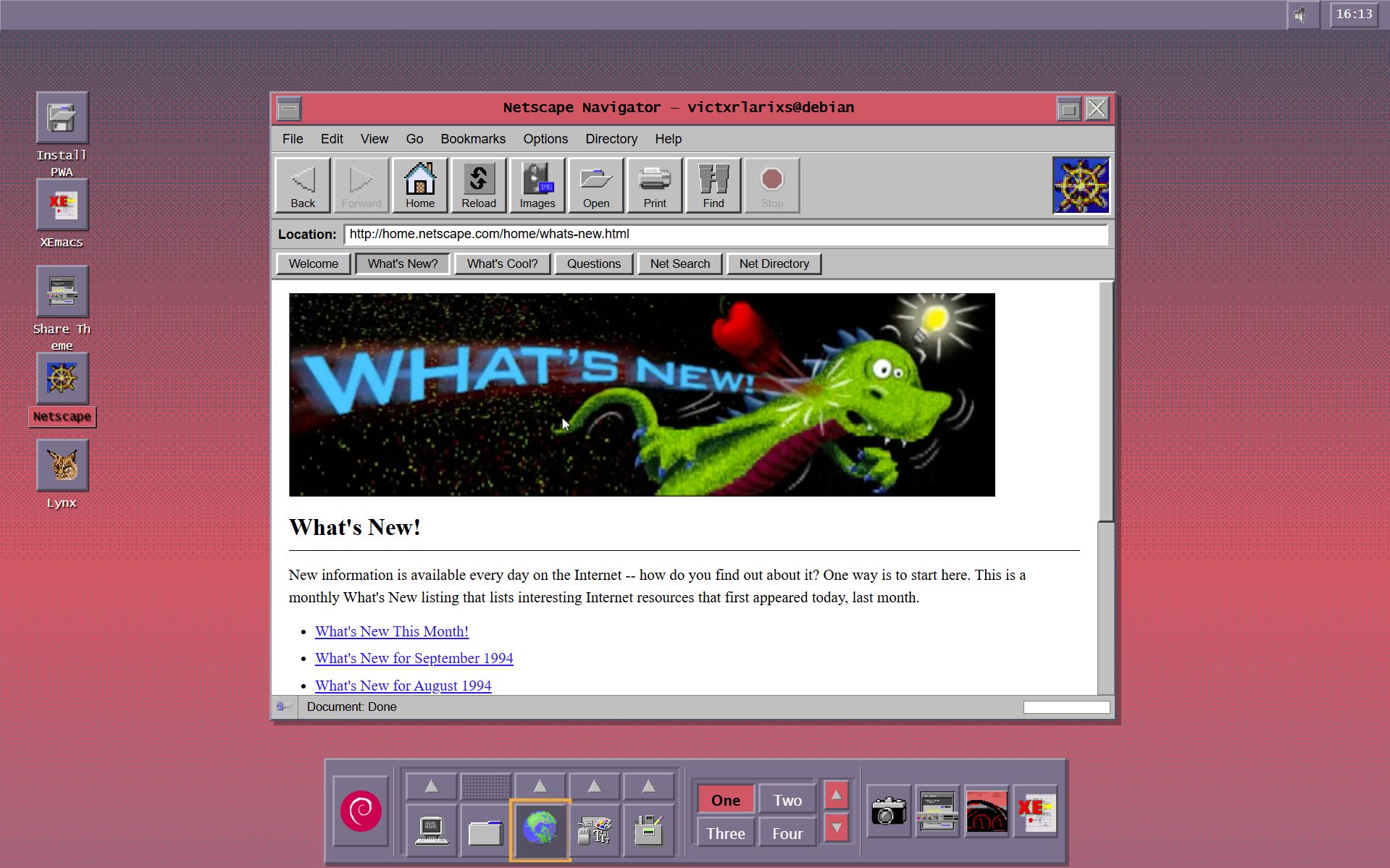
Image credit: CDE Time Capsule / Victor Larios
Overview
A nostalgic developer has recreated the look and feel of an early Linux desktop from 1994 with the CDE Time Capsule project. The open‑source project is hosted on GitHub under the GPL license and can be accessed directly via its own website. It emulates a Debian Linux installation from the mid‑1990s, complete with a classic web browser, text editor, and other period‑appropriate applications.
Background on CDE
The Common Desktop Environment (CDE) was the standard desktop environment for Unix‑based systems throughout the early 1990s. It was jointly developed by major companies such as HP, IBM, and Sun Microsystems, and was first released in June 1993. CDE remained prevalent until newer desktop environments like GNOME and KDE emerged later in the decade.
Project Details
- Website: https://debian.com.mx/ – the project can be tried online as a Progressive Web App (PWA) and also run locally.
- Developer: Victor Larios, who describes the app as “a modern Progressive Web App that brings 1990s Unix to any device. Desktop, tablet, phone—the experience adapts. Touch gestures on mobile. Keyboard shortcuts on desktop. Always authentic.”
- Features:
- Authentic recreation of a 1994 Debian desktop.
- Classic 90s‑style web browser and text editor.
- Responsive design that works on desktops, tablets, and phones.
- Touch gestures for mobile devices and keyboard shortcuts for desktop use.
The project aims to provide a fully authentic mid‑1990s computing experience, allowing users to explore an era of Unix‑based operating systems that pre‑date modern desktop environments.