
Day 10 of My Web Dev Journey — Mastering CSS Positions: Absolute, Relative, Fixed & Sticky
Source: Dev.to
Absolute Position — “The Floating Element Trick”
/* Box 1 */
position: absolute;
Applying position: absolute; to Box 1 removes it from the normal document flow, causing the space it occupied to be filled by Box 2, and Box 3 moves up as well—much like a Tetris piece disappearing.
The same effect occurs when you apply position: absolute; to Box 2 or Box 3.
Relative Position — “Parent Matters!”
Structure
- outer – the parent container
- inner – the child element
- text – the grandchild element
Initial attempt
/* text */
position: absolute;
left: 50%;
The element centers relative to the entire viewport, not its parent.
Fix
/* inner (parent) */
position: relative;
Now left: 50% on the absolutely‑positioned text element is calculated relative to its parent (inner), positioning it as expected.
Reminder:
position: absolute;works in conjunction with a positioned ancestor (position: relative;,absolute,fixed, orsticky).
Fixed Position — “The Immovable Box”
/* fixed element */
position: fixed;
top: 10px;
right: 10px;
Even when the page is scrolled, the element remains anchored to the viewport.
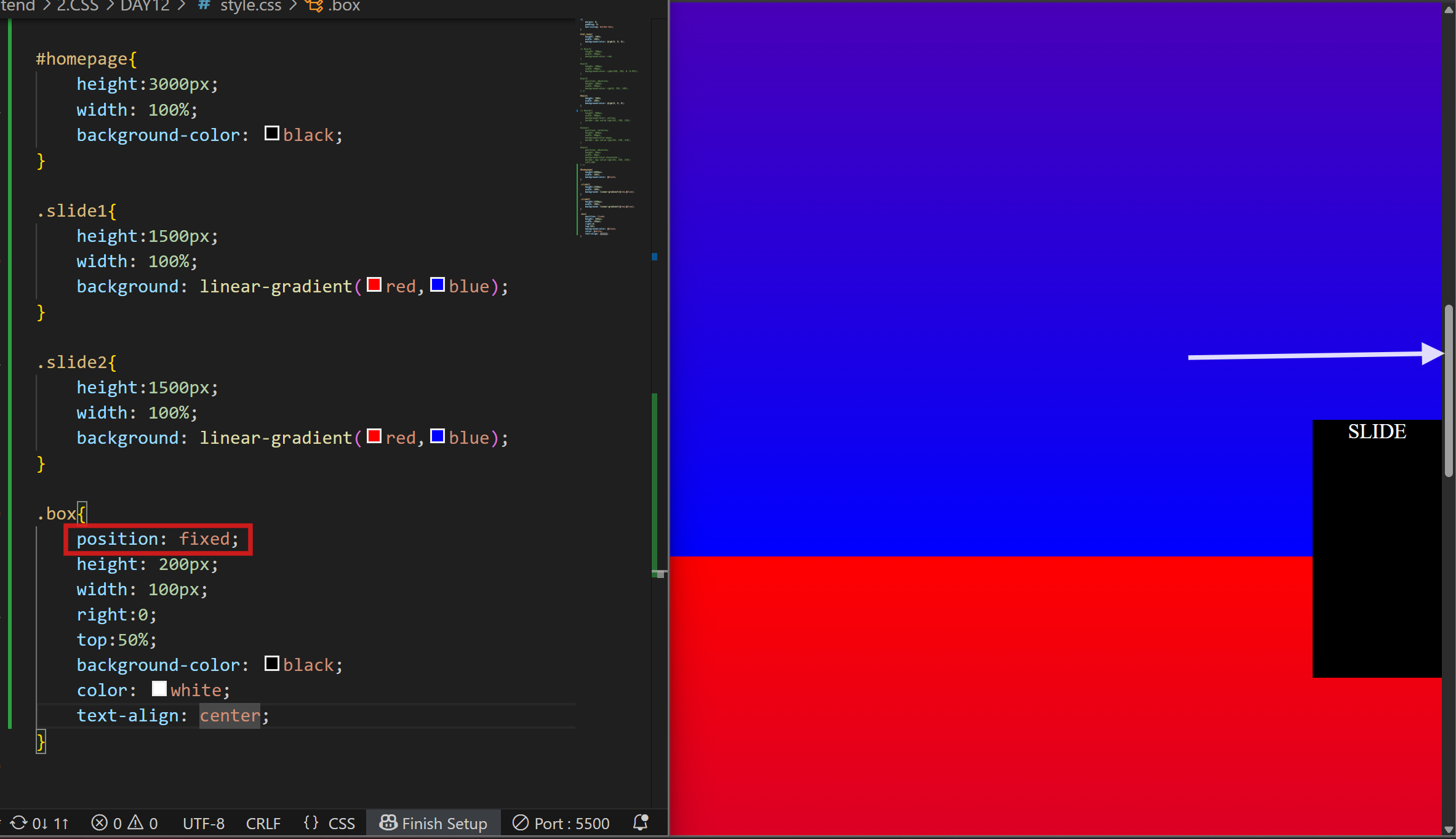
Typical uses include navigation bars, floating action buttons, or chat icons that must stay visible while scrolling.
Sticky Position — “The Hybrid Mode”
/* sticky element */
position: sticky;
top: 0;
A sticky element behaves like a relatively positioned element until the scroll reaches a defined threshold (top: 0 in this case), after which it “sticks” to that position, acting like a fixed element.
Common applications are sticky headers or section titles that remain visible during scrolling.
Final Thoughts
Practicing CSS positioning clarified that it’s less about memorizing values and more about understanding how each property—absolute, relative, fixed, and sticky—interacts with its surroundings. Mastering these fundamentals lets you place any element exactly where you need it.
Next up: exploring CSS z-index and stacking contexts. Stay tuned for Day 11 of the web development journey!