
Best Productivity Tools I Discovered (And Actually Use)
Source: Dev.to
Introduction
If you’re spending too much time on repetitive or boring work that a tool could easily handle, this post is for you. I regularly try new productivity tools, and the ones listed here are the few that actually earned a place in my workflow.
These are tools that solve one clear problem and are easy to start using—no heavy setup, no complicated workflows. Just practical software that helps you work better without getting in the way.
Whether you’re managing projects, running a business, or simply trying to keep up with daily work, you’ll find something useful here. The tools below are designed to save time, reduce mental load, and make everyday tasks feel more manageable.
Note: This is not meant to be a complete list. It’s a curated collection that I’ll keep updating as I discover better tools. If something stops being useful, it won’t stay here.
Table of Contents
- Voibe – On‑device voice dictation for Mac
- Seenode – Developer cloud for full‑stack apps
- ExecHeadshots – AI headshot generator for professionals
- Worklytics – Analytics on AI and productivity
- Inbox2Action – Turn emails into tasks in seconds
- Alai – Create quality presentations with AI
- NoteGPT – AI note‑taking app
- Overfig – Compare Figma design to website in real time
1. Voibe

Voibe lets you write on your Mac using your voice, anywhere you can type. It delivers fast, accurate dictation directly into any app, so you can stay focused and write without relying on your keyboard.
Everything runs locally on your device—no cloud processing, no audio uploads, and no internet dependency—making it a private and reliable option for daily writing.
Key Features
- Low‑latency dictation with text appearing almost instantly
- Works across all macOS apps wherever your cursor is
- Fully on‑device speech‑to‑text processing
- Offline support (no network required)
- Privacy‑first design: no audio leaves your Mac
- Push‑to‑talk workflow using a global hotkey
- Developer mode for accurate file and folder name recognition
Key Advantages
- Write significantly faster than typing
- Stay in flow during long writing sessions
- Provide clearer context to AI tools
- Keep sensitive work private and off the cloud
- Reduce typing fatigue on heavy writing days
Best For
People who write frequently on a Mac and want a faster, more private alternative to typing.
Pricing
Freemium – $4.90 / month
2. Seenode

Seenode is a cloud platform that lets you deploy and scale full‑stack applications without dealing with complex infrastructure. It’s built for teams that want to ship real applications—web apps, APIs, and background services—without managing Kubernetes or DevOps tooling.
You connect your Git repository, push code, and Seenode handles deployments, scaling, networking, and databases in one place. It combines the flexibility of container‑based infrastructure with the simplicity of a managed platform.
Key Features
- Git‑based deployments with automatic builds and zero‑downtime rollouts
- Support for multiple frameworks (Django, FastAPI, Node.js, Go, etc.)
- Managed PostgreSQL and MySQL with backups and private networking
- Background workers for jobs, queues, and async processing
- Built‑in logs and metrics for debugging and monitoring
- Horizontal and vertical scaling for growing workloads
- Custom domains with automatic TLS certificates
Key Advantages
- Run complex applications without managing infrastructure
- No need for Kubernetes setup, CI pipelines, or SSL config
- Deploy APIs, workers, and databases together easily
- Scale confidently as traffic and workloads grow
- Simple, predictable pricing
Best For
Teams and builders who want to deploy full‑stack applications quickly without taking on DevOps overhead.
Pricing
7‑day free trial, then $1 / month
3. ExecHeadshots

ExecHeadshots is an AI‑powered tool that creates realistic, professional headshots from a small set of selfies. It’s built as a fast and affordable alternative to traditional photoshoots, without sacrificing quality or privacy.
You upload a few photos, choose your style, and get polished portraits ready for LinkedIn, company websites, or marketing materials—often within a few hours.
Key Features
- AI‑generated professional headshots from user‑uploaded photos
- Multiple styles, outfits, and backgrounds to choose from
- High‑resolution images suitable for professional use
(The rest of the ExecHeadshots section continues in the original post.)
4. Worklytics

Worklytics is a workplace analytics platform that helps organizations understand how work actually gets done. It analyzes data from tools like email, calendars, and collaboration apps to surface patterns around productivity, collaboration, and employee experience—while keeping individual privacy protected.
Instead of relying on gut feeling, leaders get clear, data‑backed insights into meetings, collaboration habits, and how teams are adopting new tools like AI.
Key Features
- AI adoption metrics to track how teams use AI tools across workflows
- Benchmarks and comparisons against industry or internal baselines
- Meeting analysis to spot inefficiencies and reduce wasted time
- Organizational network insights to reveal collaboration patterns and silos
Key Advantages
- Helps leaders make decisions based on real work data
- Identifies productivity drains in meetings and collaboration
- Improves employee experience by highlighting overload and imbalance
- Supports faster and more responsible AI adoption across teams
Best For
Organizations and leadership teams that want better visibility into productivity, collaboration, and workplace effectiveness without compromising employee privacy.
Pricing
$12 / employee per month
5. Inbox2Action

Inbox2Action turns emails into tasks in seconds by connecting your inbox directly to Notion. Instead of relying on unread counts, stars, or folders, it’s built around one idea: emails should lead to action.
With a single click, any email becomes a structured Notion task. You can see statuses, due dates, and assignees directly inside Gmail, so nothing slips through the cracks and there’s no need to switch tools just to stay organized.
Key Features
- One‑click conversion of emails into Notion tasks
- Notion properties visible directly inside Gmail
- Quick access to favorite databases and recent items
- Smart labels that adapt to your workflow
- Team collaboration from the inbox without switching apps
Key Advantages
- Eliminates manual copying and pasting between tools
- Keeps important emails visible and actionable
- Reduces context switching during busy workdays
- Improves team alignment without leaving Gmail
- Keeps syncing lightweight and efficient in the background
Best For
People and teams who manage their work from email and use Notion to track tasks, projects, or pipelines.
Pricing
- Free plan available
- Paid plan starts at $8 /month (14‑day free trial)
6. Alai

Alai is an AI‑powered presentation tool that helps you create polished slides quickly from plain text. You start with your ideas, and Alai turns them into structured, well‑designed slides you can refine on a responsive canvas.
Instead of wrestling with templates or layouts, you get multiple design options for every slide and full control to edit content or visuals—manually or with AI—while keeping the whole deck consistent.
Key Features
- Multiple design options generated for each slide
- Responsive canvas that adjusts layouts automatically
- Rich visual elements like comparisons, matrices, funnels, and charts
- Full creative control with AI‑assisted editing
- Context‑aware AI that understands the entire deck
- Customizable styles and themes that stay cohesive
- Built‑in AI image generation inside slides
Key Advantages
- Helps you start presentations without a blank page
- Produces clean, professional‑looking slides from the first draft
- Reduces time spent on manual layout and design tweaks
- Makes it easy to explore different visual directions
- Speeds up presentation creation end‑to‑end
Best For
Anyone who creates presentations regularly and wants high‑quality slides without spending hours on design.
Pricing
- Free plan (200 credits included)
- Paid plan starts at $20 /month
7. NoteGPT
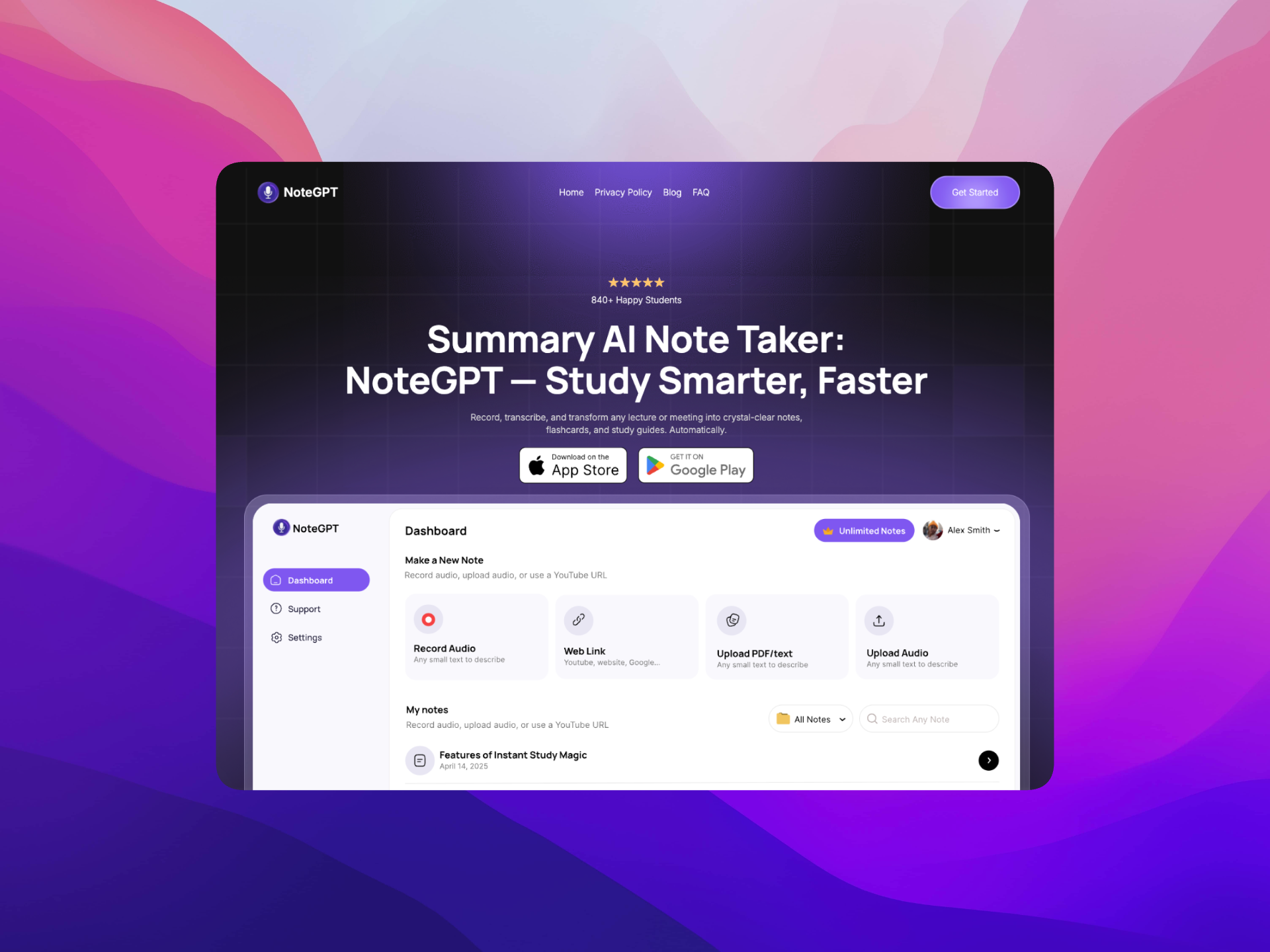
NoteGPT is an AI‑powered note‑taking app that turns lectures, meetings, and voice memos into clear, structured notes in seconds. You record audio, and NoteGPT handles transcription, summaries, and study material automatically.
Instead of typing everything yourself, you get organized notes that are easy to review, search, and remember—whether you’re studying or sitting through back‑to‑back meetings.
Key Features
- AI transcription for lectures, meetings, and voice notes
- Automatic summaries that highlight key ideas
- Flashcards and quizzes generated from your notes
- Organized library for transcripts and study materials
- Multi‑language support for international use
Key Advantages
- Saves hours of manual note‑taking
- Ensures you don’t miss important details
- Helps you study and revise more effectively
- Reduces mental load during long sessions
- Keeps notes easy to find and review later
Best For
Students and professionals who want accurate notes, fast summaries, and better recall without manual effort.
Pricing
- Free plan available
- Paid plan starts at $6.99 / month
8. Overfig
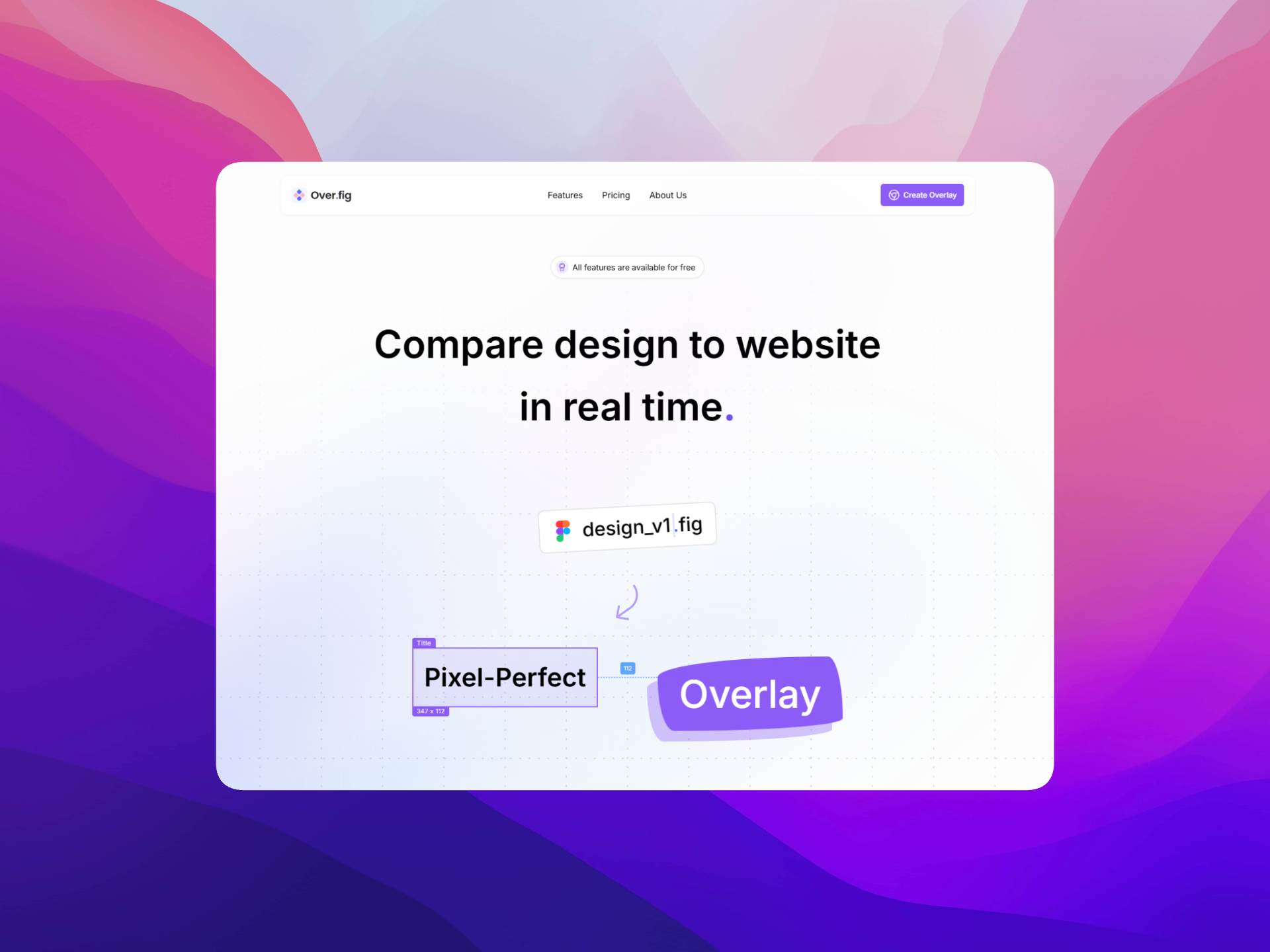
Overfig is a free Chrome extension that lets you overlay your Figma designs directly on top of a live website. It helps you compare design and code in real time, without switching tabs or guessing details.
You can inspect spacing, fonts, and colors right in the browser, check how closely the page matches the design, and export assets or styles as you build.
Key Features
- Semi‑transparent Figma overlays on live web pages
- Real‑time inspection of spacing, alignment, and layout
- Instant CSS and Tailwind style extraction
- Ability to overlay specific frames or components only
- One‑click download of optimized images and icons
Key Advantages
- Makes pixel‑perfect design comparison fast and visual
- Removes guesswork around spacing and typography
- Reduces back‑and‑forth between design and development
- Speeds up handoff and implementation
- Completely free to use
Best For
Designers and developers who want to match live websites to Figma designs with accuracy and less friction.
Pricing
- Free plan available
- Paid plan starts at $6 / month
Closing Thoughts
This list is curated, not exhaustive. I’ll keep it updated as I discover new tools or as existing ones evolve. If a tool stops being useful, it will be removed. Feel free to try them out and let me know which ones make the biggest difference in your workflow!