
[AWS] Modifying Infrastructure Composer policies with IAM Policy Autopilot
Source: Dev.to
Introduction
This post is the third in the AWS Community Builders Advent Calendar 2025.
At AWS re:Invent 2025, an MCP server called IAM Policy Autopilot was announced to assist with policy generation.
In this article we use this MCP server to verify whether it can address the issue of creating too many initial policies with Infrastructure Composer, which was introduced in a previous post.
- AWS Blog – Simplify IAM Policy Creation with IAM Policy Autopilot, a New Open‑Source MCP Server for Builders
- Top Announcements of AWS re:Invent 2025
- AWS Community Builders Advent Calendar 2025 (Japanese)
- Previous Infrastructure Composer article
Preparing Code for Modification – Configuring IaC Code Created with Infrastructure Composer
In the previous article we created an API configuration using API Gateway and a Lambda function.
This time we’ll use Infrastructure Composer to connect the Lambda function and an S3 bucket, then examine the resulting policy settings.
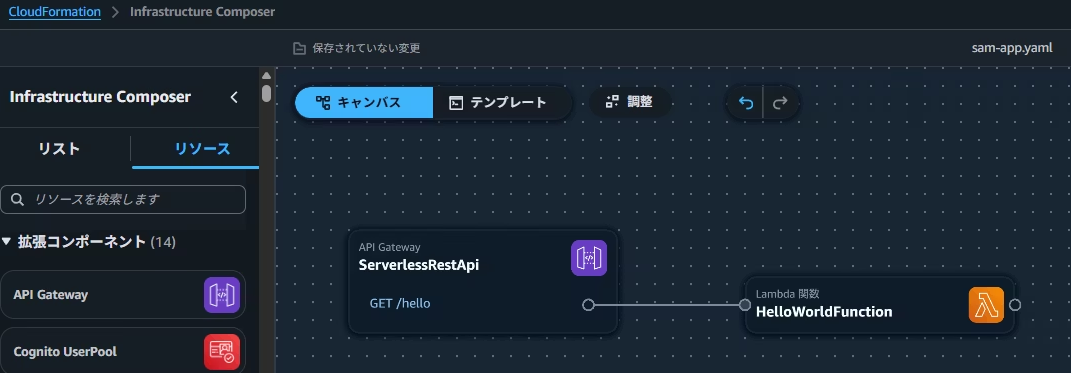
Creating a Connection Between a Lambda Function and an S3 Bucket Using Infrastructure Composer
By connecting the Lambda and S3 cards you can create an association in your IaC code.

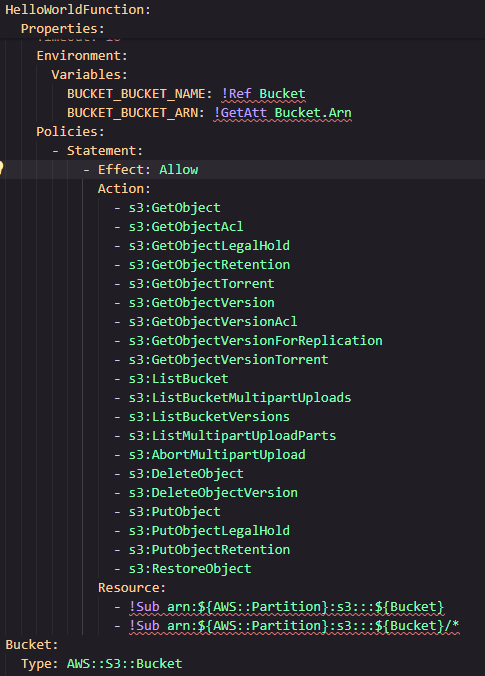
Verify That a Fairly Broad Policy Is Granted
When the association is created, a fairly broad policy is attached.
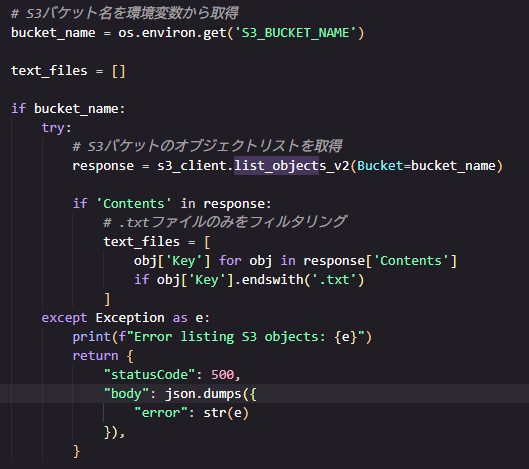
Add Code to the Lambda Function to Retrieve a List of Text Files in the S3 Bucket
Update the Lambda function code to test the connection. The added code lists text files in the bucket.
Fixing Excessive Policies Using IAM Policy Autopilot
Configuring the IAM Policy Autopilot Environment
Note (Tested Environment)
I am using Kiro (IDE) on a Windows PC.
Clone the Git Repository
git clone --recurse-submodules https://github.com/awslabs/iam-policy-autopilot.git
Navigate to the Cloned Folder
cd iam-policy-autopilot
Build
cargo build --release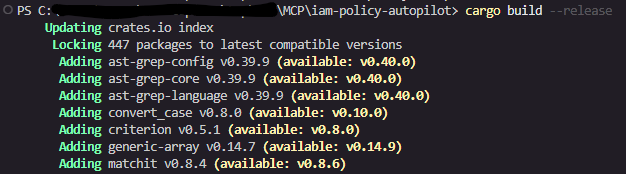
Enter iam-policy-autopilot Settings in the MCP Configuration File (mcp.json)
"iam-policy-autopilot": {
  "command": "C:\\path\\to\\iam-policy-autopilot\\target\\release\\iam-policy-autopilot.exe",
  "args": ["mcp-server"]
}
Verify That the MCP Configuration Was Successful in the Kiro IDE
A check‑mark and a list of available tools should appear next to the iam-policy-autopilot MCP name.
