
Automatically Generate Dataverse ER Diagrams – Introducing Dataverse ERD Generator
Source: Dev.to
What is Dataverse ERD Generator?
Dataverse ERD Generator is a browser extension that:
- Retrieves table columns and relationships from Dataverse tables inside a solution
- Outputs an ER diagram in PlantUML format
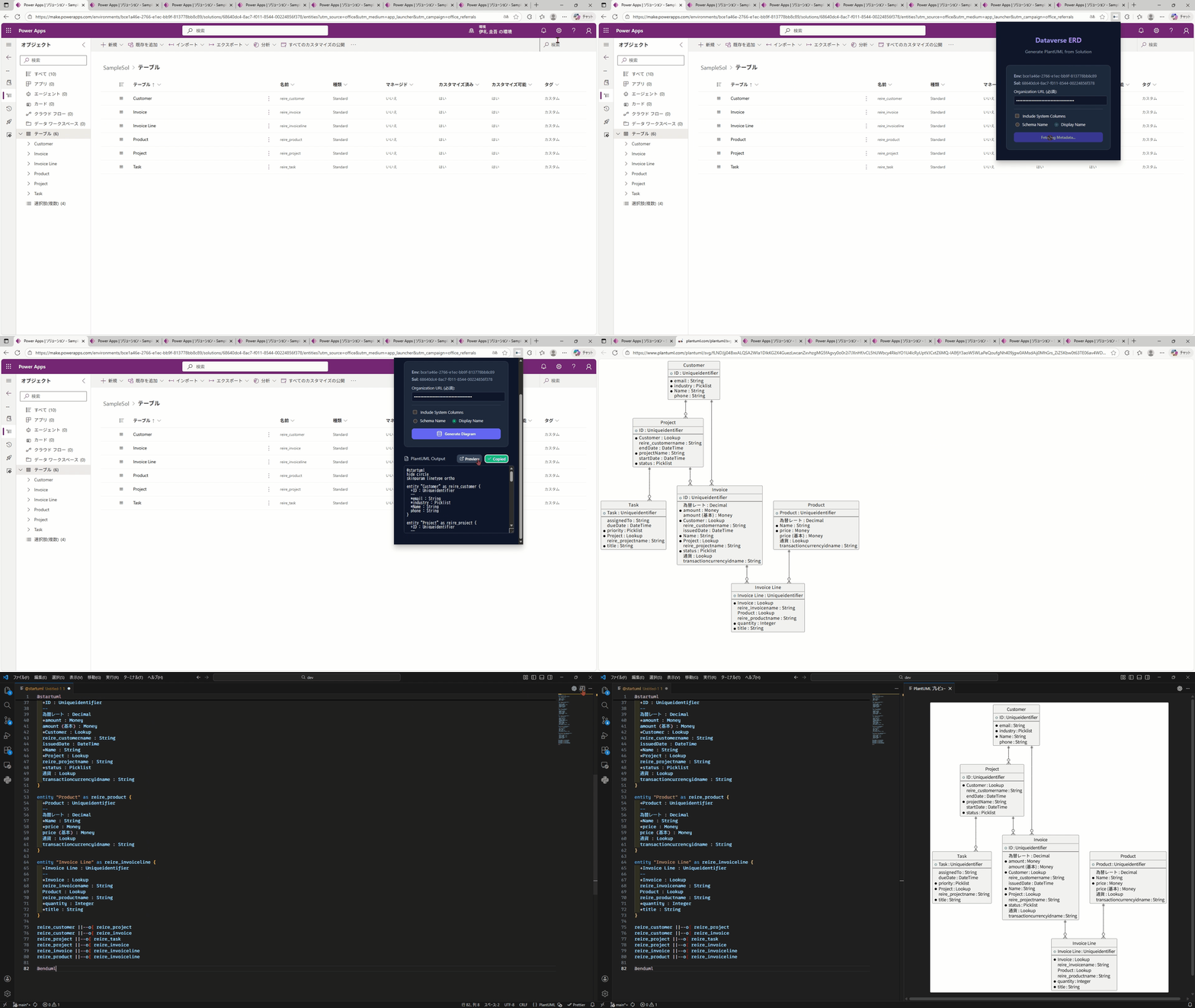
With just a few clicks, you can instantly generate an ER diagram for the Dataverse tables in your solution and even copy the generated PlantUML code for further customization.
How to Use
-
Open the Power Apps portal.
-
Click the Settings button in the top‑right corner.
-
Select Session details from the side menu.
-
Copy the Instance URL from the popup.
-
Open the solution you want to visualize.
-
Launch Dataverse ERD Generator from the browser tab.
-
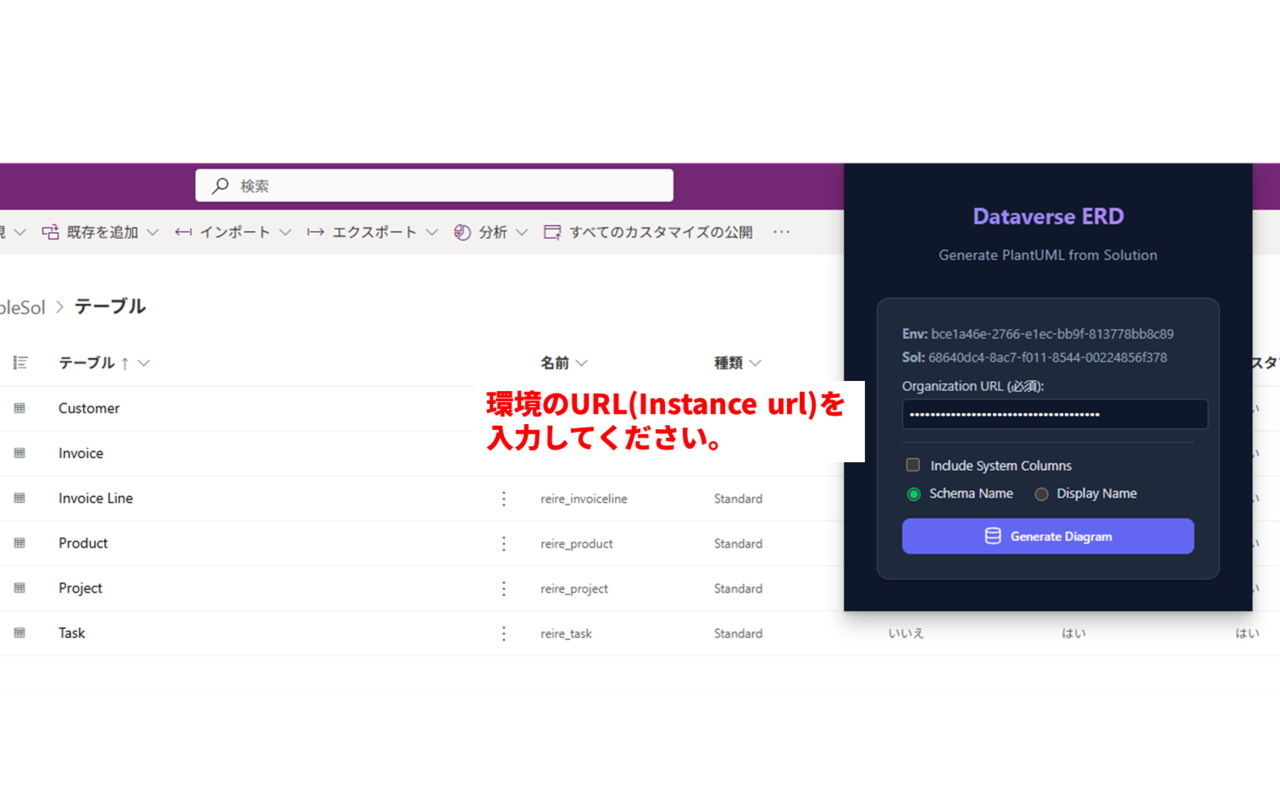
Paste the copied Instance URL into Organization URL (required).
- Environment ID and Solution ID are detected automatically.
-
Click Generate Diagram.
You can then:
- Open the ER diagram preview
- Copy the generated PlantUML code
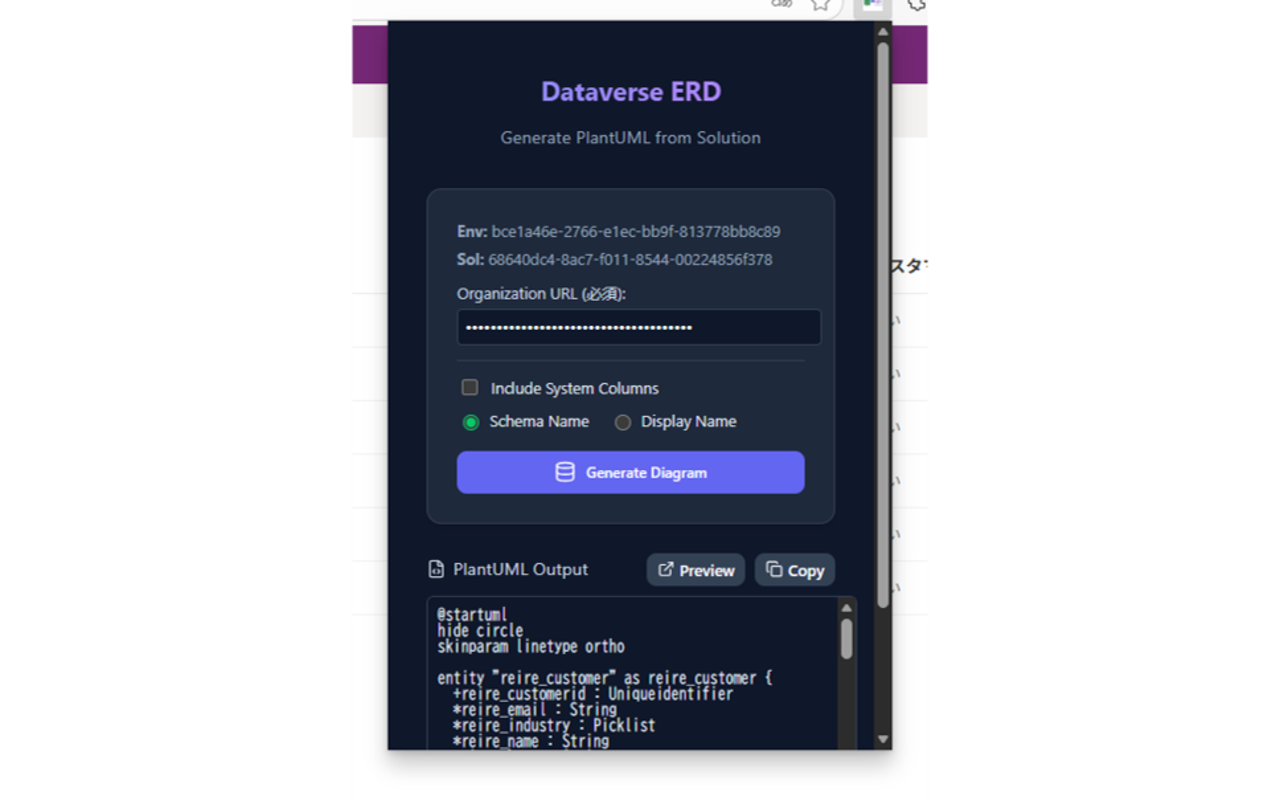
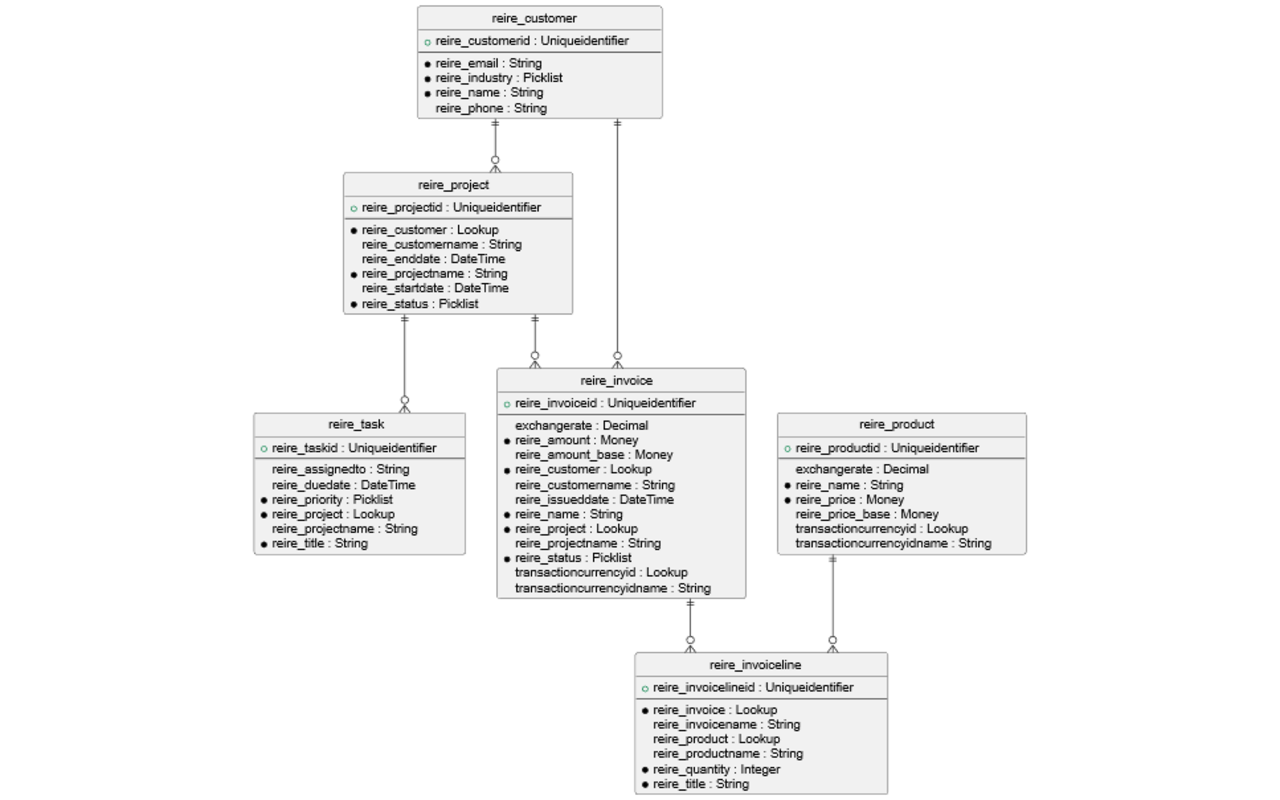
PlantUML is a text‑based tool capable of rendering diagrams such as sequence diagrams, class diagrams, and ER diagrams. (Qiita)
Why I Built This
Database design is one of the most important phases in system development—and this is equally true for Dataverse and Power Apps low‑code development.
Low‑code projects often:
- Require frequent validation against changing requirements
- Progress in an agile‑like manner
- End up with outdated or messy design documentation, especially in citizen‑development scenarios (Qiita)
When such applications later need:
- Full‑scale implementation
- Organization‑wide deployment
- Long‑term maintenance
poor or missing design documentation quickly becomes a serious problem (Qiita).
If we could easily generate ER diagrams from existing Dataverse tables, it would significantly improve both productivity and ongoing maintenance. That idea led to the development of this extension, which I decided to release publicly as a browser extension (Qiita).
Conclusion
For more technical articles about Power Platform, visit:
https://www.artisan.jp.net/blog_author/ireike/
I’m currently planning to release a similar extension for SharePoint list visualization within SharePoint sites. Feedback and suggestions would be greatly appreciated.
Thanks for reading.