
Shut Up: Comment Blocker
Source: Hacker News
Comments are awful. Shut Up hides them by default, sparing your sanity and preventing you from getting sucked into a world of hurt.
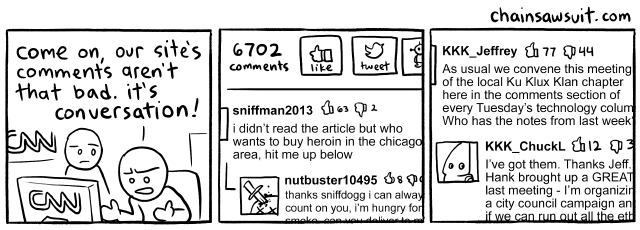
“Comments Section”, a Chainsawsuit comic by Kris Straub
For the sites where discussions can be more constructive – like GitHub, Dropbox, or Stack Overflow – you can show comments by default.
How’s it work?
Shut Up is an app you can install on an iPhone, iPad, or Mac, and a browser extension you can install in Chrome, Firefox, Edge, Opera, or Safari. At its core is a stylesheet by Steven Frank called shutup.css. The extension injects the stylesheet’s rules into almost all of the pages you visit.
When you want to see comments, it couldn’t be easier:
Chrome, Firefox, Edge, Opera, or Safari for Mac
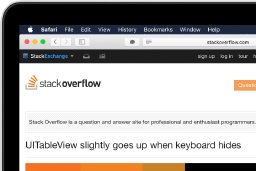
Click the Shut Up button in your browser’s toolbar.
iPad or iPhone
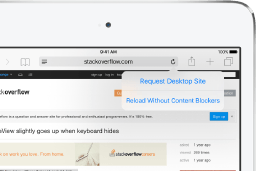
Tap the aA icon, then tap “Turn off Content Blockers.”
Rarely, you might find that Shut Up inadvertently blocks legitimate page content, or doesn’t block comments properly. Please contact me if you think something’s not working right. If you’re good at web development, you can submit a pull request for shutup.css on GitHub.
What about privacy?
Shut Up won’t track nor spy on your browsing activity. The extension only periodically contacts this server for the newest copy of shutup.css, at which point some temporary diagnostic logs are recorded. On Firefox, this update check is omitted. Learn more about my privacy policies.
Anything else?
On iPhone or iPad, Shut Up requires iOS/iPadOS 12 or newer and a 64‑bit processor. Any of the following devices will work:
- iPhone 5s or newer
- iPad Air or newer
- iPad mini 2 or newer
- iPod touch (6th generation)
You have to activate Shut Up in Settings before it may start blocking comments. To do that:
- Open the Settings app.
- Tap Safari.
- Tap Content Blockers.
- Turn on Shut Up.
If you can’t turn on Shut Up from here, you may need to first disable your device’s web browsing restrictions. Once you’ve done that and turned on Shut Up, you can turn the restrictions back on.