
Apple adds macOS Terminal warning to block ClickFix attacks
Source: Bleeping Computer

Apple has introduced a security feature in macOS Tahoe 26.4 that blocks pasting and executing potentially harmful commands in Terminal and alerts users to possible risks. The mechanism appears to target ClickFix attacks and has been reported by macOS users since the release‑candidate version of the operating system. Apple didn’t specifically mention it in the macOS Tahoe 26.4 release notes.
What is ClickFix?
ClickFix is a social‑engineering technique that tricks users into pasting malicious commands into a command‑line interface under the pretense of:
- Fixing a problem – see the BleepingComputer article on “Claude LLM artifacts abused to push Mac infostealers in ClickFix attack.”
- Verification processes – see the BleepingComputer article on “New Infinity stealer malware grabs macOS data via ClickFix lures.”
Because the user performs the paste, traditional security controls are bypassed, allowing malware to be delivered directly to the system.
macOS’s new warning prompt
When a potentially dangerous command is pasted into Terminal, macOS Tahoe 26.4 delays its execution and displays a warning message. The prompt informs the user that:
- No damage has been done yet; execution was halted.
- Scammers often distribute malicious instructions through various channels.
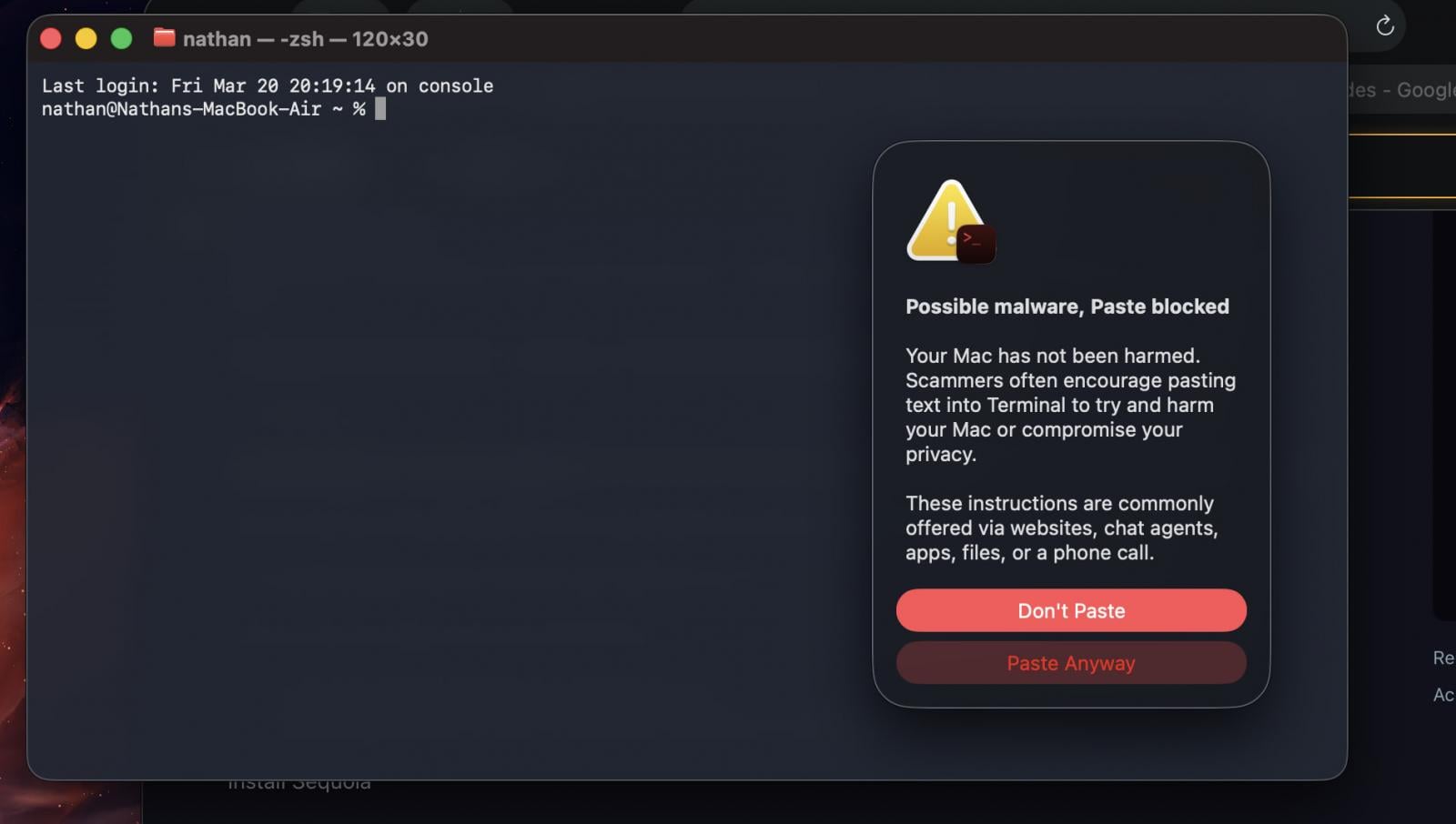
macOS’s new warning prompt on risky pastes
Source: Reddit
User choices
- Do not paste – if the command is unclear or originates from an untrusted source.
- Proceed anyway – only if the user fully understands the command’s effect.
Apple has not published an official support document about this warning system. Based on user reports, the alert appears when commands are copied from Safari and pasted into Terminal.
Observations from the community
A user noted that the warning is shown once per session. After testing multiple dangerous commands such as:
sudo rm -rf /no further alerts appeared. (Source: X post)
Another user suggested that some form of analysis occurs, because innocuous commands did not trigger the warning. (Source: Reddit comment)
BleepingComputer has reached out to Apple for more details and will update the article when a response is received.
Recommendations
- Never execute commands found online unless you fully understand what they do.
- Do not rely solely on the new alerts; the criteria for triggering a warning are still unclear.
- Adopt broader security hygiene, such as verifying sources and using reputable security tools, to defend against ClickFix‑based attacks across all operating systems.