
Amiga Workbench Simulator helps you pick your ultimate retro desktop — TAWS recently updated with refinements to OS 3.2, AmiBench presets
Source: Tom’s Hardware
TAWS – The Amiga Workbench Simulation has been updated again. This online JavaScript‑based simulation lets you explore various incarnations of the Amiga Workbench GUI, from the earliest version 1.0 (and other classic Amiga releases such as 1.3, 2.0, 3.1) up to 4.1 and even AROS. If you left the Amiga scene during the A500 era, the experience can be eye‑opening.
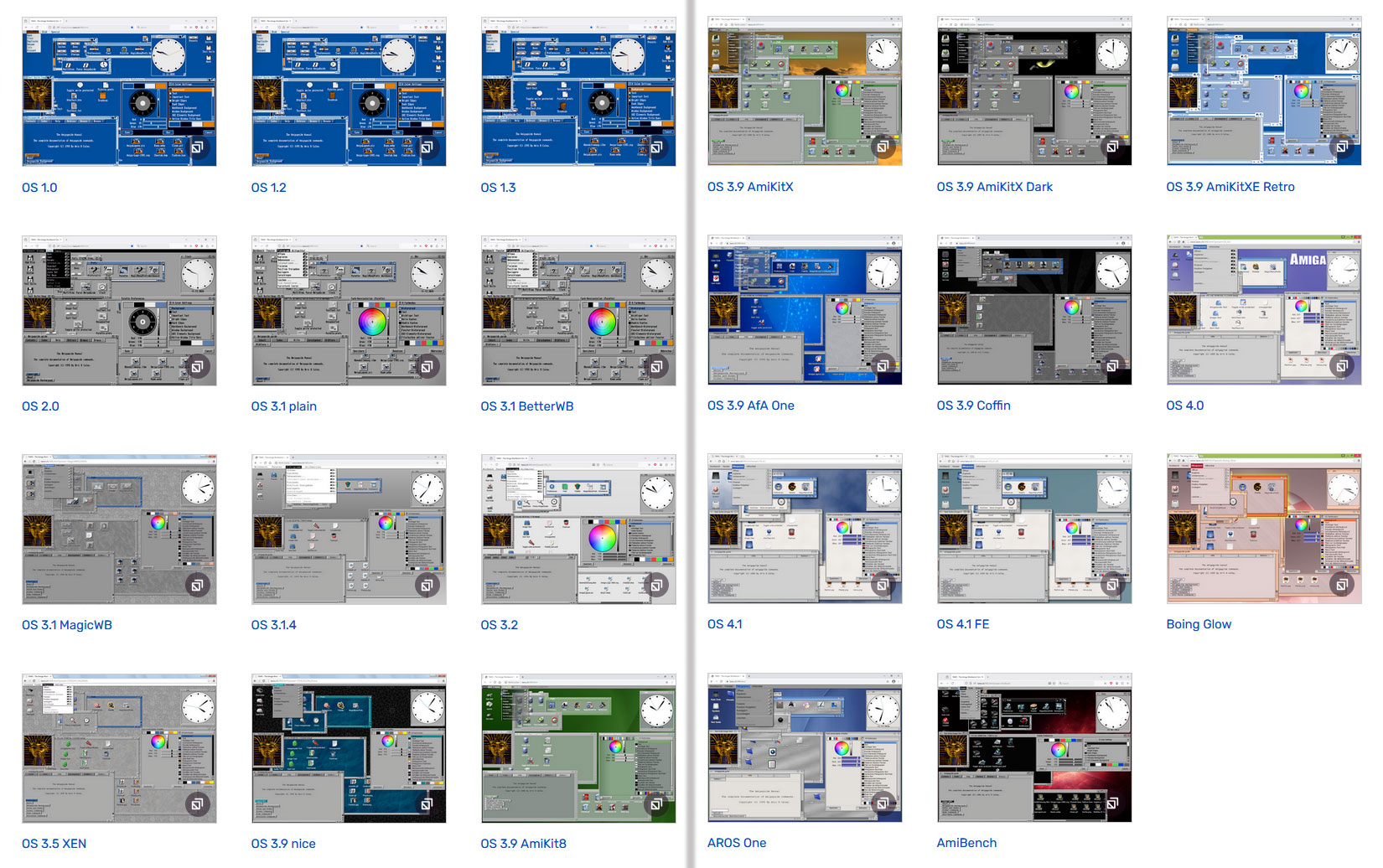
Image credit: Michael Rupp
In the words of its developer, Michael Rupp, TAWS is “a pure JavaScript simulation of the Amiga Workbench 1.0 – 4.1 FE for Firefox and Apple‑WebKit‑based browsers (Chrome, Opera, Edge, etc. incl. Odyssey).” The goal is maximum accuracy. Having used real Amiga hardware and emulators, I can confirm that the visual fidelity and UI behavior are highly faithful.
The most refined Workbench I used on my old Amiga A1200 is represented by the OS 3.1 MagicWB preset. While the regular Workbench 3.0/3.1 would suffice for everyday tasks, the MagicWB preset adds the classic color scheme and UI tweaks I loved for TCP/IP and email work. TAWS lets you relive those environments with modern monitor resolutions and responsiveness.
A few days ago Rupp released TAWS 0.40 (the project originally launched in March 2001). Key changes include new presets—among them an AmiBench benchmark suite—and layout improvements for OS 3.2.
TAWS isn’t the Amiga version of Infinite Mac
TAWS is a great resource, but it differs fundamentally from sites like Infinite Mac. TAWS simply displays the selected Workbench OS GUI along with a limited set of common system utilities and tools. You can switch between presets from the “Presets” folder on the desktop; the underlying demo system’s drive contents remain static, though you can still enjoy audio, visual, and animated demos.
In contrast, Infinite Mac emulates a full classic Mac system, complete with the chosen OS version and a broader collection of era‑appropriate applications. It also supports data import/export between the emulated environment and the host. If you’re interested in that kind of Mac emulation, check out our extensive guide.