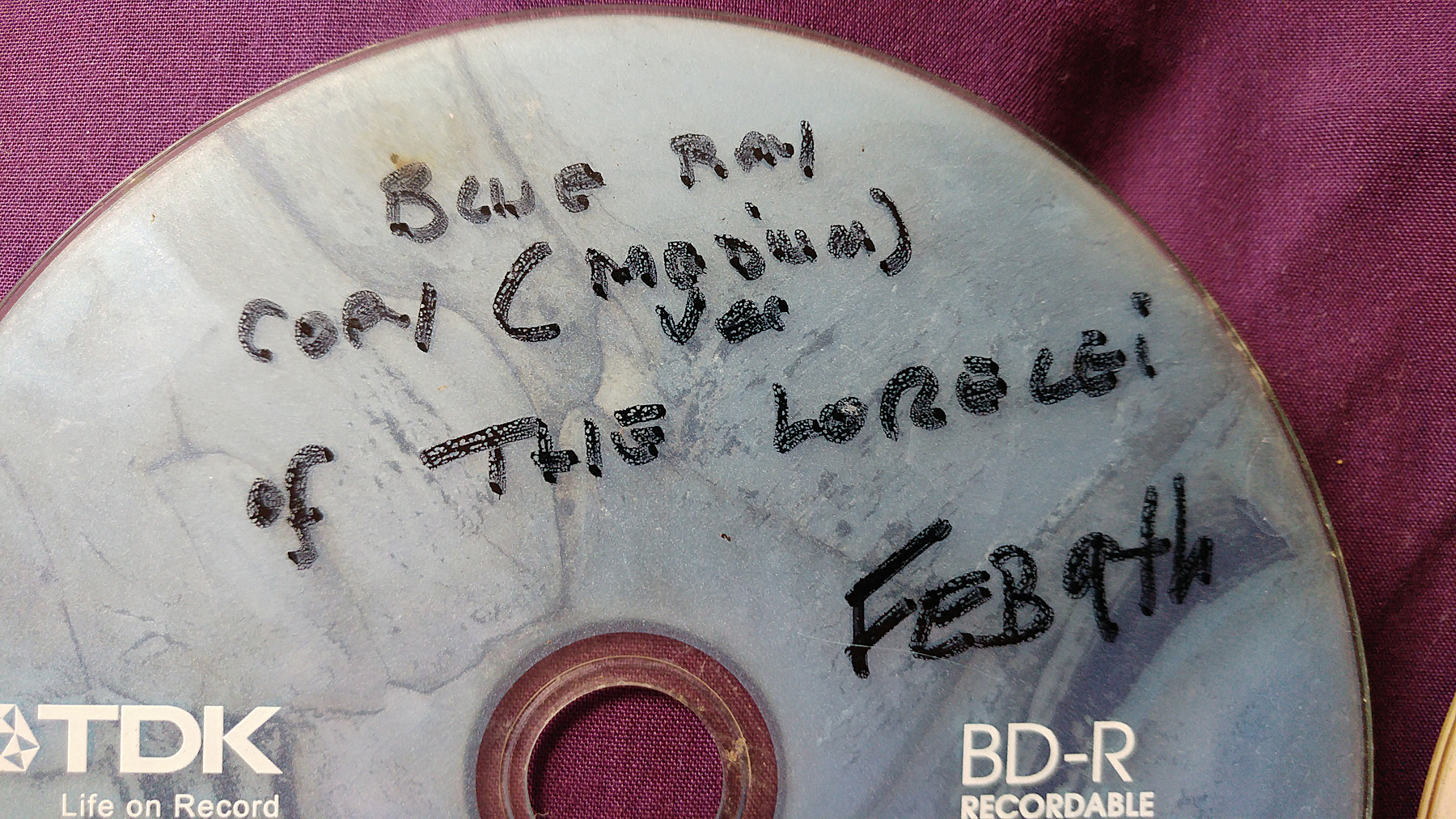
A review of M Disc archival capability with long term testing results (2016)
Source: Hacker News
The Problem
Anyone who wishes to archive material—images, documents, or videos—is faced with an almost unsolvable problem when one considers our over‑reliance on new technology. Computer drives are predicted to have a life span of five years; flash cards, even shorter. Magnetic creep, dopant migration in semiconductors, failing physical parts, and other issues deny long‑term archival of information in any real and reliable sense.
Microscopists, like photographers and filmmakers, are interested in preserving recorded imagery. I’m also a filmmaker, and with several feature films completed I am concerned about how to keep the masters for long‑term safety without losing the material. Films take up a lot of file space, and keeping an edited master requires a minimum of 25 GB of data—roughly the capacity of a single‑sided Blu‑ray disc.
The best methods used by data centres involve exploiting RAID technology, where data is written across two or more drives so that the failure of a single drive can be remedied by replacing the failed drive and copying the data back from the remaining drives. For the home user, the process is to copy whole drives to new ones every few years.
People believe DVDs and Blu‑ray discs will retain their data for long periods of time. What most don’t know is that these discs are fragile; data on them is easily corrupted or destroyed, and many poorly made discs break down due to unstable chemistry after only a few years. It’s highly likely that even national archival institutes—such as the British Library—are “tearing their hair out” trying to establish durable methods for storing documents, books, and references.
I recently watched a documentary in which the person charged with recording where all the French nuclear‑power‑station radioactive waste is stored resorted to paper, discs, and a new method he developed to store information in genetic code. A worrying problem if future generations lose sight of huge dumps of radioactive material buried deep beneath their feet!
A Solution?
There is no 100 % solution. Whatever medium you decide to store data on—apart from paper, rock, and stone—you’ll eventually need a means to read the data again. A Blu‑ray disc, even if it can be made to last 1 000 years, relies on the fact that a Blu‑ray reader will still be available 1 000 years from now to extract the data and present it in a human‑readable form (or, in our future, in a form readable by machines, androids, and cyborgs… in case we humans become redundant).
A good method for now is to store data on a readily available material that has been engineered to truly resist corrosion and breakdown. Enter the M‑Disc (M‑Disk, USA).
The M‑Disc
Extracted from Wikipedia
M‑DISC’s design is intended to provide greater archival media longevity. Millenniata claims that properly stored M‑DISC DVD recordings will last 1 000 years. While the exact properties of M‑DISC are a trade secret, the patents protecting the technology assert that the data layer is a “glassy carbon” and that the material is substantially inert to oxidation and has a melting point between 200 °C and 1 000 °C.
The media were stress‑tested according to a procedure designed by Millenniata at a United States Department of Defense facility. The testing found that M‑Disc DVDs are more durable than conventional DVDs. “The discs were subject to the following test conditions in the environmental chamber: 85 °C, 85 % relative humidity (conditions specified in ECMA‑379) and full‑spectrum light.” However, according to the French National Laboratory of Metrology and Testing, at 90 °C and 85 % humidity the DVD+R with an inorganic recording layer such as M‑DISC shows no longer lifetimes than conventional DVD±R.
Conventional DVD‑R and BD‑R LTH (Low‑to‑High) use recording layers of organic dye and separate reflective layers. Standard (HTL) BD‑R and BD‑R/DL (except LTH BD‑R) typically use inorganic data layers but continue using a reflective layer. M‑DISC BD‑R has no reflective layer. M‑DISC uses a single inorganic recording layer, which is substantially inert to oxygen, but requires a higher‑powered laser. M‑DISC DVD does not require the reflective layer. Thus, both the M‑Disc and inorganic BD‑R physically alter the recording layer, burning a permanent hole in the material. Besides physical damage, failure of the reflective layer—followed closely by degradation of the data layer—are the primary failure modes of all optically recordable discs.
Recorded discs are readable in conventional drives. Available recording capacities are similar to other optical media, ranging from 4.7 GB DVD‑R to 25 GB, 50 GB BD‑R and 100 GB BD‑XL. In the first DVD and Blu‑ray M‑Discs there was difficulty distinguishing the writable side of the disc, so manufacturers added color to differentiate the sides, making them look like standard DVD or Blu‑ray media.
LG Electronics, ASUS, and Lite‑On produce drives that can record M‑Disc media. Ritek produces M‑Disc Blu‑ray disc media, sold under the Imation, Ritek, and M‑Disc brands. Verbatim produces co‑branded discs marketed as the “Verbatim M‑Disc.”
My Experience
I thought I would buy a new Blu‑ray writer that can also burn M‑Discs. All of the modern LG burners can now write M‑Discs, I learned. I bought this one:
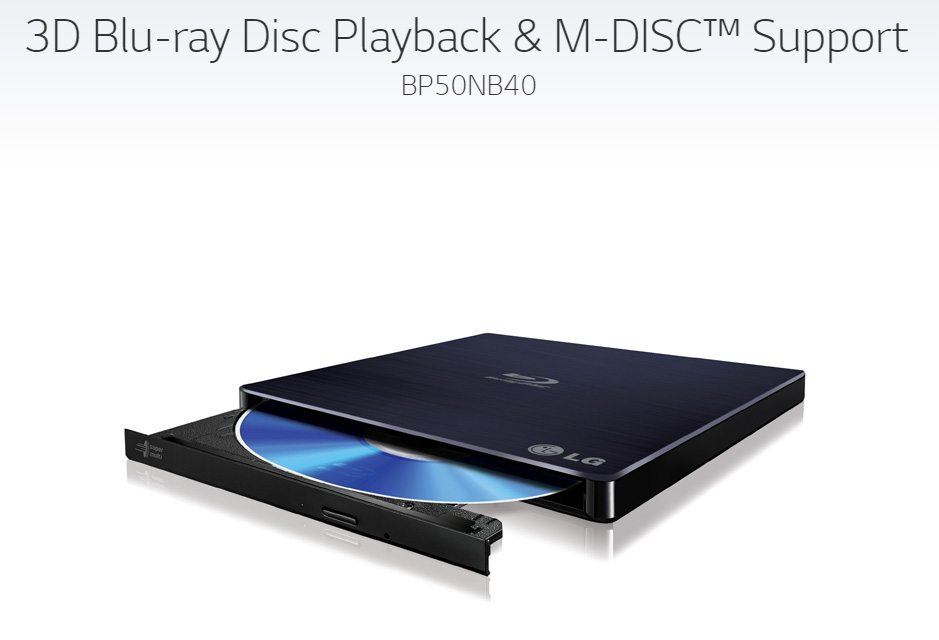
It can be bought for around $90.00 and proved an excellent purchase. Below are the key specifications:
- External – Connects via USB 2.0 (VIA)
- Silent Play – Reduces noise from disc spin during movie playback
- Supports 3D Blu‑ray Disc
- Playback supports BDXL (100 GB Triple‑Layer) Disc
- Jam‑less Play – Smooths out playback of damaged Blu‑ray or DVD discs (max.)
- 6× BD‑R Read and Write Capability
These features make the drive a solid choice for anyone looking to adopt M‑Disc technology for long‑term archival storage.
M‑Disc vs. Standard Blu‑ray: Real‑World Test
Cost
M‑Discs are more expensive than ordinary Blu‑ray blanks.
A pack of three 25 GB Blu‑ray discs costs about £11.00.
M‑Disc DVDs are also available.
Testing the Claims
I wanted to see whether the durability claims for M‑Discs hold up, so I copied my latest feature film “The Lorelei” onto:
- a standard Blu‑ray disc, and
- an M‑Disc Blu‑ray disc.
Both discs were then exposed to harsh outdoor conditions for several months.
Exposure timeline
| Period | Conditions |
|---|---|
| Feb 2016 – Sep 2016 | Temperatures below freezing, > 80 °F (≈ 27 °C), hail, plant scratches, partial burial in soil, and other disturbances – all without any protection. |
I alternated the orientation of the discs (data side facing the sun or away) and even half‑buried them for two months.
First look (summer)
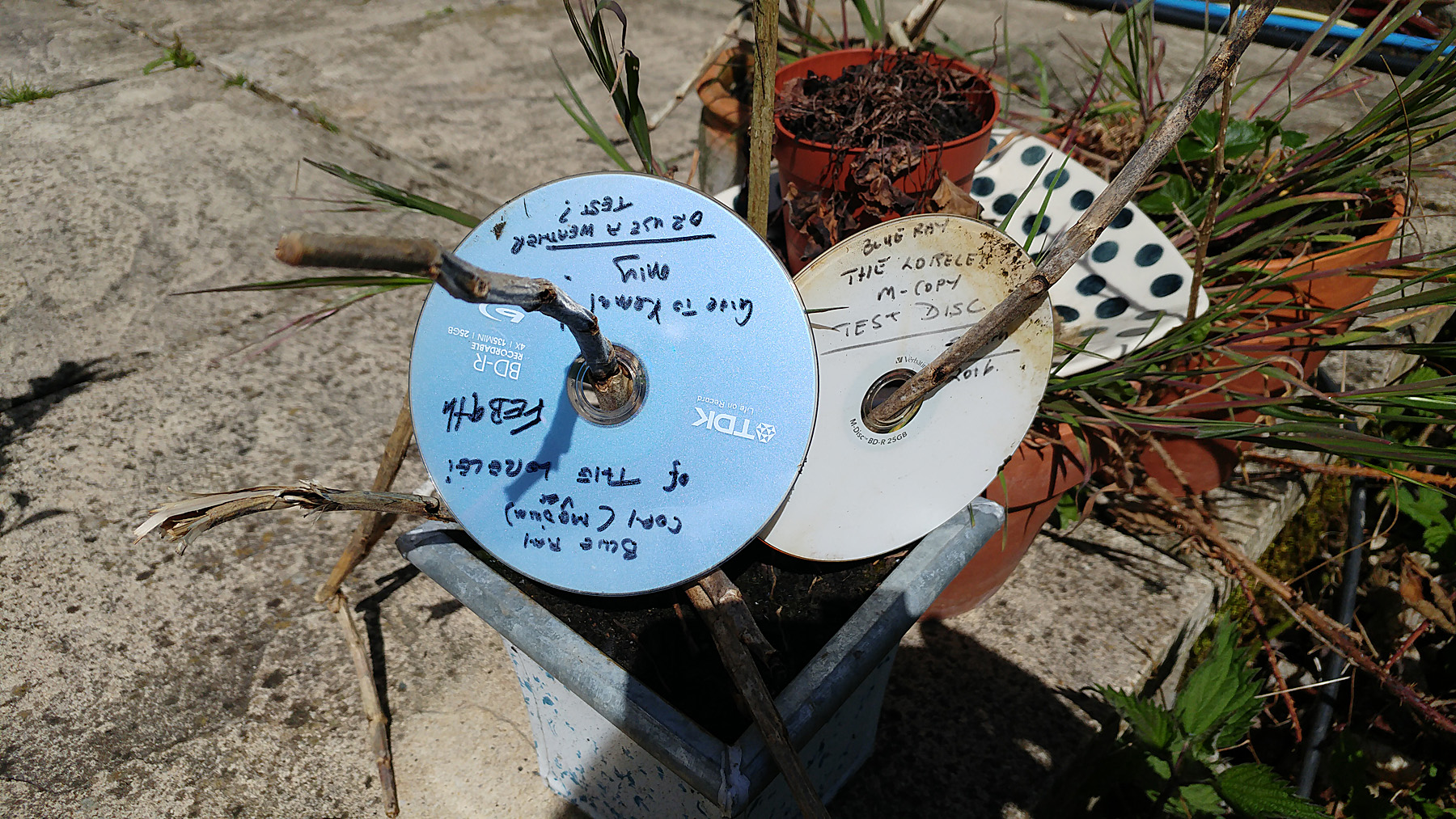
The disc with the white label is the M‑Disc.
Condition after retrieval (Sept 2016)
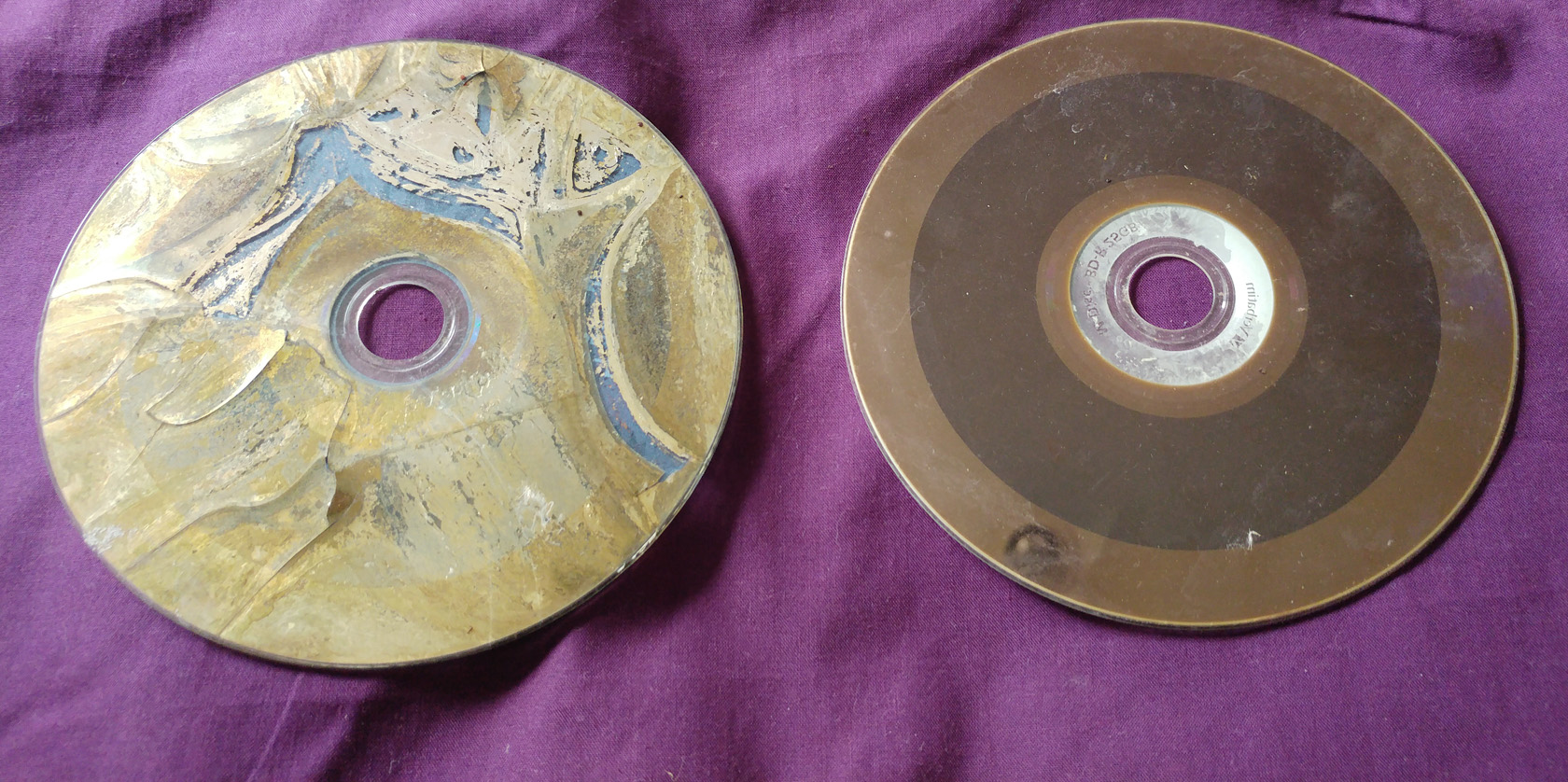
Left: Standard Blu‑ray – completely destroyed. The silver data layer cracked, expanded and detached from the substrate due to intense sunlight.
Right: M‑Disc – only a soiled surface; the disc itself remains intact.
Cleaning the M‑Disc
-
First wash – warm water with a few drops of washing‑up liquid.

-
Result – surface still shows some residue.
-
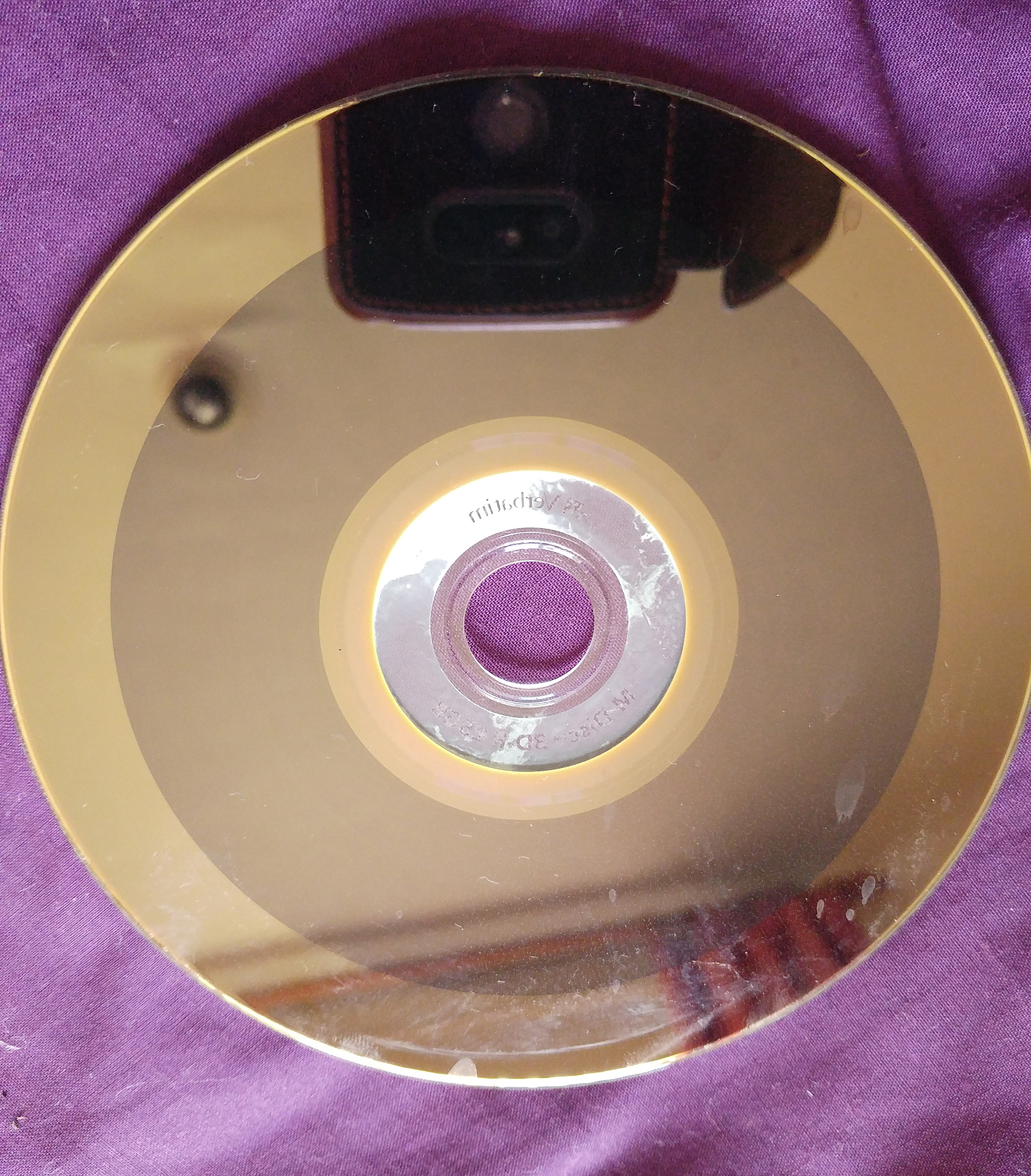
Second clean – wipe with a kitchen towel and a little white spirit. This removed the remaining stains.
Final Result
Here’s the cleaned M‑Disc holding my movie.
Now the big test: will it play?