
通过 GitHub MCP Server 对 AI 编码代理进行机密扫描
发布: (2026年3月18日 GMT+8 05:00)
3 分钟阅读
原文: GitHub Changelog
Source: GitHub Changelog
概览
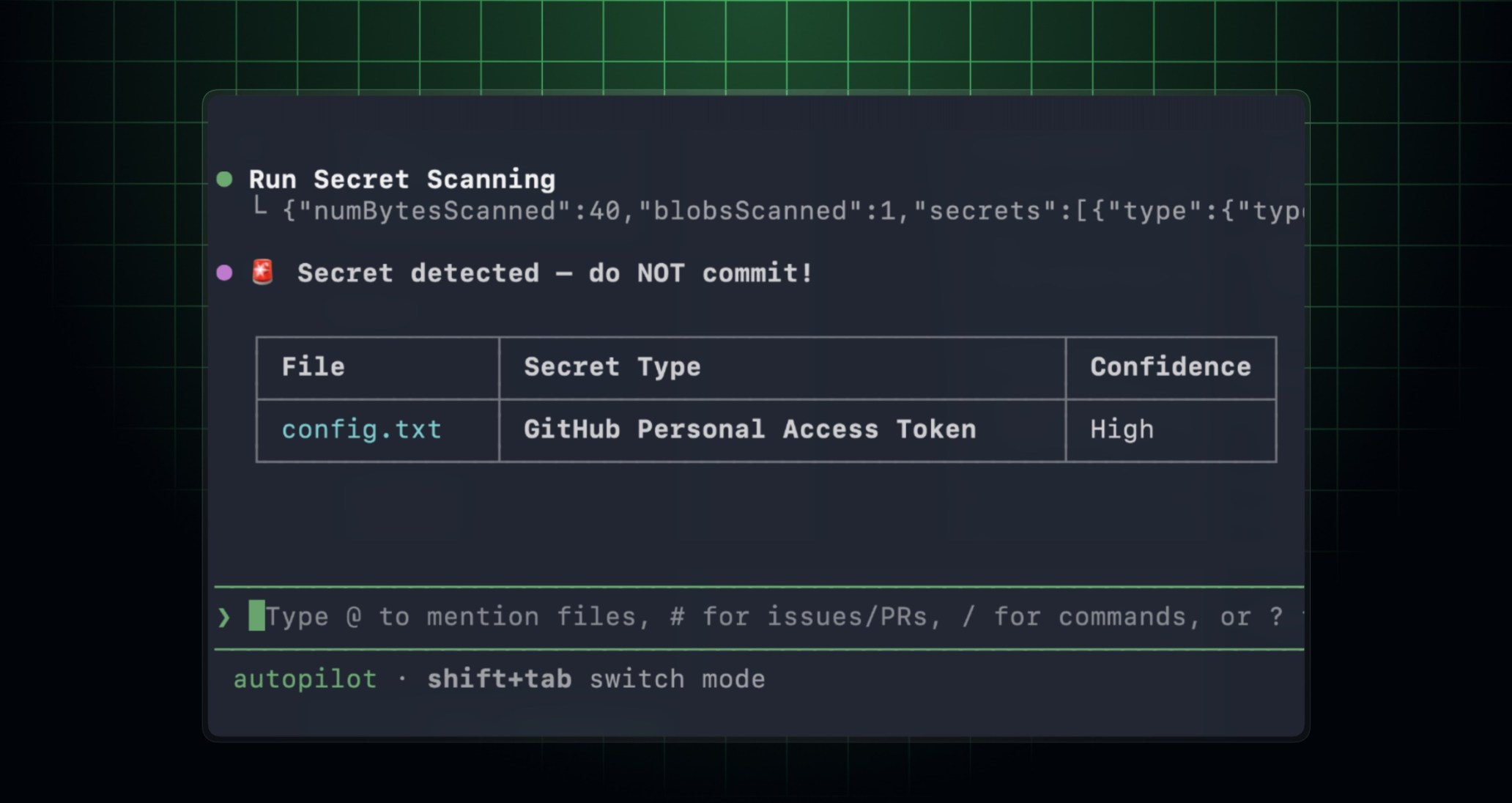
GitHub MCP 服务器现在可以在您提交或打开拉取请求之前扫描代码更改中的泄露机密。通过在使用兼容 MCP 的 IDE 和 AI 编码代理编写代码时检测机密,这有助于防止凭证泄漏。此功能现已对启用了 GitHub Secret Protection 的仓库公开预览。
工作原理
在启用 MCP 的环境中,您的 AI 编码代理可以根据您的提示和指令运行机密扫描。当您要求 AI 编码代理检查机密时,它会调用 GitHub MCP 服务器上的机密扫描工具。您的 AI 编码代理将代码发送到 GitHub 机密扫描引擎,响应中会包含结构化结果,指明发现的机密所在位置及其详细信息。
入门指南
在您的开发者环境中设置 GitHub MCP 服务器。
(可选)安装 GitHub Advanced Security 插件,以获得更定制的机密扫描体验。例如:
在 GitHub Copilot CLI 中运行:
/plugin install advanced-security@copilot-plugins在 Visual Studio Code 中,安装
advanced-security代理插件,然后在 Copilot Chat 中使用/secret-scanning开始提示。
在提交之前,要求您的代理扫描当前更改中的泄露机密。
在 GitHub Copilot CLI 中,启用该工具:
copilot --add-github-mcp-tool run_secret_scanning在 Visual Studio Code 中,使用
/secret-scanning加上您的提示在 Copilot Chat 中进行操作。
示例提示
Scan my current changes for exposed secrets and show me the files and lines I should update before I commit.