
Leviathan UI PyQt5 框架,灵感来源于 Windows 11 Core Skin
发布: (2026年1月15日 GMT+8 07:53)
7 分钟阅读
原文: Dev.to
Source: Dev.to
👋 你好,我是 jesusquijada34
我想向你介绍 Leviathan UI,这是我开发的一个 Python 包,旨在简化具有 现代、模块化和可适配 视觉风格的图形界面创建。
Leviathan UI 提供什么?
- 受 Windows 11 启发的美学(亮色和暗色模式)。
- 可复用组件(按钮、卡片、导航栏等)。
- 可自定义主题并支持 自动暗色模式。
- 模块化架构,可在不破坏应用的情况下添加或移除模块。
- 易于使用:既适合初学者,也适合高级开发者。
可用模式
| 模式 | 描述 | 预览 |
|---|---|---|
| Light | 明亮主题,配以柔和的颜色和低对比度。 |  |
| Dark | 暗色主题,带有深沉的色调,适合光线较暗的环境。 |  |
| Auto | 根据系统设置自动在浅色和深色之间切换。 |  |
启动和关闭应用时的界面
启动画面
+---------------------------------------------------+
|  ████   ████   ████   ████   ████   ████   ████   |
|  ████   ████   ████   ████   ████   ████   ████   |
|                                                   |
|  Bienvenido a Leviathan UI                        |
|  Cargando componentes...                         |
+---------------------------------------------------+
关闭画面
+---------------------------------------------------+
|  ████   ████   ████   ████   ████   ████   ████   |
|  ████   ████   ████   ████   ████   ████   ████   |
|                                                   |
|  Gracias por usar Leviathan UI!                   |
|  Guardando estado...                              |
+---------------------------------------------------+
快速入门(适合初学者)
-
安装包
pip install leviathan-ui -
创建基本窗口
from leviathan_ui import LeviathanApp, MainWindow # Instancia la aplicación con el tema deseado app = LeviathanApp(theme="auto") # "light", "dark" o "auto" # Crea la ventana principal window = MainWindow(title="Mi primera app con Leviathan UI") window.resize(800, 600) # Añade un widget simple (por ejemplo, un botón) from leviathan_ui.widgets import Button btn = Button(text="¡Haz clic aquí!") window.setCentralWidget(btn) # Ejecuta la aplicación app.exec_() -
运行脚本
python my_app.py
超越基础
- 高级导航:使用
Sidebar、TopBar和Breadcrumbs来创建复杂界面。 - 自定义主题:修改
theme.json文件或使用Theme类创建自己的主题。 - 动态组件:集成表格、图表和表单,内置验证支持。
📚 资源
- 完整文档: https://leviathan-ui.readthedocs.io
- GitHub 仓库: https://github.com/jesusquijada34/leviathan-ui
- 示例和教程: https://github.com/jesusquijada34/leviathan-ui/tree/main/examples
📦 什么是 Leviathan UI?
Leviathan UI 是一个轻量级的 Python 图形界面创建包,适用于:
- 教育、技术或实验类应用。
- 需要快速 GUI 而不依赖重量级框架的项目。
- 具备透明、模糊以及类似 UWP 风格等视觉效果的界面。
简而言之:它让你用极少的代码为 Python 程序添加外观和样式。
⚙️ 安装
pip install leviathan-ui==1.0.0这将下载发布在 PyPI 上的稳定版本。
🚀 入门
使用主要组件的 Leviathan‑UI 启动应用的最小示例:
import sys
from PyQt5.QtWidgets import (
    QApplication,
    QPushButton,
    QVBoxLayout,
    QWidget,
    QLabel,
)
from PyQt5.QtCore import Qt
from lib.shared import (
    InmersiveSplash,
    InmojiTrx,
    WipeWindow,
    CustomTitleBar,
)


class MiAppPrincipal(QWidget):
    def __init__(self):
        super().__init__()
        self.setObjectName("MainWindow")
        self.resize(900, 550)

        # ── Configuración de la ventana ──
        (
            WipeWindow.create()
            .set_mode("polished")          # "polished", "ghost" o "ghostBlur"
            .set_background("auto")        # Sincroniza con la paleta de Windows o usa un HEX
            .set_radius(10)                # Radio recomendado para una ventana cuadrada
            .apply(self)                   # Aplica la configuración
        )

        # ── Layout principal ──
        layout = QVBoxLayout(self)
        layout.setContentsMargins(0, 0, 0, 0)
        layout.setSpacing(0)

        # ── Barra de título estilo Windows 11 ──
        self.title_bar = CustomTitleBar(self, title="LEVIATHAN ENGINE V2.0")
        layout.addWidget(self.title_bar)

        # ── Contenido central ──
        content = QWidget()
        content_lay = QVBoxLayout(content)
        content_lay.setAlignment(Qt.AlignCenter)

        label = QLabel("Test de Leviathan‑UI: Polished Mode")
        label.setStyleSheet(
            "color: white; font-size: 24px; font-weight: bold; font-family: 'Segoe UI';"
        )
        content_lay.addWidget(label, alignment=Qt.AlignCenter)

        self.btn = QPushButton("Cerrar app")
        self.btn.setFixedSize(280, 50)
        self.btn.setStyleSheet(
            """
            QPushButton {
                background-color: rgba(255,255,255,0.08);
                color: white;
                border: 1px solid rgba(255,255,255,0.3);
                border-radius: 12px;
                font-weight: bold;
                font-size: 14px;
            }
            QPushButton:hover {
                background-color: white;
                color: black;
            }
            """
        )
        content_lay.addWidget(self.btn, alignment=Qt.AlignCenter)
        layout.addWidget(content, 1)

        # Cerrar la aplicación al pulsar el botón
        self.btn.clicked.connect(self.close)


if __name__ == "__main__":
    app = QApplication(sys.argv)

    # ── Emoji premium (BETA) ──
    InmojiTrx("🐉").apply(app)

    # ── Instancia de la ventana principal ──
    mi_app = MiAppPrincipal()

    # ── Splash de inicio (modo adaptive) ──
    splash = (
        InmersiveSplash(title="Iniciando...", logo="🐉", color="auto")
        .set_mode("adaptive")               # Ajusta al DPI del monitor
        .set_phrases(["Iniciando UWP"])
        .on_finish(mi_app.show)              # Muestra la ventana al terminar
        .attach_to_window(
            mi_app,
            exit_phrases=["Saliendo de la UWP"],
        )
    )

    # Inicia el splash y la aplicación
    splash.start()
    sys.exit(app.exec_())
步骤概述
- 创建并配置窗口 使用
WipeWindow。 - 添加自定义标题栏 使用
CustomTitleBar。 - 在
QVBoxLayout中插入内容(标签、按钮等)。 - 使用
InmojiTrx应用高级表情(可选)。 - 定义并启动 splash 使用
InmersiveSplash。
有了这个骨架,你就拥有了一个可用于进一步使用 Leviathan‑UI 开发界面的功能性基础。
🎨 参数 mode
| 值 | 描述 |
|---|---|
polished | 经典风格,类似 UWP(现代 Windows)。 |
ghost | 透明玻璃界面。 |
ghostBlur | 带模糊的液态玻璃。 |
注意: 如果未指定任何参数,应用将以 基础 模式打开。
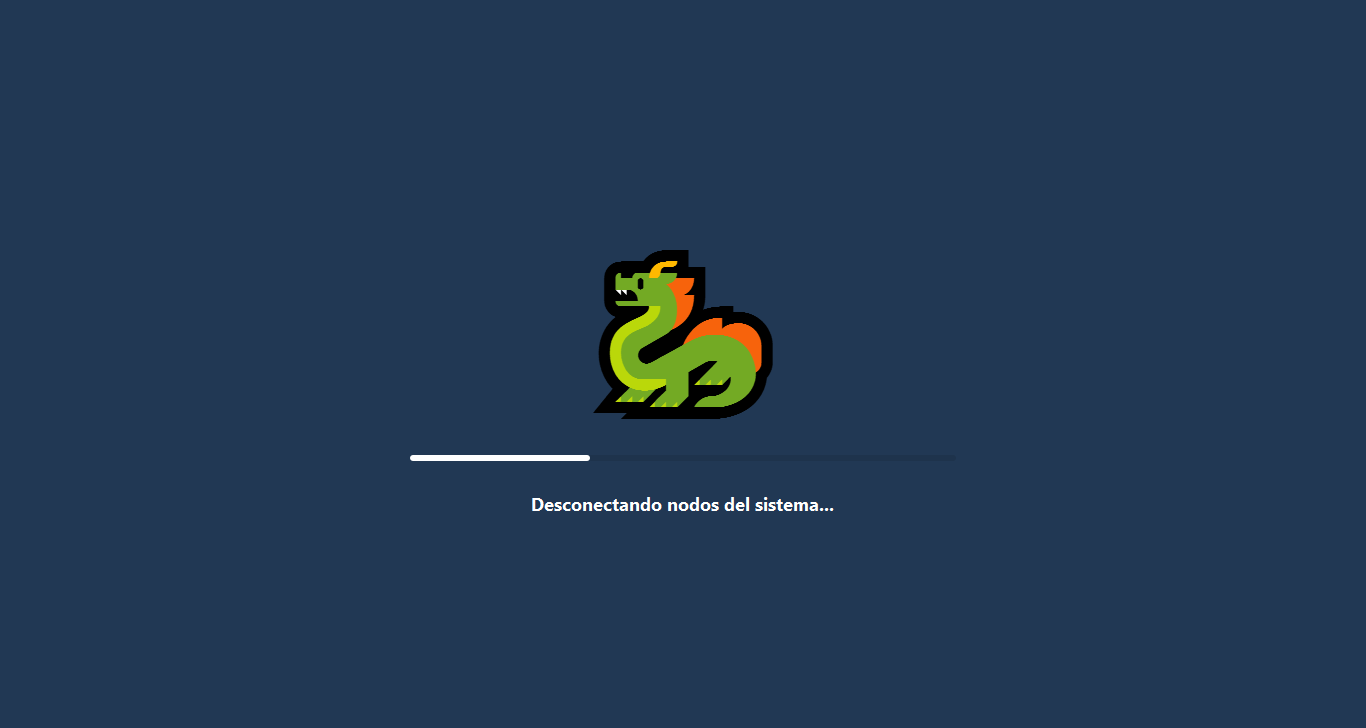
🔌 启动画面 — 应用的启动与关闭
此启动画面在使用 Leviathan UI 构建的应用打开或关闭时出现。动画龙和暗色背景营造出技术感与神秘感。
在应用启动和关闭时,你可以放入任意想要的文字。
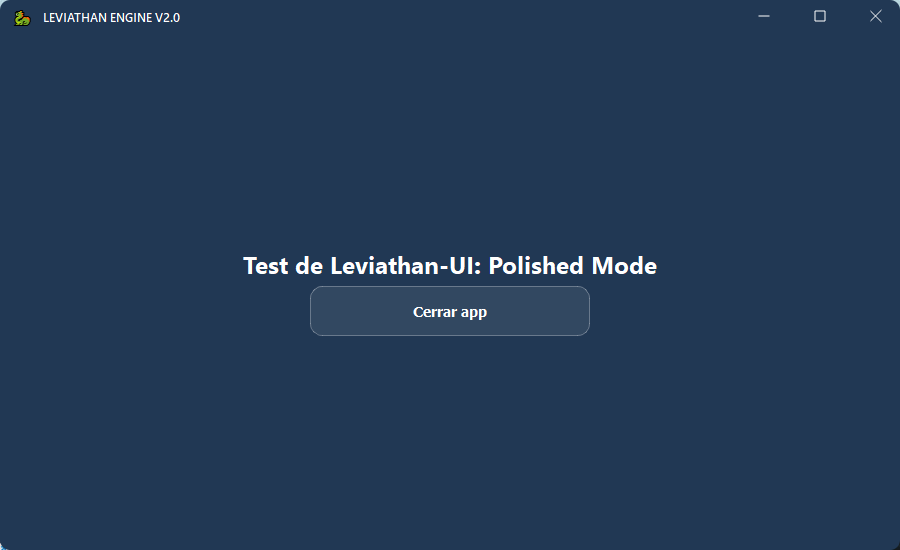
✨ Polished Mode — 经典 UWP 风格
- Windows UWP 风格。
- 按钮可见,无复杂视觉效果。
- 适用于专业或教育环境。
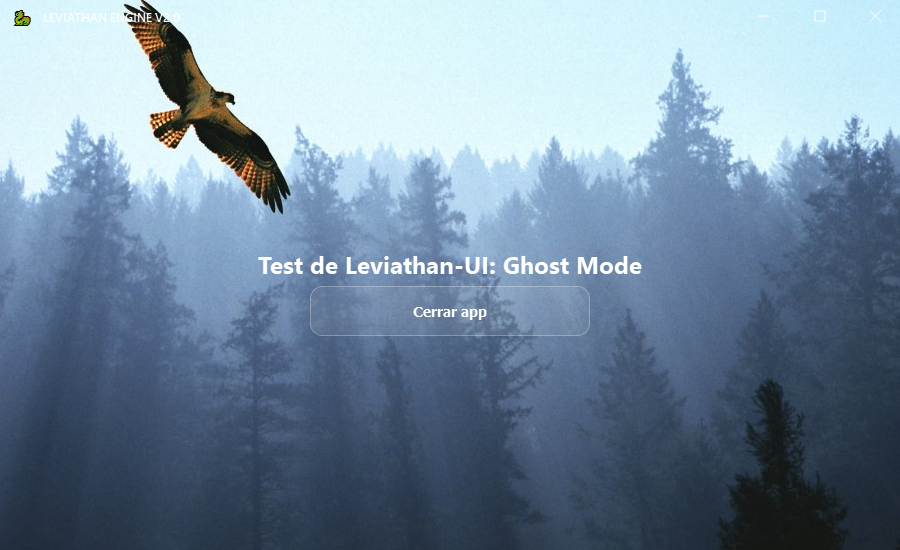
👻 Ghosted Mode — 优雅透明
- 界面背后可见的背景。
- 浮动按钮覆盖在风景或自定义背景上。
- 适用于仪表盘或创意应用。
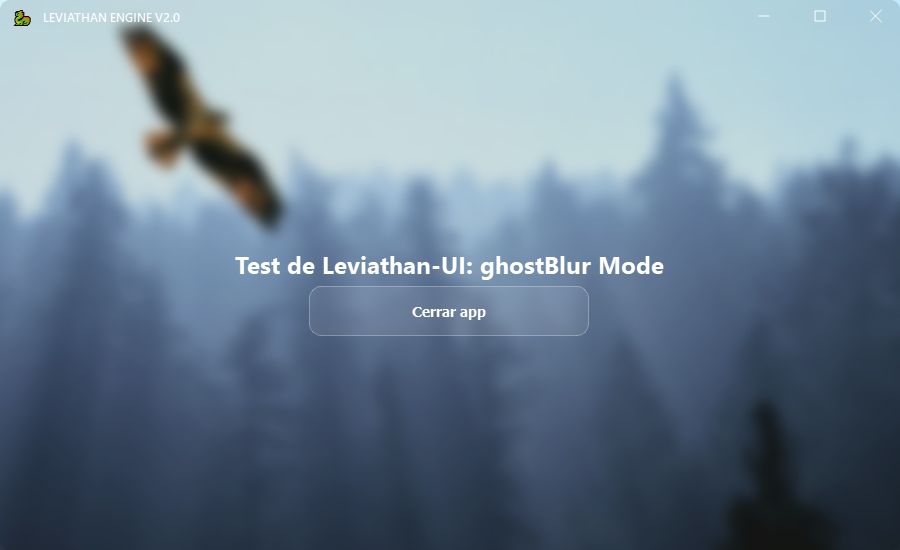
💧 Ghosted Blur Mode — 玻璃液体模糊
- 背景模糊并带有深度效果。
- 适用于想要在视觉上突出显示的应用。
- 灵感来源于 Fluent Design 风格的界面。
🌐 官方链接
- PyPI:
leviathan-uiv1.0.0 – Leviathan UI 官方仓库 - GitHub: JesusQuijada34
- Website: Flarm Store
- Telegram: Jesus Quijada | Influent Projects
- Patreon: JesusQuijada34
🎯 结论
Leviathan UI 对 想在 Python 中尝试图形界面的初学者 来说是完美的,不会太复杂。只需几行代码,你就可以拥有一个功能齐全且美观的窗口。
推荐: 从
polished开始熟悉,然后尝试透明和模糊模式,为你的应用增添风格。
如果你喜欢这个项目,考虑在 GitHub 或 Patreon 上支持它。感谢阅读!