
在 Oracle Cloud 上托管 Godot 服务器
发布: (2025年12月15日 GMT+8 18:42)
5 分钟阅读
原文: Dev.to
Source: Dev.to
介绍
在多人项目中,托管服务器是能够与他人共享项目的关键环节。
本文将介绍如何在 Oracle Cloud 实例上托管一个 Godot(4.5.1)服务器,内容包括:
- Godot 项目
- 为 Godot 服务器制作 Docker 镜像
- 在 Oracle 实例上托管 Godot 服务器
- 使用 NGINX 与 Let’s Encrypt 配置 HTTPS
- 在 itch.io 上托管客户端
前置条件
- Godot 4.5.1 –
- Docker 与 Docker Hub 账户 –
- Oracle Cloud 账户 – (选择离你最近的地区)
- itch.io 账户 –
- 已注册的域名(仅在需要 HTTPS 时必需;例如 GoDaddy – )
Godot 项目 {#the-godot-project}
该项目使用 Godot 4.5.1 的兼容模式以及 Godot 的高级多人功能(WebSocketServer),因此客户端可以在网页浏览器中运行。玩家可以加入一个 2D 空间,移动角色,并在角色头像上方看到各自的连接 ID。
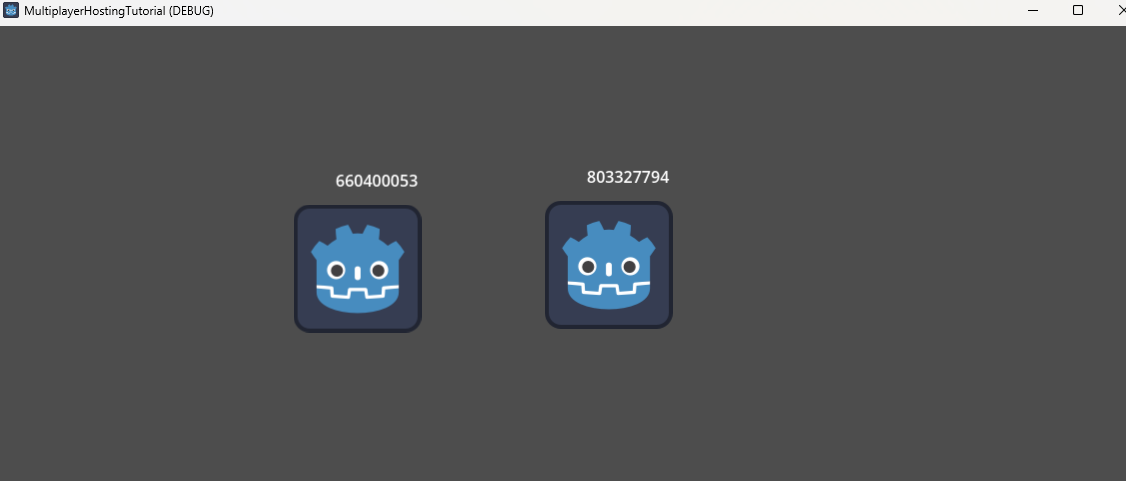
源码:
为 Godot 服务器制作 Docker 镜像 {#dockerising-a-godot-server}
Dockerfile – 构建阶段
# Build stage – download Godot and export the project
FROM ubuntu:focal AS build

# Install dependencies
RUN apt-get update && apt-get install -y --no-install-recommends \
    ca-certificates \
    unzip \
    wget

ENV GODOT_VERSION="4.5.1"

# Download Godot and export templates
RUN wget https://github.com/godotengine/godot/releases/download/${GODOT_VERSION}-stable/Godot_v${GODOT_VERSION}-stable_linux.x86_64.zip \
    && wget https://github.com/godotengine/godot/releases/download/${GODOT_VERSION}-stable/Godot_v${GODOT_VERSION}-stable_export_templates.tpz

# Install Godot
RUN mkdir -p ~/.cache ~/.config/godot ~/.local/share/godot/export_templates/${GODOT_VERSION}.stable \
    && unzip Godot_v${GODOT_VERSION}-stable_linux*.zip \
    && mv Godot_v${GODOT_VERSION}-stable_linux*64 /usr/local/bin/godot \
    && unzip Godot_v${GODOT_VERSION}-stable_export_templates.tpz \
    && mv templates/* ~/.local/share/godot/export_templates/${GODOT_VERSION}.stable \
    && rm Godot_v${GODOT_VERSION}-stable_export_templates.tpz Godot_v${GODOT_VERSION}-stable_linux*.zip
导出 Linux 服务器构建
# Create a workspace for the export
RUN mkdir /godotbuildspace
WORKDIR /godotbuildspace

# Copy the project files
COPY . .

ARG EXECUTABLE_NAME
ENV EXPORT_NAME="LinuxServer"
ENV EXECUTABLE_NAME=$EXECUTABLE_NAME
ENV EXPORT_MODE="debug"   # use "release" for production

# Export the project (headless)
RUN godot --export-${EXPORT_MODE} ${EXPORT_NAME} ${EXECUTABLE_NAME} --headless
注意:
EXECUTABLE_NAME– 最终可执行文件的名称。EXPORT_NAME– 在export_presets.cfg中定义的 Linux 导出预设名称。EXPORT_MODE–debug(显示print()输出)或release。
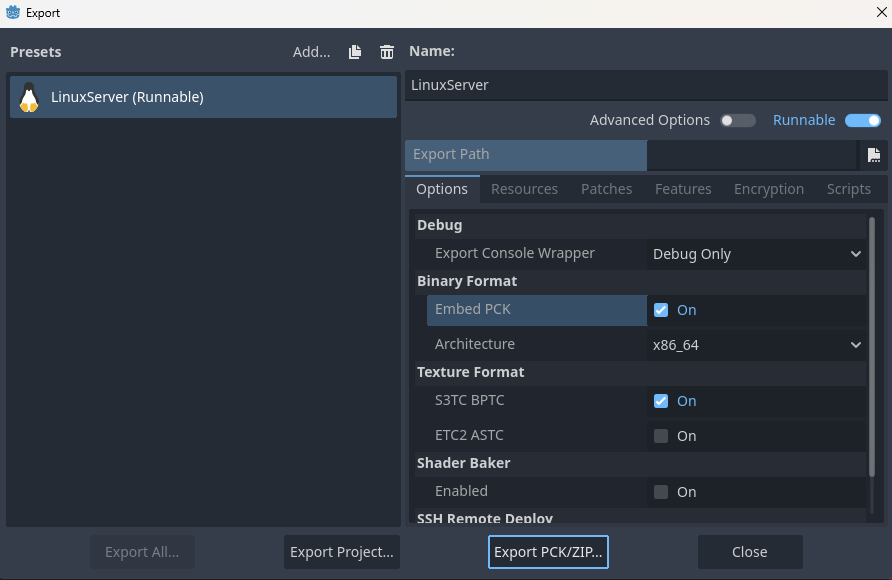
在 Godot 编辑器中,创建一个 Linux 导出预设(项目 → 导出 → 添加… → Linux),并启用 Embed PCK 与 Export Mode → Export as dedicated server。
Dockerfile – 运行阶段
# Runtime stage – run the exported server binary
FROM ubuntu:focal

ARG EXECUTABLE_NAME
ENV EXECUTABLE_NAME=$EXECUTABLE_NAME

COPY --from=build /godotbuildspace/ ./

EXPOSE 6069/tcp
EXPOSE 6069/udp

CMD ["sh", "-c", "./${EXECUTABLE_NAME} --headless -s"]- 端口 6069 同时用于 TCP 与 UDP(具体端口请参见客户端代码)。
--headless让 Godot 在无图形界面的模式下运行。-s表示项目以服务器模式启动(详情请查看源码)。
构建并推送镜像
# Build locally
docker build -t multiplayer-hosting-tutorial-server .

# Run locally (optional)
docker run -d -p 6069:6069 -p 6069:6069/udp multiplayer-hosting-tutorial-server

# Push to Docker Hub for deployment
docker build -t /multiplayer-hosting-tutorial-server .
docker push /multiplayer-hosting-tutorial-server
在 Oracle 实例上托管 Godot 服务器 {#hosting-a-godot-server-on-an-oracle-instance}
创建 Oracle 实例
- 打开 Oracle Cloud 的 Instances(实例)页面。
- 使用以下配置创建新实例:
- 镜像(Image): Canonical Ubuntu 20.04
- 规格(Shape): VM.Standard.E2.1.Micro(免费层)
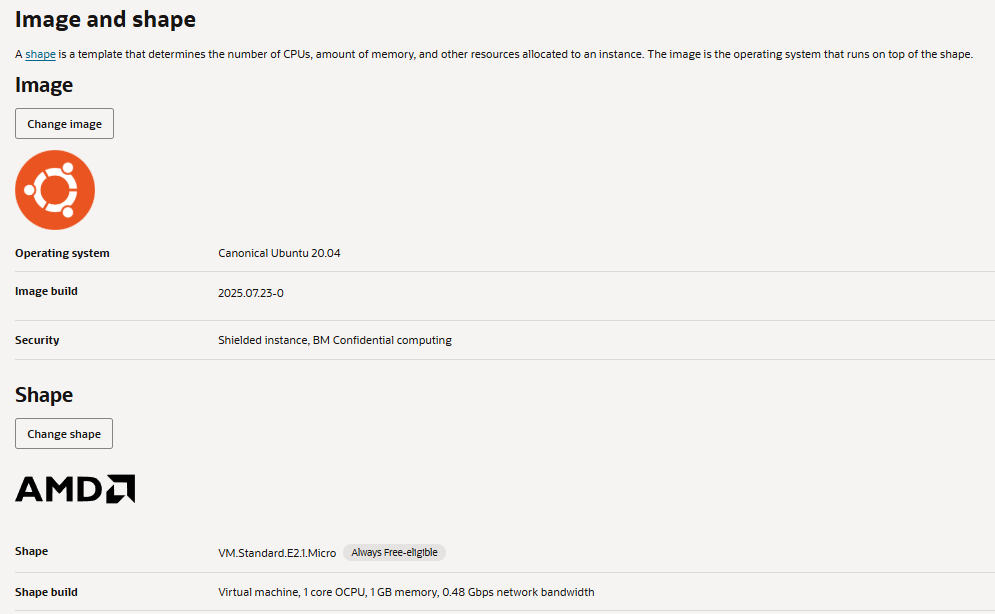
配置实例
# SSH into the instance (replace <IP> with your instance's IP)
ssh ubuntu@<IP>

# Update packages
sudo apt-get update && sudo apt-get upgrade -y

# Install Docker
sudo apt-get install -y docker.io
sudo systemctl enable --now docker

# (Optional) Add your user to the docker group
sudo usermod -aG docker $USER
newgrp docker
拉取并运行 Docker 镜像
docker pull /multiplayer-hosting-tutorial-server
docker run -d -p 6069:6069 -p 6069:6069/udp /multiplayer-hosting-tutorial-server
验证容器是否在运行:
docker ps你应该能看到一个暴露 6069/tcp 与 6069/udp 端口的容器。
(可选)设置 systemd 服务
创建文件 /etc/systemd/system/godot-server.service:
[Unit]
Description=Godot Multiplayer Server
After=network.target docker.service
Requires=docker.service

[Service]
Restart=always
ExecStart=/usr/bin/docker run --rm -p 6069:6069 -p 6069:6069/udp /multiplayer-hosting-tutorial-server
ExecStop=/usr/bin/docker stop $(/usr/bin/docker ps -q --filter "ancestor=/multiplayer-hosting-tutorial-server")

[Install]
WantedBy=multi-user.target
重新加载并启用服务:
sudo systemctl daemon-reload
sudo systemctl enable --now godot-server
现在,服务器将在系统重启后自动启动。