
从零到Agent (Part‑I)
Source: Dev.to
(请提供您希望翻译的具体文本内容,我将把它翻译成简体中文并保留原始的格式、Markdown 语法以及技术术语。)
第一步:在云上创建你的第一个 Strands 代理
只需几行 Python 代码,你就可以在 Amazon Bedrock 上部署一个由 Claude Sonnet 4 支持的代理:
from strands import Agent

agent = Agent(
    system_prompt="You are a helpful assistant that provides concise responses."
)

agent("Tell me a joke.")
无需配置基础设施。无需设置 API 网关。
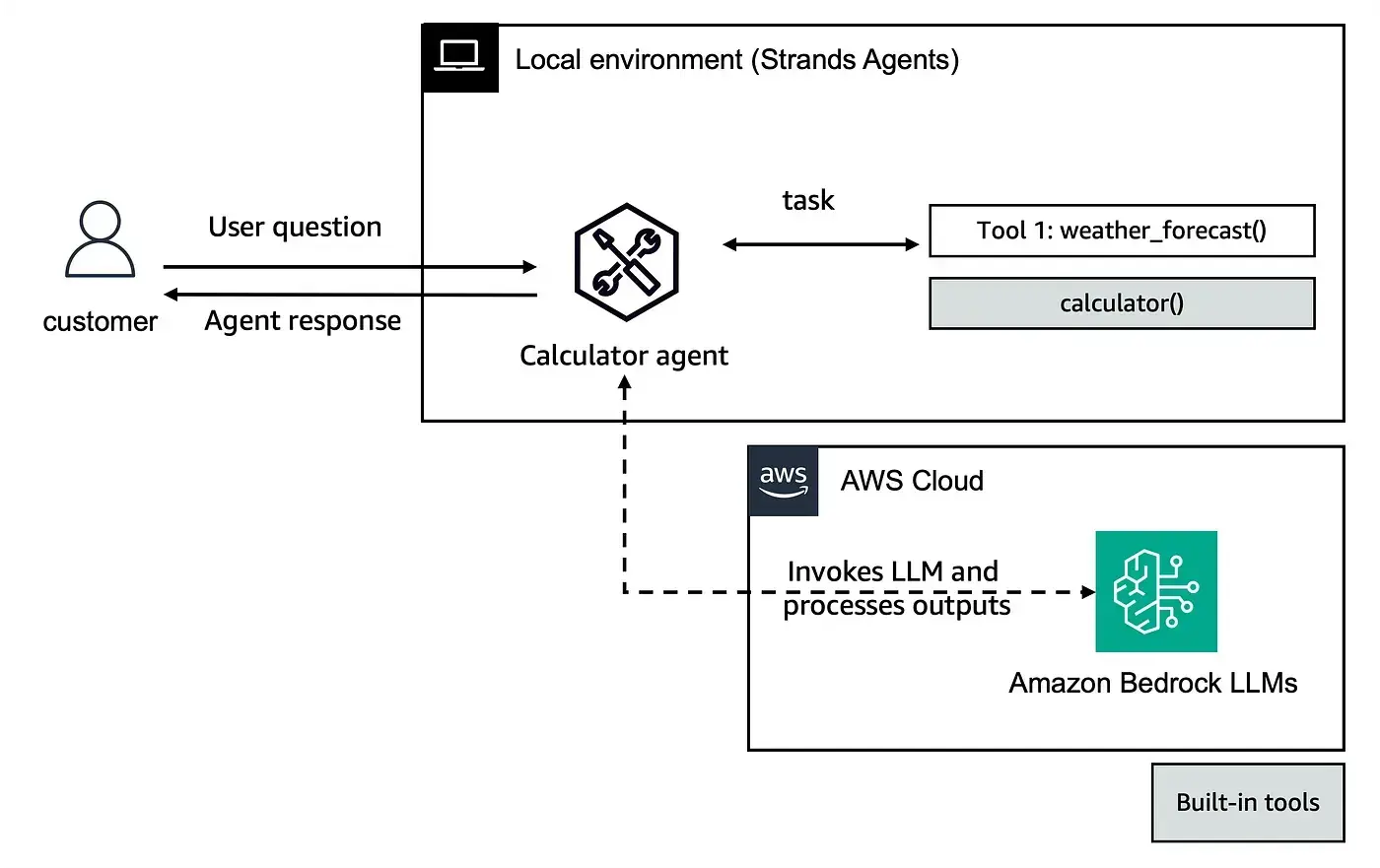
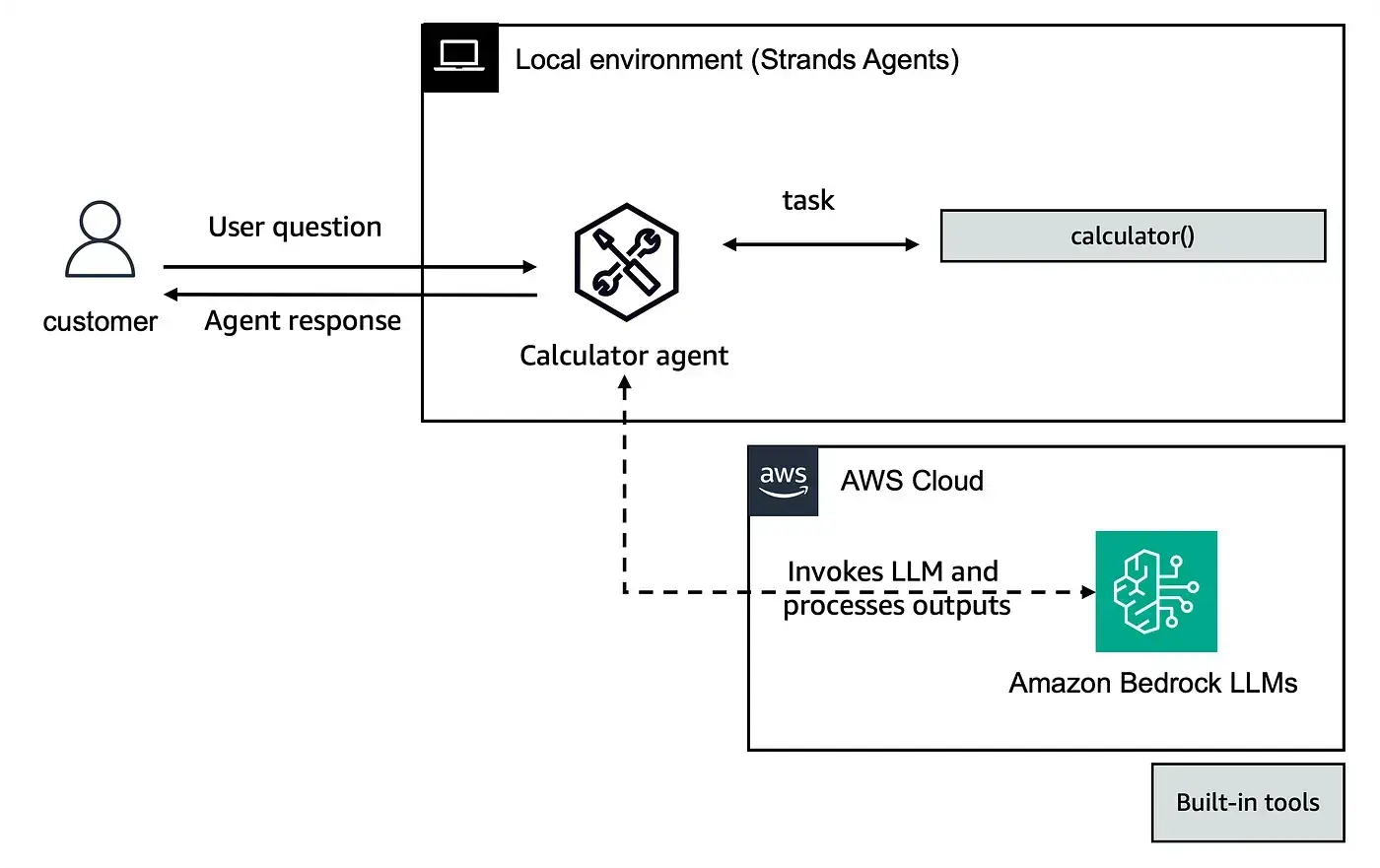
默认的模型提供商是 Amazon Bedrock,默认模型是你当前 AWS 区域的 Claude Sonnet 4。随后,你可以添加工具——既可以使用 strands‑agents‑tools 包中内置的工具(例如 calculator),也可以使用 @tool 装饰的自定义工具。你还可以直接调用工具(agent.tool.calculator(...)),配置日志记录,或通过 BedrockModel 更换模型提供商或调整推理参数。
下面的示例构建了一个 RecipeBot,它是一个使用 DuckDuckGo 网页搜索作为工具的烹饪助理,全部代码不超过 50 行。

import warnings
warnings.filterwarnings(action="ignore", message=r"datetime.datetime.utcnow")

from strands import Agent

# Initialise your agent
agent = Agent(
    model="us.anthropic.claude-sonnet-4-5-20250929-v1:0",  # optional: specify the model ID
    system_prompt="You are a helpful assistant that provides concise responses."
)

# Send a message to the agent
response = agent("Hello! Tell me a joke.")
关键要点 – Strands 代理抽象了整个请求‑响应‑工具循环。你只需思考 代理应该做什么,而不是 如何连接 API 调用。只需三行代码,Strands 就能在 Bedrock 上运行一个完整的代理。
步骤 2:本地机器上的个人代理助理
并非所有用例都需要调用云端接口。此步骤展示了如何使用 Strands 的 OllamaModel 提供者,将 Amazon Bedrock 替换为 Ollama(本地 LLM 运行时)。代理完全在你的机器上运行,所有数据均保持本地。

from strands import Agent
from strands.models.ollama import OllamaModel

ollama_model = OllamaModel(
    model_id="llama3.2:3b",
    host="http://localhost:11434",
    temperature=0.7,
)

# Example tools (you would define these elsewhere)
tools = [file_read, file_write, list_directory]

agent = Agent(model=ollama_model, tools=tools)
该用例是一个 本地文件操作助理:读取文件(包括 PDF),写入文件,列出目录内容。代理可以对股东信进行摘要,搭建 README,或代表你创建文件,全部由本地运行的 30 亿参数模型提供动力。
关键要点 – Strands 的模型提供者抽象真正实现了可移植性。从 Bedrock 上的 Claude 切换到 Ollama 上的 Llama 只需一行代码的更改,这对离线场景、隐私敏感的工作负载以及成本优化的开发都至关重要。
Source: …
第 3 步:将代理连接到 AWS 服务
这一步才是真正实用的地方。示例构建了一个 Restaurant Assistant(餐厅助理),它连接了两个 AWS 托管服务:
- Amazon Bedrock 知识库 – 对餐厅菜单进行 RAG(检索增强生成)。
- Amazon DynamoDB – 预订管理。
本步骤演示了三种定义工具的方法:
- 使用
@tool装饰器内联 – 在代理代码旁边定义函数。 - 使用
@tool装饰器的独立文件 – 将其作为模块导入。 TOOL_SPEC字典 – Bedrock Converse‑API 风格的模式,适用于对参数和返回结构进行细粒度控制。
from strands import Agent
from strands_tools import current_time, retrieve   # 内置工具

# 自定义工具(可以内联定义、导入或通过 TOOL_SPEC)
# 示例:get_booking_details、create_booking、delete_booking

agent = Agent(
    model=model,
    system_prompt=system_prompt,
    tools=[
        retrieve,
        current_time,
        get_booking_details,
        create_booking,
        delete_booking,
    ],
)
内置的 retrieve 工具会在设置了 KNOWLEDGE_BASE_ID 环境变量时自动从你的 Bedrock 知识库读取——无需自定义 RAG 管道。
关键要点 – Strands 代理可以通过自定义工具和 boto3 调用连接到任何 AWS 服务。retrieve 内置工具让你只用一行代码即可实现 RAG,而 TOOL_SPEC 模式则在需要时让你定义复杂的工具契约。
Source: …
第 4 步:MCP 工具与多服务器
模型上下文协议(Model Context Protocol,MCP) 是连接 AI 代理与外部工具服务器的新兴标准。下面展示了 Strands 如何原生集成 MCP 服务器,既支持本地 CLI‑式服务器的 stdio,也支持网络无状态服务器的 可流式 HTTP。
from strands.tools.mcp import MCPClient
from mcp import StdioServerParameters, stdio_client

mcp_client = MCPClient(
    lambda: stdio_client(
        StdioServerParameters(
            command="uvx",
            args=["awslabs.aws-documentation-mcp-server@latest"]
        )
    )
)

with mcp_client:
    tools = mcp_client.list_tools_sync()
    agent = Agent(tools=tools)
    agent("What is Amazon Bedrock's pricing model?")
本步骤还包括:
- 使用 FastMCP 创建自己的 MCP 服务器
- 通过
call_tool_sync直接调用工具 - 使用
read_timeout_seconds配置超时 - 将 多个 MCP 服务器 同时连接到单个代理
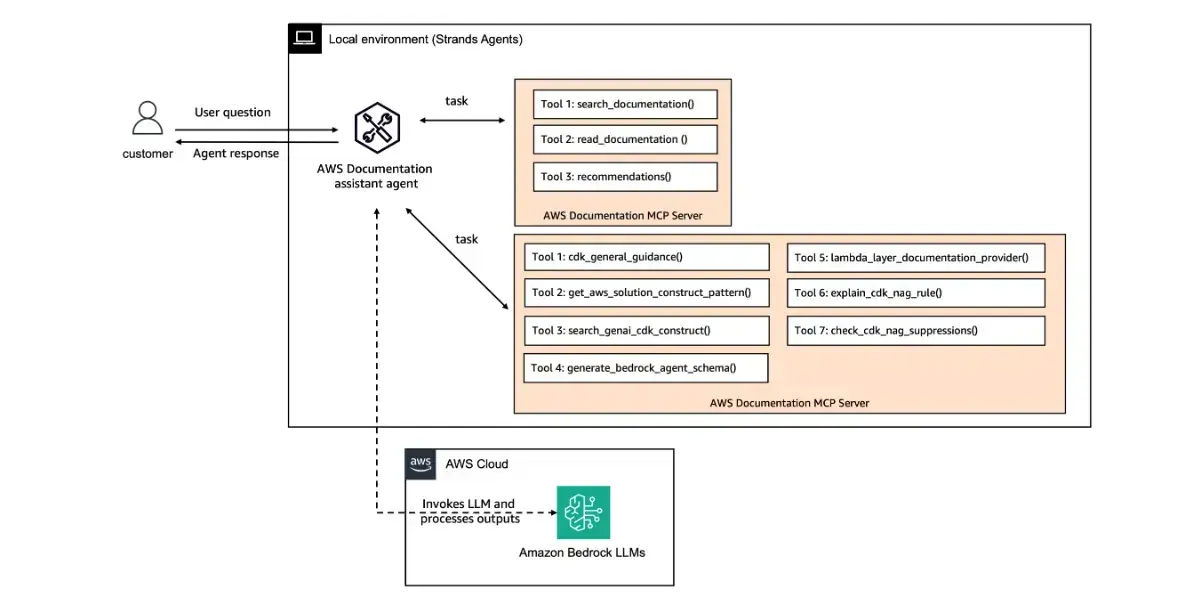
关键要点 – MCP 将工具生态系统转变为即插即用的市场。任何兼容 MCP 的服务器——无论是 AWS 文档、CDK 最佳实践、数据库还是 API——都可以成为代理可使用的工具,无需任何胶水代码。你可以在一次代理调用中组合多个服务器。
Source: …
第5步:高级响应处理、流式传输和回调
真实的应用并不会仅仅调用一次代理然后等待返回。它们会流式传输 token、渲染部分结果、将事件推送到仪表盘,并通过 HTTP 提供响应。本步骤演示两种实现方式。
方法 1 — 异步迭代器 (stream_async)
适用于 FastAPI 等异步框架。随着事件到达,逐个遍历代理的输出:
async for event in agent.stream_async("Calculate 2+2"):
    if "data" in event:
        print(event["data"])
    if "current_tool_use" in event:
print(f"Tool: {event['current_tool_use']['name']}")事件携带结构化的生命周期信号:init_event_loop、start_event_loop、message、current_tool_use、data、force_stop 和 result。这让你能够细粒度地控制流式 UI、进度指示器或自定义日志。
方法 2 — 回调处理器
在同步上下文中,可向代理传入 callback_handler 函数。它会在每个事件触发时被调用,让你在不重构为 async 的情况下实时拦截模型输出和工具调用。
关键要点
- 将
stream_async与 FastAPI 结合使用是生产环境中流式代理 API 的推荐模式。 - 回调处理器是脚本、CLI 或任何同步环境的轻量替代方案。
这两种方法都能让你看到代理推理和工具使用的每一步。
未完待续…