
可定制的“Toast-like”通知 via openCustomDialog(字体大小 & 面板大小)
发布: (2026年3月16日 GMT+8 09:28)
3 分钟阅读
原文: Dev.to
Source: Dev.to
可自定义的 “Toast‑like” 通知(通过 openCustomDialog 实现字体大小与面板尺寸)
需求描述
提供一种 Toast‑like 的短暂消息,能够自定义 字体大小 以及 面板的宽度/高度/圆角/背景,而内置的 openToast 接口并未提供这些属性。
背景知识
Toast(即时反馈):临时的反馈 UI。
指南:全局自定义对话框(UIContext):推荐使用
PromptAction.openCustomDialog来实现更丰富、全局的提示。
指南:Toast API 的局限:
UIContext.getPromptAction().openToast不支持字体大小或面板尺寸的设置。
API 参考:
实现步骤
- 使用 Builder 构建 Toast 内容(例如带自定义
fontSize、颜色、对齐方式的Text)。 - 通过
openCustomDialog打开非模态自定义对话框,传入 width/height/cornerRadius/backgroundColor。 - 使用
closeCustomDialog在短暂延时后自动关闭。- 保持 非模态 并 居中对齐,通过 offset 来模拟 Toast 的行为。
代码片段 / 配置
let customDialogId: number = 0

@Builder
function customDialogBuilder() {
  Column() {
    // 完全可自定义的排版与颜色
    Text('Custom Toast').fontSize(20).fontColor('#fff')
  }
  .width('100%')
  .height('100%')
  .justifyContent(FlexAlign.Center)
  .alignItems(HorizontalAlign.Center)
}

@Entry
@Component
struct Index {
  @Builder
  customDialogComponent() {
    customDialogBuilder()
  }

  build() {
    Row() {
      Column() {
        Text('Show Toast-like Dialog')
          .fontSize(30)
          .fontWeight(FontWeight.Bold)
          .onClick(() => {
            this.getUIContext().getPromptAction().openCustomDialog({
              builder: () => this.customDialogComponent(),
              // 可视容器控制(Toast‑like 面板)
              backgroundColor: 'rgba(0,0,0,0.8)',
              backgroundBlurStyle: BlurStyle.NONE,
              cornerRadius: 5,
              width: '50%',   // 面板宽度
              height: 50,     // 面板高度
              isModal: false, // 非模态,类似 Toast
              alignment: DialogAlignment.Center,
              offset: { dx: 0, dy: 100 }
            }).then((dialogId: number) => {
              customDialogId = dialogId
              setTimeout(() => {
                this.getUIContext().getPromptAction().closeCustomDialog(customDialogId)
              }, 1500)
            })
          })
      }.width('100%')
    }.height('100%')
  }
}
测试结果
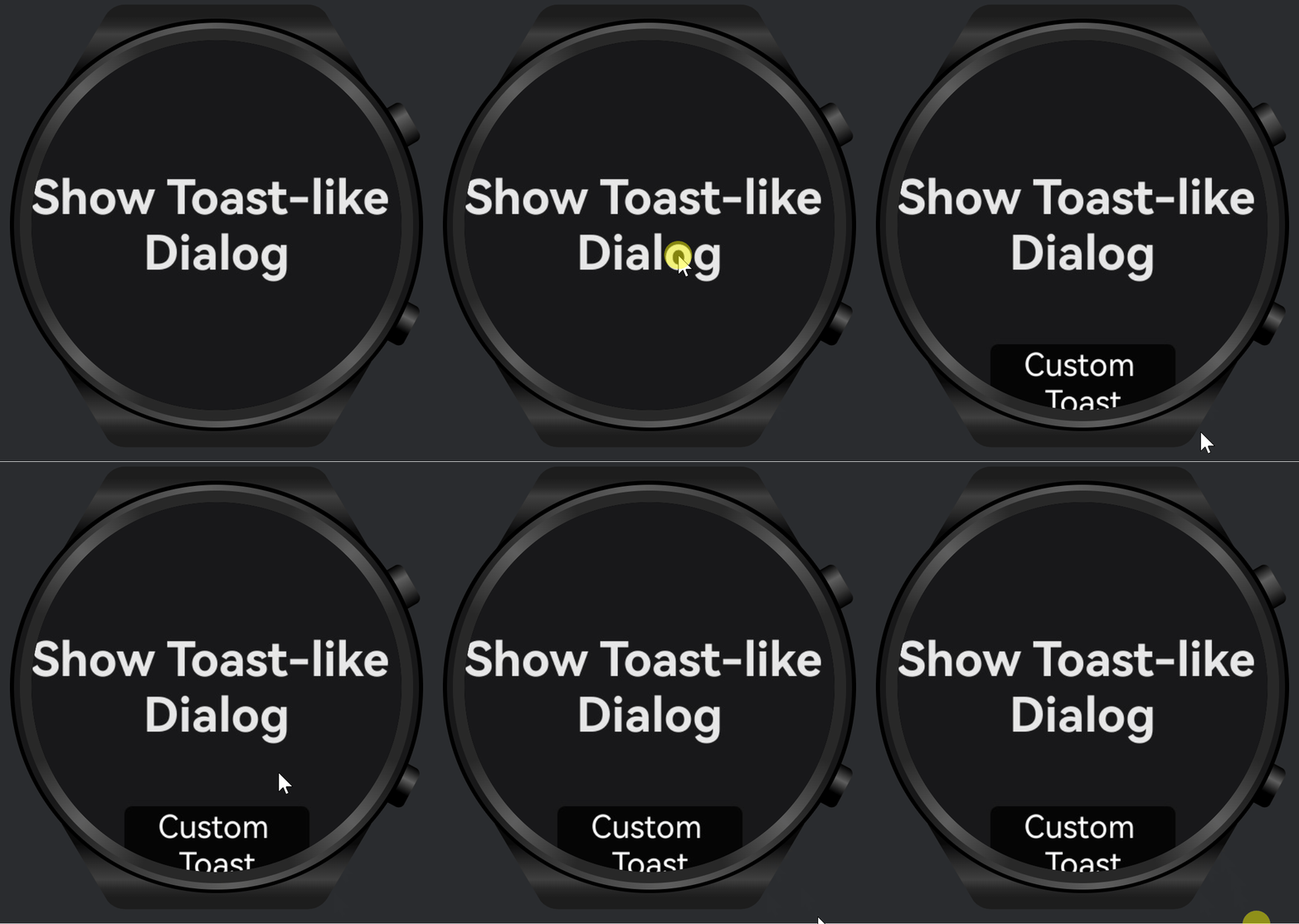
- 已验证 文字字体大小 与 面板宽度/高度/圆角/背景 均可完全控制。
- 自动关闭在约 1.5 秒后可靠触发,交互保持非阻塞(非模态)。
限制或注意事项
openToast使用更简便,但 无法自定义排版或面板尺寸;仅适用于基础消息。- 对于复杂样式或品牌化的 Toast,建议使用
openCustomDialog;同时要确保 可访问性(对比度、尺寸)。 - 需考虑 安全区 以及 设备差异(如可穿戴设备的圆形/紧凑屏幕)。
相关文档或链接
- Toast 指南:
- 全局自定义对话框指南:
PromptAction.openToastAPI: