
ViewSonic VX2730D-4K 27인치
출처: Tom’s Hardware
The ViewSonic VX2730D-4K is fast, responsive and colorful. It’s nearly perfect in SDR mode and offers excellent video processing with a convenient resolution switch between 144 Hz and 288 Hz. And at $280, its value is hard to beat.
Pros
- Sharp and colorful SDR image
- No need for calibration
- Low input lag with effective overdrive and reduced motion blur
- Solid build quality
- Excellent value
Cons
- Some brightness and color issues in HDR mode
- MPRT shows significant artifacts at 144 Hz
Why you can trust Tom’s Hardware
Our expert reviewers spend hours testing and comparing products and services so you can choose the best for you. Find out more about how we test.
Go to page:
I’ve been reviewing video tech long enough to remember the advent of 4K displays. In 2013, my first experience was with an Asus PQ321Q.
It cost around $3,500, delivered 3840×2160 pixels at 60 Hz, and only worked with a handful of graphics cards that had a DisplayPort 1.2 output.
As prices dropped and choices multiplied, I saw that one of the most common searches on Tom’s Hardware was “budget 4K”. Even though you still need a powerful video card to game at 8.3 megapixels, most users want that high pixel density on their desktops.
The good news is that 4K monitors are no longer $3,500. The ViewSonic VX2730D-4K I’m reviewing here isn’t even $350. It’s $280 and works with many video cards. And it runs at 144 Hz with a dual‑mode switch that lets you reach 288 Hz at 1080p resolution. And you get wide‑gamut color and HDR on a 27‑inch IPS panel with high contrast and high performance. Let’s take a look.
Swipe to scroll horizontally
Panel Type / Backlight
IPS / W-LED, edge array
Screen Size / Aspect Ratio
27 inches / 16:9
Max Resolution and Refresh Rate
3840×2160 @ 144 Hz
Row 3 – Cell 0
1920×1080 @ 288 Hz
Row 4 – Cell 0
FreeSync and G‑Sync Compatible
Native Color Depth and Gamut
10‑bit (8‑bit+FRC) / DCI‑P3
Response Time (GTG)
2 ms
Brightness (mfr)
250 nits
Contrast (mfr)
1,500:1
Speakers
2× 2 W
Video Inputs
1× DisplayPort 1.4
Row 11 – Cell 0
2× HDMI 2.1
Audio
3.5 mm headphone output
USB
None
Power Consumption
24 W, brightness @ 200 nits
Panel Dimensions
W×H×D w/ base
24.2 × 15.420.2 × 8.8 inches (614 × 392512 × 225 mm)
Panel Thickness
2.2 inches (57 mm)
Bezel Width
Top/sides: 0.3 inch (8 mm) Row 18 – Cell 0 Bottom: 0.8 inch (20 mm)
Weight
13.7 pounds (6.2 kg)
Warranty
3 years
The VX2730D-4K has an impressive feature set wrapped up in an IPS panel that delivers an impressive 1,500:1 contrast ratio. That’s claimed by ViewSonic and verified by me. In fact, I measured over 1,600:1 after calibration, which isn’t necessary because it’s nearly pro‑level accurate out of the box. There’s plenty of color coverage too, over 98% of DCI‑P3. It also supports HDR10 signals, and there I found a couple of issues that I’ll get into later.
A 144 Hz refresh rate anchors gaming performance at the full 3840×2160 pixels. You can run that signal over DisplayPort or the two HDMI 2.1 inputs. A dual‑mode switch changes the resolution to FHD 1920×1080 and 288 Hz. In both cases, you get G‑Sync with Nvidia certification and FreeSync Premium. It’ll also do VRR with consoles. There’s a three‑level overdrive to smooth out motion blur, and you get MPRT backlight strobing to use when speeds drop below 120 fps.
A few unimportant things have been sacrificed on the altar of value. There’s no LED lighting, nor are there USB ports. But you do get internal speakers and a 3.5 mm headphone jack. A decent stand and cable bundle come in the box as well. The VX2730D-4K is more than prepared to take on your favorite games, be they twitchy shooters or lavish adventures.
조립 및 액세서리
The VX2730D-4K comes in the cardboard version of a plain brown wrapper with nothing but the words “ViewSonic Gaming” to signal the intent of what’s inside. Crumbly foam disgorges the three main bits, panel, upright, and base, which assemble without tools. Cables are DisplayPort and IEC for the internal power supply.
Get Tom’s Hardware’s best news and in‑depth reviews, straight to your inbox.
제품 360
Image 1 of 4 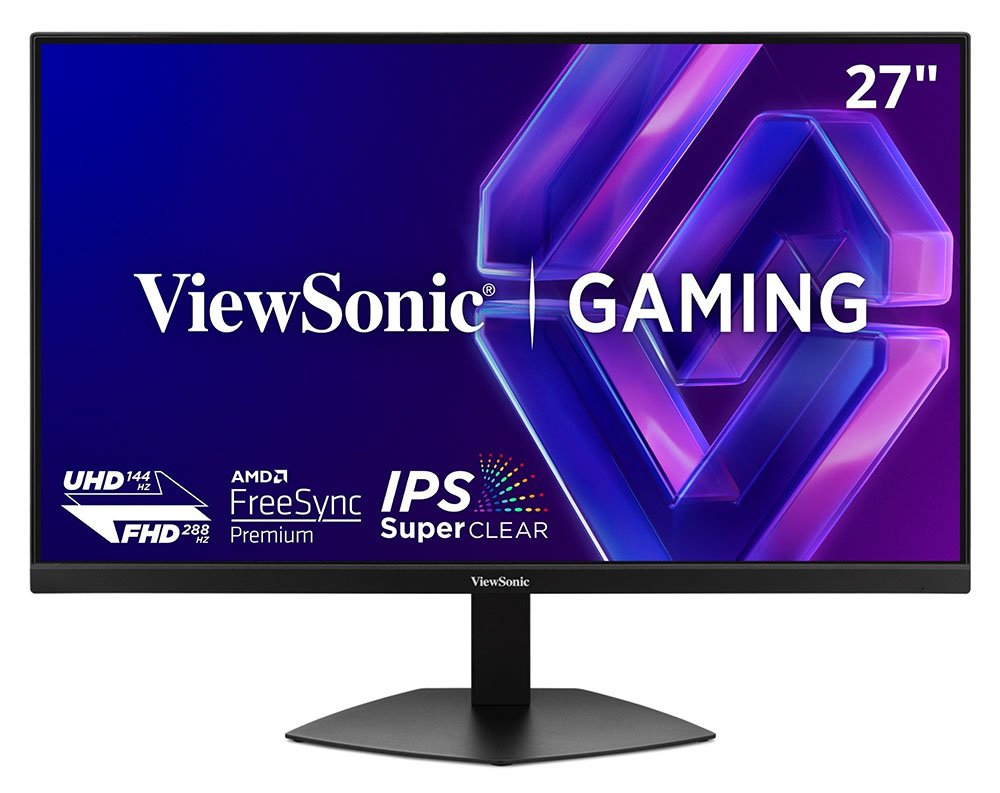 (출처: ViewSonic)The VX2730D-4K’s styling is minimalist industrial with nothing in front but the screen and its effective anti‑glare coating, a ViewSonic logo, and a thin flush bezel. The IPS variant is proclaimed as “Super Clear,” which refers to its higher‑than‑average contrast. More on that later.
The stand is solid and stable and includes a 4.7‑inch height range, 90‑degree portrait mode and 5/20 degrees tilt. There is no mechanical swivel, but the metal plate base slides easily on the desktop if you want to turn the panel to either side. The package has decent heft and is very solid in operation. Build quality is well above the norm for a budget display.
In the back, there is purposeful grillwork that provides cooling airflow to the hardworking internals. A larger ViewSonic logo lets others know where your monitor comes from. And there’s a tiny OSD joystick reachable from the front bottom right that controls all functions. The side view shows a relatively slim panel with a component bulge. There’s a small cable hook on the back of the stand.
There are three video inputs in total, one DisplayPort 1.4 and two HDMI 2.1. All support 4K at 144 Hz and FHD at 288 Hz with Adaptive‑Sync and HDR. You also get a 3.5 mm headphone jack should you wish to forgo the internal speakers, which play politely in the upper mid frequency band.
OSD 기능
The VX2730D-4K’s OSD is operated by a joystick, which I found to be a bit different than others. You’d expect that pressing it would bring up the menu, but instead, it’s the dual‑mode switch so the screen goes blank for a few seconds, then changes resolutions and refresh rates. There’s no provision to change this, but the dual‑mode switch is super quick and convenient.
Image 1 of 7 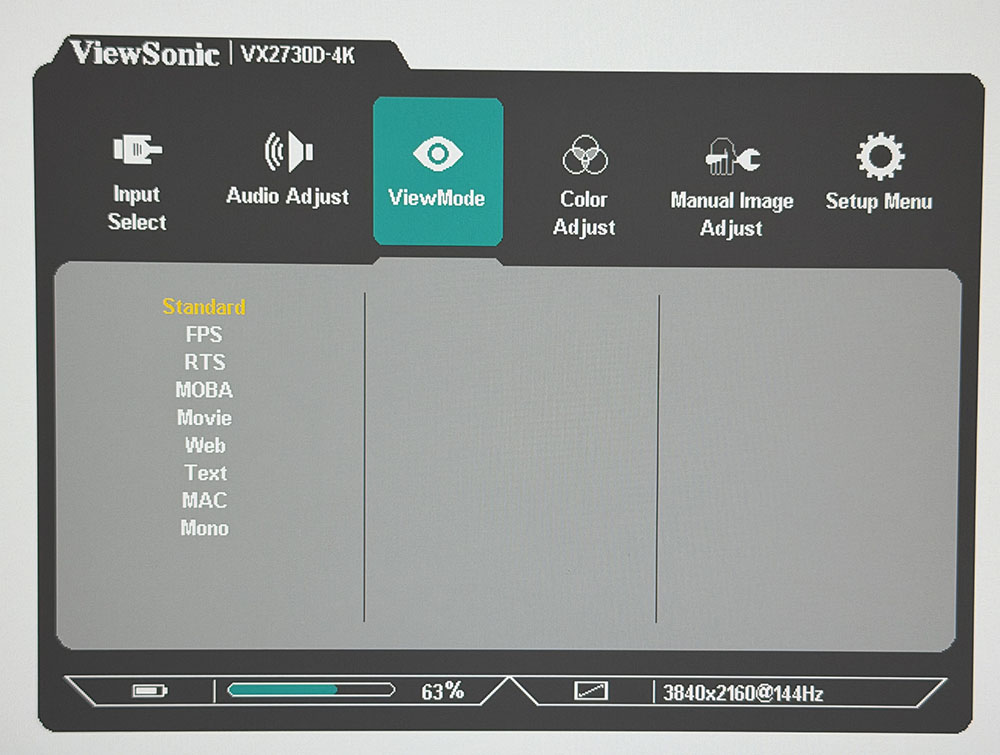 (출처: Tom’s Hardware)There are nine picture modes aimed at different game types and uses. Standard is the default and best choice. It’s within a whisker of perfect; the VX2730D-4K does not require calibration. But tweaks are available in the Color Adjust menu where you can change the color temp, adjust saturation and hue and panel luminance. HDR is simply Auto or Off, there are no adjustments there. The sRGB choice in the color temp menu does not change the gamut size, so there is in effect, no sRGB picture mode. You get full color all the time, covering just over 98% of DCI‑P3.
You can switch resolution/refresh modes in the OSD using the Dual‑Mode field if you’d rather. Like any dual-refresh monitor, you must set up the refresh rates in the Nvidia Control Panel once initially before you can toggle back and forth.
There are three overdrive levels, of which Ultra Fast is the smoothest. I saw no artifacts on any setting. It is reasonably effective, but 144 Hz still has some blur. In the Setup menu, you can turn off Adaptive‑Sync in favor of MPRT, which is a backlight strobe. At 144 Hz, the phasing artifact is severe enough that I couldn’t use it. It’s better at 288 Hz where you can only see it slightly. Adaptive‑Sync, along with a video card that can maintain max frame rates is the best option. The VX2730D-4K includes PIP and PBP, wh